Relational Algebra (cont.)

A First Look at SQL

Data Science 310

Boston University

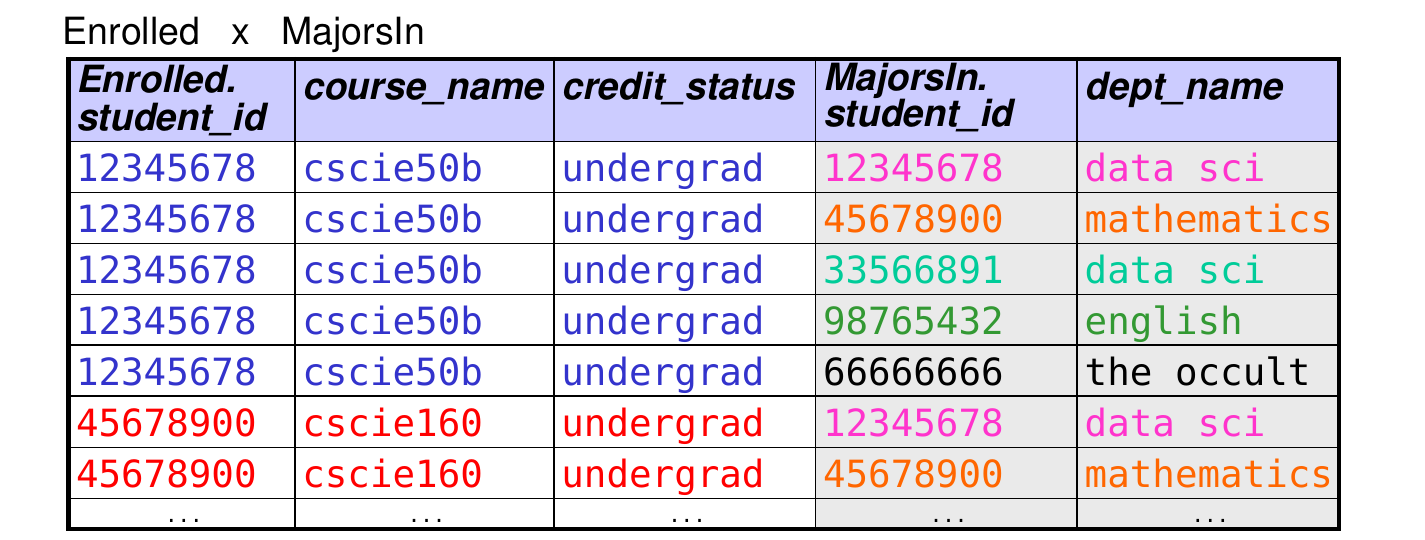
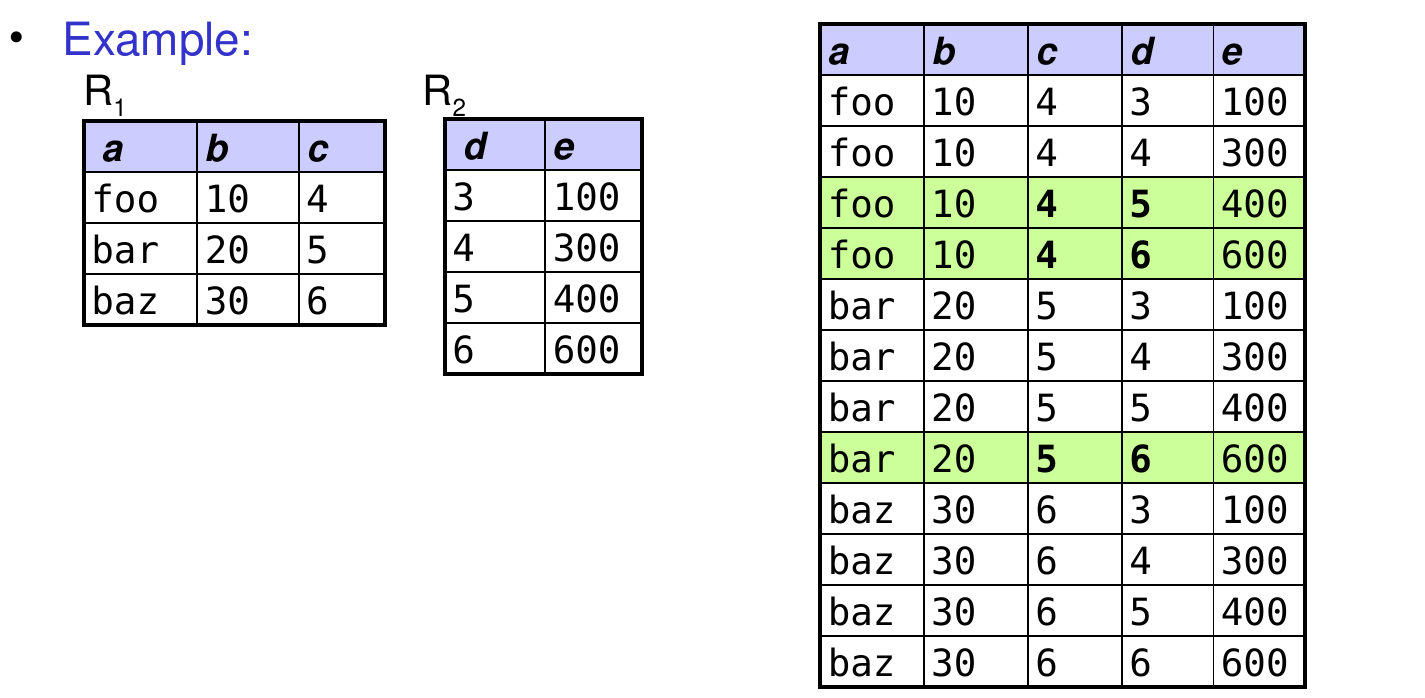
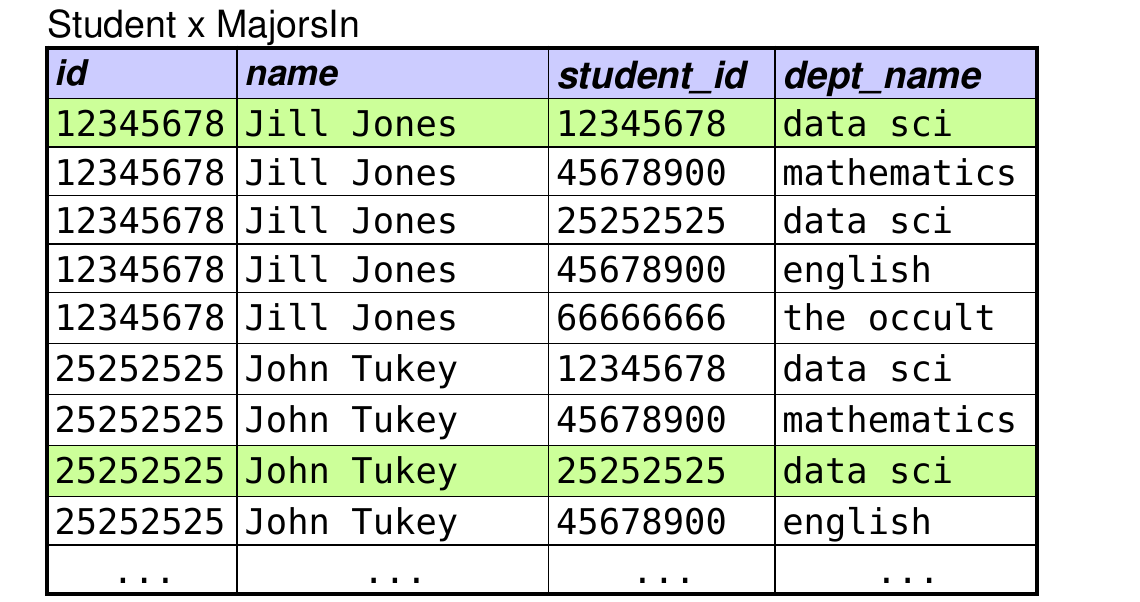
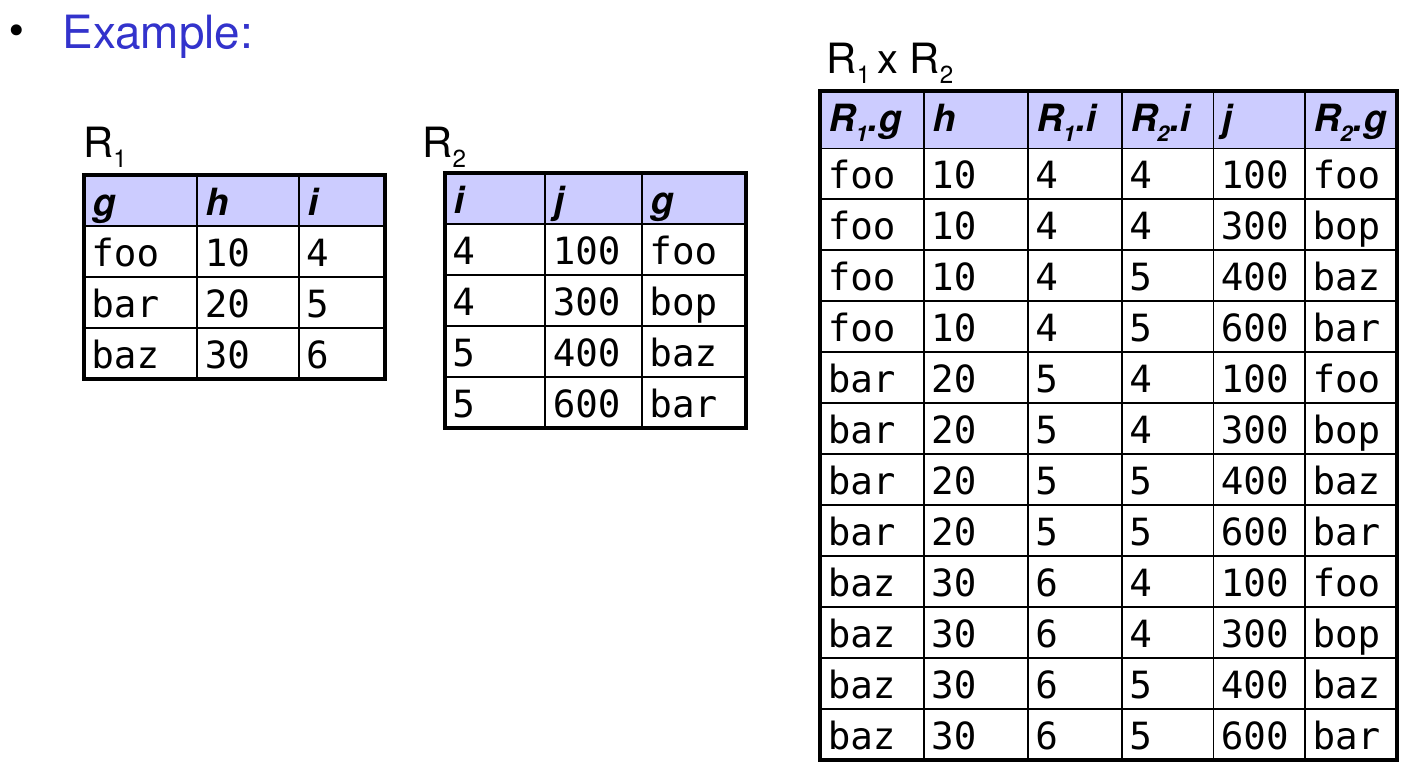
Recall: Cartesian Product

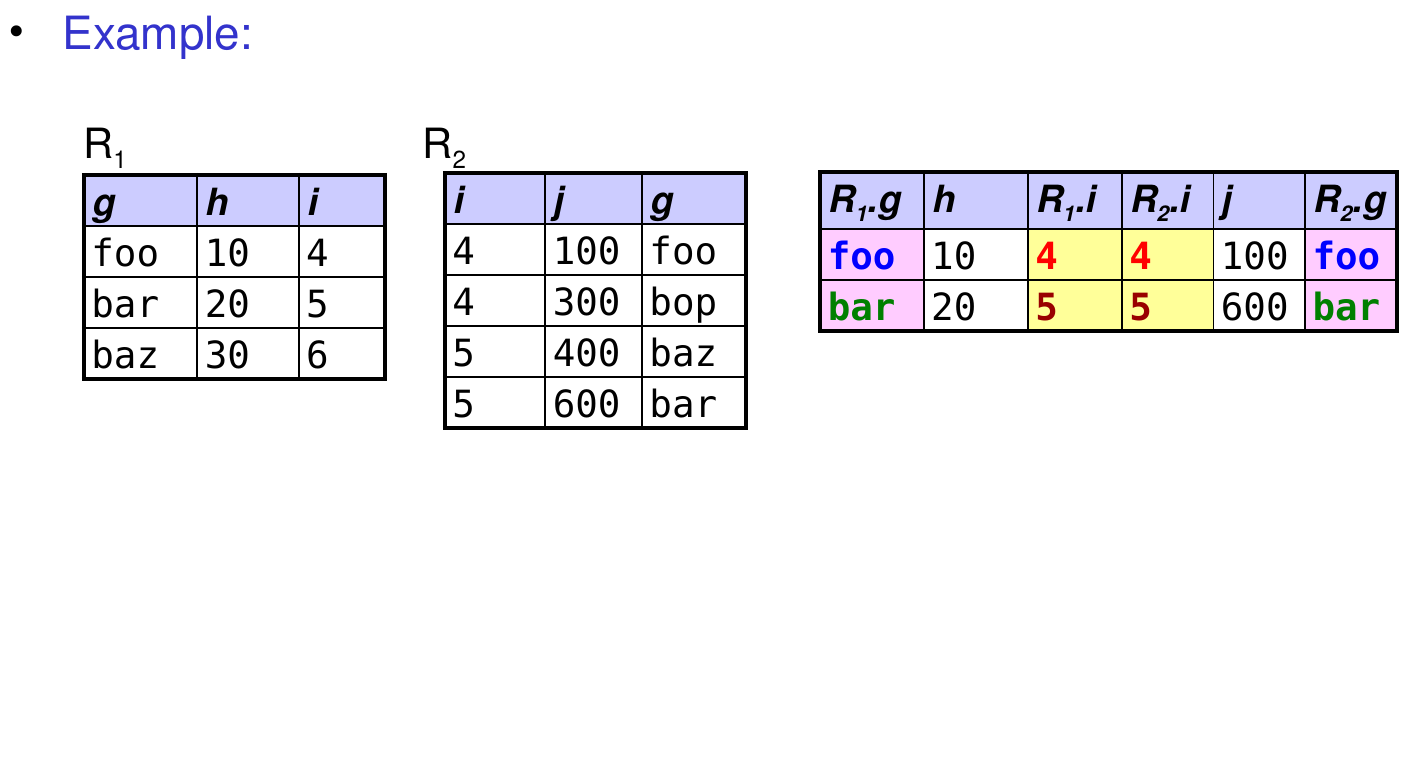
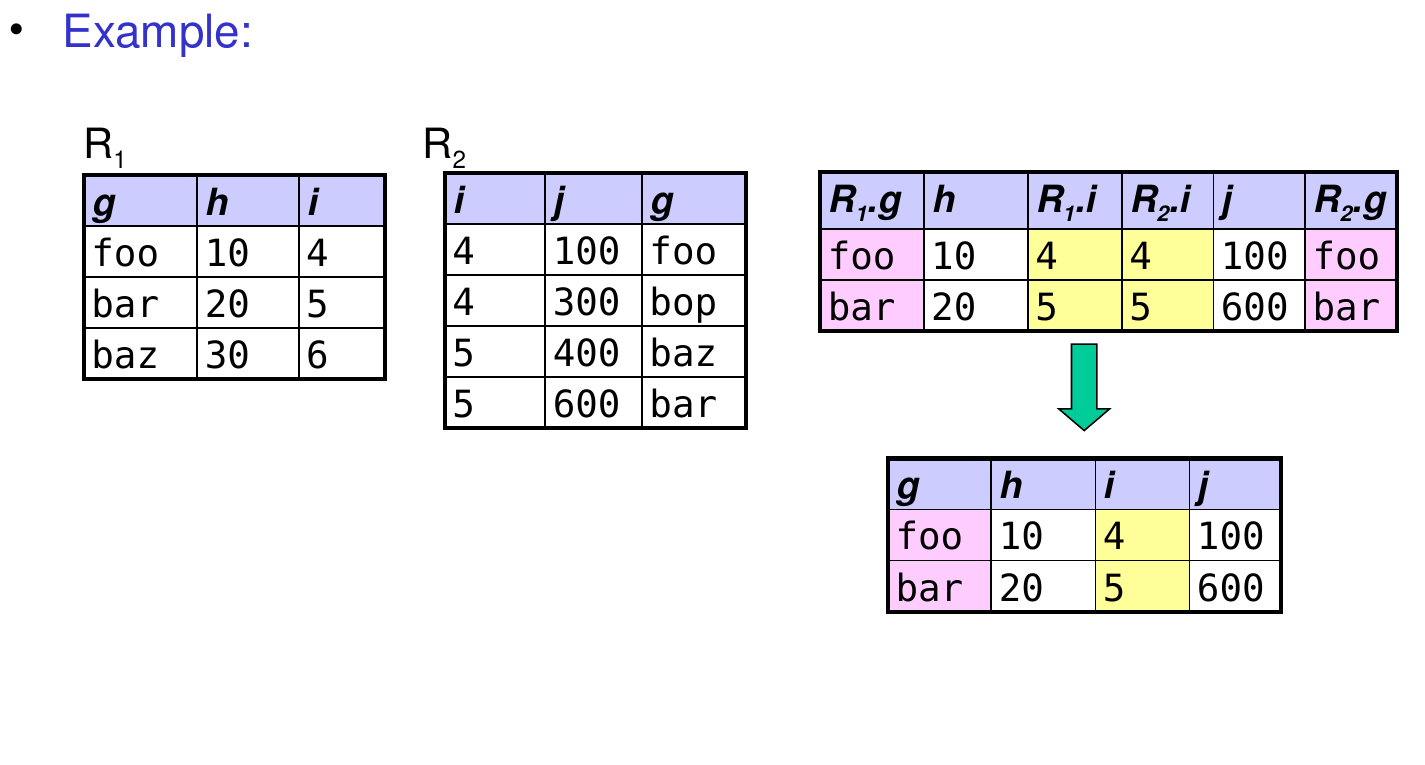
  • Example:

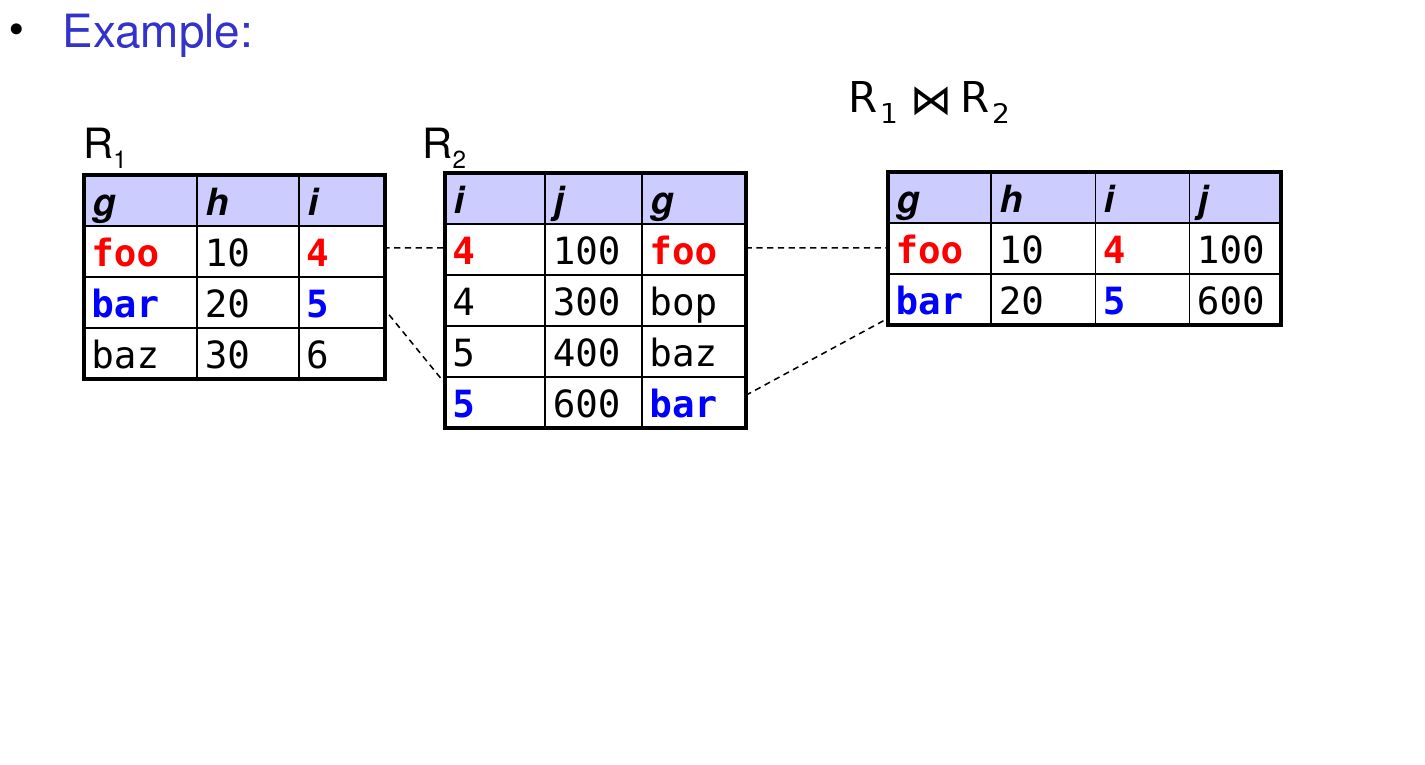
Recall: Performing the Natural Join

  • Step 1: take the full Cartesian product.
  • Step 2: perform a selection in which we filter out tuples in which attributes with the same name have different values.
    • if there are no attributes with the same name, skip this step
  • Step 3: perform a projection that keeps only one copy of each duplicated column.
  • Final result: a table with all combinations of “matching” rows from the original tables.
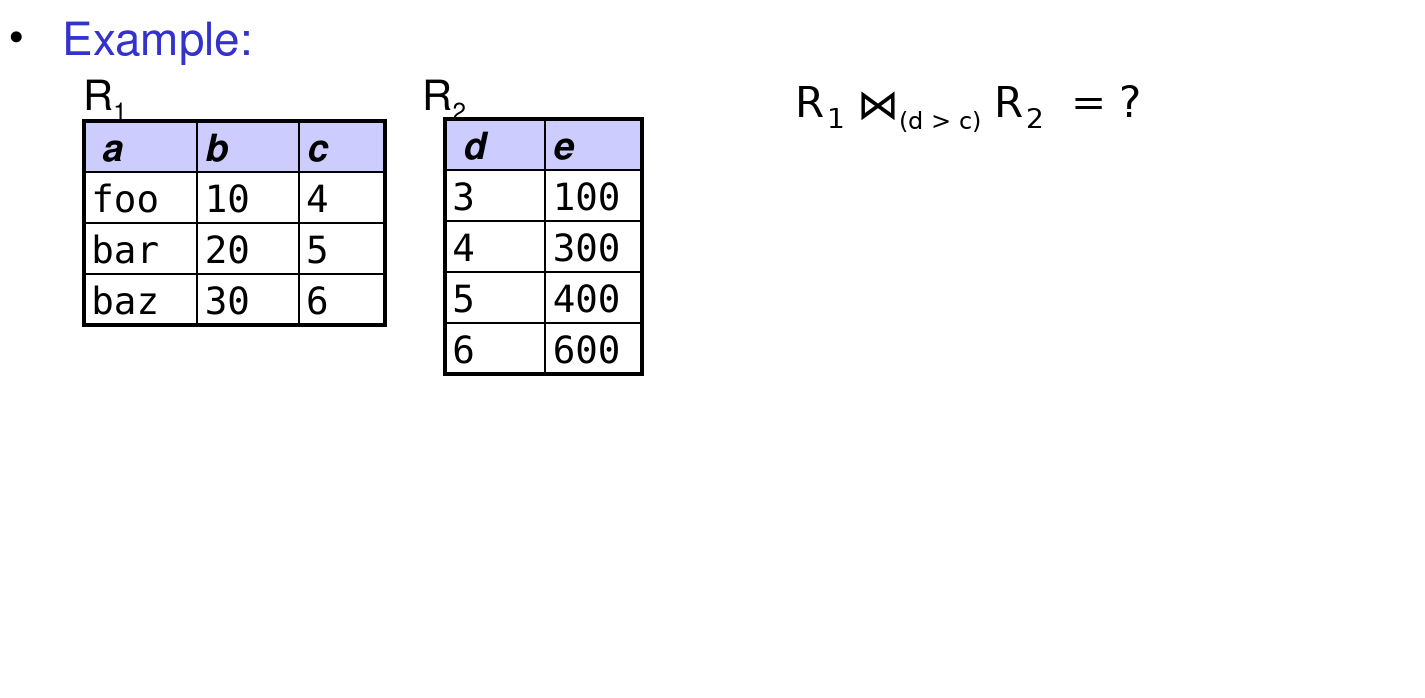
Recall: Condition Joins (aka Theta Joins)

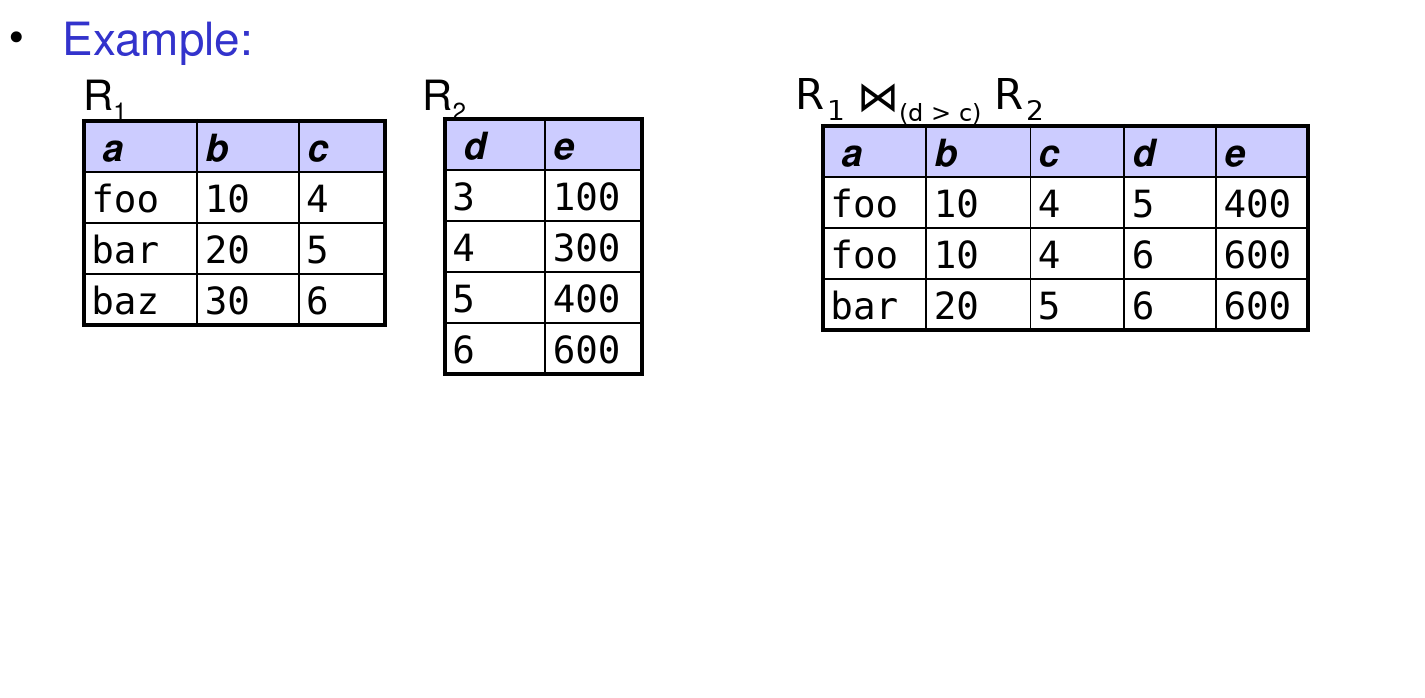
  • What it does: performs a “filtered” Cartesian product according to a specified predicate
  • Syntax: R1 ⋈θ R2 , where θ is a predicate
  • Fundamental-operation equivalent: cross, select using θ
  • Example: R1 ⋈(d > c) R2 = ?

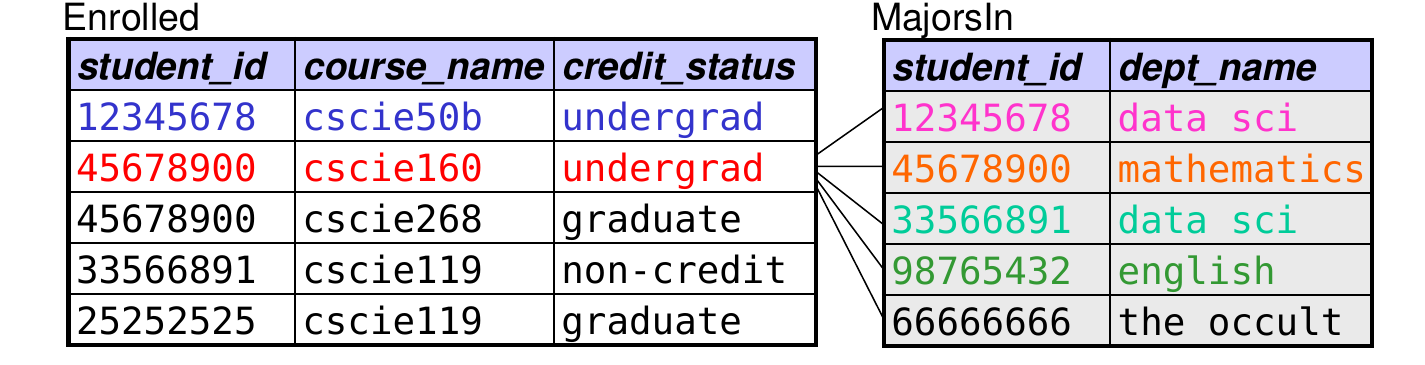
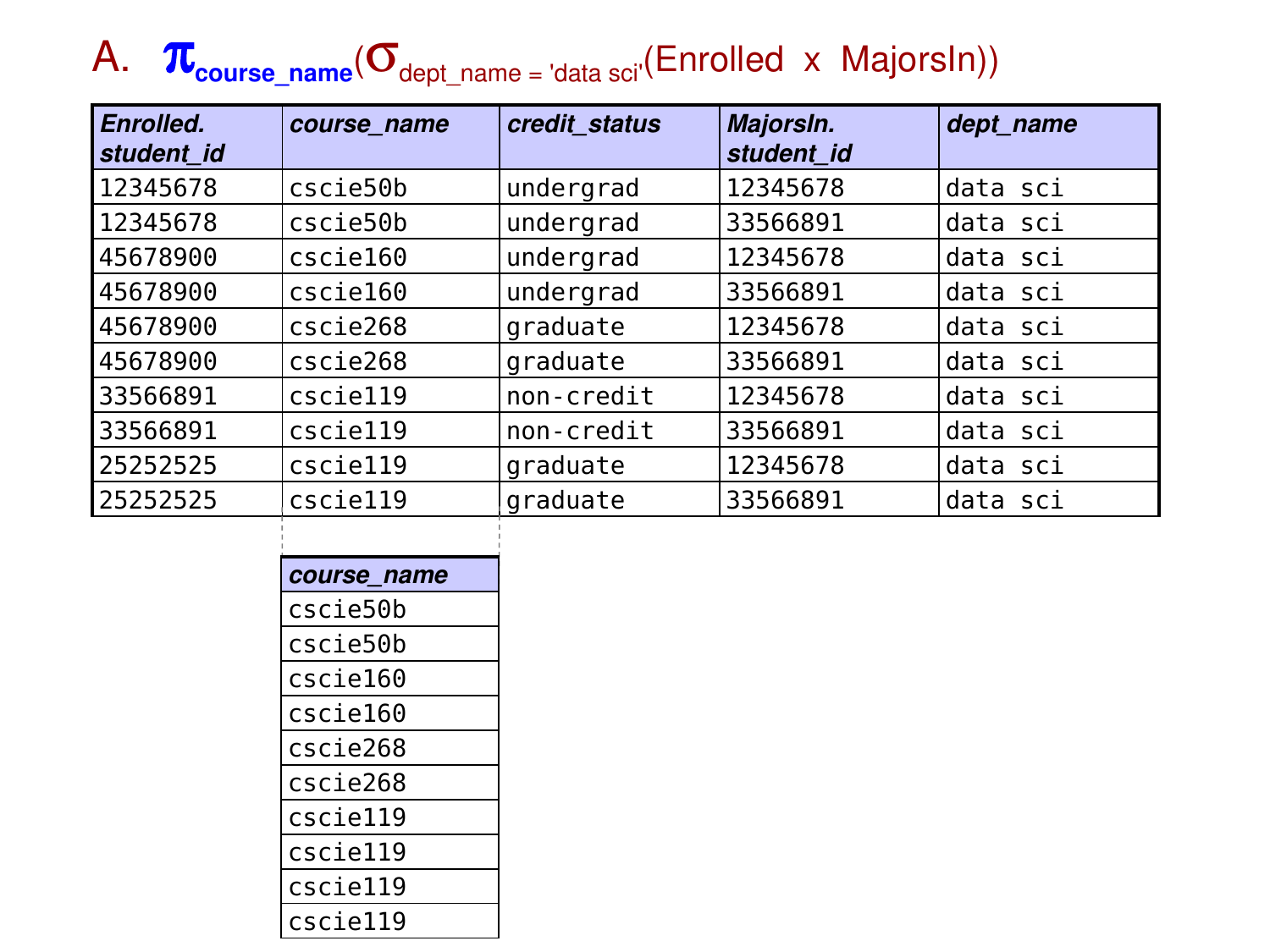
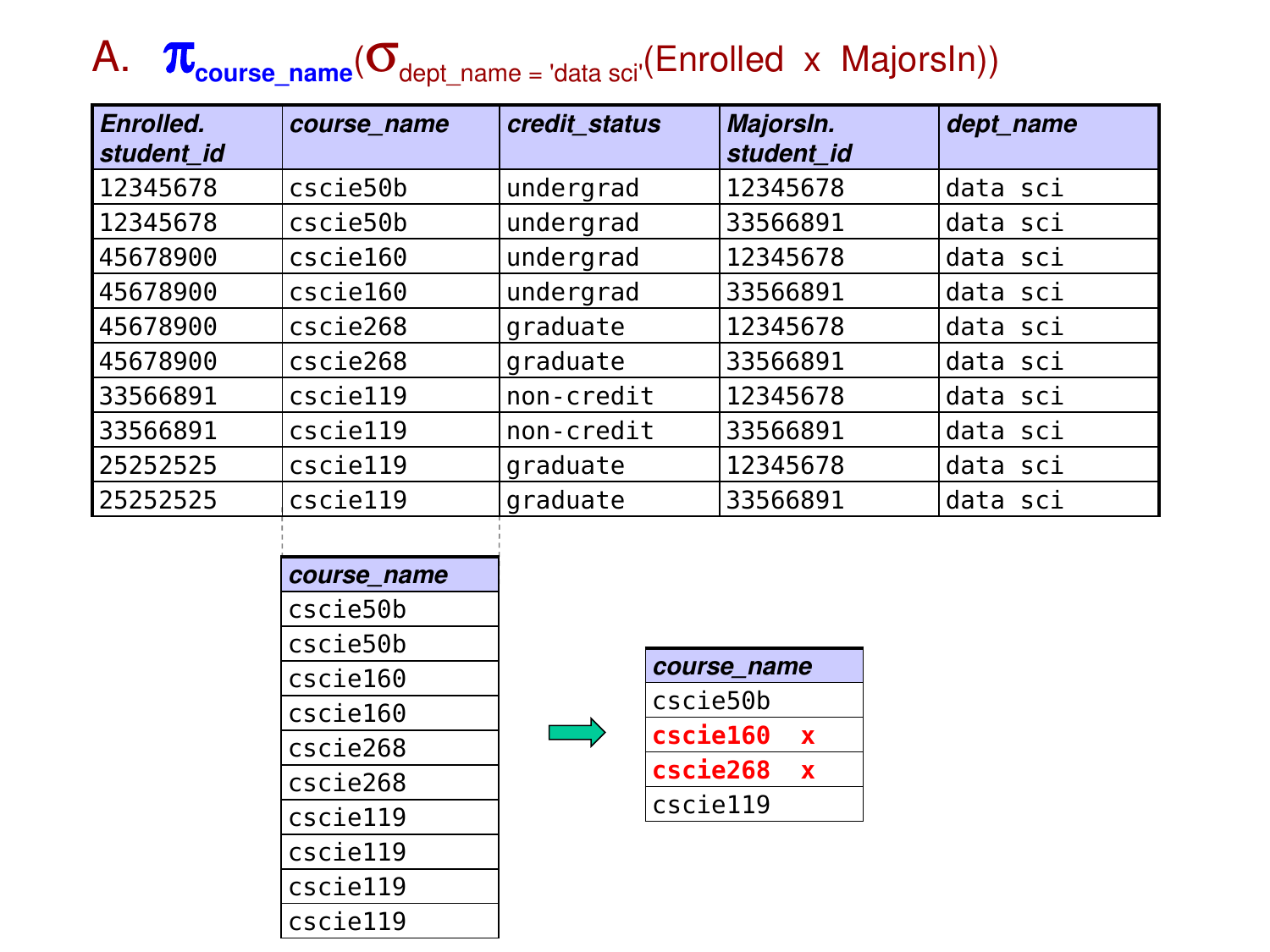
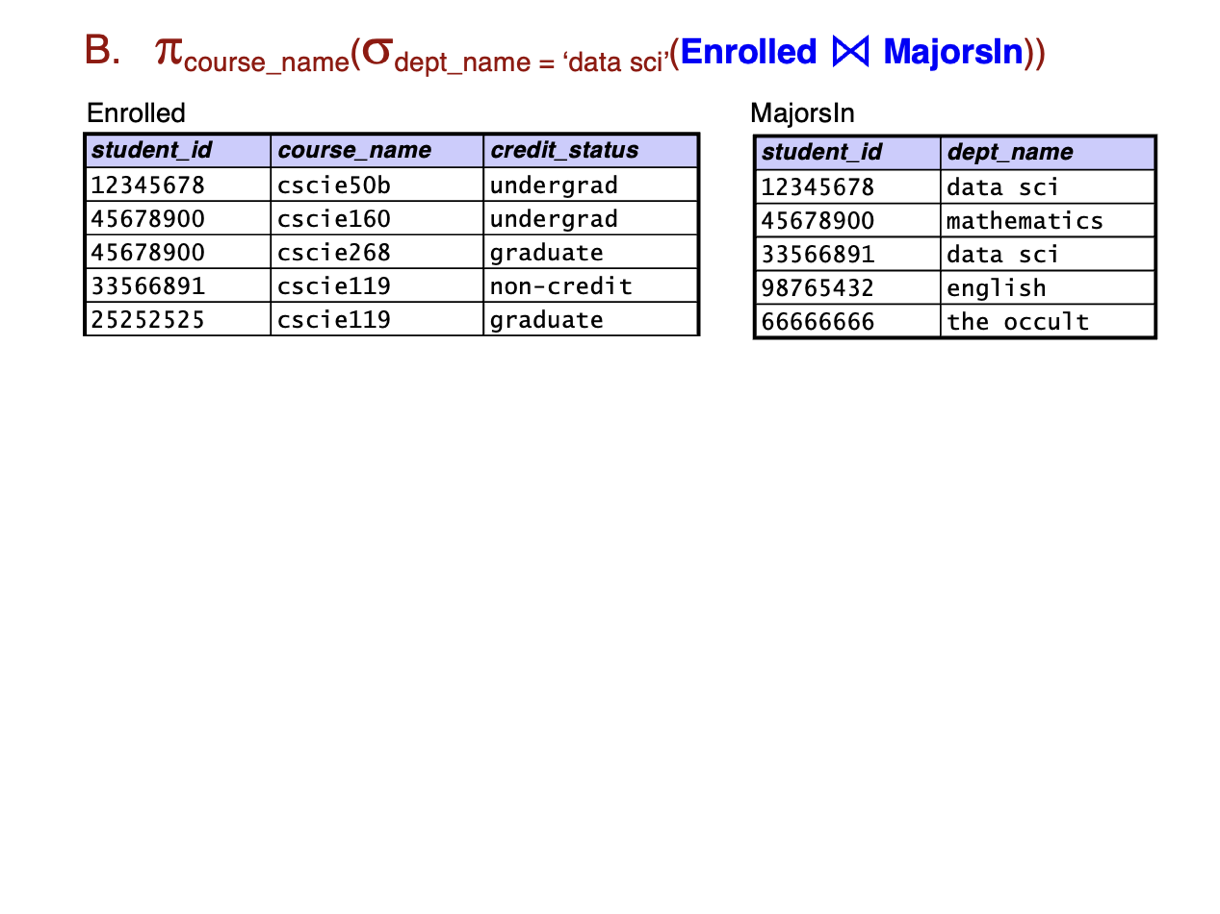
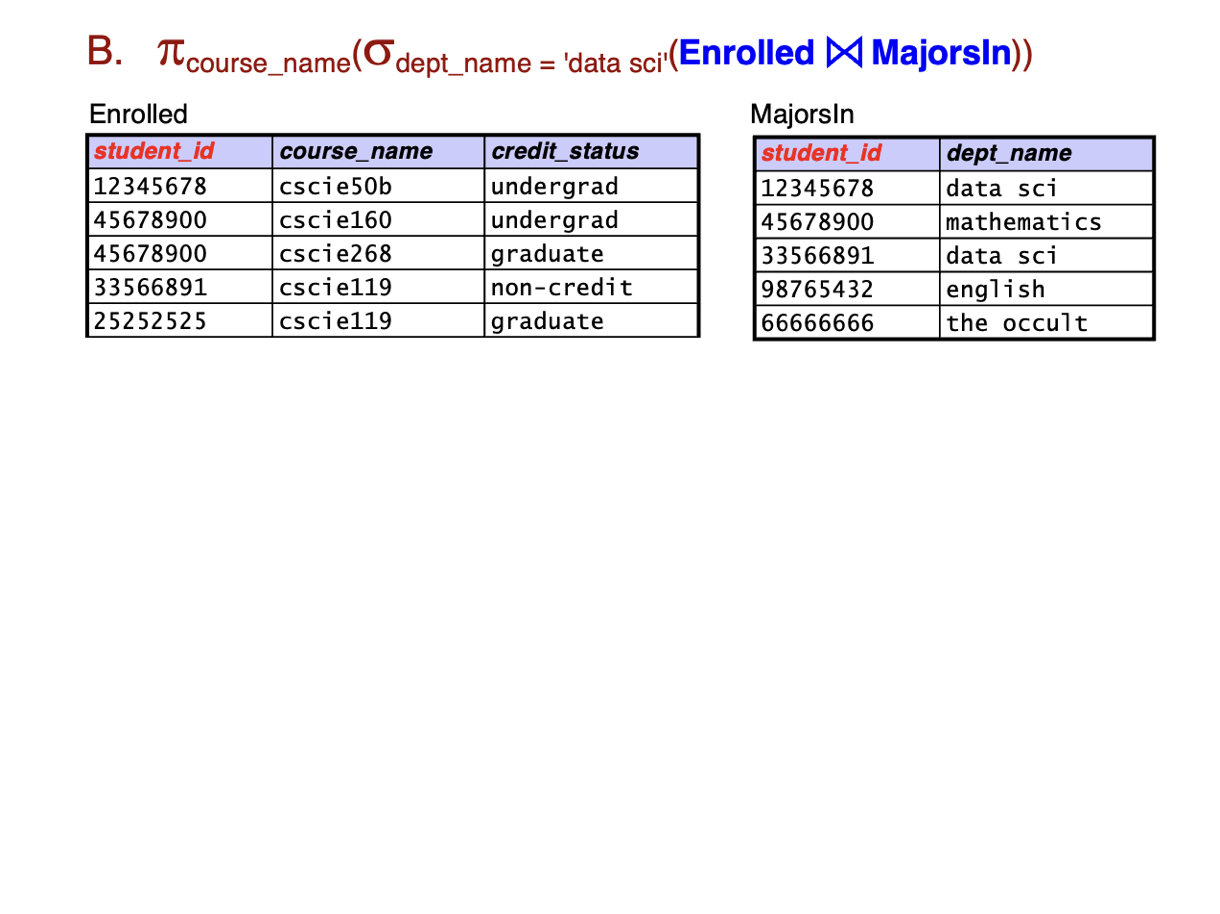
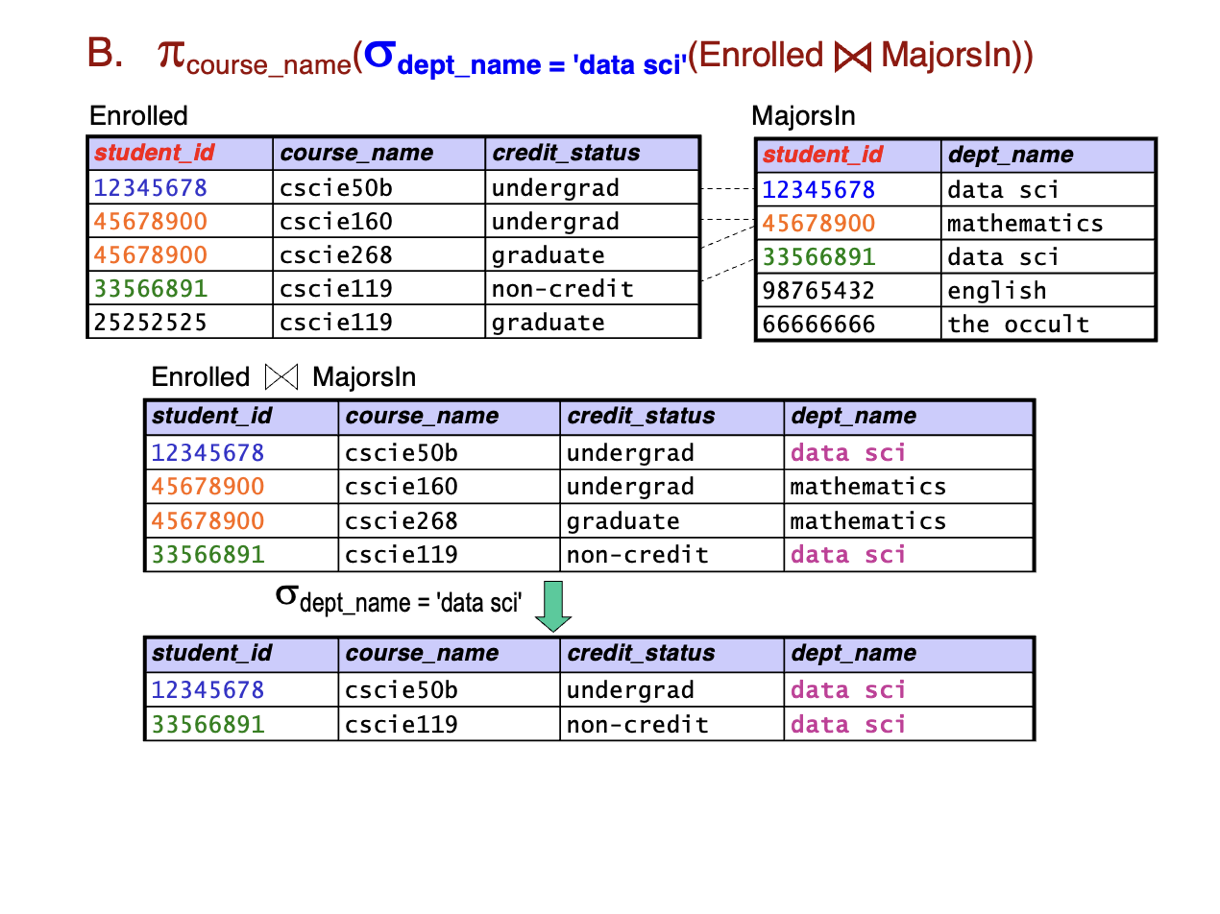
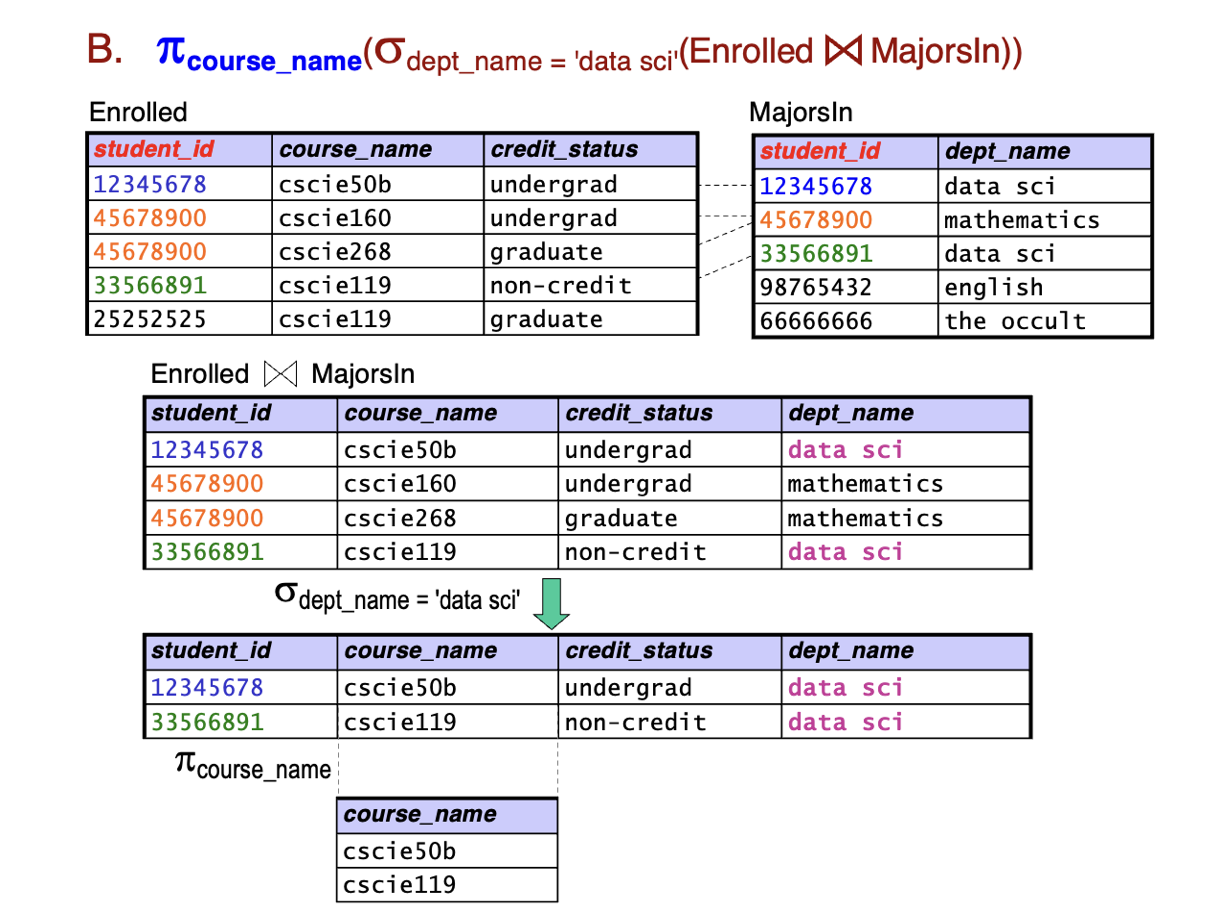
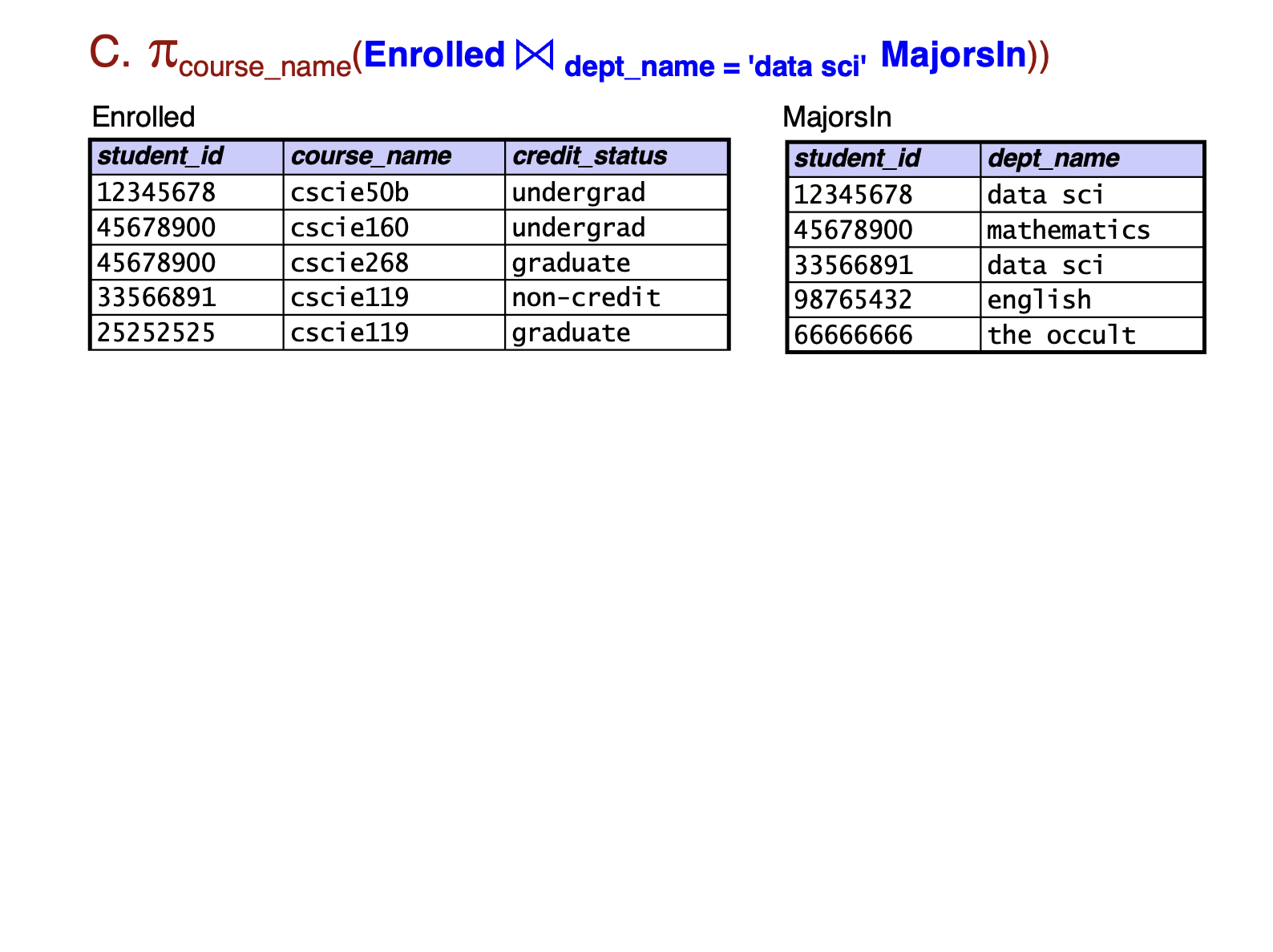
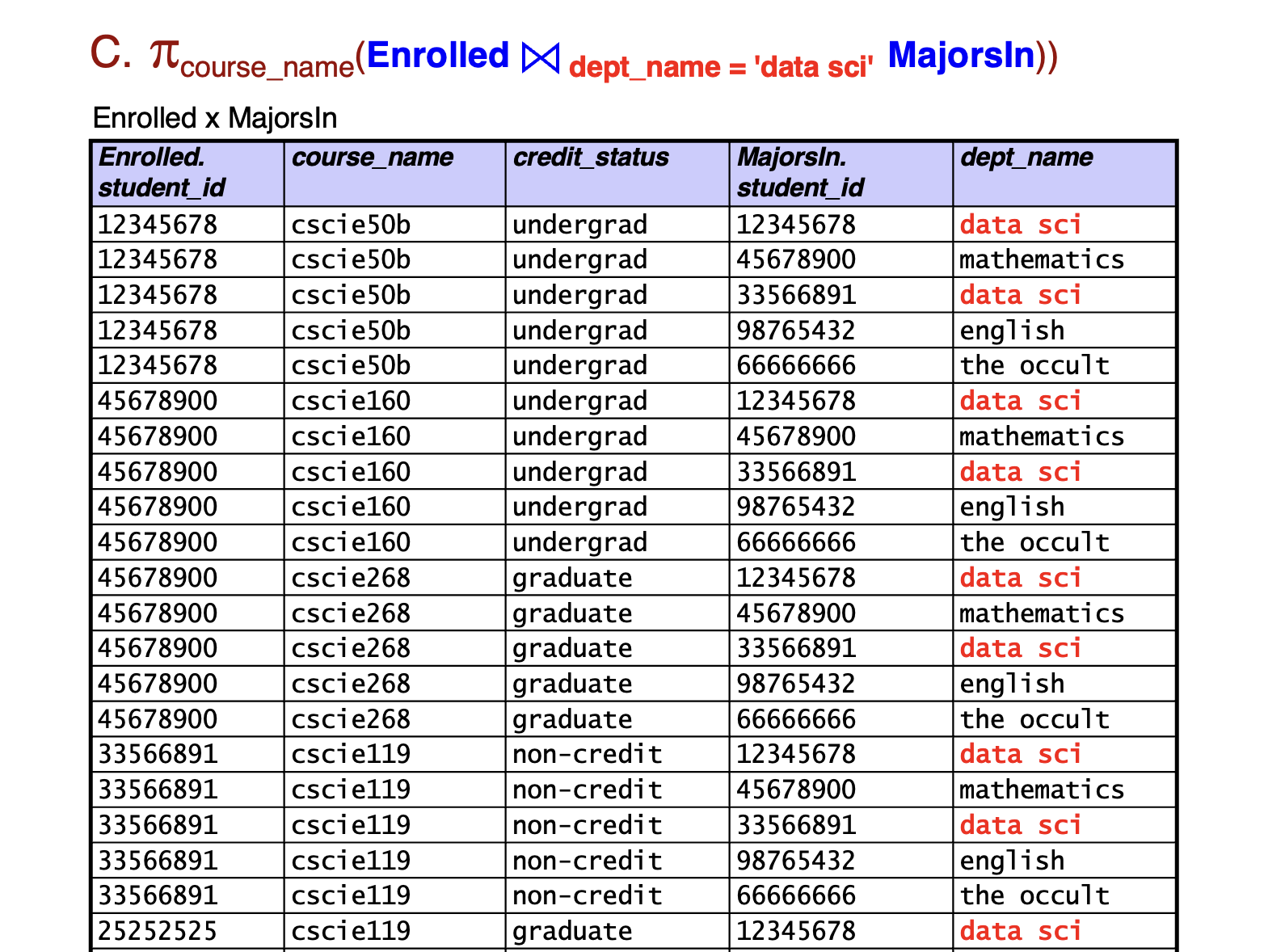
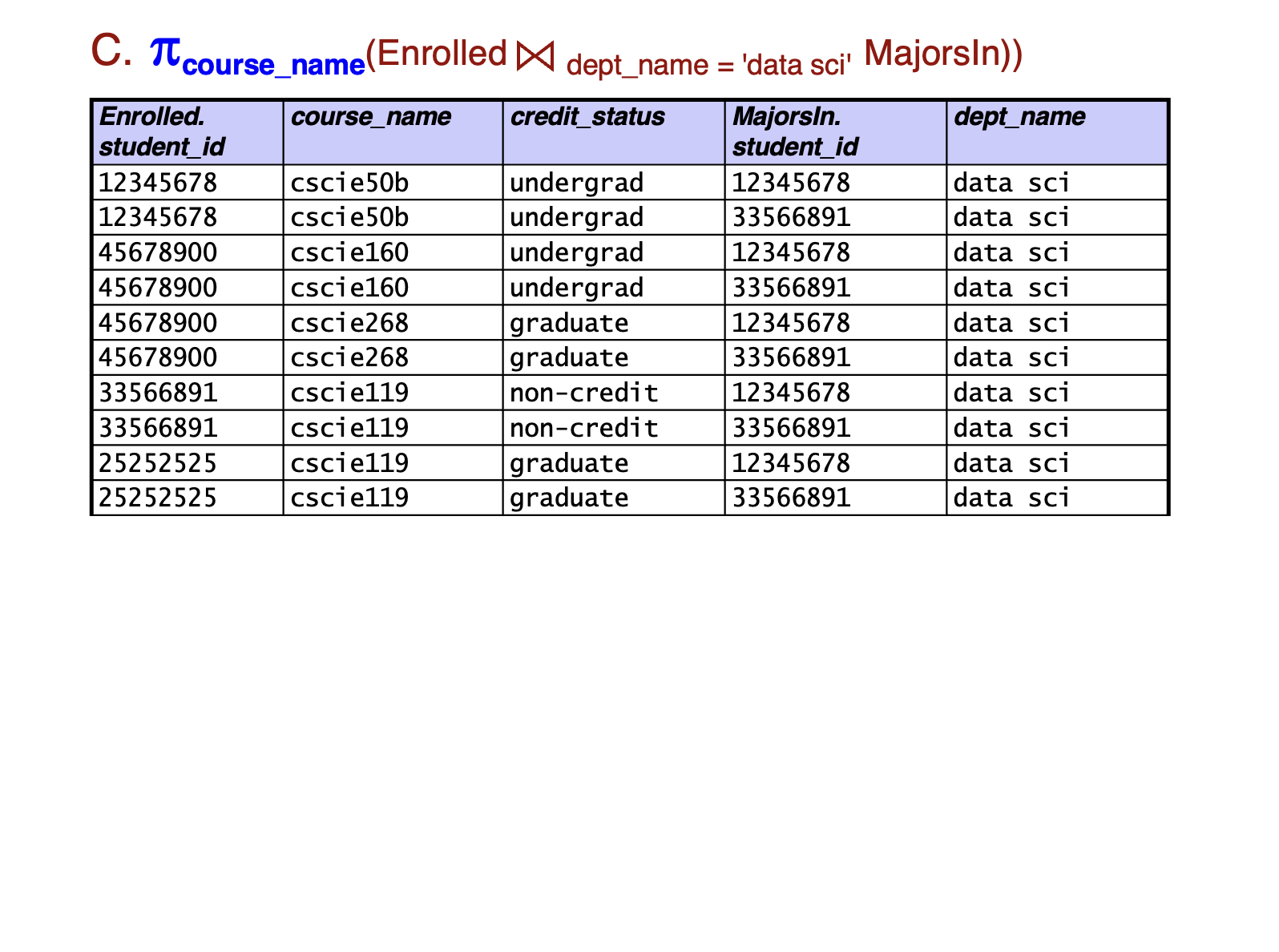
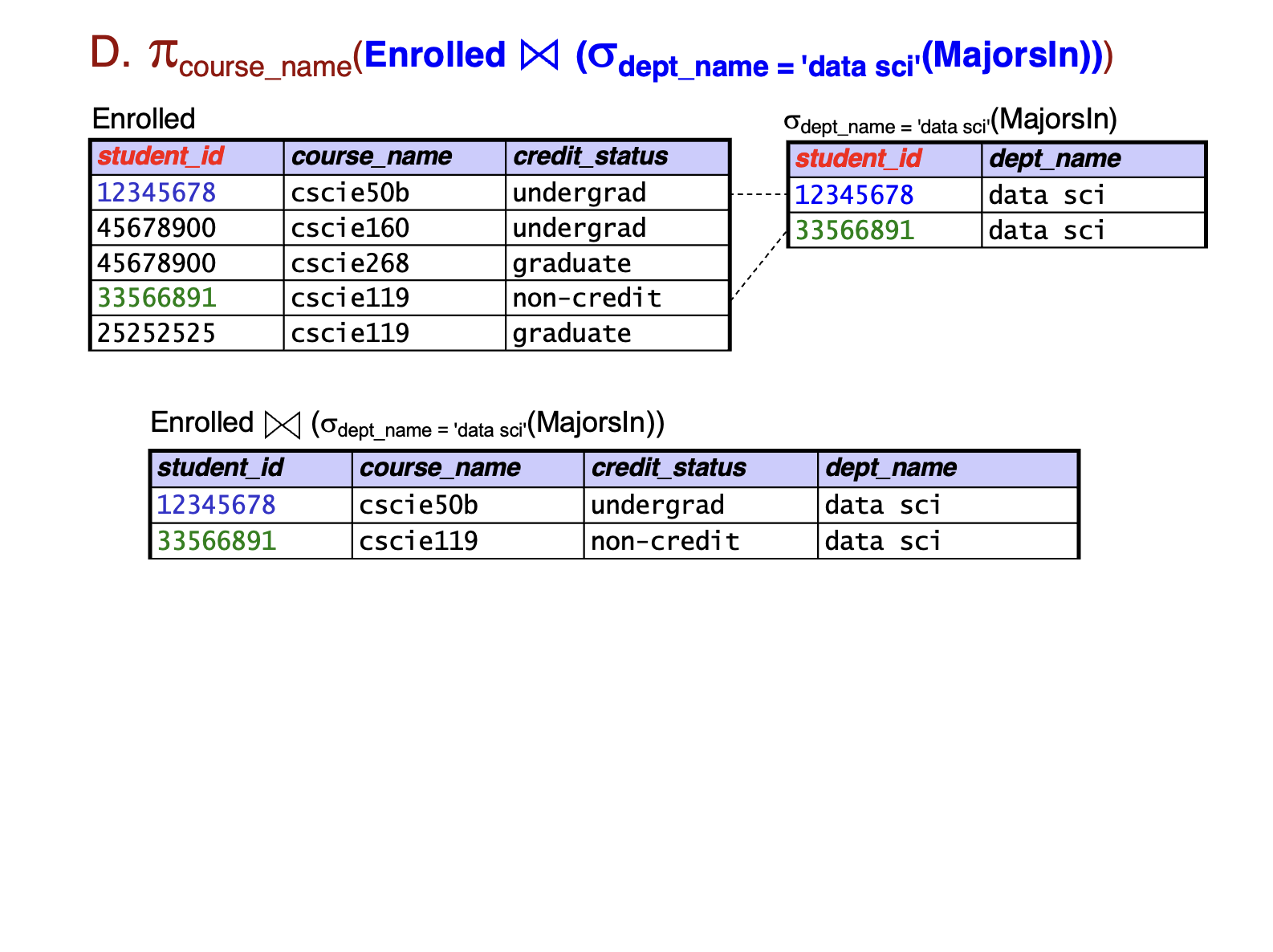
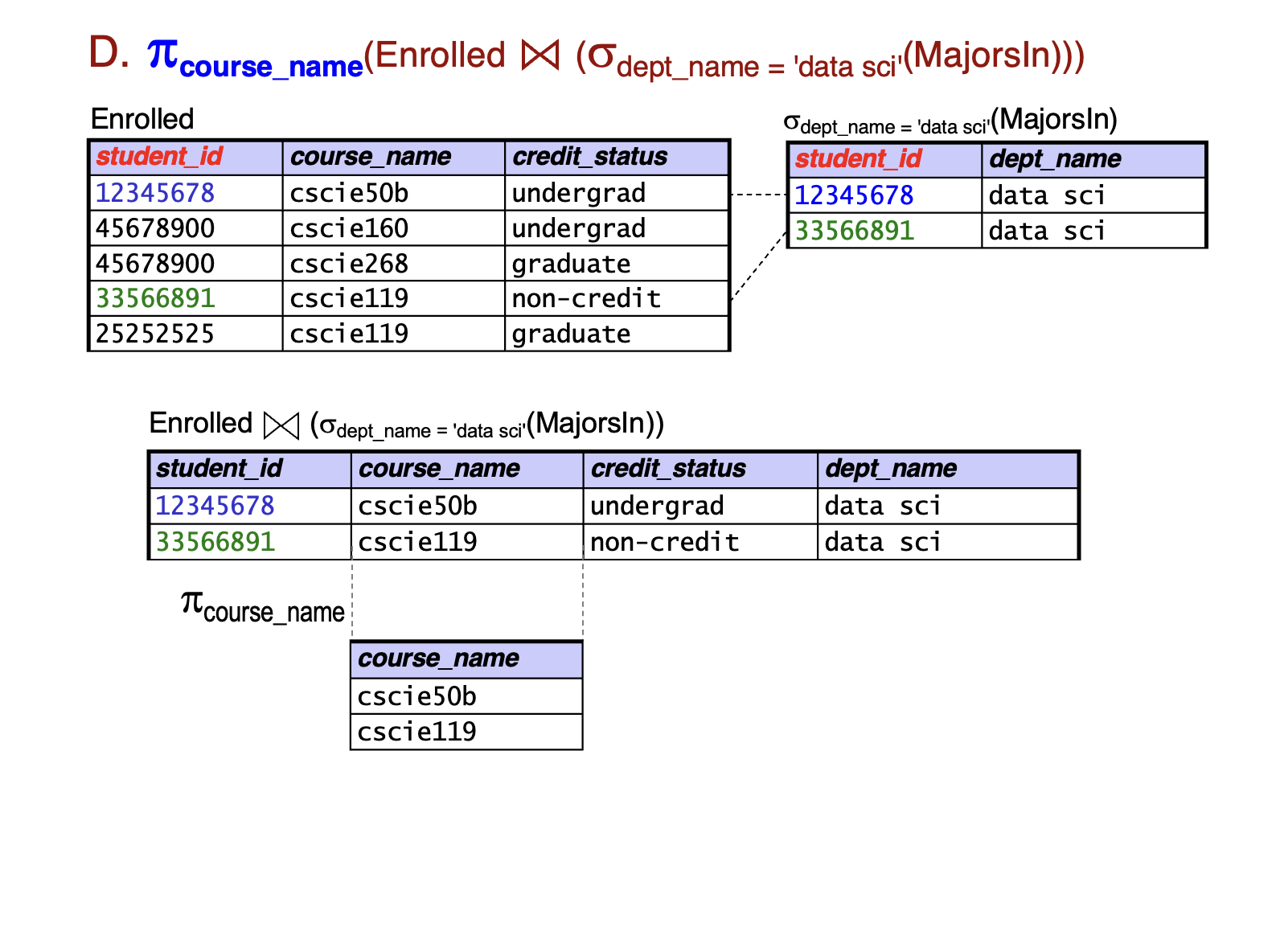
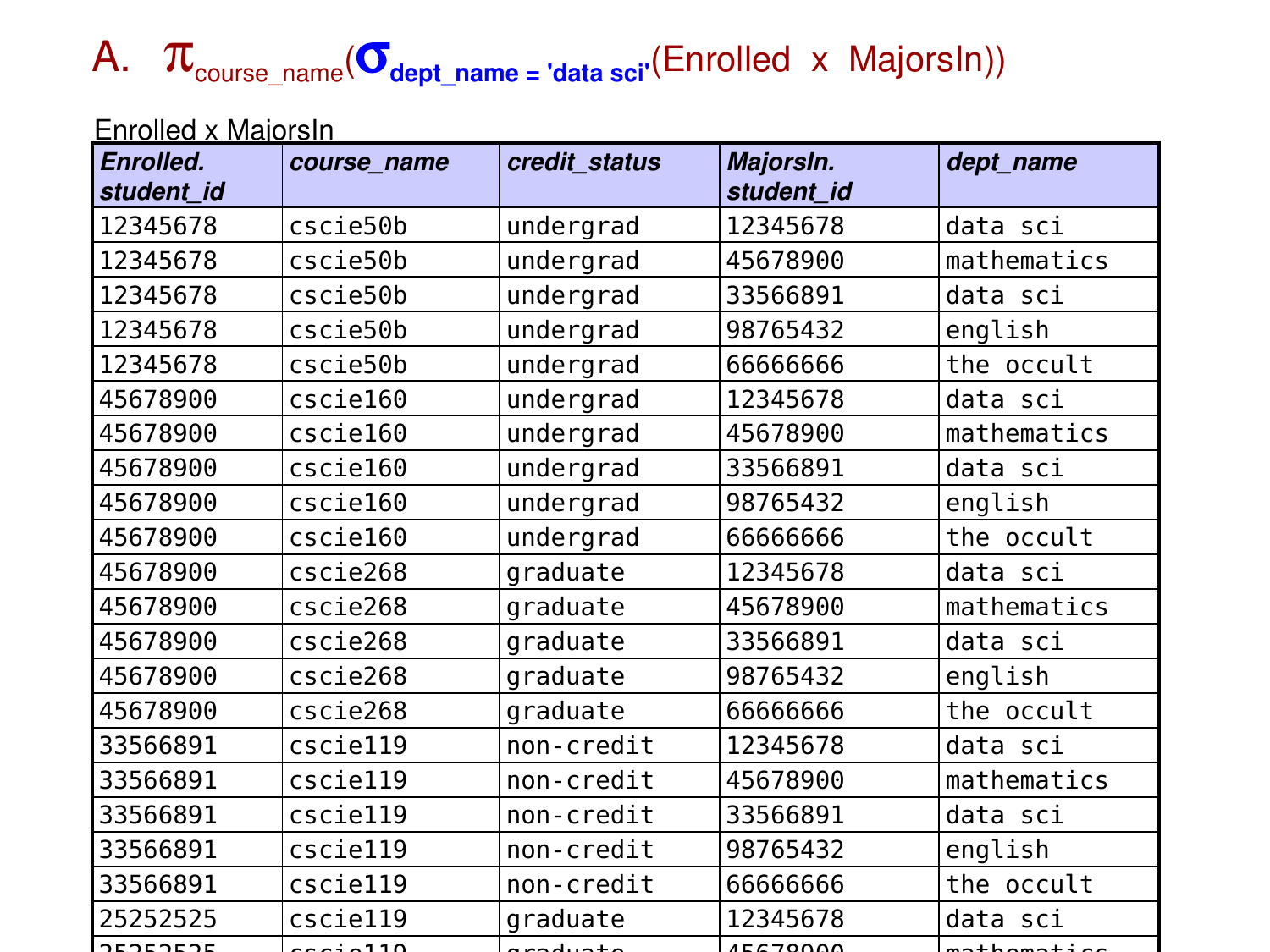
Recall: Which of these queries finds the names of all courses taken by data science majors?
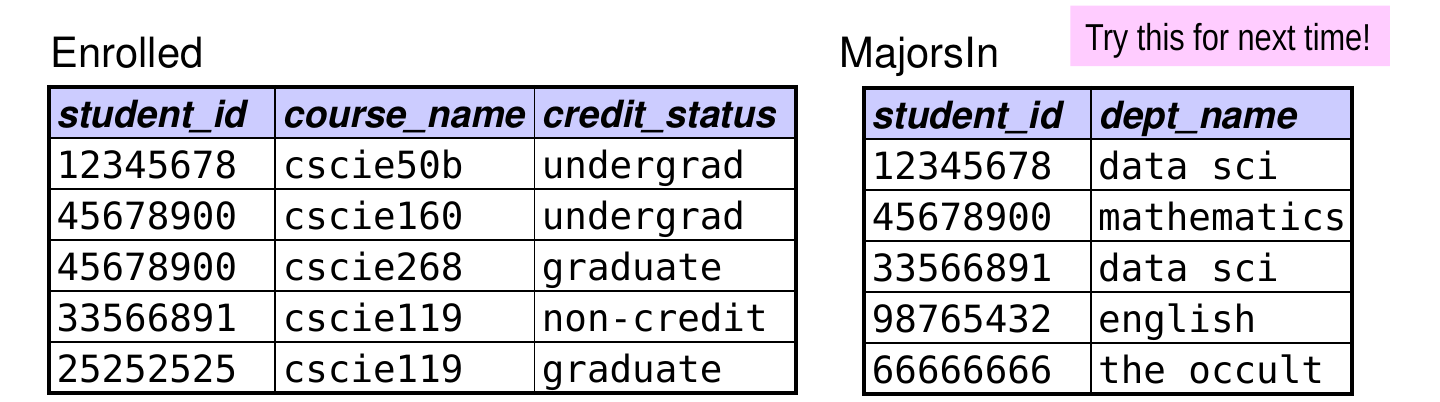
  1. πcourse_namedept_name = ‘data sci’(Enrolled × MajorsIn))
  2. πcourse_namedept_name = ‘data sci’(Enrolled ⋈ MajorsIn))
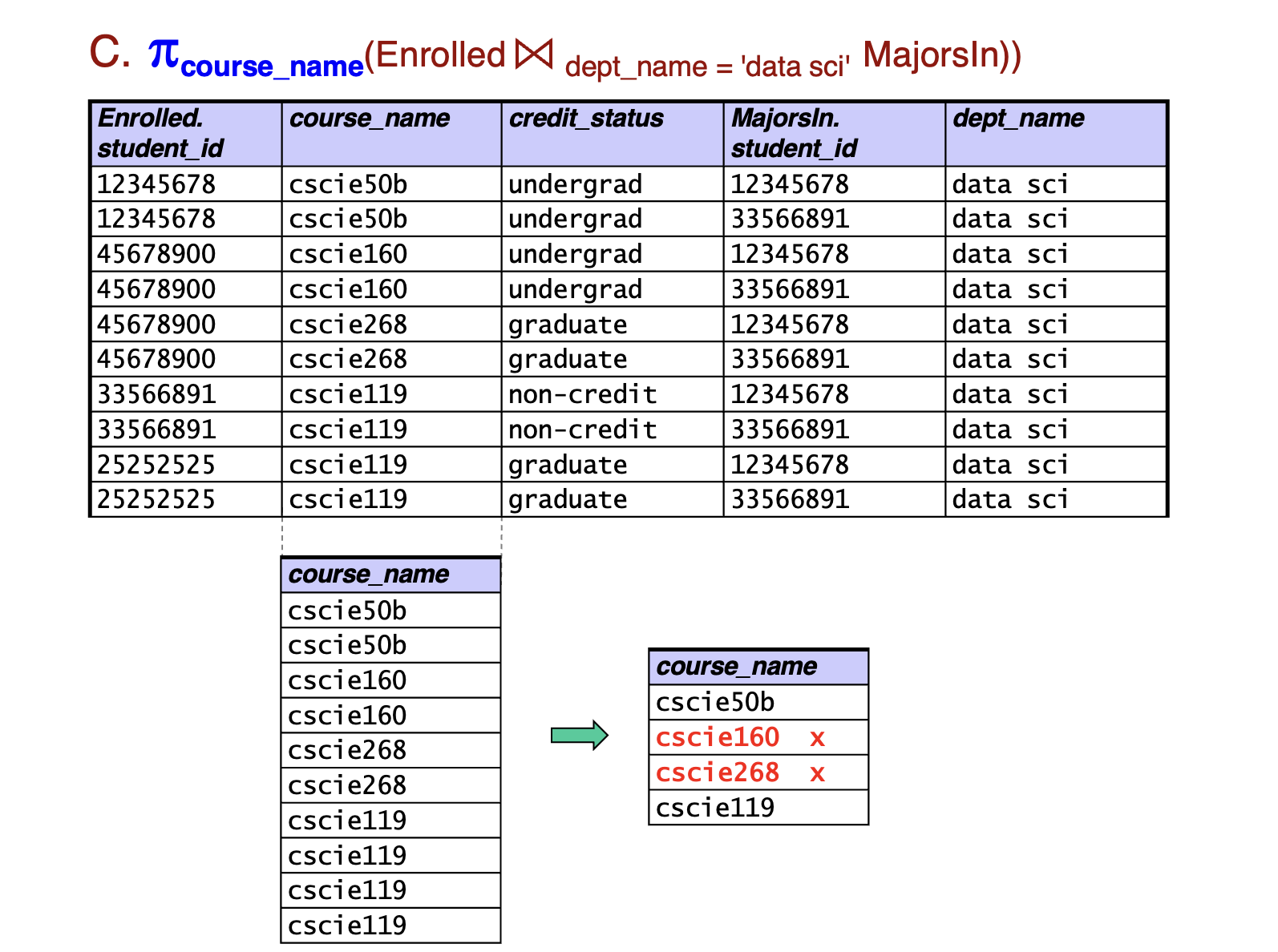
  3. πcourse_name(Enrolled ⋈dept_name = ‘data sci’ MajorsIn)
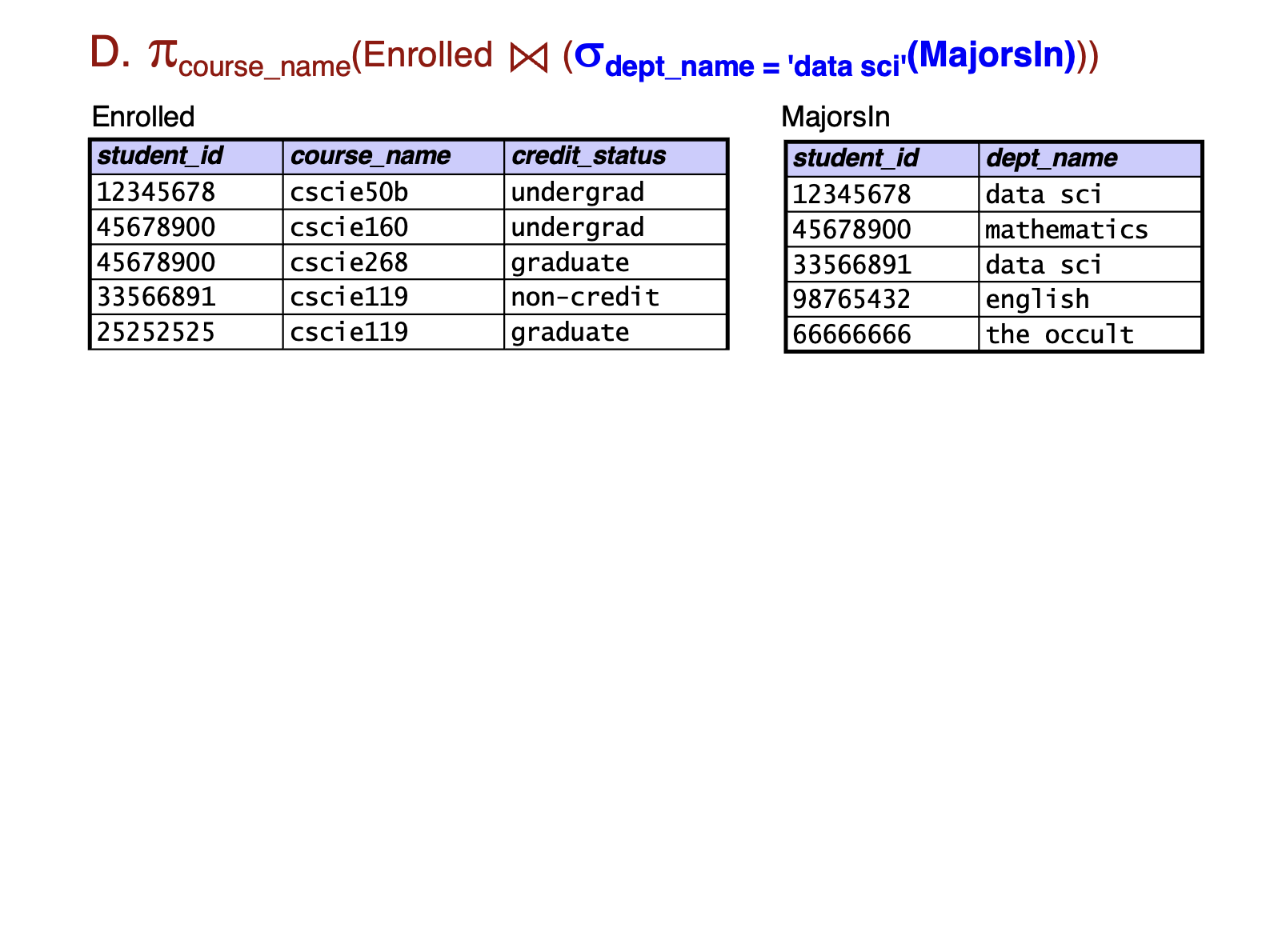
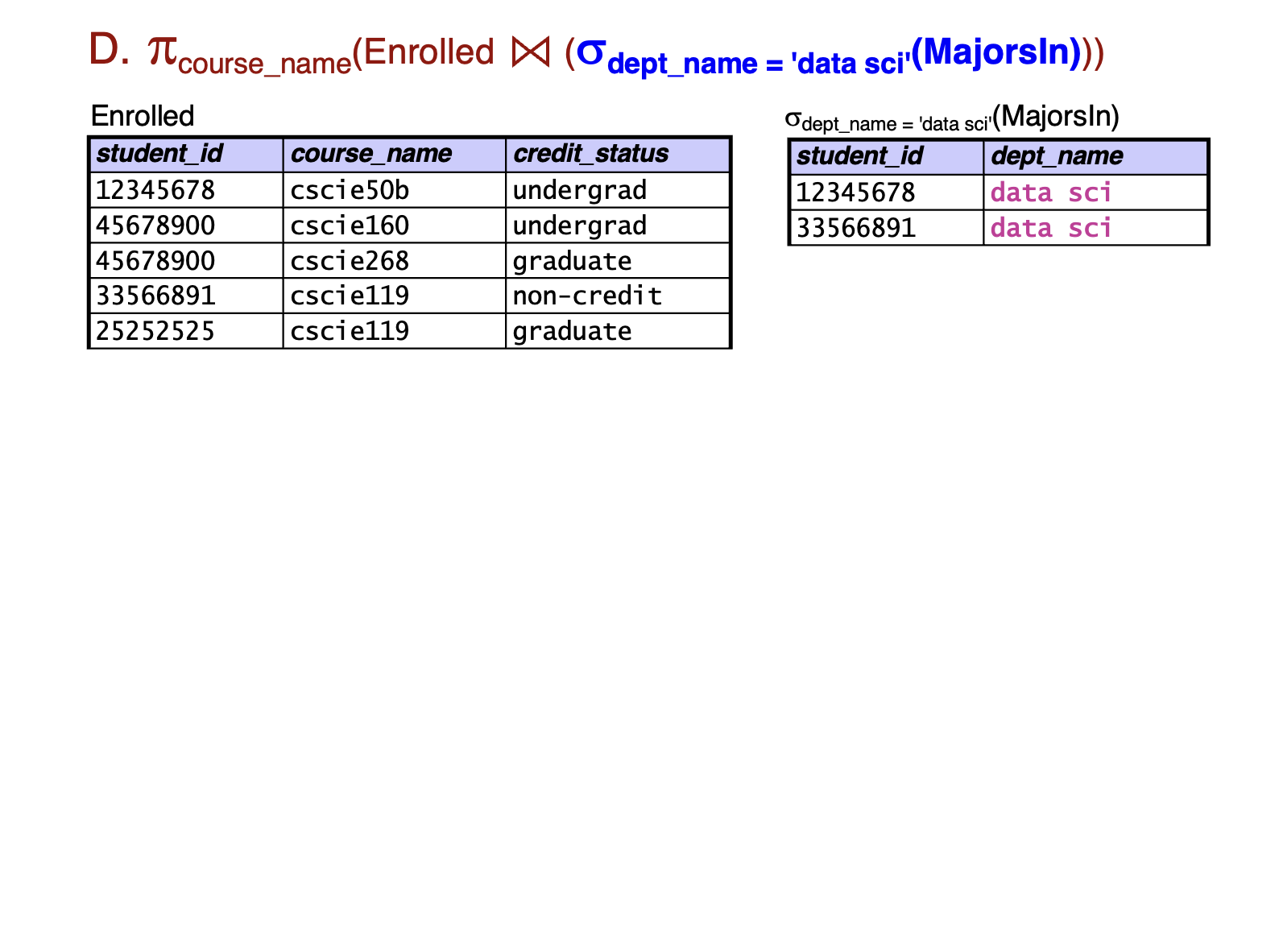
  4. πcourse_name(Enrolled ⋈ (σdept_name = ‘data sci’(MajorsIn)))
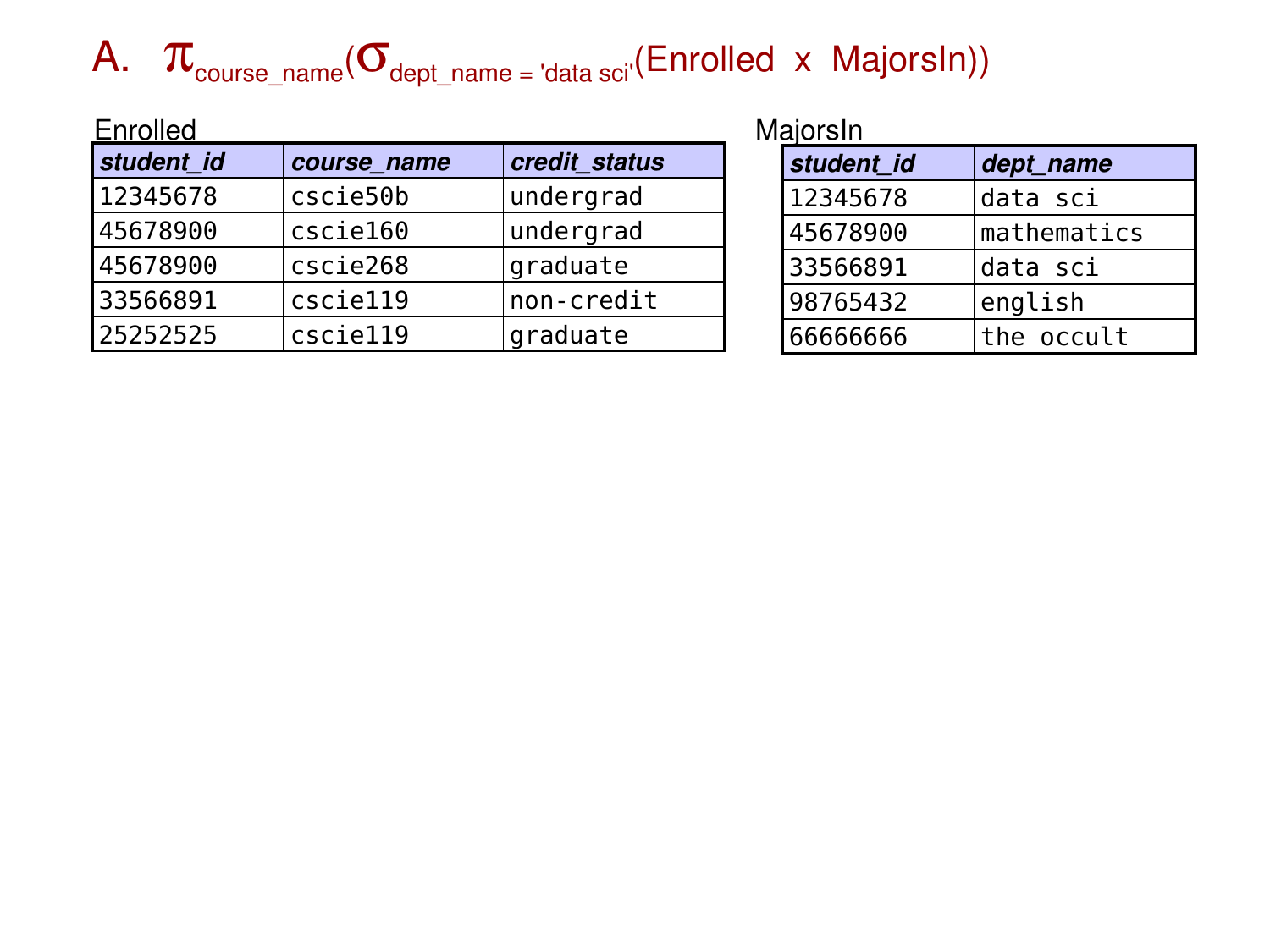
Which of these queries finds the names of all courses taken by data science majors? (answer)

  1. πcourse_namedept_name = ‘data sci’(Enrolled × MajorsIn)) ← A and C are equivalent!
  2. πcourse_namedept_name = ‘data sci’(Enrolled ⋈ MajorsIn)) ← B and D are equivalent – and correct!
  3. πcourse_name(Enrolled ⋈dept_name = ‘data sci’ MajorsIn) ← A and C are equivalent!
  4. πcourse_name(Enrolled ⋈ (σdept_name = ‘data sci’(MajorsIn))) ← B and D are equivalent – and correct!
Joins and Unmatched Tuples

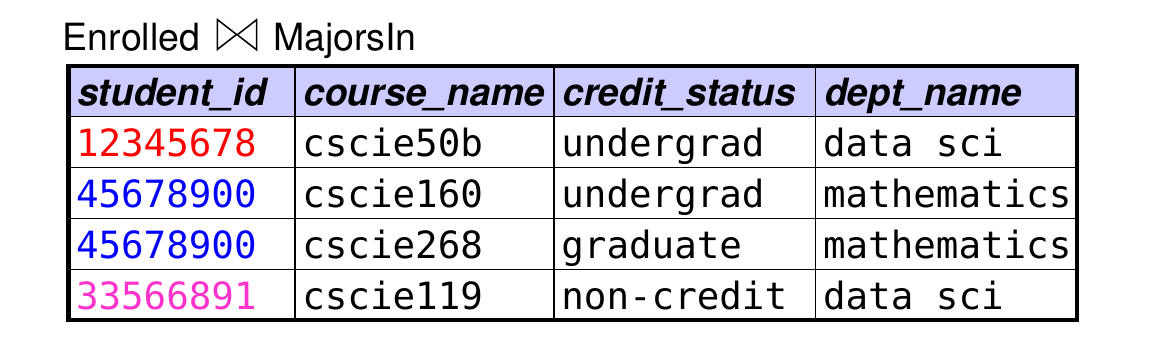
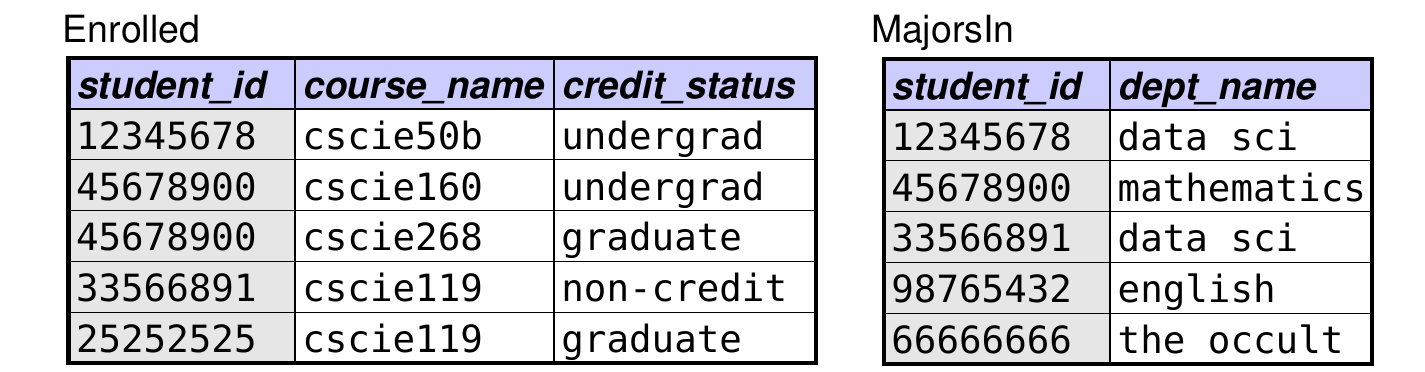
  • Let’s say we want to know the majors of all enrolled students – including those with no major.
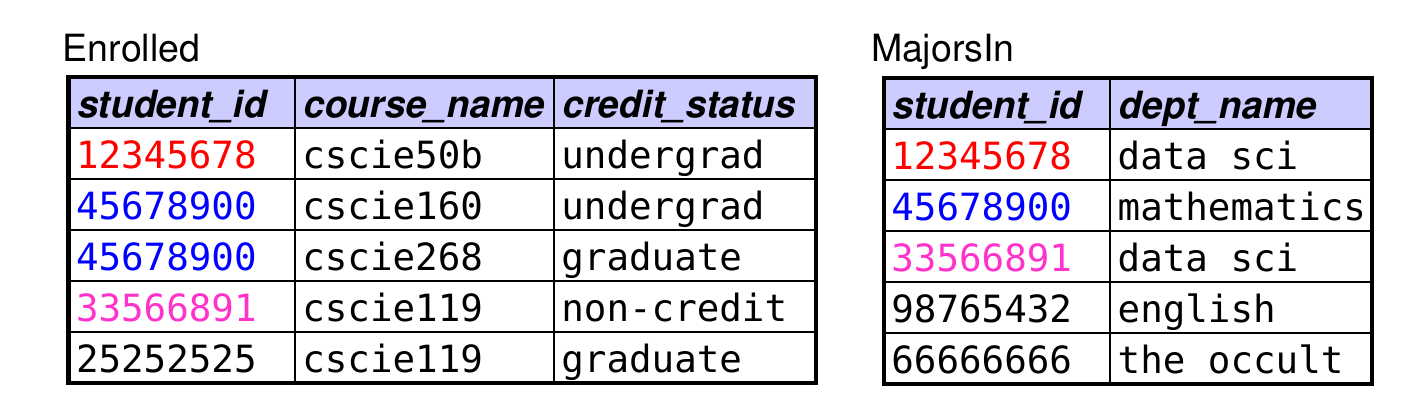
  • We begin by trying natural join:

  • Why isn’t this sufficient? enrolled students with no major are left out

Outer Joins

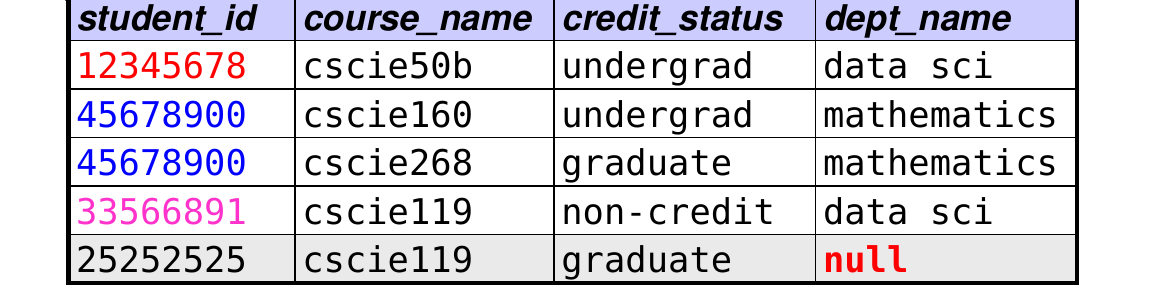
  • Outer joins allow us to include unmatched tuples in the result.
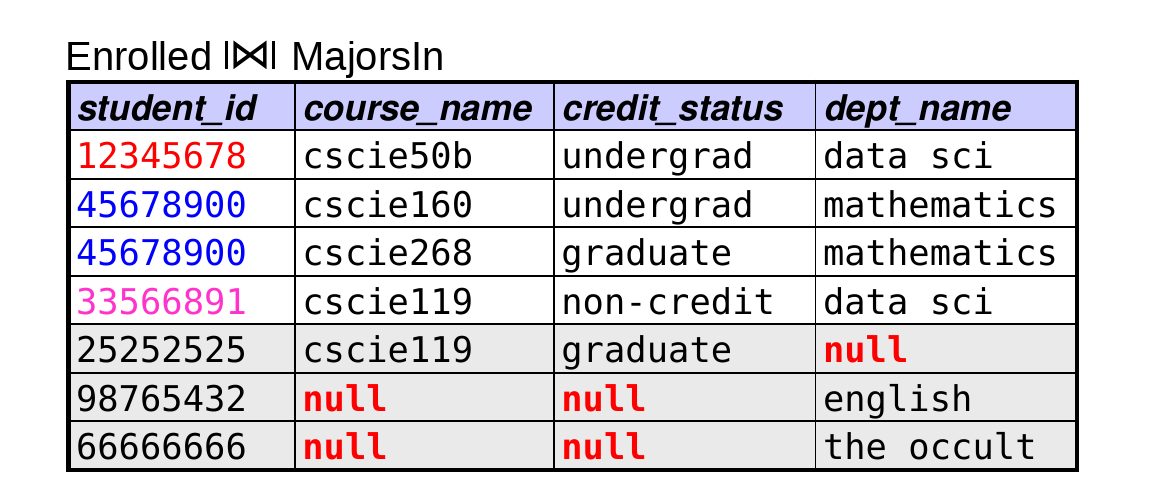
  • Left outer join (R1 ⟕ R2): in addition to the natural-join tuples, include an extra tuple for each tuple from R1 with no match in R2
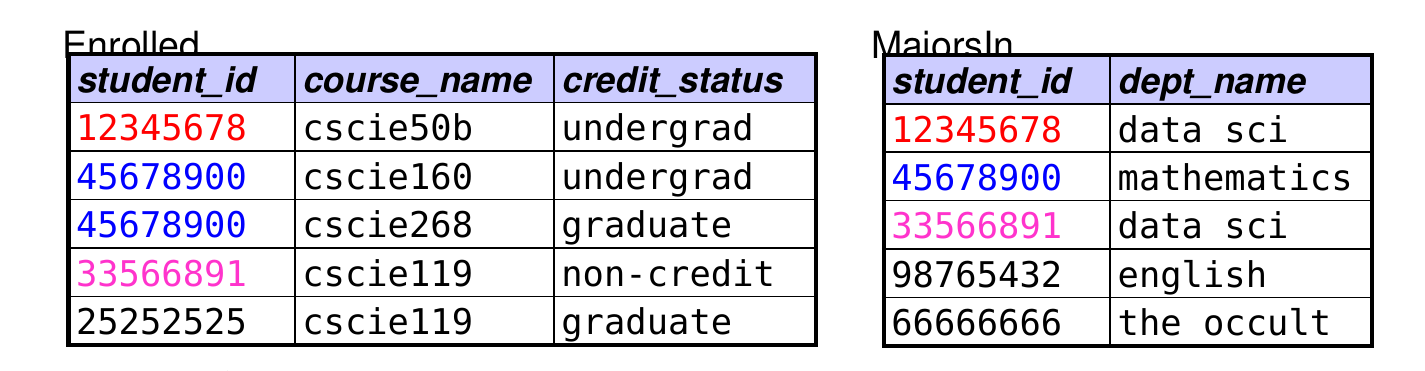
  • Enrolled ⟕ MajorsIn:

  • in the extra tuples, give the R2 attributes values of null

Outer Joins (cont.)

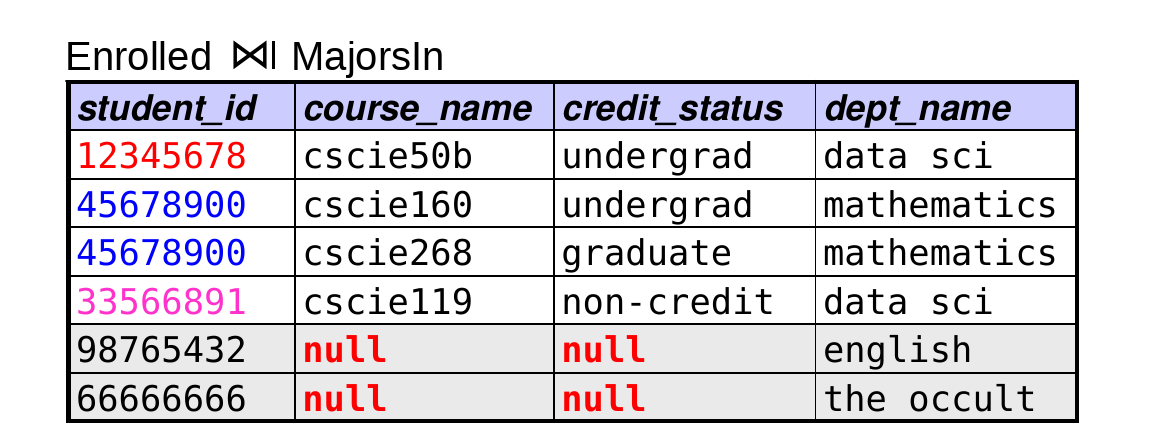
  • Right outer join (R1 ⟖ R2): include an extra tuple for each tuple from R2 with no match in R1
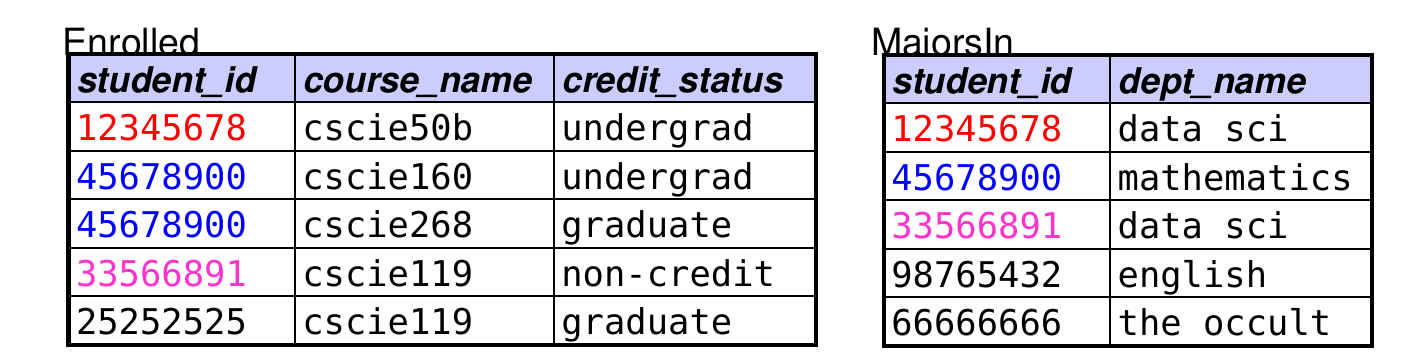
  • Full outer join (R1 ⟗ R2): include an extra tuple for each tuple from either relation with no match in the other relation
Set Difference

  • What it does: selects tuples that are in one relation but not in another.
  • Syntax: R1 - R2
  • Rules:
    • the relations must have the same number of attributes, and corresponding attributes must have the same domain
  • the resulting relation inherits its attribute names from the first relation
  • duplicates are eliminated, since relational algebra treats relations as sets

Set Difference (cont.)

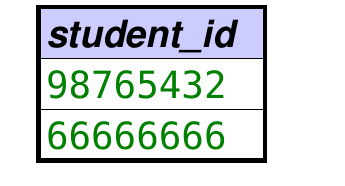
  • Example:

  • πstudent_id(MajorsIn)  −  πstudent_id(Enrolled)
Set Difference (cont.)

  • Example of where set difference is required:
    • Of the students enrolled in courses, which ones are not enrolled in any courses for graduate credit?
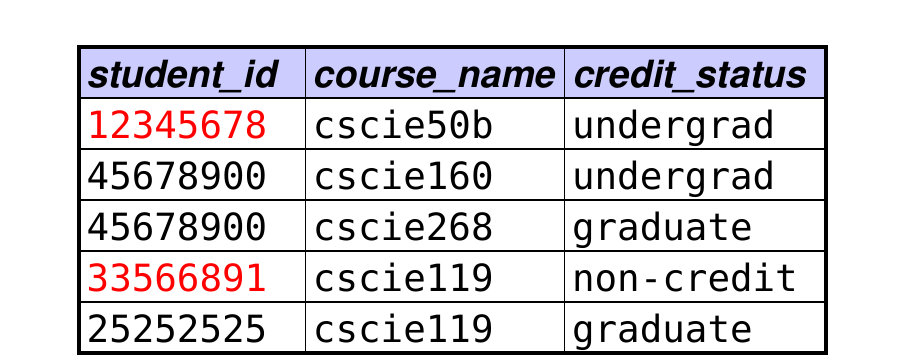
  • The following query does not work. Why?
    • πstudent_idcredit_status != ‘graduate’(Enrolled))
  • example: 45678900 will be included, but shouldn’t be.
  • This query does work:
    • πstudent_id(Enrolled) − πstudent_idcredit_status = ‘graduate’(Enrolled))

Assignment

  • What it does: assigns the result of an operation to a temporary variable, or to an existing relation.
  • Syntax: relation ← rel. alg. expression
  • Uses:
    • simplifying complex expressions
      • example: recall this expression

result = σroom = BigRoom.name(Course × ρBigRoomcapacity > 200(Room)))

  • simpler version using assignment:

BigRoom ← σcapacity > 200(Room)
result ← σroom = BigRoom.name(Course × BigRoom)

SQL

  • Structured Query Language
  • The query language used by most RDBMSs.
  • Originally developed at IBM as part of System R – one of the first RDBMSs.

SELECT (from a single table)

  • Sample query:
SELECT student_id
FROM Enrolled
WHERE credit_status = 'grad';
  • Basic syntax:
SELECT column1, column2, …
FROM table
WHERE selection condition;
  • The FROM clause specifies which table you are using.
  • The WHERE clause specifies which rows should be included in the result.
  • The SELECT clause specifies which columns should be included.

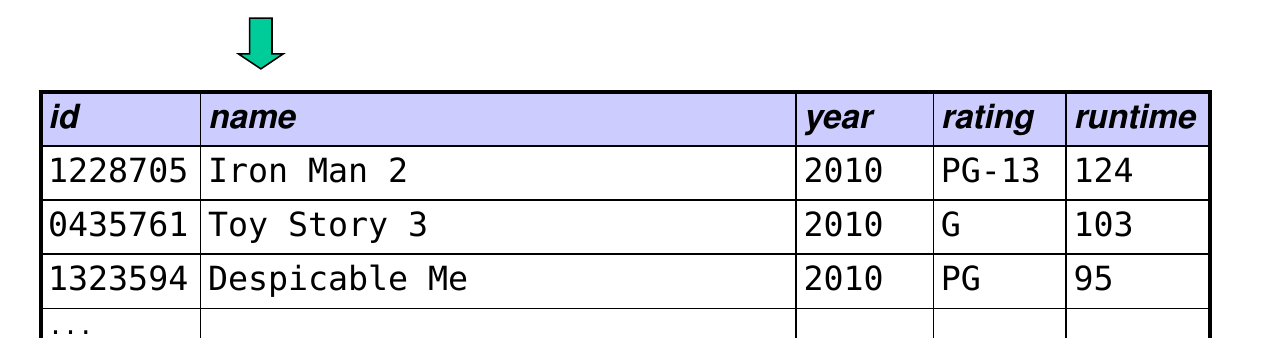
How could we get all info about movies released in 2010?
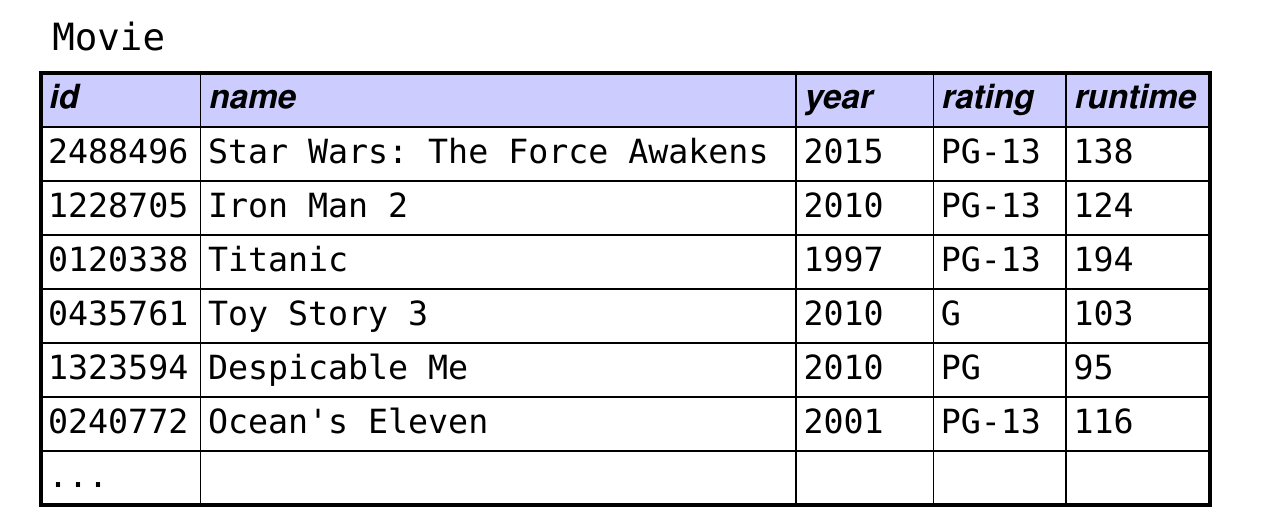
A.  SELECT all FROM Movie WHERE year = 2010;

B.  SELECT year = 2010 FROM Movie;

C.  FROM Movie SELECT year = 2010;

D.  SELECT * FROM Movie WHERE year = 2010;

How could we get all info about movies released in 2010? (answer)

  • D is correct:
SELECT *
FROM Movie
WHERE year = 2010;

SELECT and Relational Algebra

  • SELECT commands implement most rel-alg operations.
  • Basic syntax:
SELECT a1, a2, …
FROM R1, R2, …
WHERE selection predicate;
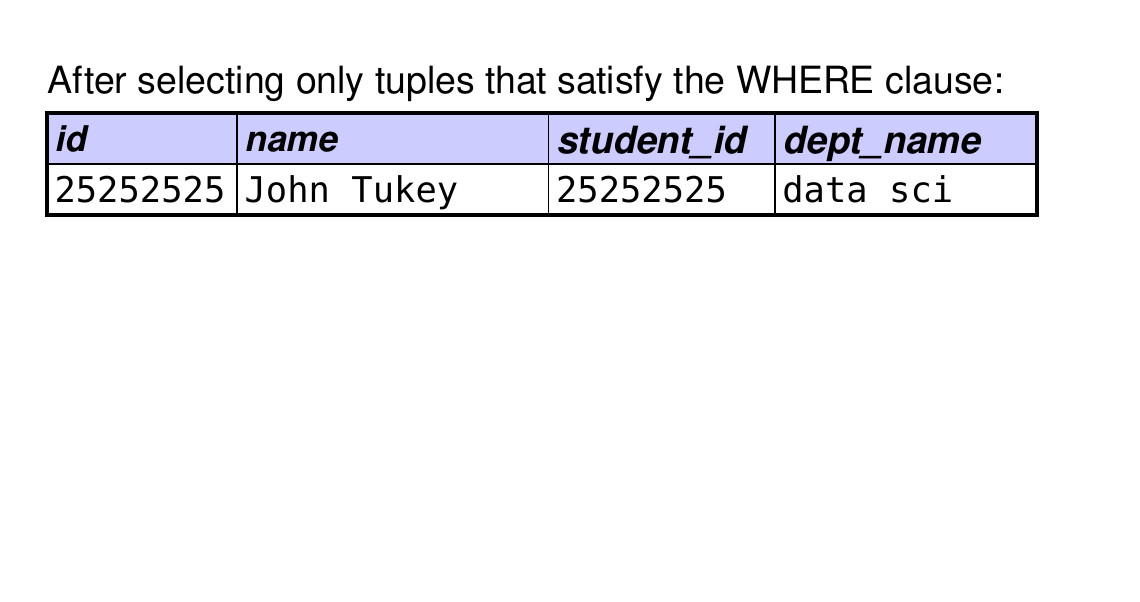
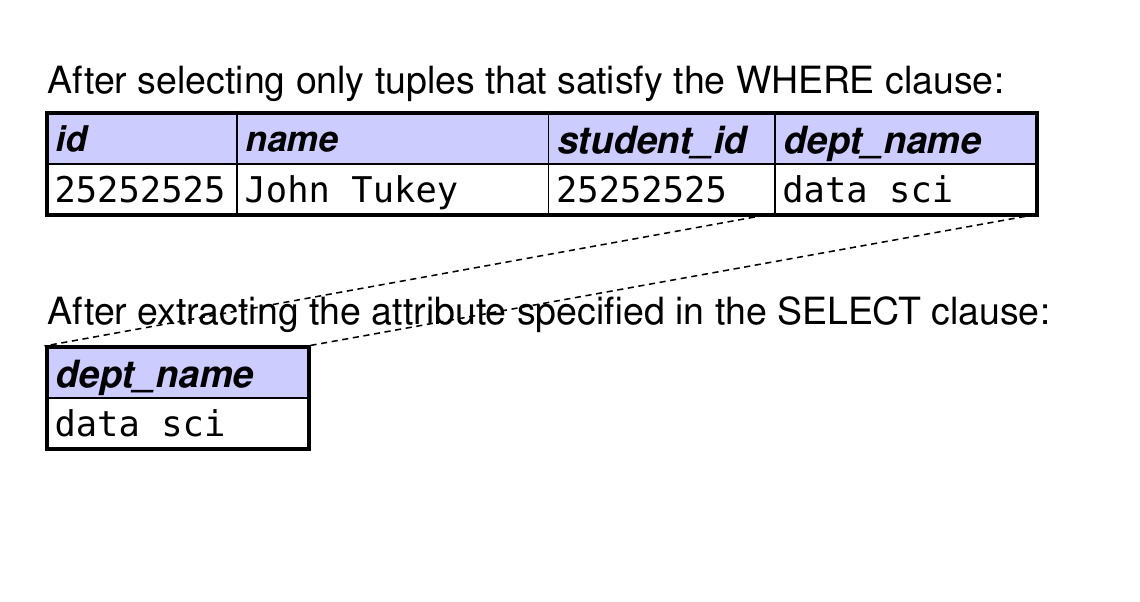
  • Relational-algebra equivalent: cross, select, project
    1. take the cartesian product R1 × R2 × …
  1. perform a selection that selects tuples from the cross product that satisfy the predicate in the WHERE clause
  1. perform a projection of attributes a1, a2, … from the tuples selected in step 2, leaving duplicates alone by default
  • (These steps tell us what tuples will appear in the resulting relation, but the command may be executed differently for the sake of efficiency.)
  • Note: the SELECT clause by itself specifies a projection! The WHERE clause specifies a selection.

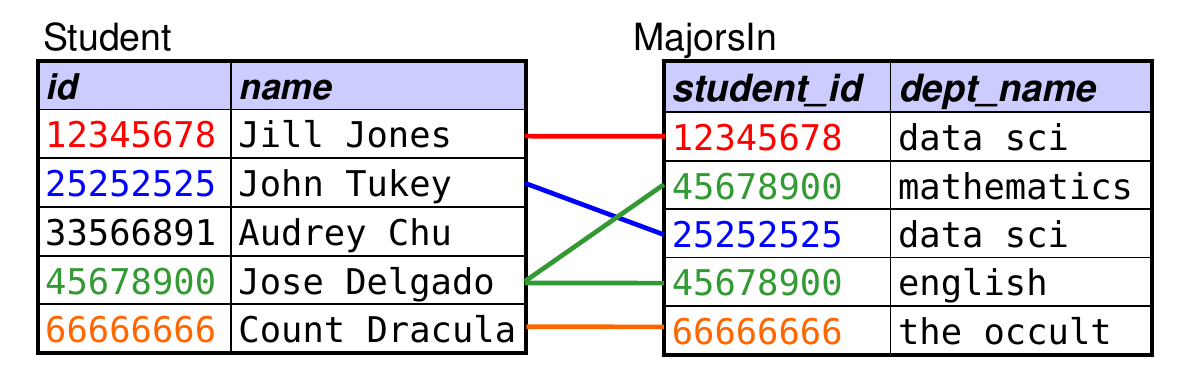
Example Query

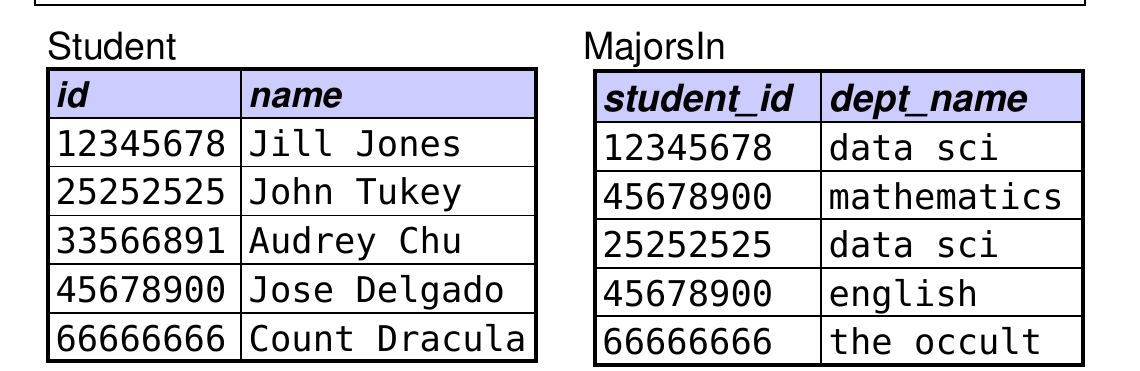
  • Given these relations:
    • Student(id, name)
    • Enrolled(student_id, course_name, credit_status)
    • MajorsIn(student_id, dept_name)
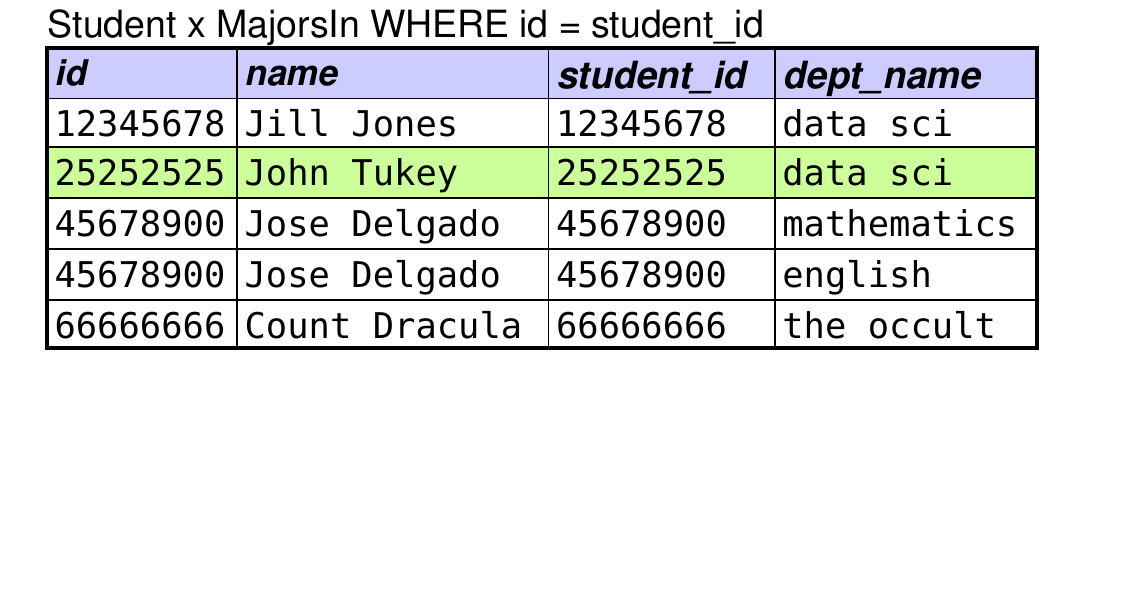
  • We want to find the major of the student John Tukey*.
  • Here’s a query that will give us the answer:
SELECT dept_name
FROM Student, MajorsIn
WHERE name = 'John Tukey'
AND id = student_id;
SELECT dept_name FROM Student, MajorsIn
WHERE name = 'John Tukey' AND id = student_id;

Join Conditions

  • Here’s the query from the previous problem:
SELECT dept_name
FROM Student, MajorsIn
WHERE name = 'John Tukey'
  AND id = student_id;
  • id = student_id is a join condition – a condition that is used to match up “related” tuples from the two tables.
  • it selects the tuples in the Cartesian product that “make sense”
  • for N tables, you typically need N – 1 join conditions
The LIKE Operator and Wildcards

  • Use LIKE whenever we need to match a pattern.
  • Form the pattern using one or more wildcard characters:
    • % stands for 0 or more arbitrary characters
    • _ stands for a single arbitrary character

How could we use pattern matching to get info about movies rated PG or PG-13?
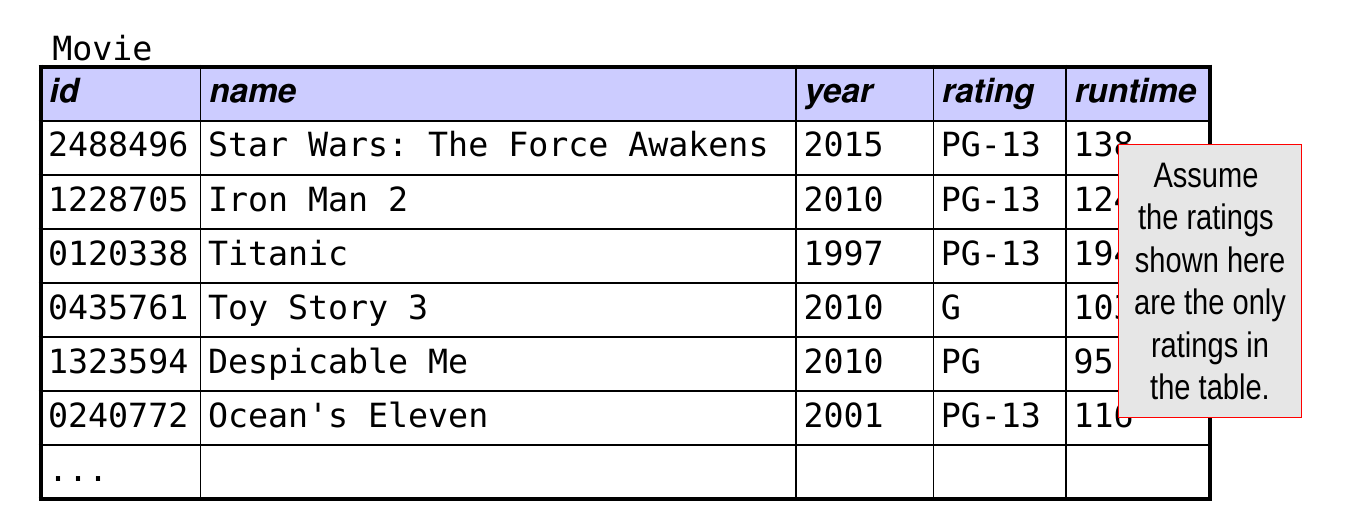
A.  SELECT * FROM Movie WHERE rating LIKE 'PG%'; ← starts with PG, followed by 0 or more arbitrary characters

B.  SELECT * FROM Movie WHERE rating LIKE 'PG_'; ← starts with PG, followed by exactly 1 arbitrary character

C.  SELECT * FROM Movie WHERE rating LIKE '_G%'; ← starts with an arbitrary character, then G, then 0 or more characters

What about these patterns for finding PG and PG-13?

A.  SELECT * FROM Movie WHERE rating LIKE '%G%'; ← no. would also match G

B.  SELECT * FROM Movie WHERE rating LIKE 'PG'; ← no. would not match PG-13

C.  SELECT * FROM Movie WHERE rating = 'PG-%'; ← no. need to use LIKE with patterns! won’t match any rating!

Comparisons Involving NULL

  • Because NULL is a special value, any comparison involving NULL that uses the standard operators is always false.
  • For example, all of the following will always be false:
    • room = NULL NULL != 10
    • room != NULL NULL = NULL
  • This is useful for cases like the following:
    • assume that we add a country column to Student
    • use NULL for students whose country is unknown
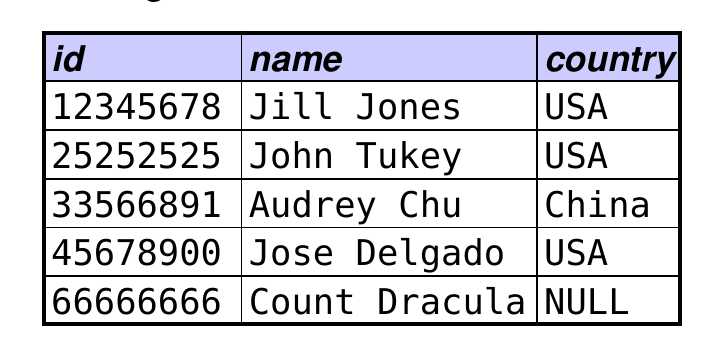
  • to get all students from a foreign country:
SELECT name FROM Student
WHERE country != 'USA';   -- won't include NULLs

Comparisons Involving NULL (cont.)

  • To test for the presence or absence of a NULL value, use special operators: IS NULL IS NOT NULL
  • Example: find students whose country is unknown
SELECT name FROM Student WHERE country IS NULL;

Removing Duplicates

  • By default, a SELECT command may produce duplicates.
  • To eliminate them, add the DISTINCT keyword:
SELECT DISTINCT column1, column2, …

The COUNT Function

  • In what follows, we’ll use the COUNT function.
  • COUNT is an aggregate function. It counts the number of values of an attribute or the number of tuples in a relation.
  • We will cover aggregate functions in the next lecture.

COUNT(*) vs. COUNT(attribute)

  • SELECT COUNT(*) counts the number of tuples in a result.
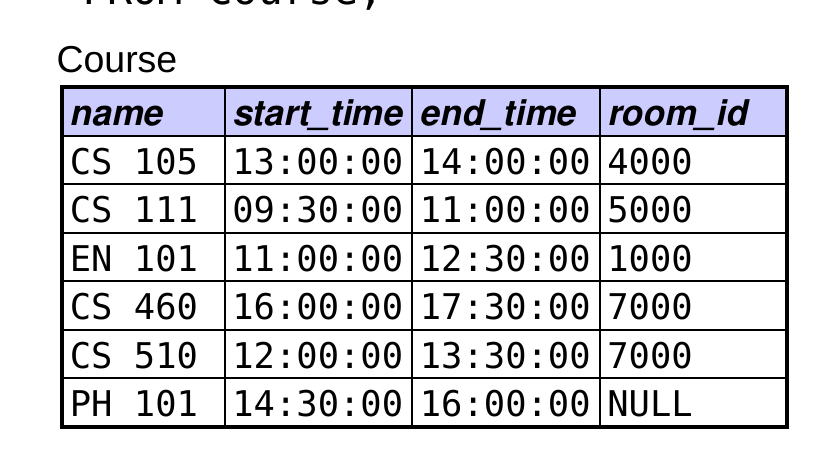
  • example: find the total number of courses
SELECT COUNT(*)
FROM Course;

result: COUNT(*) = 6

  • SELECT COUNT(attribute) counts the number of non-NULL values of that attribute in a result.
  • example: find the number of courses that meet in a room
SELECT COUNT(room_id)
FROM Course;

result: COUNT(room_id) = 5

How could we determine how many people have won Best Actor?
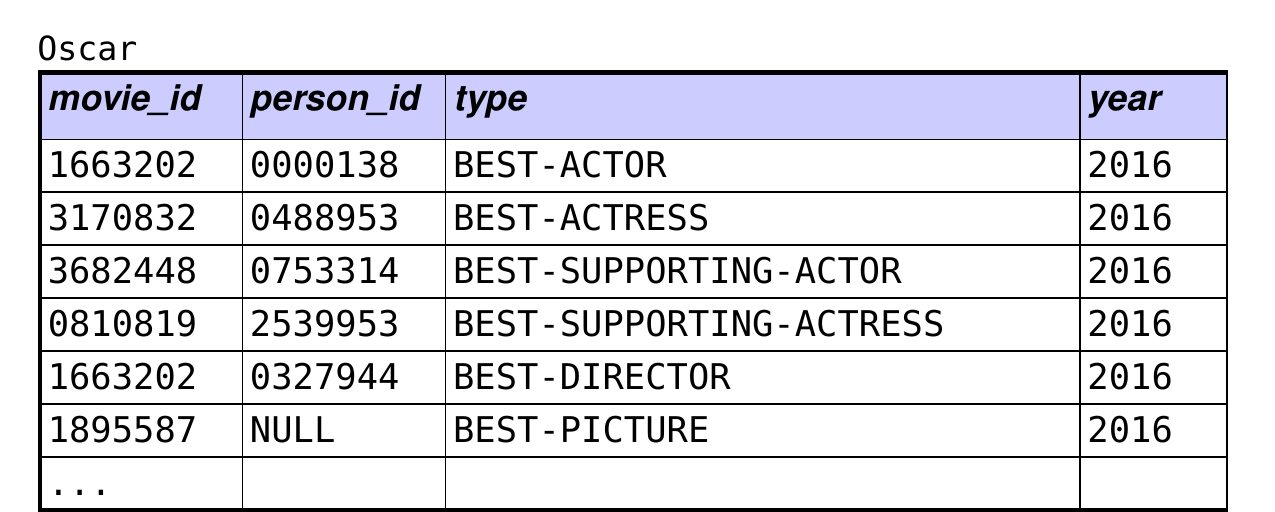
A.  SELECT COUNT(person_id) FROM Oscar WHERE type = 'BEST-ACTOR'; ← double counts repeat winners

B.  SELECT TOTAL(person_id) FROM Oscar WHERE type = 'BEST-ACTOR'; ← invalid aggregate function

C.  SELECT COUNT(*) FROM Oscar WHERE type = 'BEST-ACTOR'; ← double counts repeat winners

D.  two or more of the queries above would work

E.  none of the queries above would work

Removing Duplicates

  • By default, a SELECT command may produce duplicates.
  • To eliminate them, add the DISTINCT keyword:
SELECT DISTINCT column1, column2, …

What would work?

SELECT COUNT(DISTINCT person_id)
FROM Oscar
WHERE type = 'BEST-ACTOR';

What about this?

SELECT COUNT(DISTINCT *)
FROM Oscar
WHERE type = 'BEST-ACTOR';

doesn’t work!

Applying an Aggregate Function to Subgroups

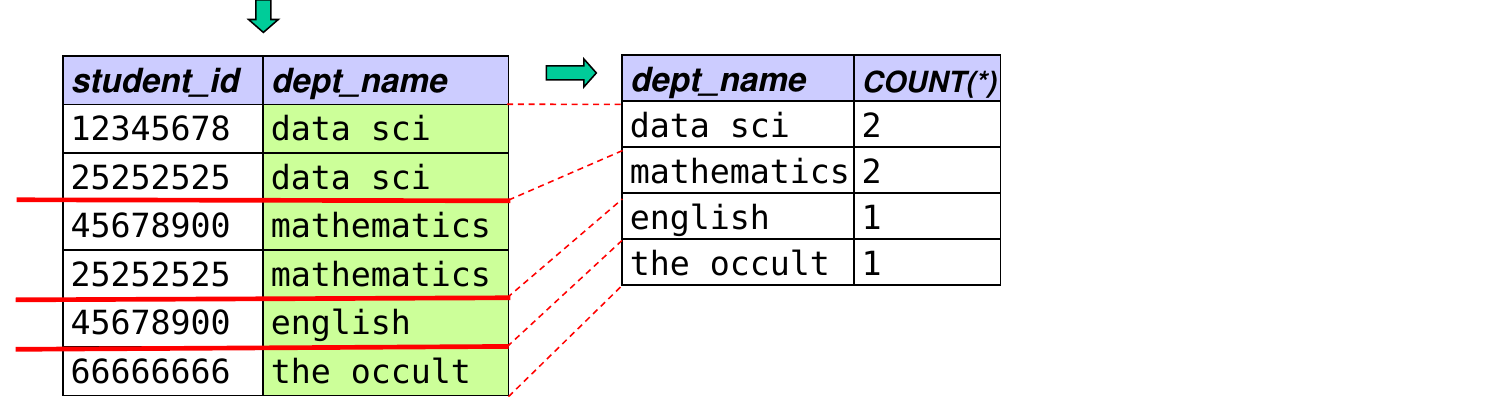
  • A GROUP BY clause allows us to:
    • group together tuples that have a common value
    • apply an aggregate function to the tuples in each subgroup
  • Example: find the enrollment of each course:
SELECT course_name, COUNT(*)
FROM Enrolled
GROUP BY course_name;
  • When you group by an attribute, you can include it in the SELECT clause alongside an aggregate function.

How many rows would this query produce?
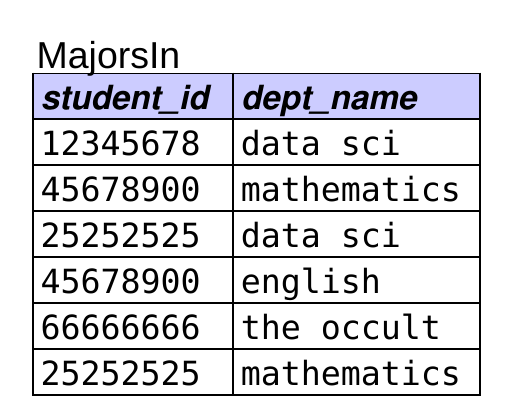
SELECT dept_name, COUNT(*)
FROM MajorsIn
GROUP BY dept_name;

A.  0   B. 1   C. 2   D. 4   E. 6

Answer: D – 4 rows

How could we limit this to departments with only 1 student?

A.

SELECT dept_name, COUNT(*)
FROM MajorsIn
WHERE COUNT(*) = 1
GROUP BY dept_name;

B.

SELECT dept_name, COUNT(*)
FROM MajorsIn
GROUP BY dept_name
WHERE COUNT(*) = 1;

C.

SELECT dept_name, COUNT(*)
FROM MajorsIn
HAVING COUNT(*) = 1
GROUP BY dept_name;

D.

SELECT dept_name, COUNT(*)
FROM MajorsIn
GROUP BY dept_name
HAVING COUNT(*) = 1;

E.  more than one of these works

How could we limit this to departments with only 1 student? (answer)

  • D is correct:
SELECT dept_name, COUNT(*)
FROM MajorsIn
GROUP BY dept_name
HAVING COUNT(*) = 1;
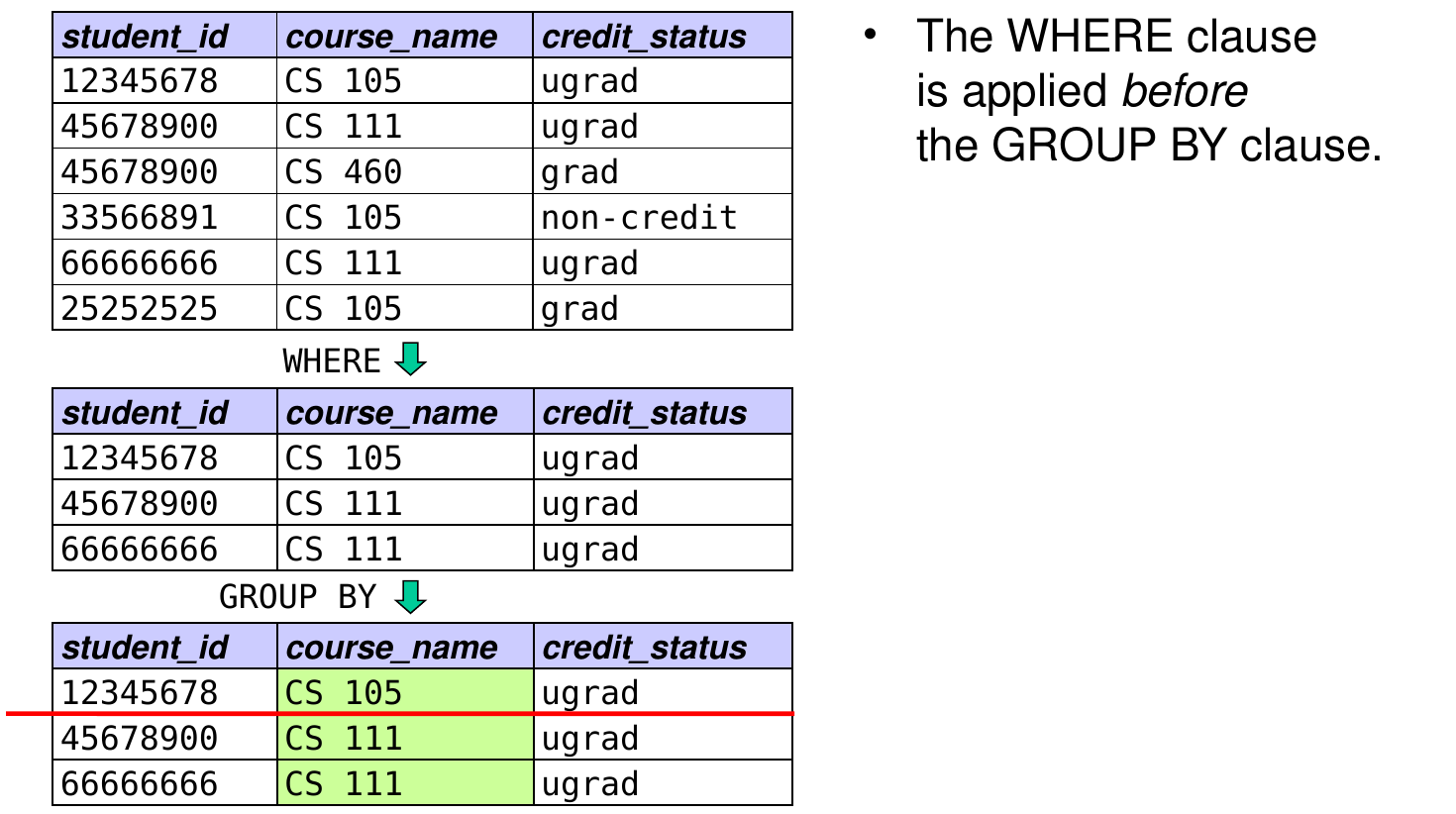
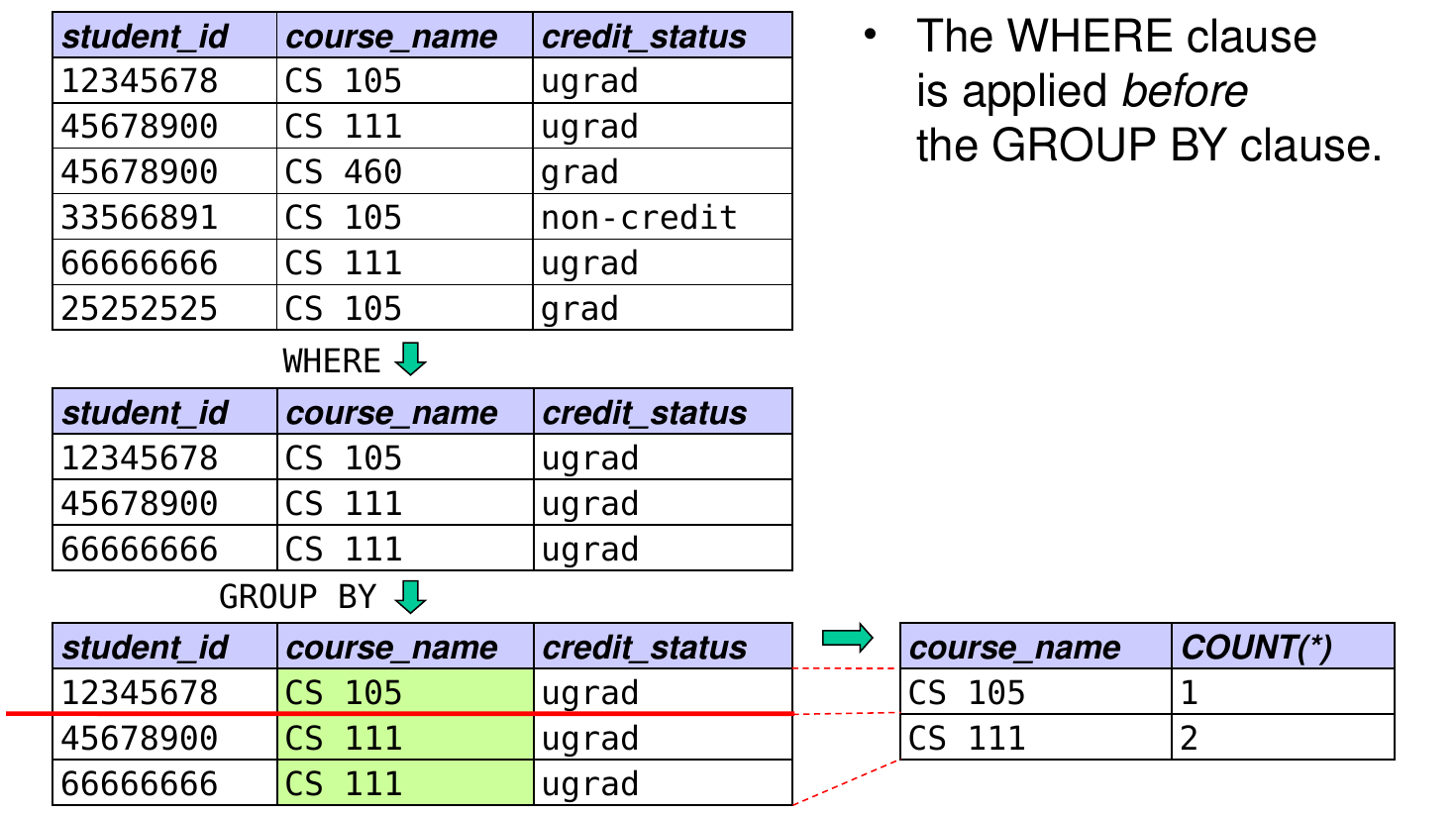
  • WHERE is applied before GROUP BY.
  • HAVING is applied after GROUP BY.
    • used for all conditions involving aggregates
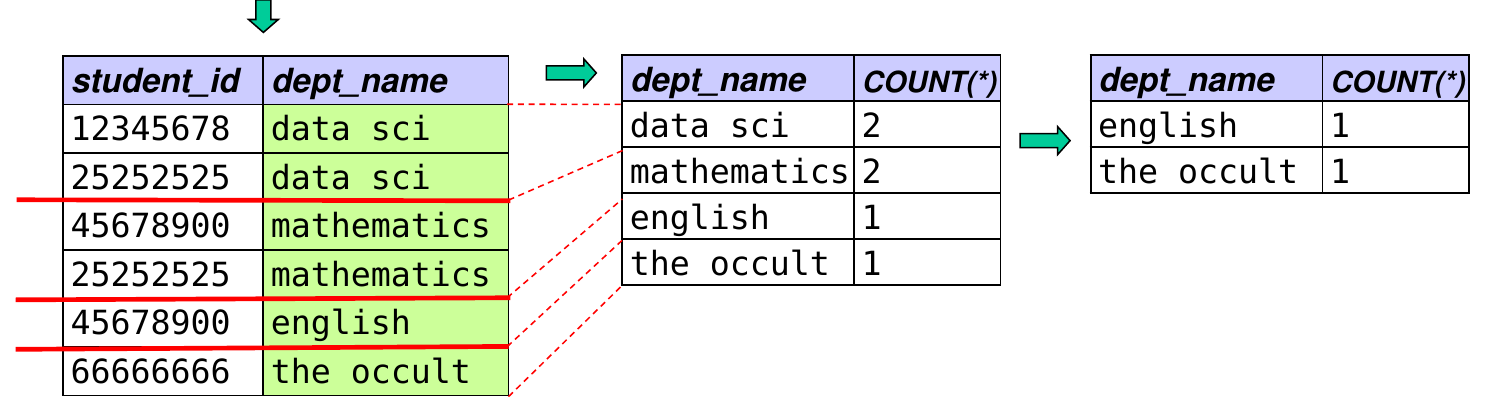
GROUP BY + WHERE
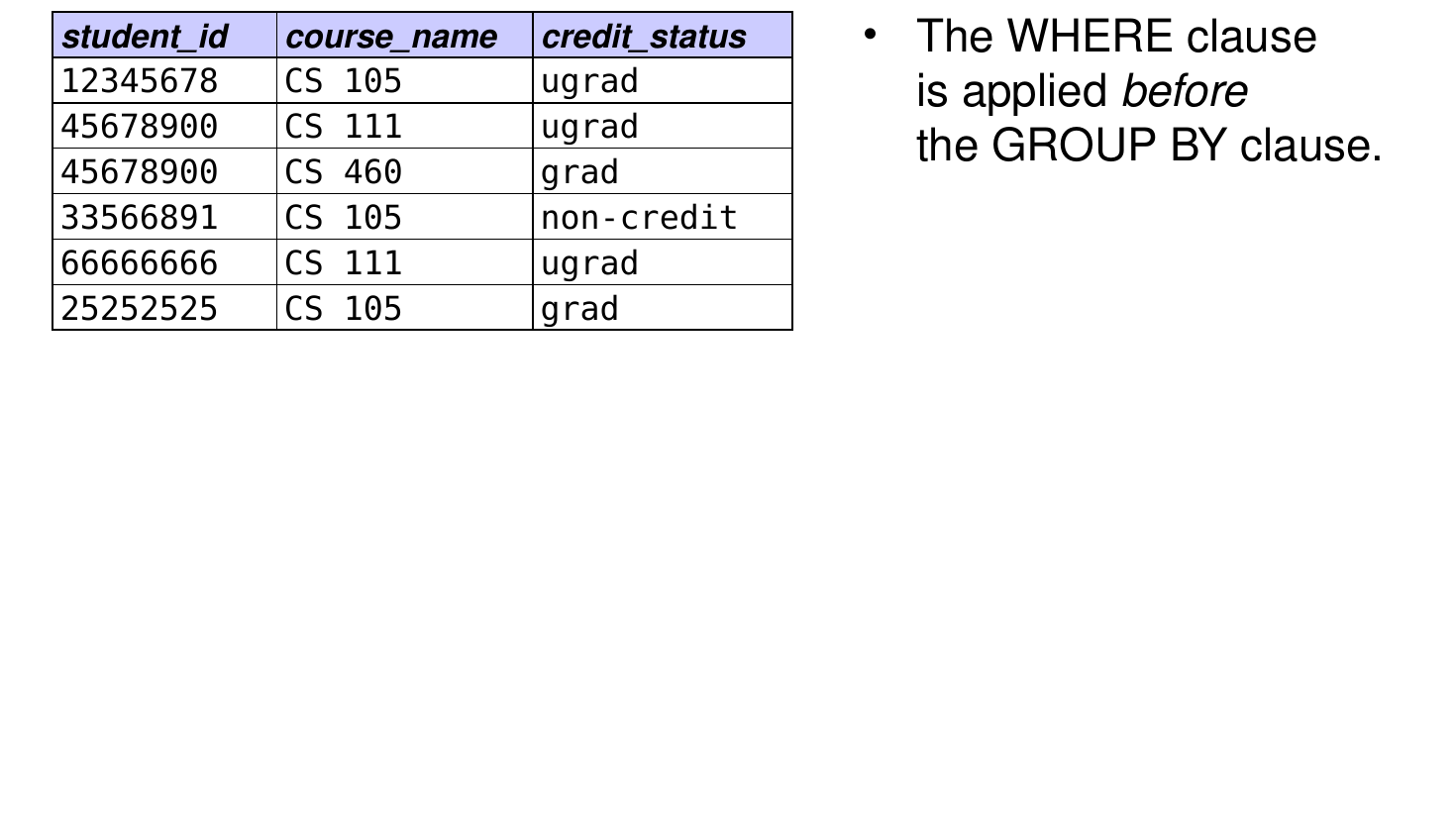
SELECT course_name, COUNT(*)
FROM Enrolled
WHERE credit_status = 'ugrad'
GROUP BY course_name;

Sorting the Results

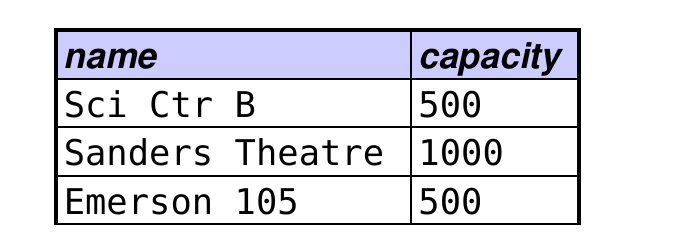
  • An ORDER BY clause sorts the tuples in the result of the query by one or more attributes.
  • example:
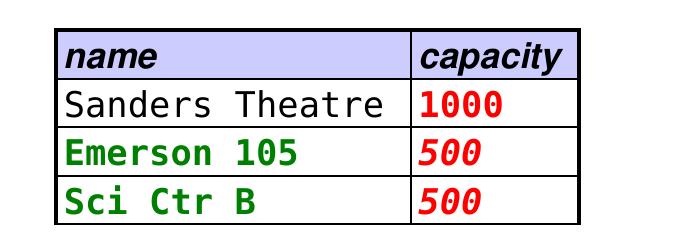
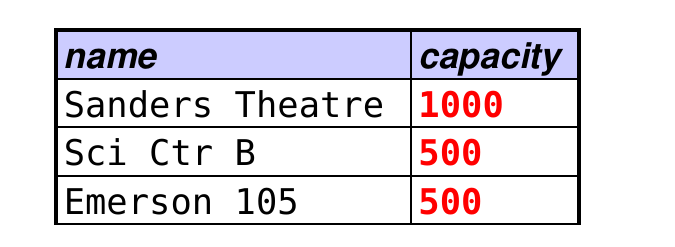
SELECT name, capacity
FROM Room
WHERE capacity >= 500
ORDER BY capacity;

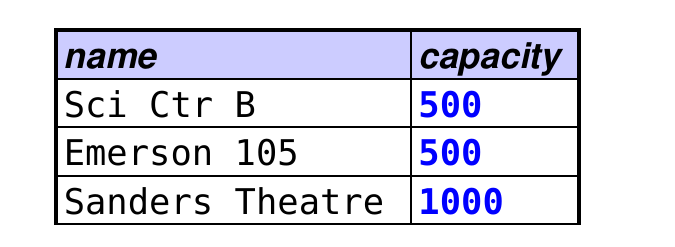
  • ascending order by default, use DESC to get descending
Sorting the Results (cont.)

SELECT name, capacity
FROM Room
WHERE capacity >= 500
ORDER BY capacity DESC;

  • attributes after the first one are used to break ties
SELECT name, capacity
FROM Room
WHERE capacity >= 500
ORDER BY capacity DESC, name;