Storage Fundamentals
Storage
- Today we’ll start to discuss aspects of how data is physically stored.
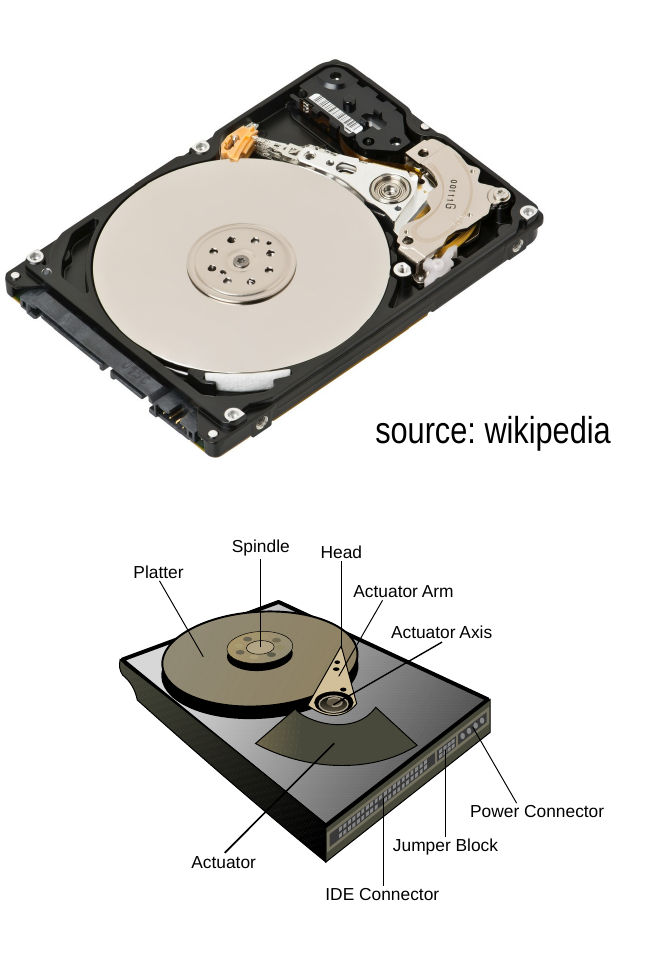
- We’ll use as our model for storage the hard disk.
- A hard disk is persistent storage, which means that the data is preserved when the power is turned off.
- The disk surface consists of many small magnetic domains that can be oriented either “up” or “down” to represent a single bit.
- The head moves across the spinning platter and reads and writes the magnetic domains.
Organization of a Disk
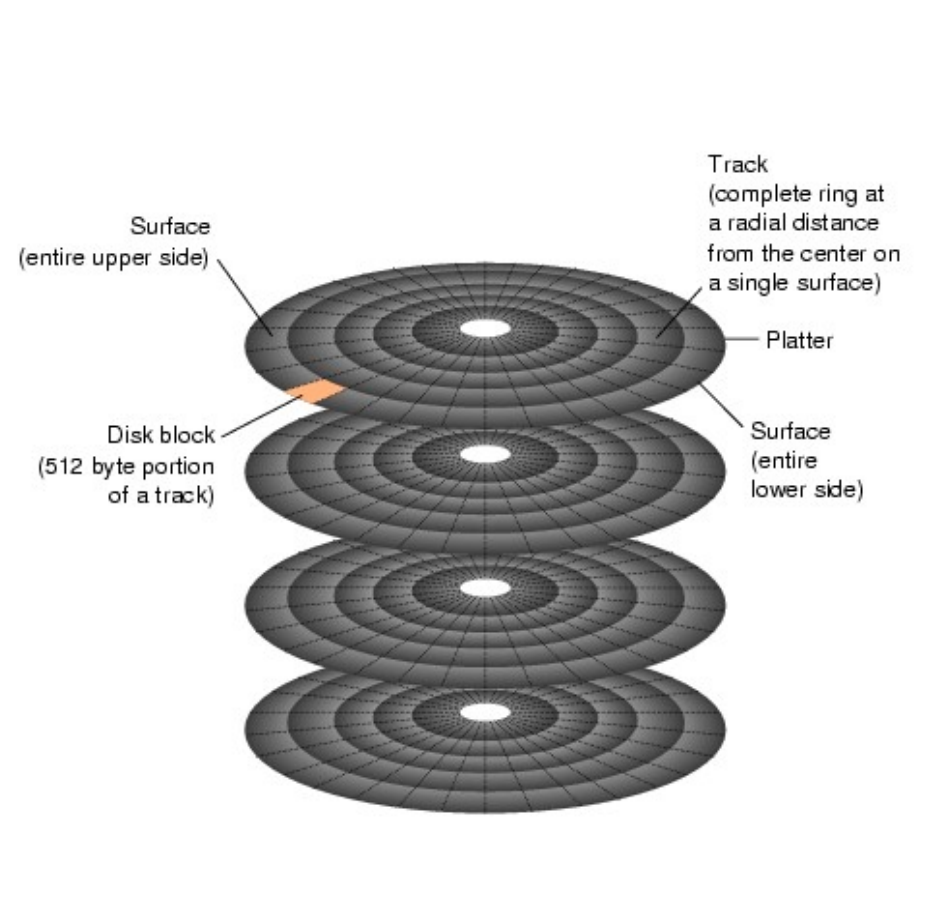
- The surfaces of the platters are divided into tracks and blocks.
- A track is a complete ring at a given radial distance, on a single platter.
- The track is divided into blocks, which are the smallest unit that can be read or written.
- Typically blocks hold 4K or 8K bytes.
Review: DBMS Architecture
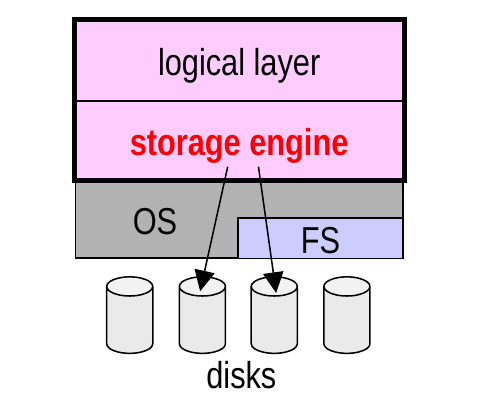
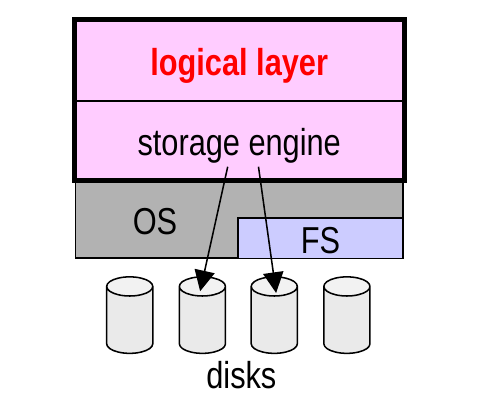
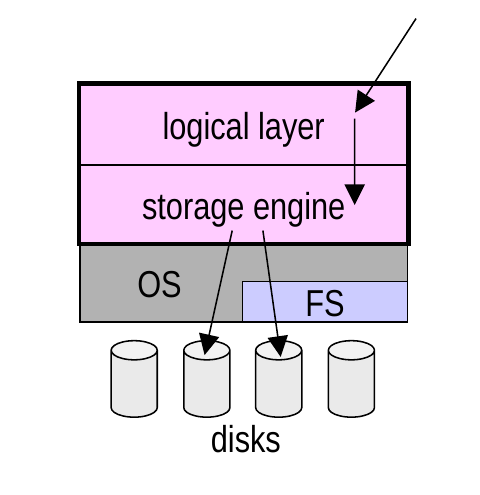
- A DBMS can be viewed as a composition of two layers.
- At the bottom is the storage layer or storage engine, which takes care of storing and retrieving the data.
- Above that is the logical layer, which provides an abstract representation of the data.
Logical-to-Physical Mapping
- The logical layer implements a mapping between:
- the logical schema of a database
- its physical representation
- In the relational model, the schema includes:
- attributes/columns, including their types
- tuples/rows
- relations/tables
- To be model-neutral, we’ll use these terms instead:
- field for an individual data value
- record for a group of fields
- collection for a group of records
Logical-to-Physical Mapping (cont.)
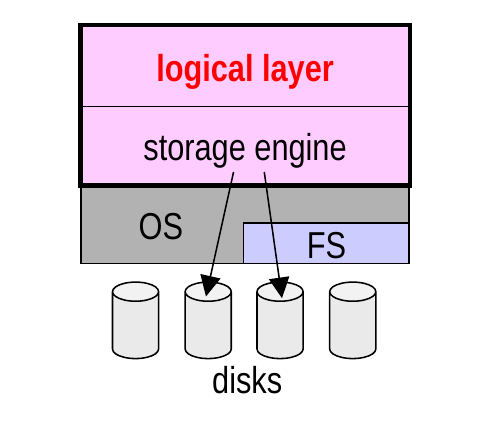
- A DBMS may
- use the filesystem, or
- it may bypass it and use its own disk manager.
- In either case, a DBMS may manage data in units called pages that are larger than the block size.
- can be helpful in performance tuning
Fixed- or Variable-Length Records? (cont.)
- The choice is less straightforward when you have either:
- variable-length fields (e.g., VARCHAR)
- a variable number of fields per record (e.g., in XML)
Two options:
- fixed-length records: always allocate the maximum possible length
- plusses and minuses:
- 👍 less metadata is needed, because:
- every record has the same length
- a given field is in a consistent position within all records
- 👍 less metadata is needed, because:
- 👍 changing a field’s value doesn’t change the record’s length
- thus, changes never necessitate moving the record
- 👎 we waste space when a record has fields shorter than their max length, or is missing fields
Fixed- or Variable-Length Records? (cont.)
- variable-length records: only allocate the space that each record actually needs
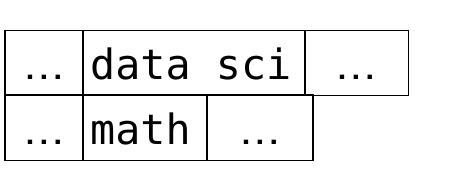
- plusses and minuses:
- 👎 more metadata is needed in order to:
- determine the boundaries between records
- determine the locations of the fields in a given record
- 👎 more metadata is needed in order to:
- 👎 changing a field’s value can change the record’s length
- thus, we may need to move the record
- 👍 we don’t waste space when a record has fields shorter than their max length, or is missing fields
Format of Fixed-Length Records
- With fixed-length records, we store the fields one after the other.
- If a fixed-length record contains a variable-length field:
- allocate the max. length of the field
- use a delimiter (# below) if the value is shorter than the max.
- Example:
Dept(id CHAR(7), name VARCHAR(20), num_majors INT)
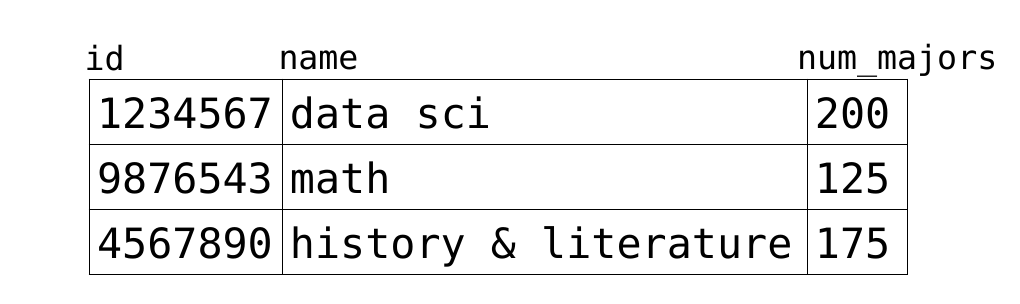
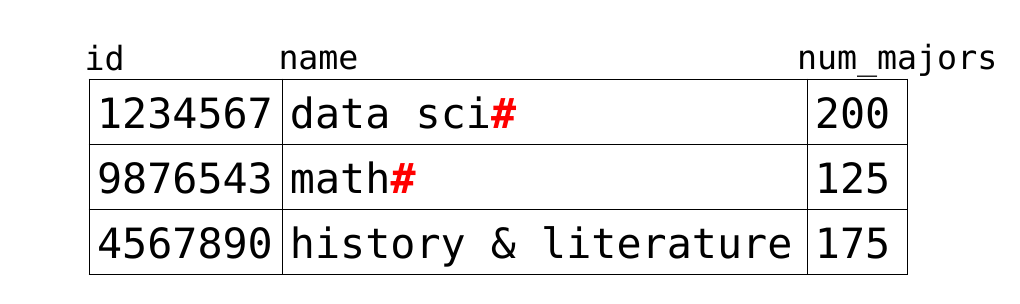
- why doesn’t
'history & literature'need a delimiter? its length is the max. length for its field
Format of Fixed-Length Records (cont.)
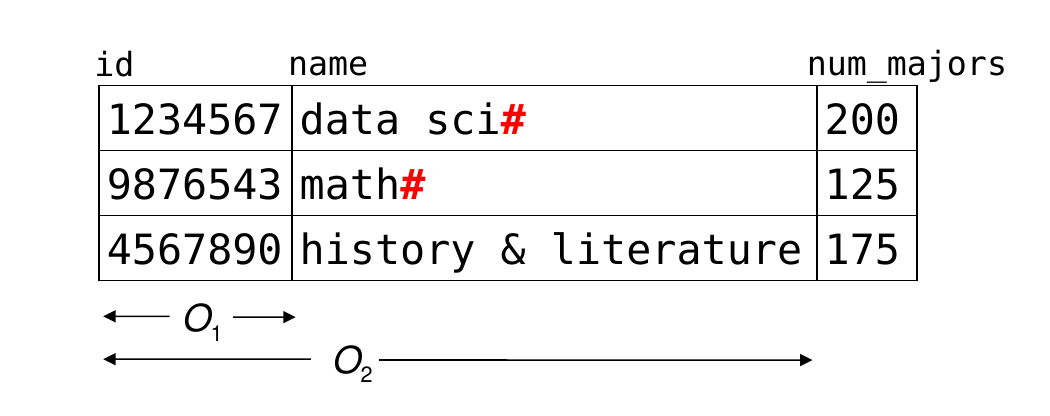
- To find the position of a field, use per-collection metadata.
- typically store the offset of each field (O1 and O2 below) – how many bytes the field is from the start of the record
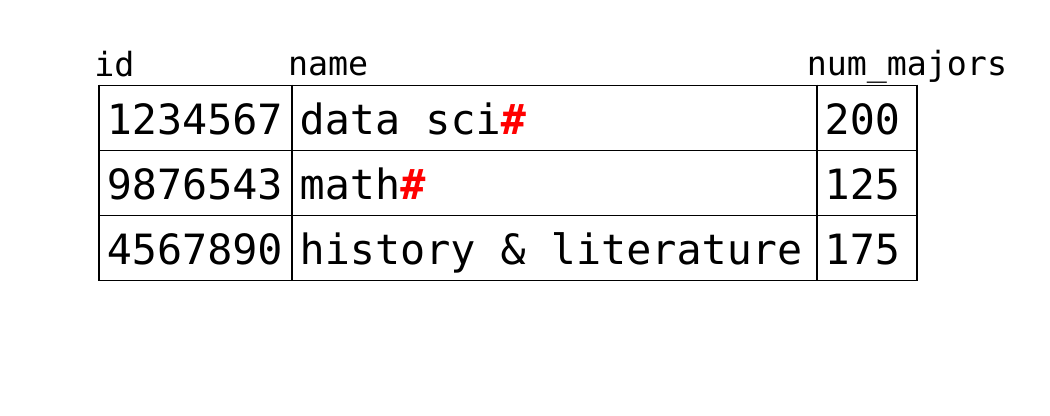
- Notes:
- the delimiters are the only per-record metadata
- the records are indeed fixed-length – 31 bytes each!
- 7 bytes for
id, which is aCHAR(7) - 20 bytes for
name, which is aVARCHAR(20) - 4 bytes for
num_majors, which is anINT
- 7 bytes for
7 + 20 + 4 = 31
Format of Variable-Length Records
- With variable-length records, we need per-record metadata to determine the locations of the fields.
- For simplicity, we’ll assume all records in a given collection have the same # of fields.
- We’ll look at how the following record would be stored:

- We’ll consider two types of operations:
- updating the value of a single field
- its length may become smaller or larger
Format of Variable-Length Records (cont.)
- Option 1: Terminate field values with a special delimiter character.
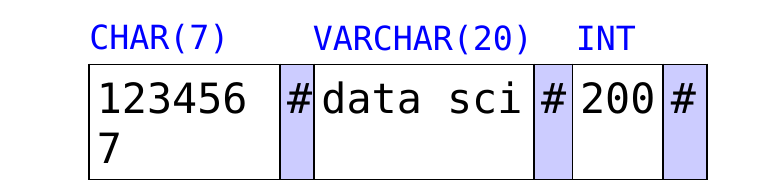
- finding/extracting the value of a single field
this is very inefficient; need to scan byte-by-byte to:
- find the start of the field we’re looking for
- determine the length of its value (if it is variable-length)
- updating the value of a single field
if it changes in size, we need to shift the values after it, but we don’t need to change their metadata
Format of Variable-Length Records (cont.)
- Option 2: Precede each field by its length.
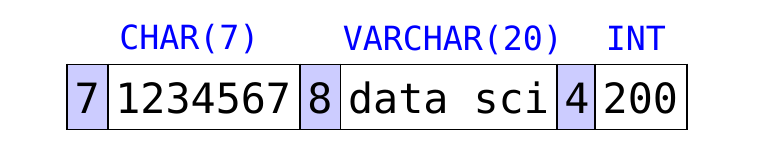
- finding/extracting the value of a single field
this is more efficient
- can jump over fields, rather than scanning byte-by-byte (but may need to perform multiple jumps)
- never need to scan to determine the length of a value
- updating the value of a single field
same as option 1
Format of Variable-Length Records (cont.)
- Option 3: Put offsets and other metadata in a record header.
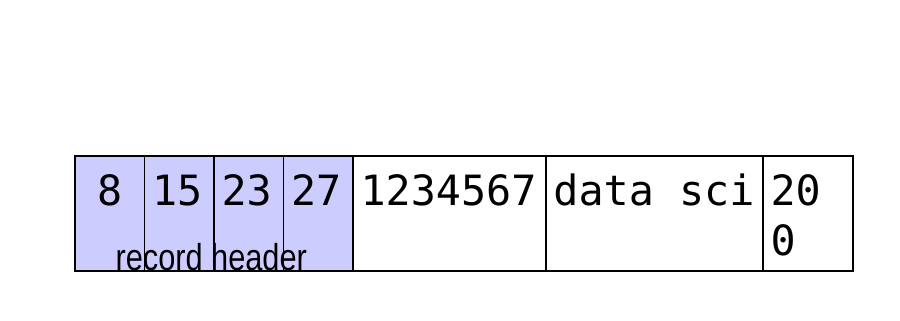
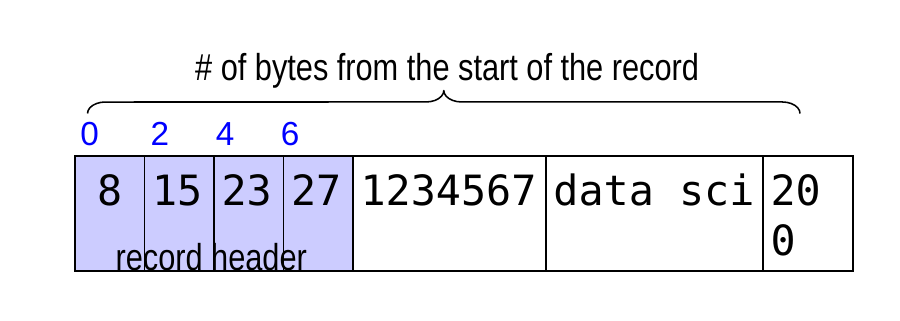
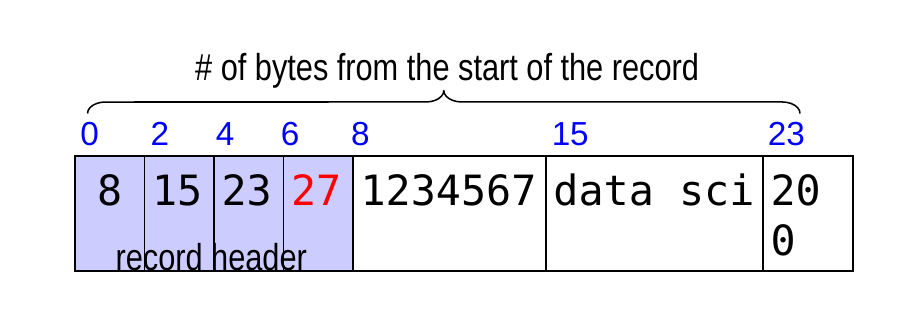
- computing the offsets
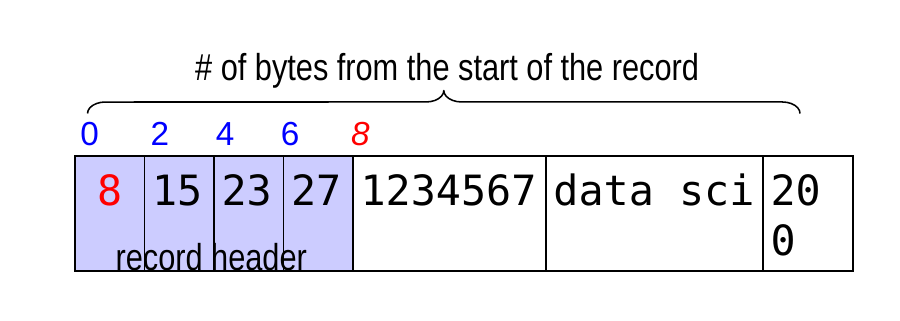
- 3 fields in record → 4 offsets, each of which is a 2-byte int
- thus, the offsets take up 4*2 = 8 bytes
- offset0 = 8, because field0 comes right after the header
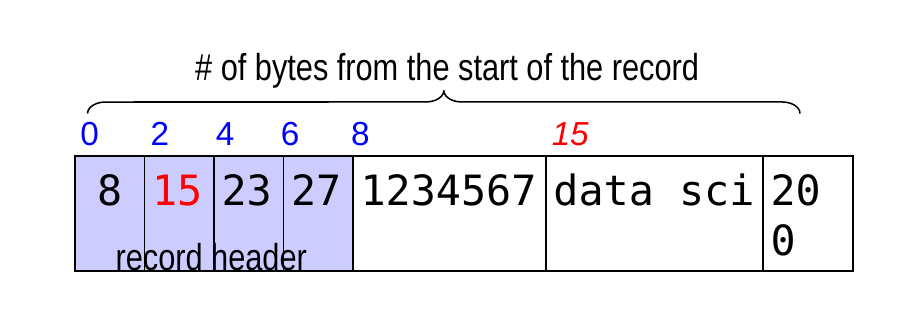
- offset1 = 8 + len(‘1234567’) = 8 + 7 = 15
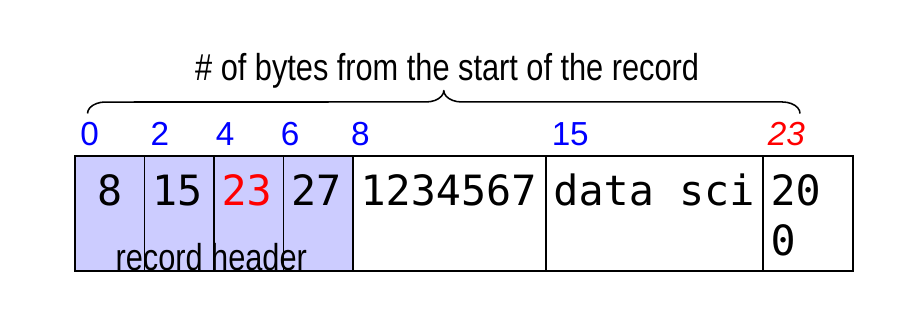
- offset2 = 15 + len(‘data sci’) = 15 + 8 = 23
- offset3 = offset of the end of the record = 23 + 4 (since 200 an int) = 27
- We store this offset because it may be needed to compute the length of a field’s value!
Format of Variable-Length Records (cont.)
- Option 3 (cont.)
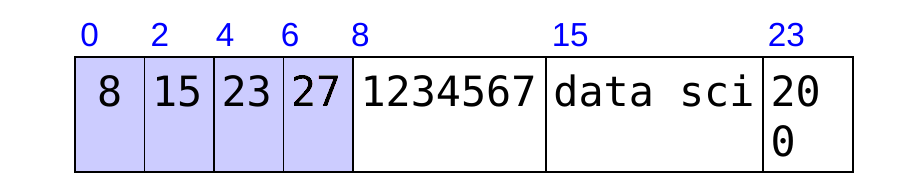
- finding/extracting the value of a single field
this representation is the most efficient. it allows us to:
- jump directly to the field we’re interested in
- compute its length without scanning through its value
- updating the value of a single field
less efficient than options 1 and 2 if the length changes. why? in addition to shifting subsequent values, need to recompute their offsets
Representing Null Values
- Option 1: add an “out-of-band” value for every data type
- con: need to increase the size of most data types, or reduce the range of possible values
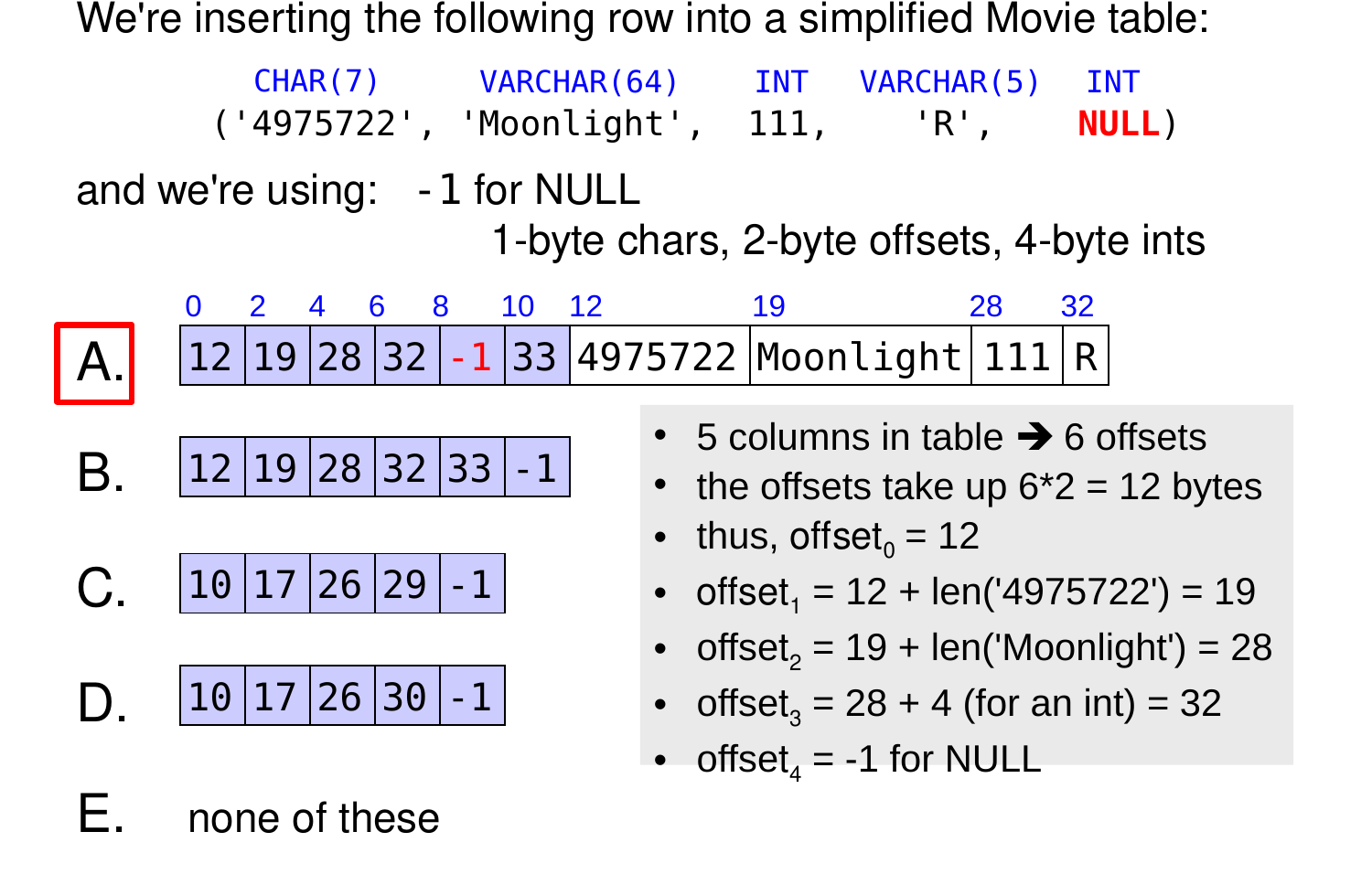
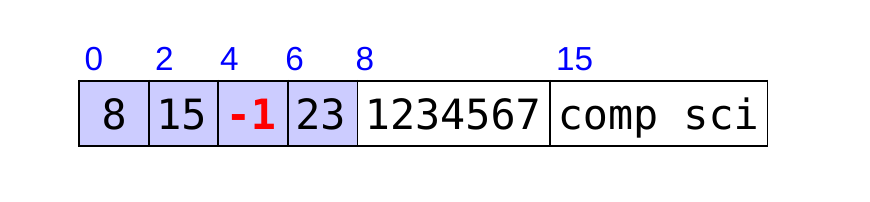
- Option 2: use per-record metadata
- example: use a special offset (e.g., -1)
- when num_majors is NULL:
- when name is NULL and num_majors is 200:
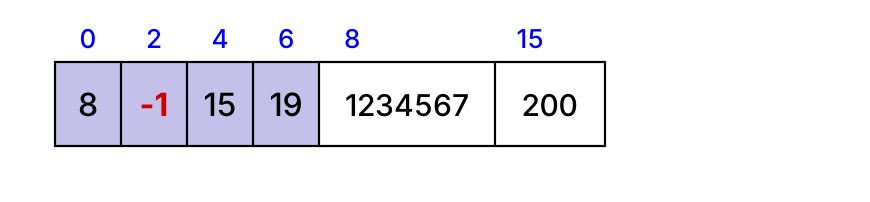
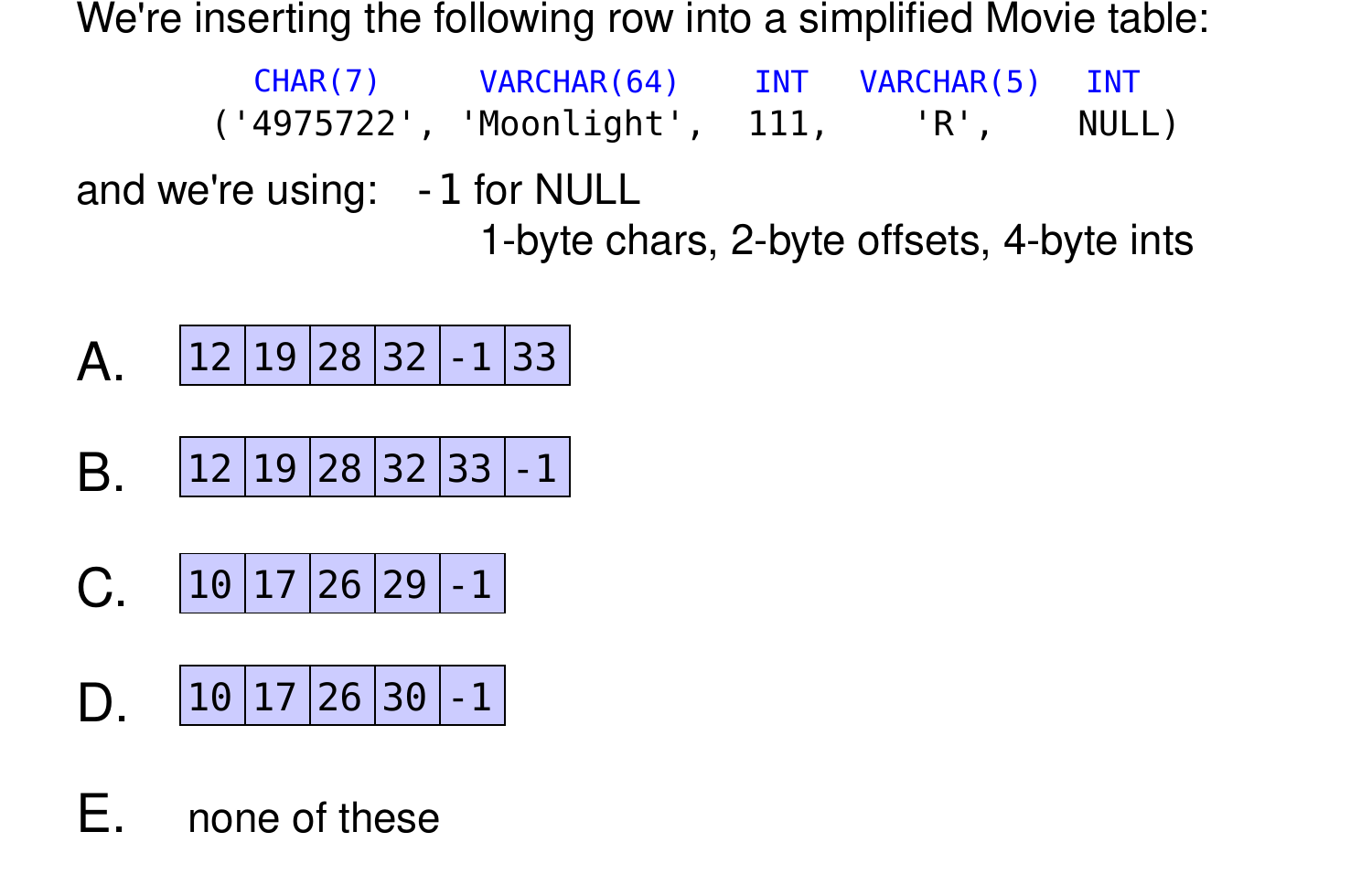
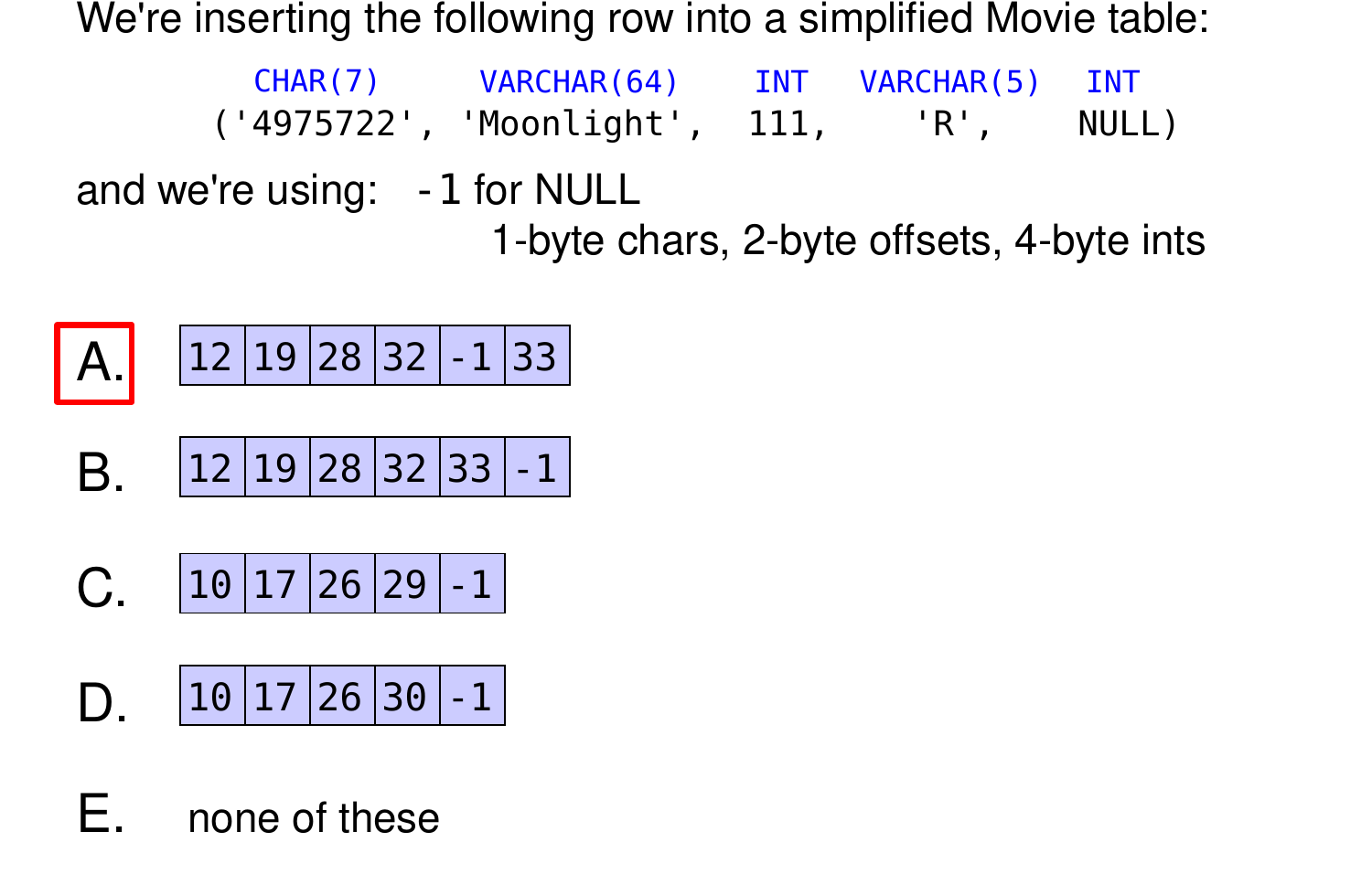
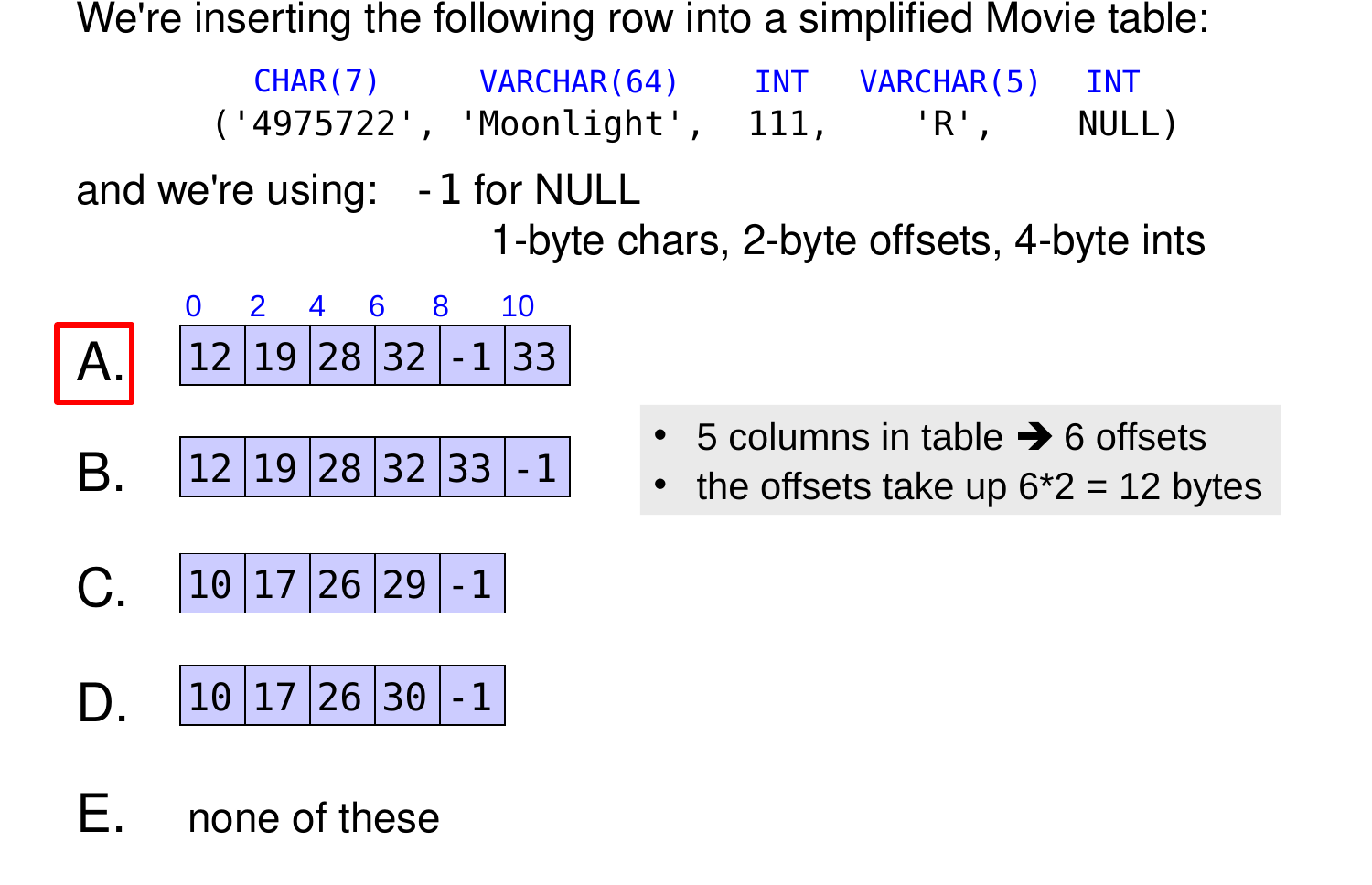
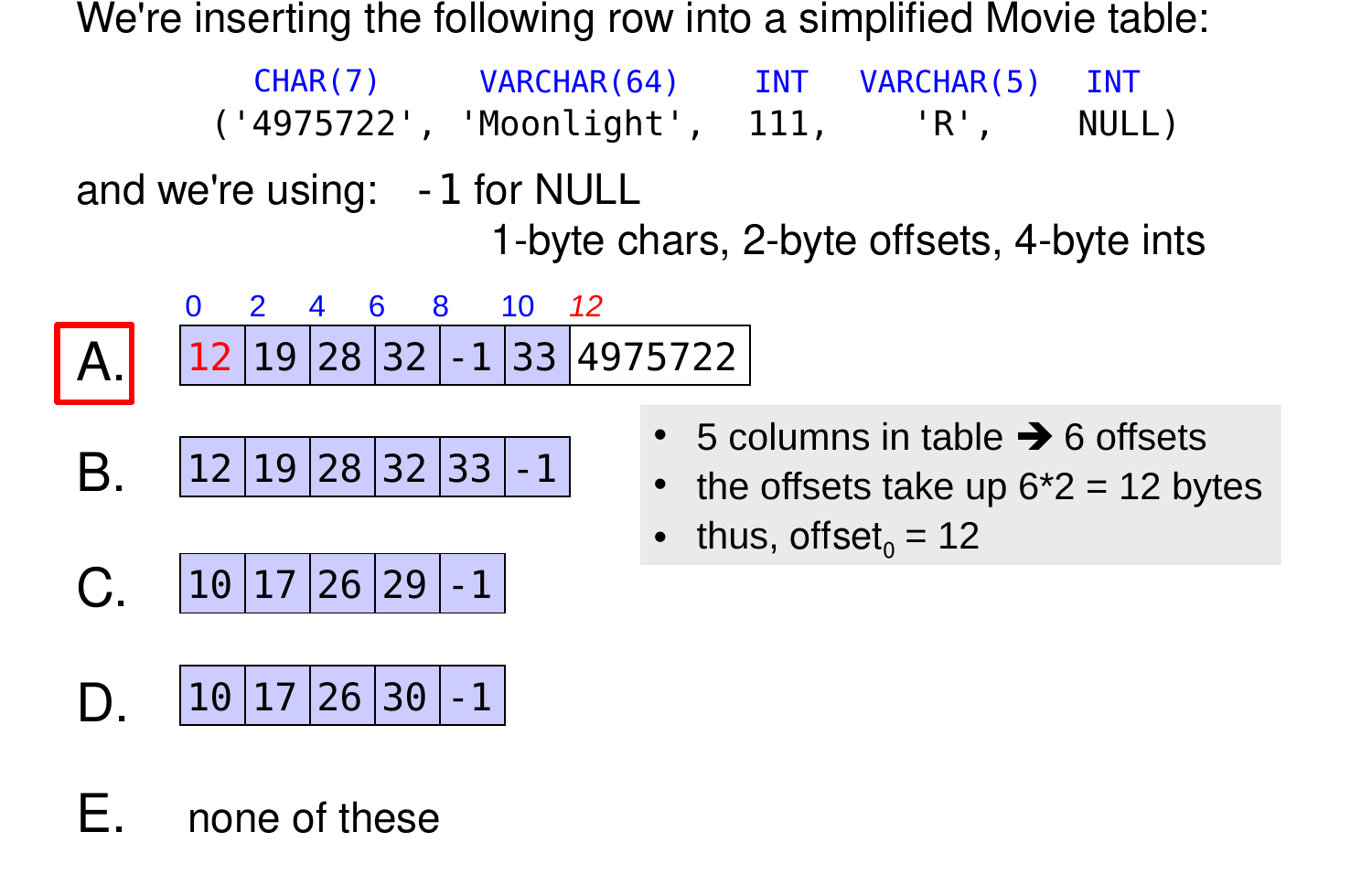
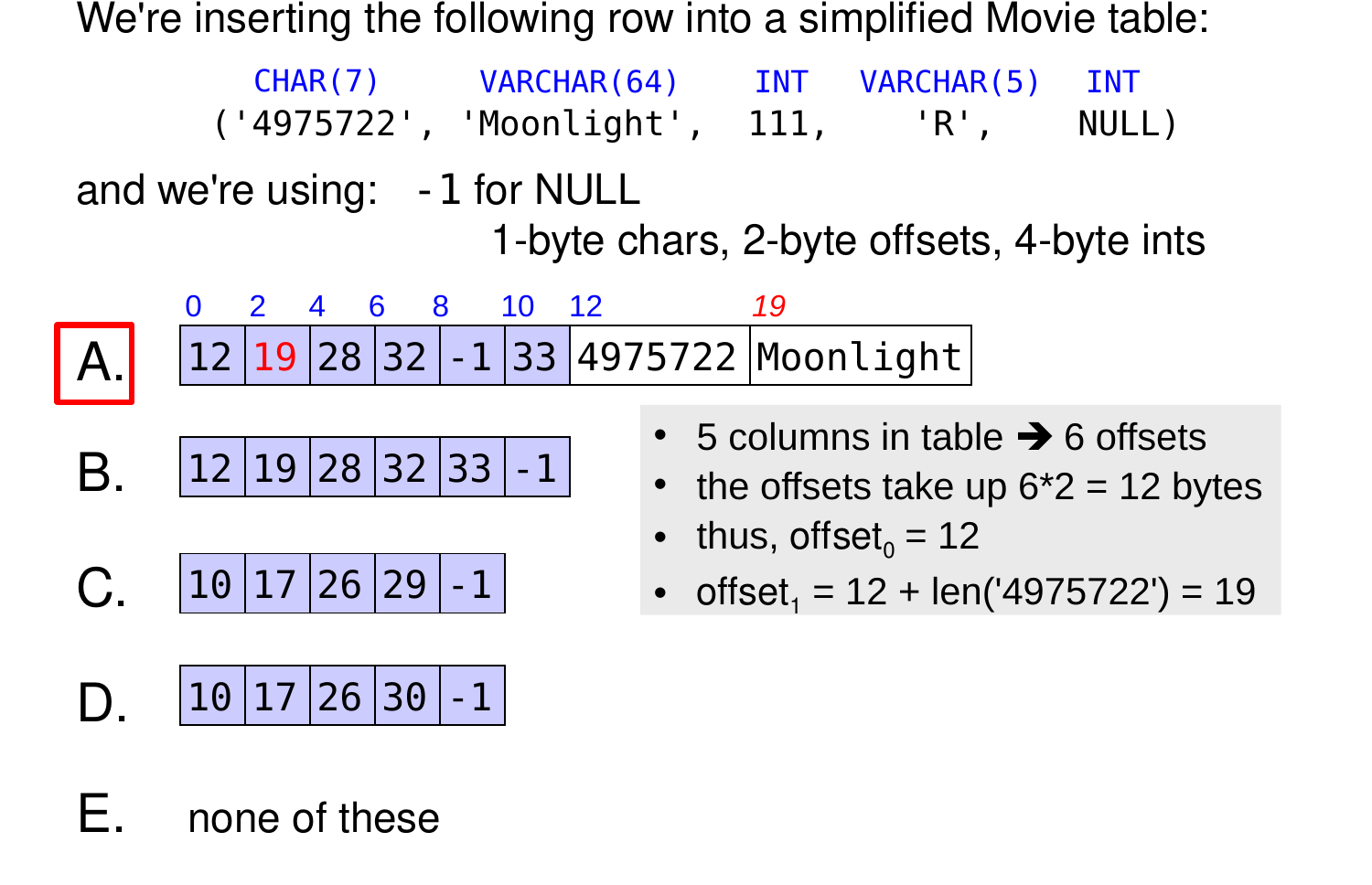
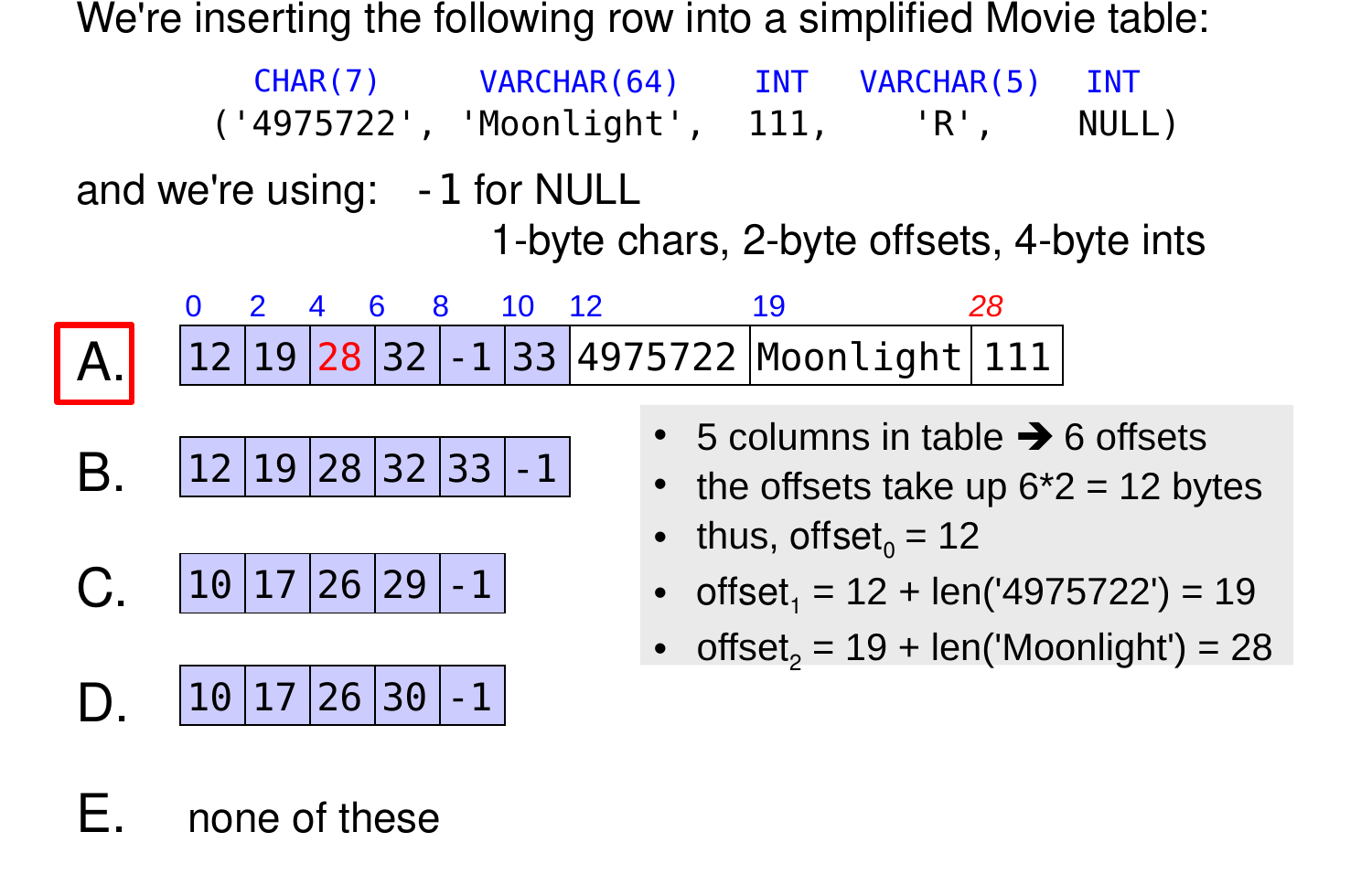
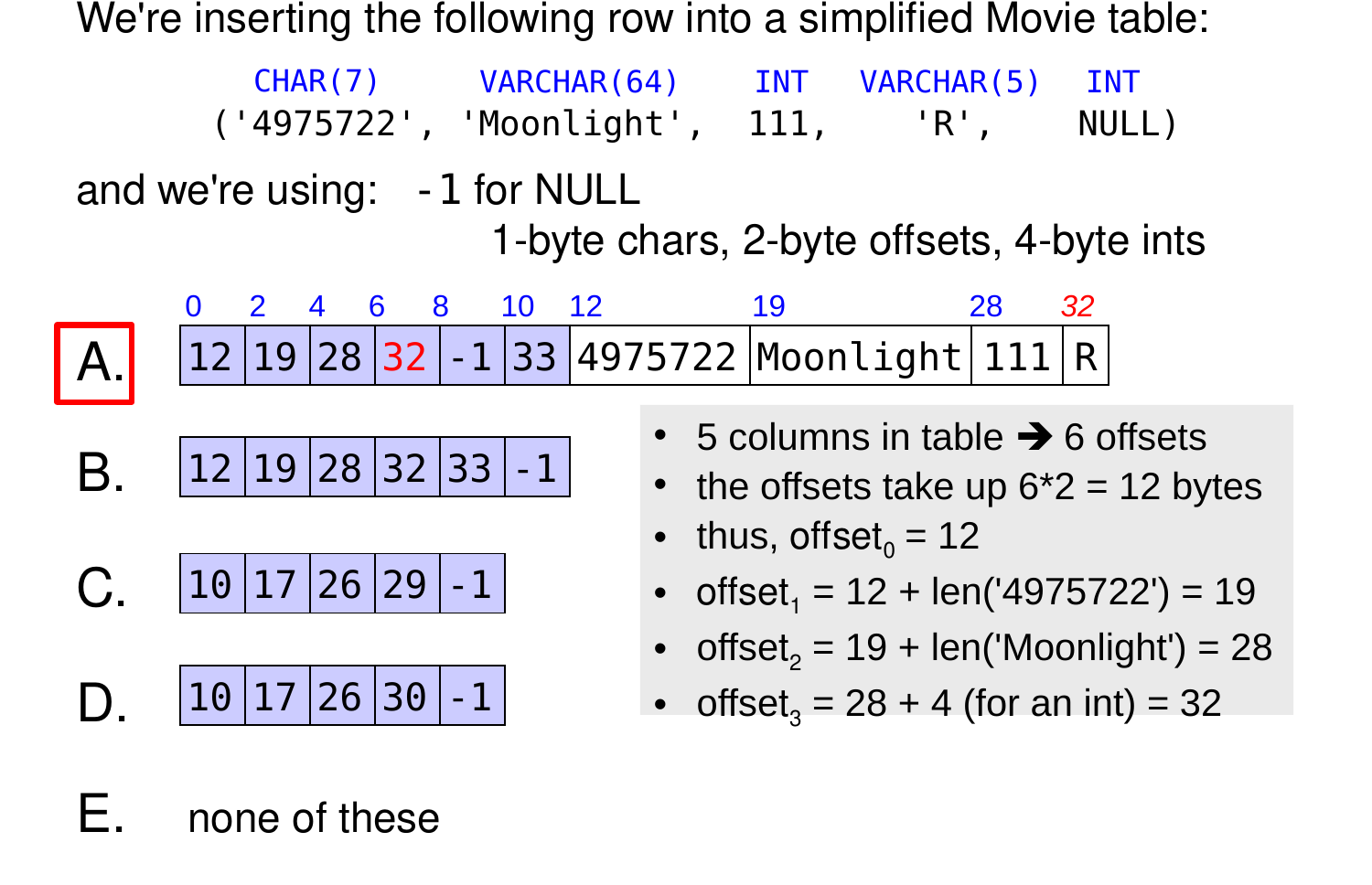
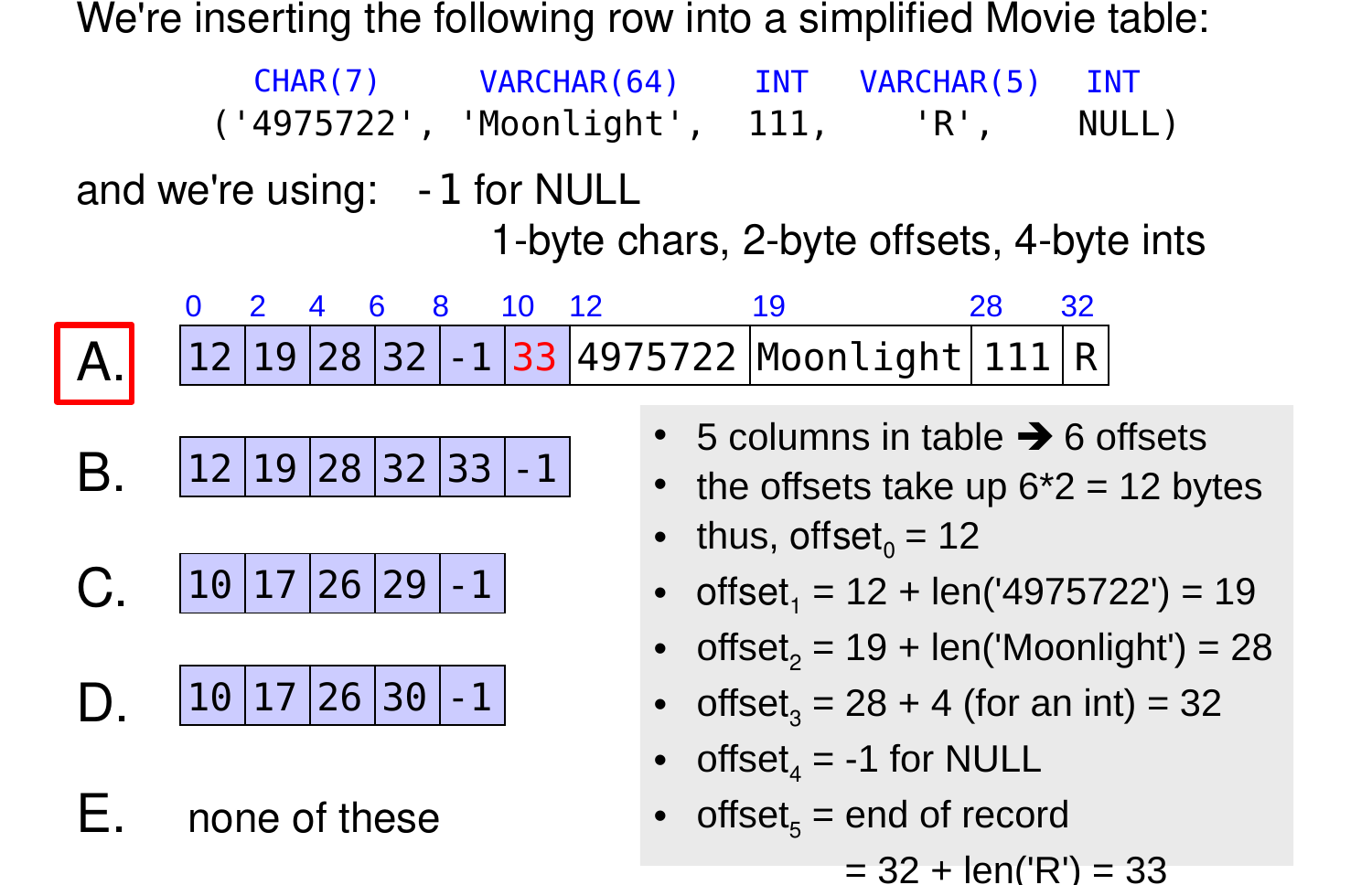
Which is the correct record header?