Dynamic Linear Hashing
Recall: A Simplistic Approach to Dynamic Hashing
- Assume that:
- we’re using keys that are strings
- h(key) = number of characters in key
- we use mod (%) to ensure we get a valid bucket number:
- bucket index = h(key) % number of buckets
- When the hash table gets to be too full:
- double the number of buckets
- rehash all existing items. why? % may give a different result
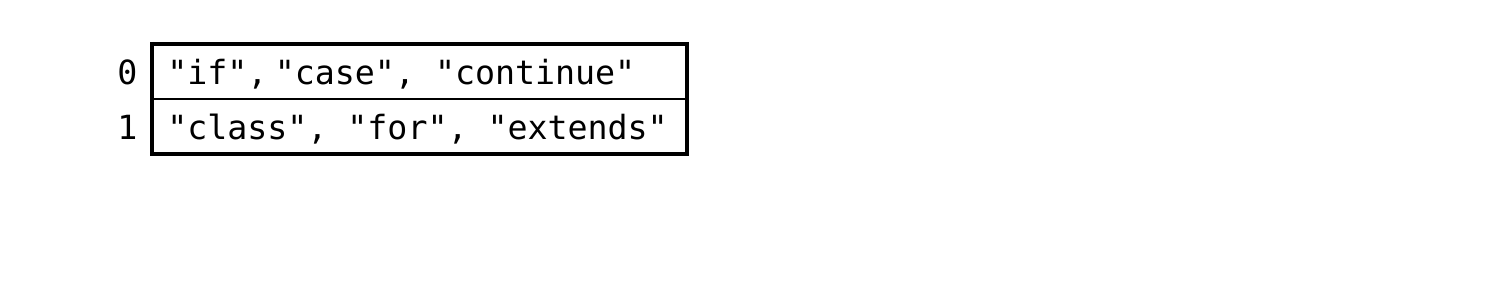
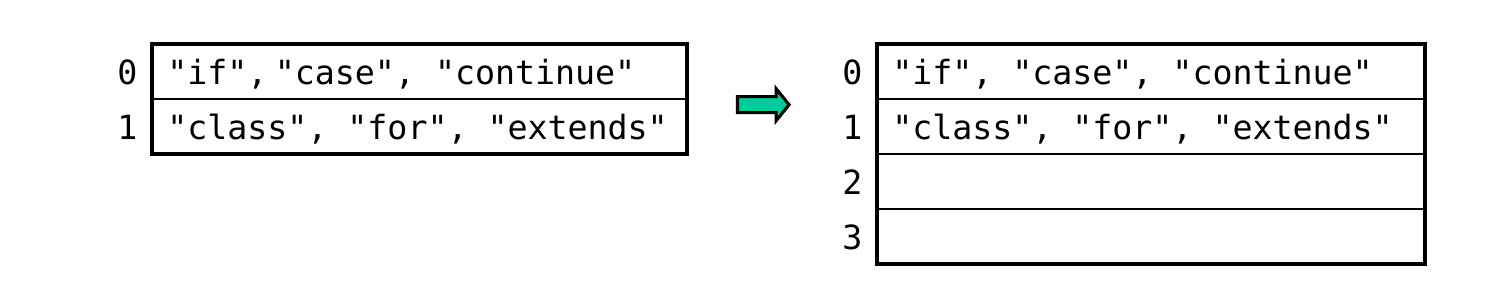
Linear Hashing (cont.)
- example: n = 3 → i = ceil(log23) = 2
- If there’s a bucket with the index given by the i rightmost bits, put the key there.
h("if") = 2 = 00000010
h("case") = 4 = 00000100
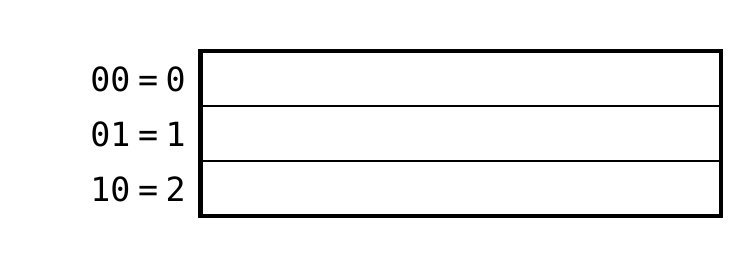
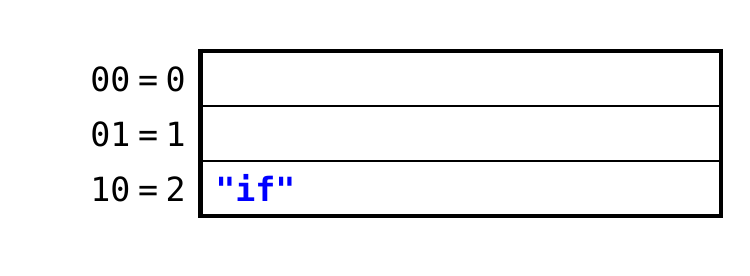
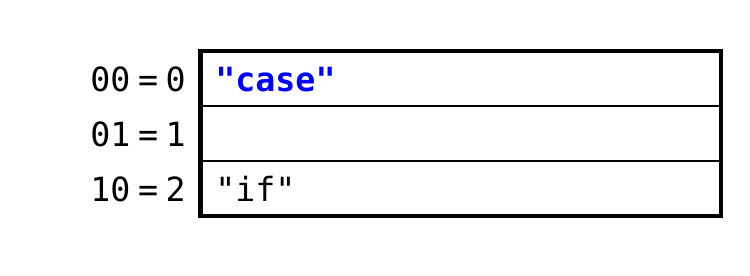
Where should an item with the key “class” go?
h("if") = 2 = 00000010
h("case") = 4 = 00000100
h("class") = 5 = 00000101
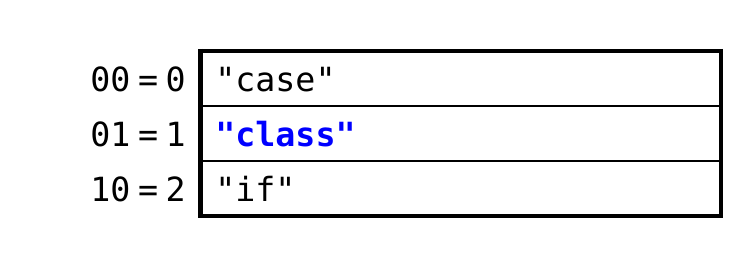
A. bucket 0
B. bucket 1 ← yes: the rightmost i bits are 01
C. bucket 2
Linear Hashing (cont.)
- If there’s a bucket with the index given by the i rightmost bits, put the key there.
- If not, use the bucket specified by the rightmost i – 1 bits
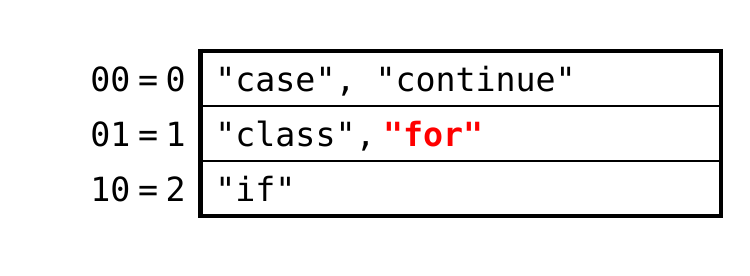
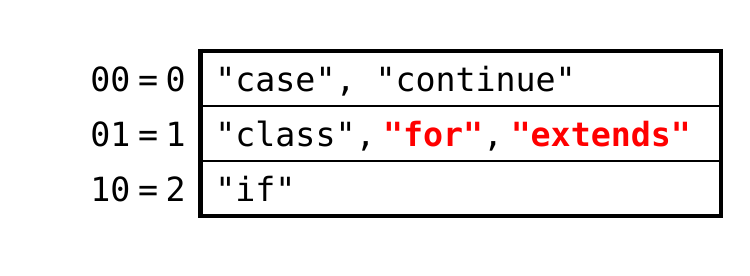
h("if") = 2 = 00000010
h("case") = 4 = 00000100
h("class") = 5 = 00000101
h("continue") = 8 = 00001000
h("for") = 3 = 00000011
(11 = 3 is too big, so use 1)
h("extends") = 7 = 00000111
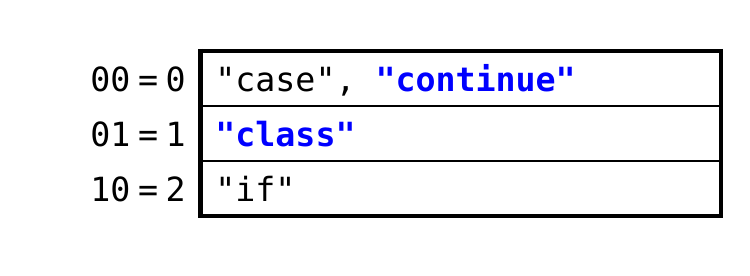
Example of Adding a Bucket
- Assume that:
- our measure of fullness, f = # of items in hash table
- we add a bucket when f > 2*n
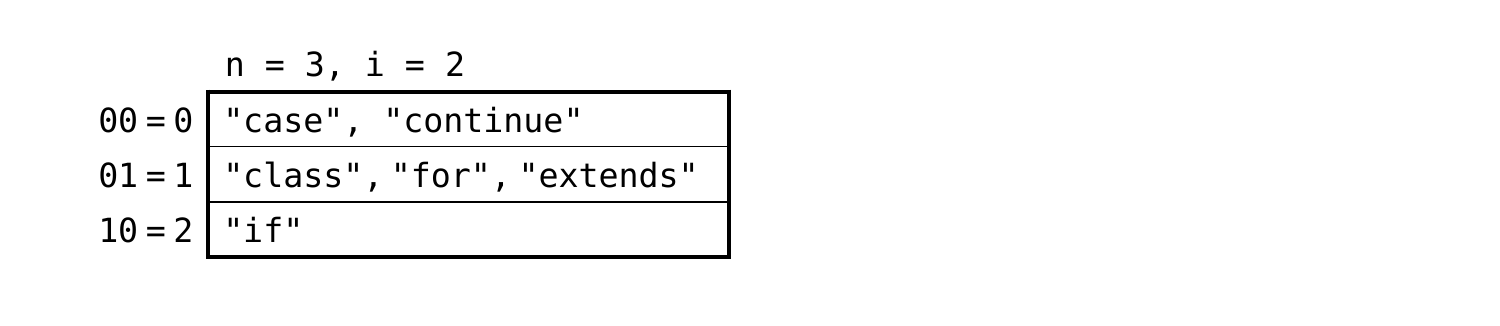
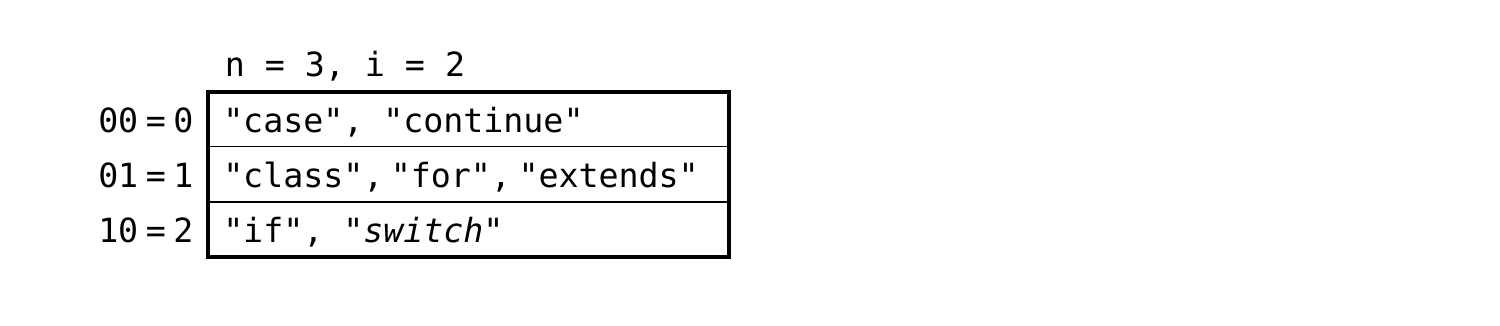
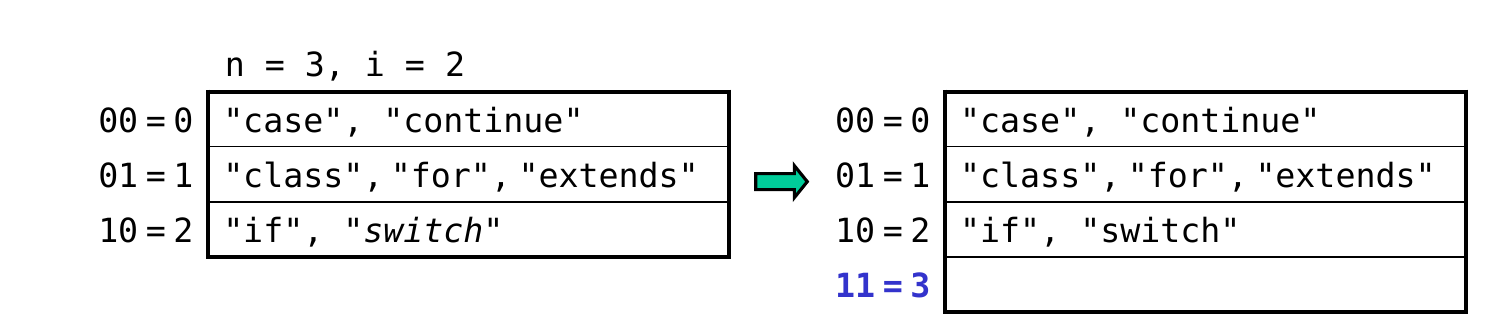
- Continuing with our previous example:
- n = 3; f = 6 = 2*3, so we’re at the threshold
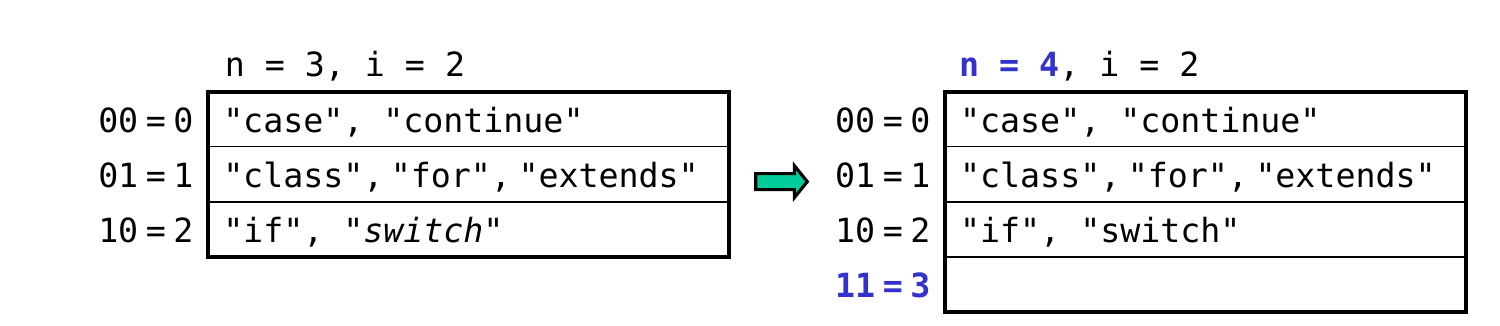
- adding “switch” exceeds the threshold, so we:
- add a new bucket whose index = 3 = 11 in binary
- increment n to 4 → i = ceil(log24) = 2 (unchanged)
Example of Adding a Bucket (cont.)
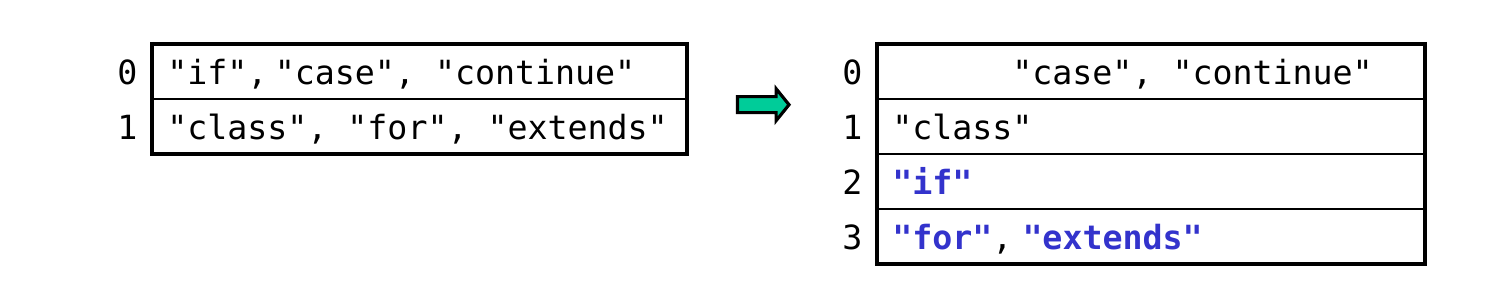
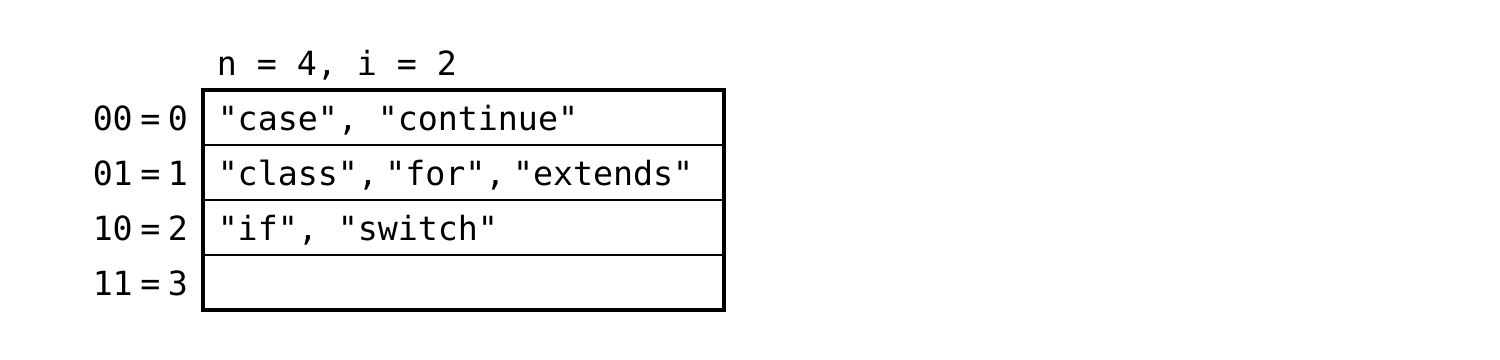
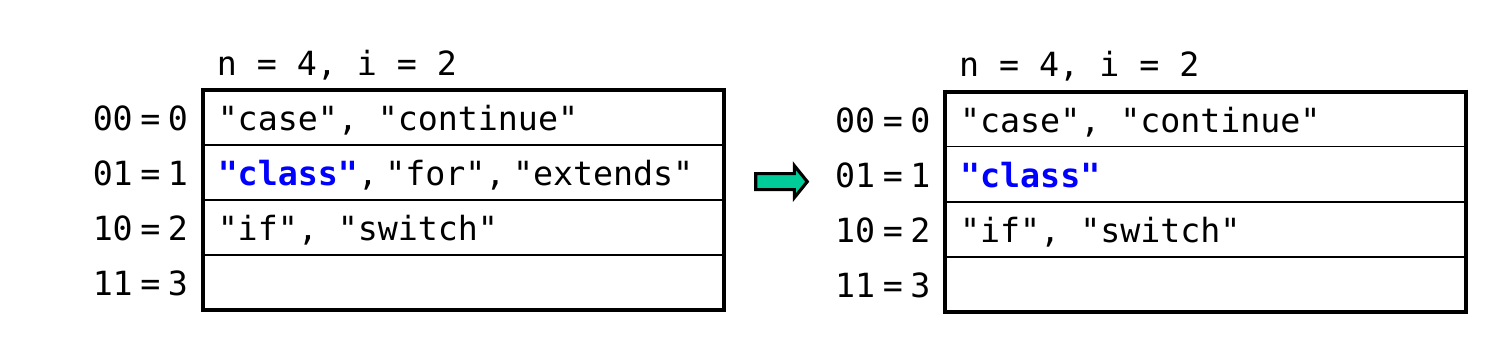
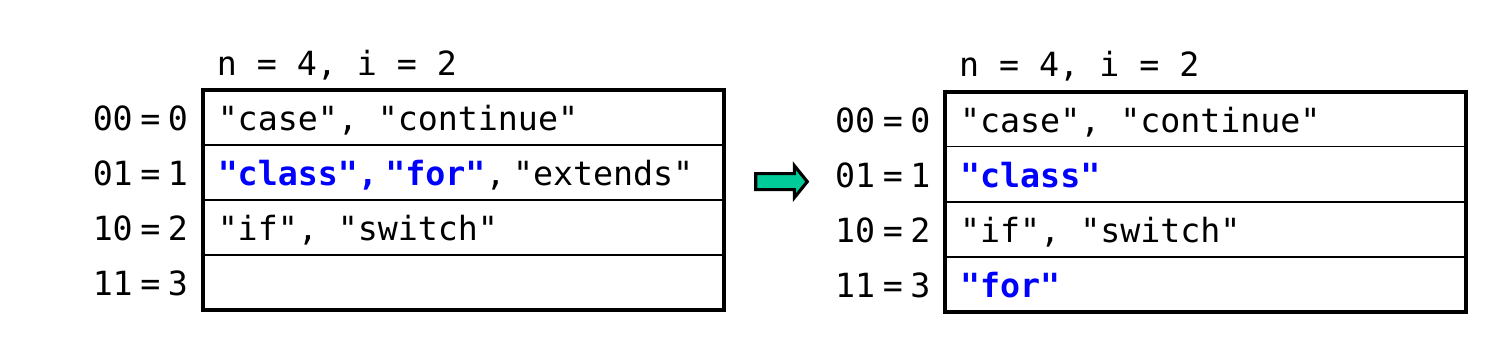
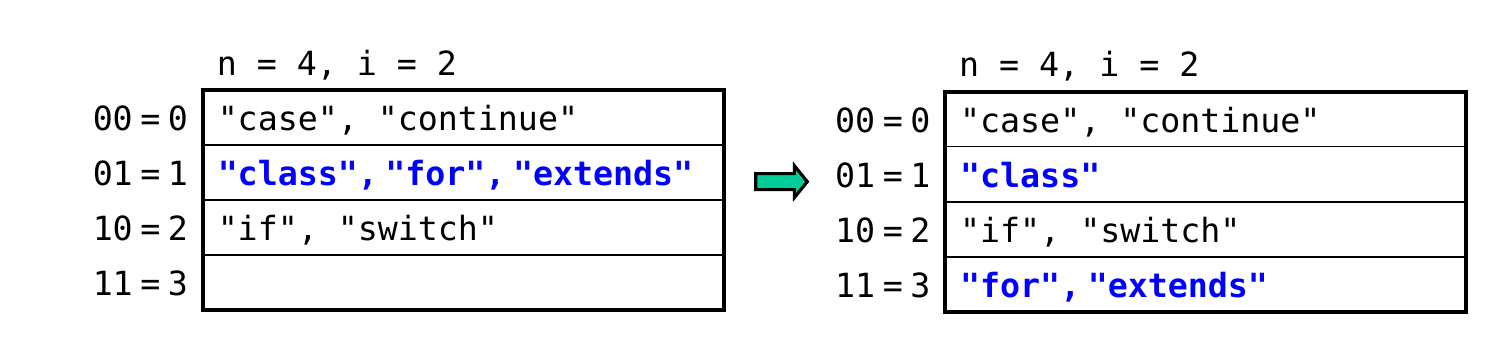
- Which previous bucket do we need to rehash?
- new bucket has a binary index of 11
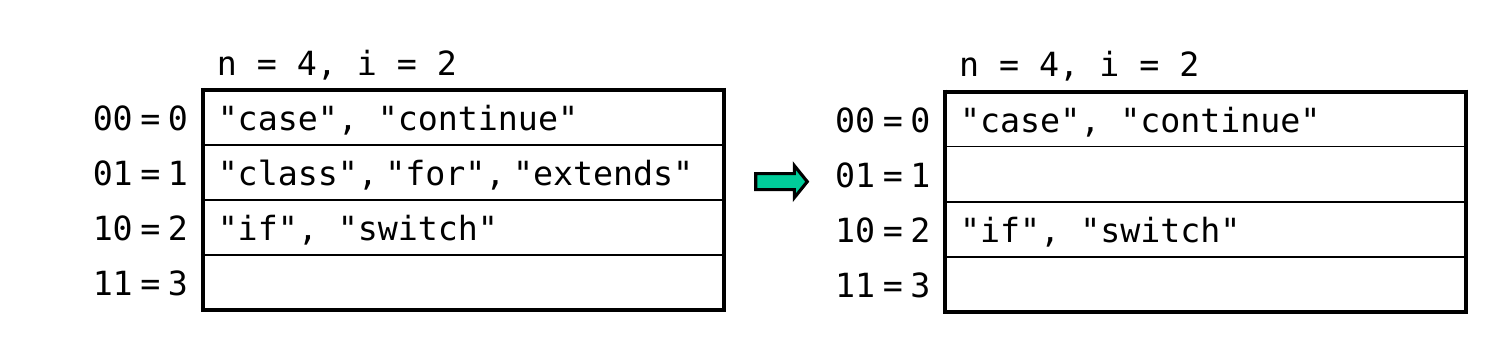
- because this bucket wasn’t there before, items that should now be in 11 were originally put in 01 (using the rightmost i – 1 bits)
- thus, we rehash bucket 01:
h("class") = 5 = 00000101 (leave where it is)
h("for") = 3 = 00000011 (move to new bucket)
h("extends") = 7 = 00000111 (move to new bucket)
Additional Details
- If the number of buckets exceeds 2i, we increment i and begin using one additional bit.
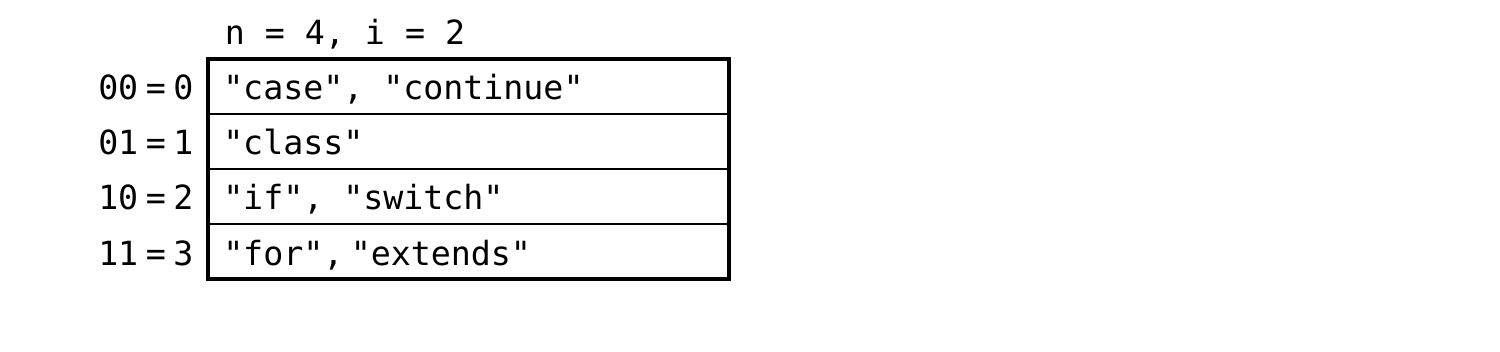
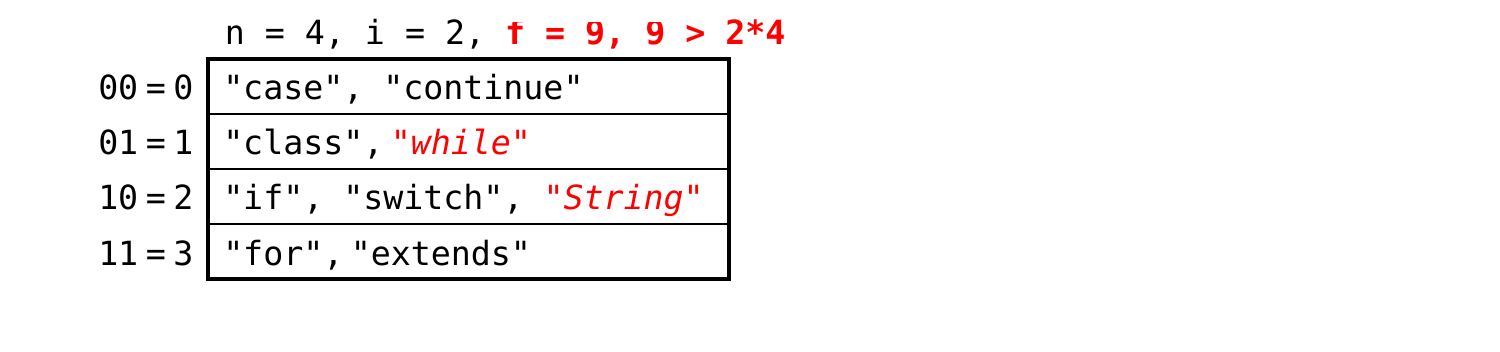
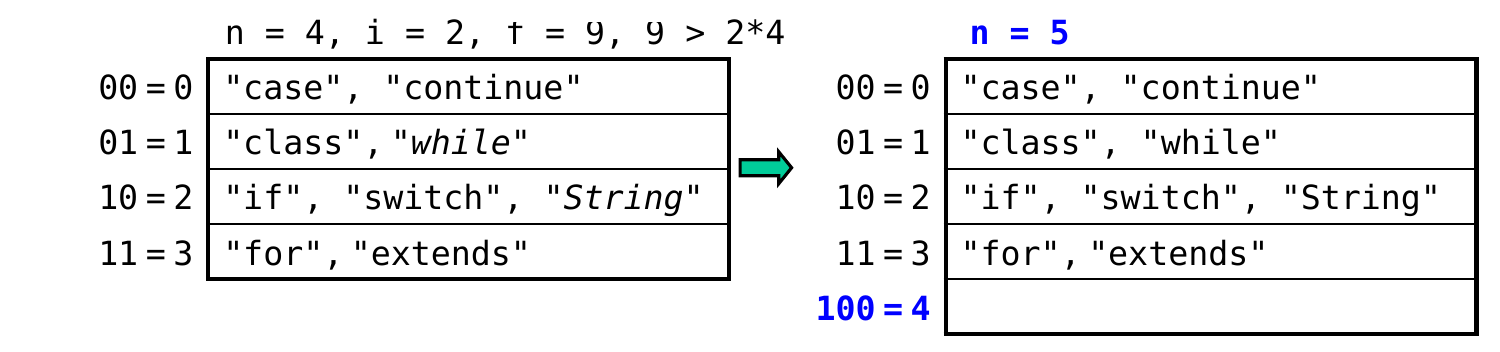
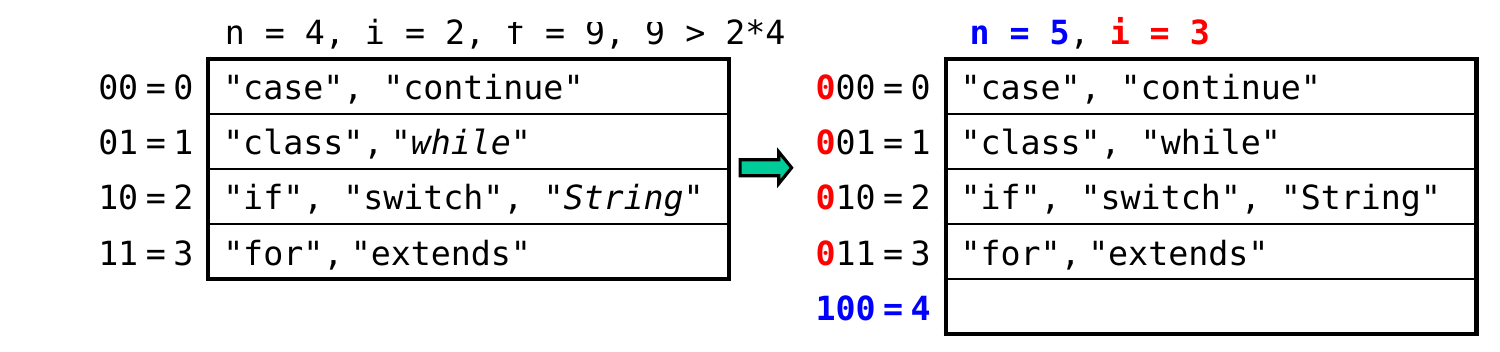
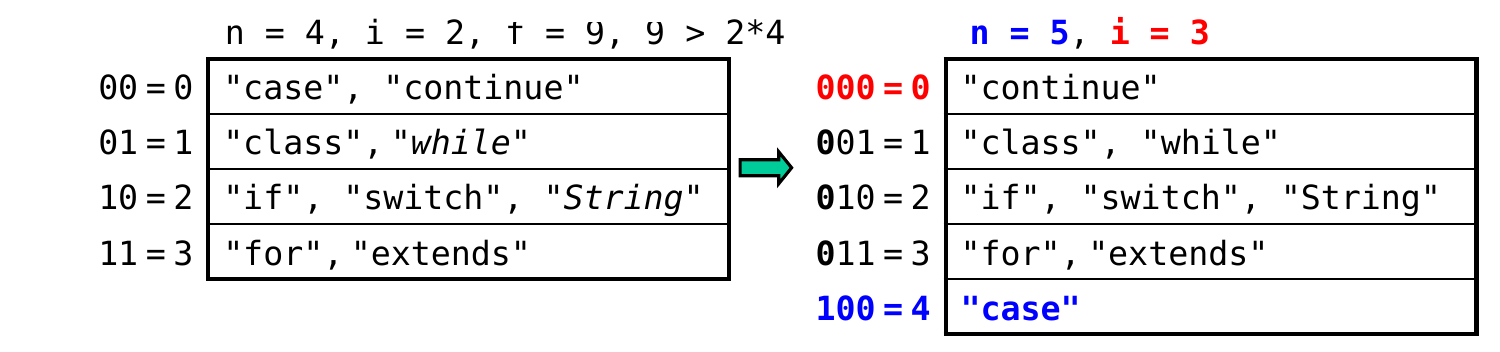
which bucket should be rehashed?
A. bucket 0 ← yes: 4 = 100, and items that should now be in that bucket were put in 000 = 0 (using the rightmost i – 1 bits)
B. bucket 1
C. bucket 2
D. bucket 3
Additional Details (cont.)
- The process of adding a bucket is sometimes referred to as splitting a bucket.
- example: adding bucket 4 ⇔ splitting bucket 0, because some of 0’s items may get moved to bucket 4
- The split bucket:
- may retain all, some, or none of its items
- may not be as full as other buckets
- thus, linear hashing still allows for overflow buckets as needed
More Examples
- Assume again that we add a bucket whenever the # of items exceeds 2n.
- What will the table below look like after inserting the following sequence of keys? (assume no overflow buckets are needed)
"toString": h("toString") = 8 = 00001000
"private": h("private") = 7 = 00000111
"interface": h("interface") = 9 = 00001001
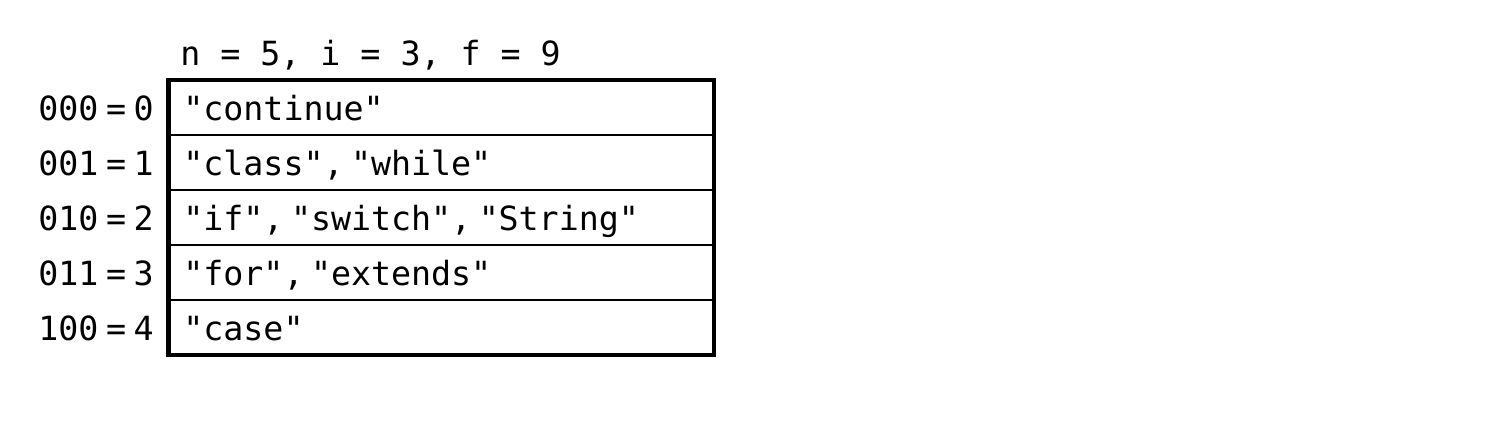
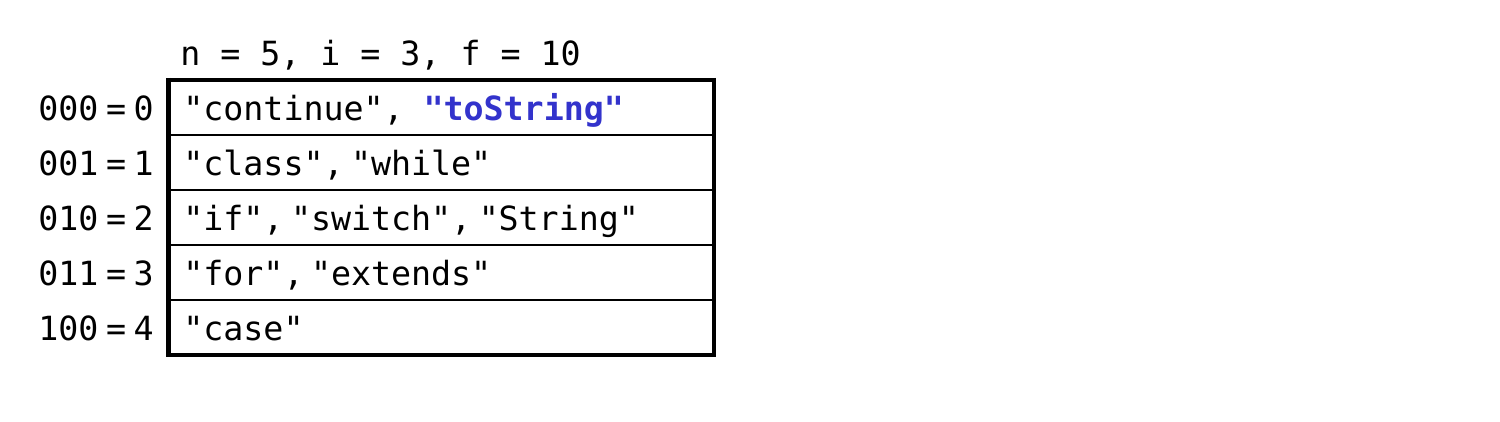
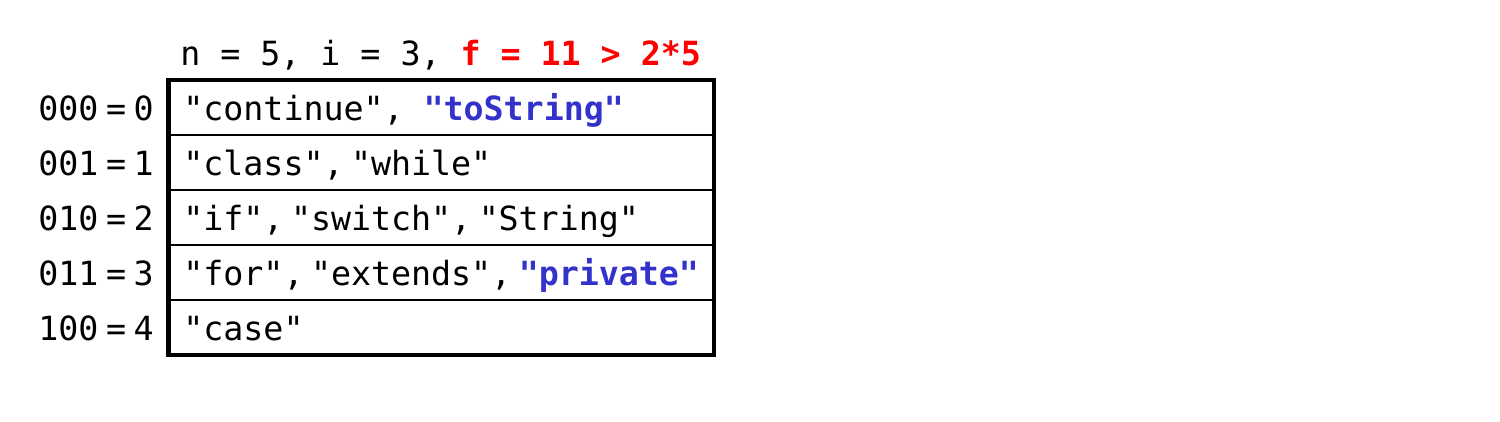
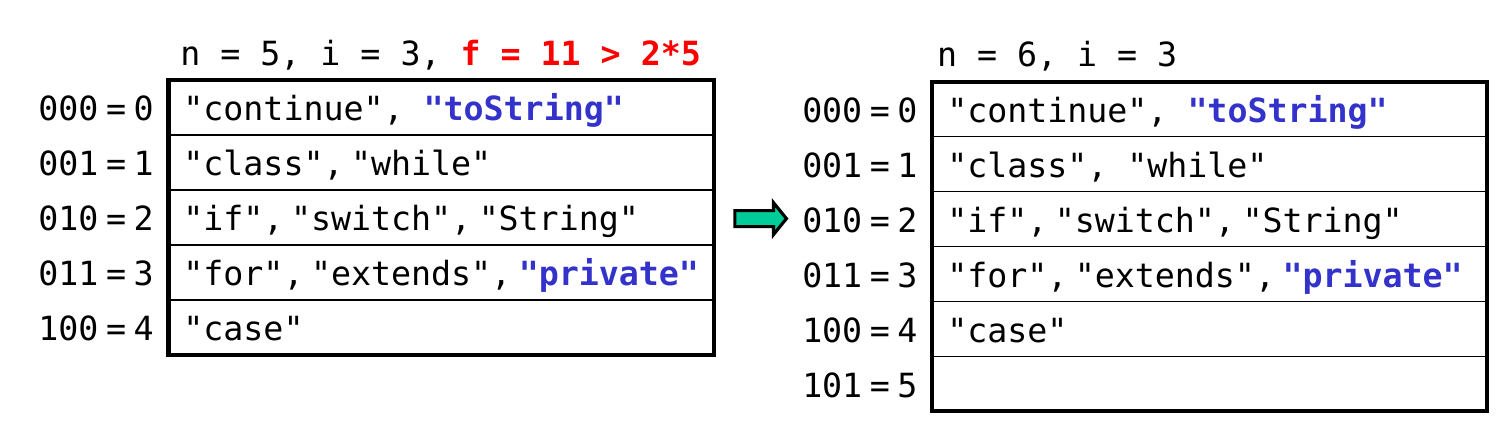
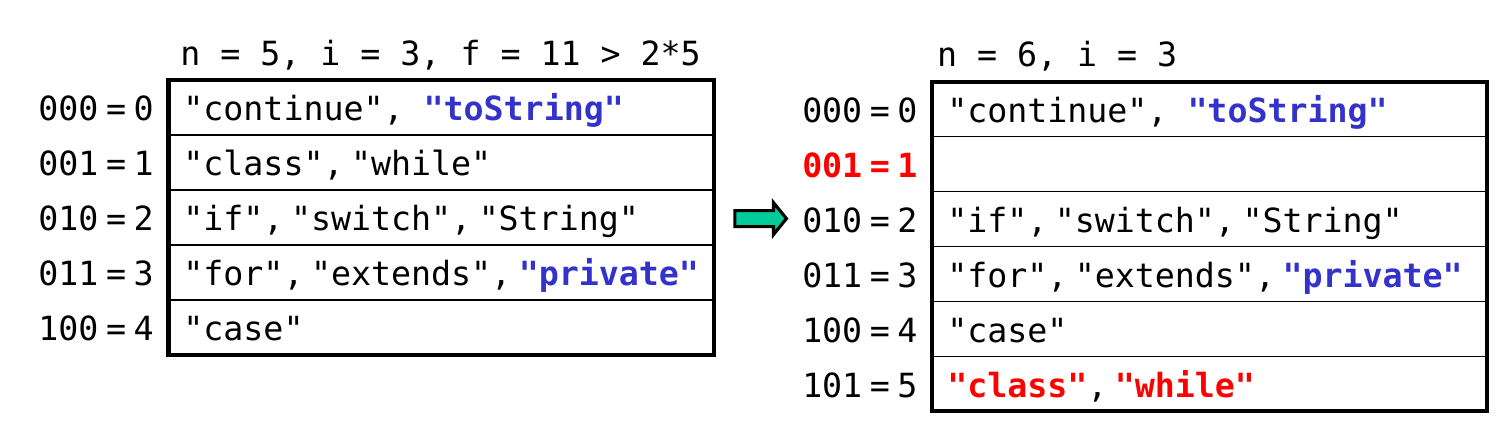
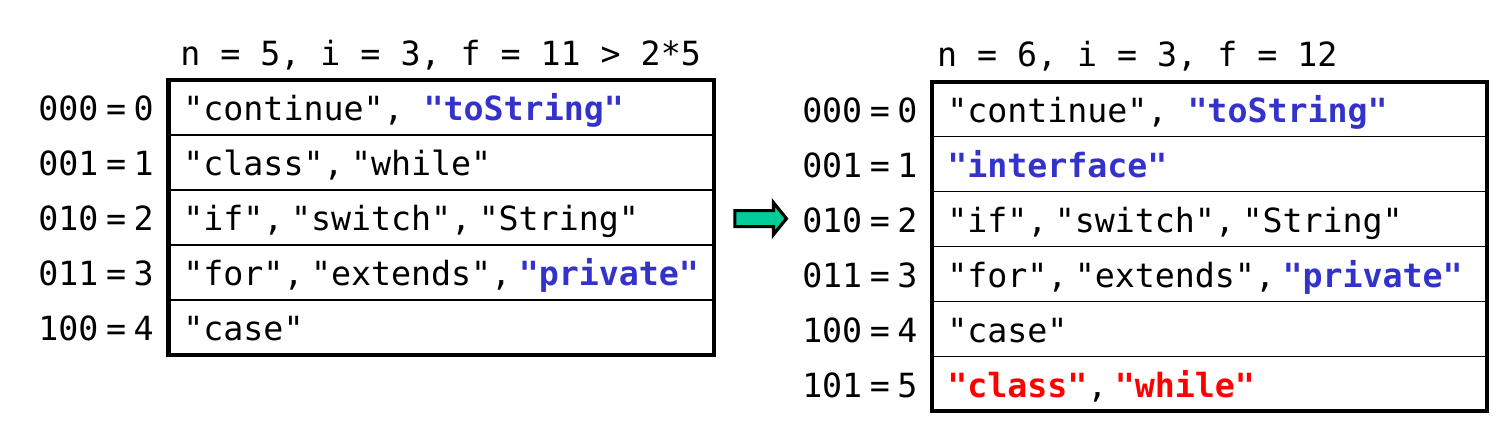
which bucket should be split/rehashed? ← new bucket is 5 = 101, so rehash bucket 001