Recovery and Logging

Data Science 310

Boston University

Review: ACID Properties

  • A transaction has the following “ACID” properties:
    • Atomicity: either all of its changes take effect or none do
    • Consistency preservation: its operations take the database from one consistent state to another
    • Isolation: it is not affected by and does not affect other concurrent transactions
    • Durability: once it completes, its changes survive failures
  • We’ll now look at how the DBMS guarantees atomicity and durability.
    • ensured by the subsystem responsible for recovery

A Quick Look at Caching

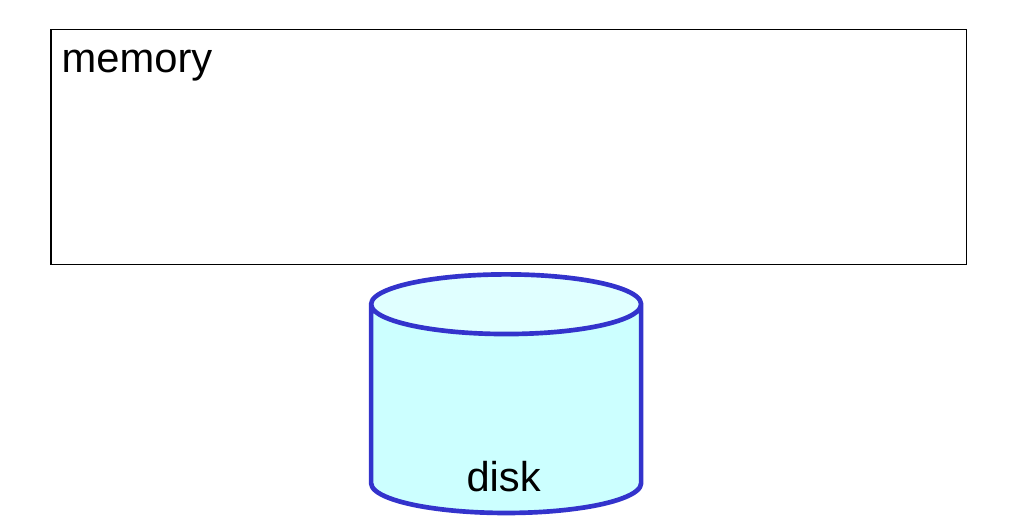
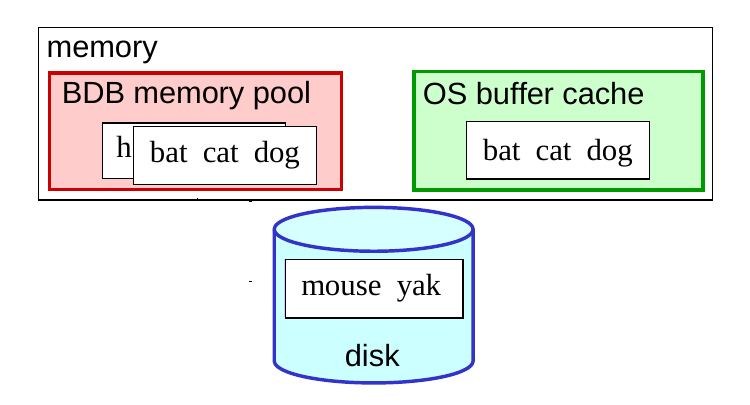
  • Recently accessed database pages are cached in memory so that subsequent accesses to them don’t require disk I/O.
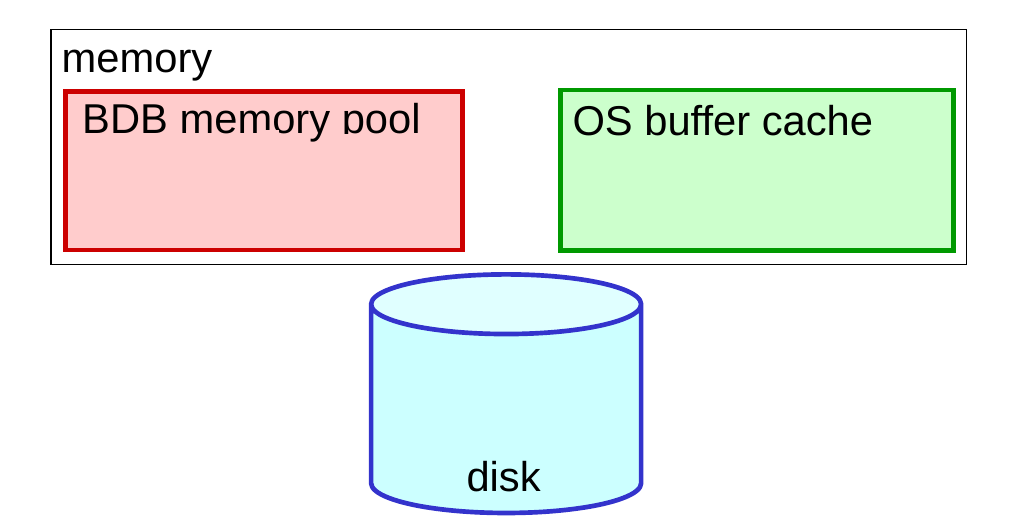
  • There may be more than one cache:
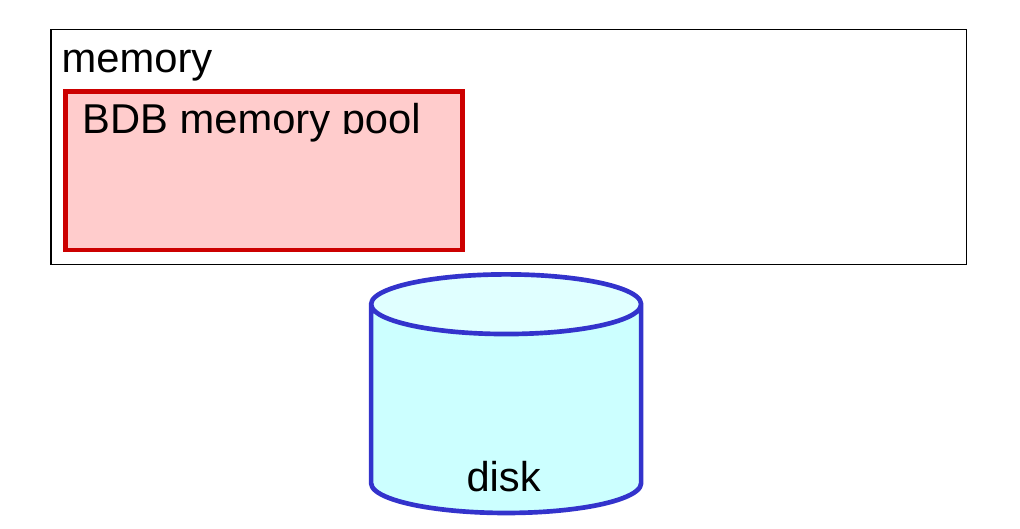
    • the DBMS’s own cache (called the memory pool in BDB)
  • the operating system’s buffer cache

Caching Example 1

  • The user requests the item with the key “horse.”
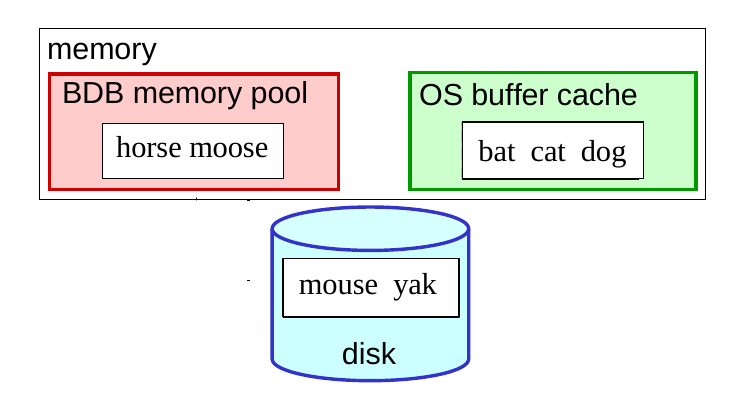
  • The page containing “horse” is already in the database’s own cache, so no disk I/O is needed.

Caching Example 2

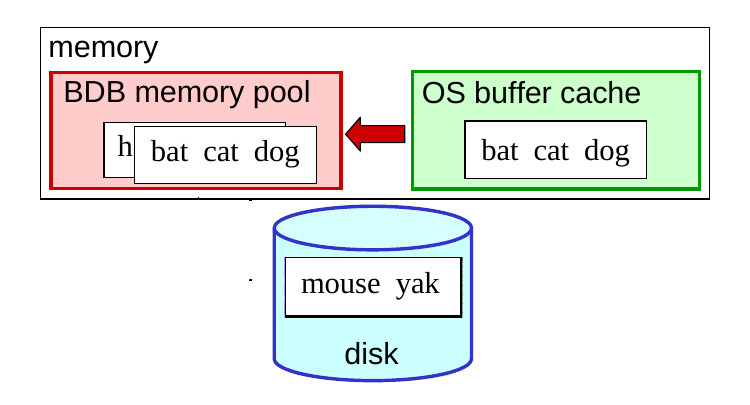
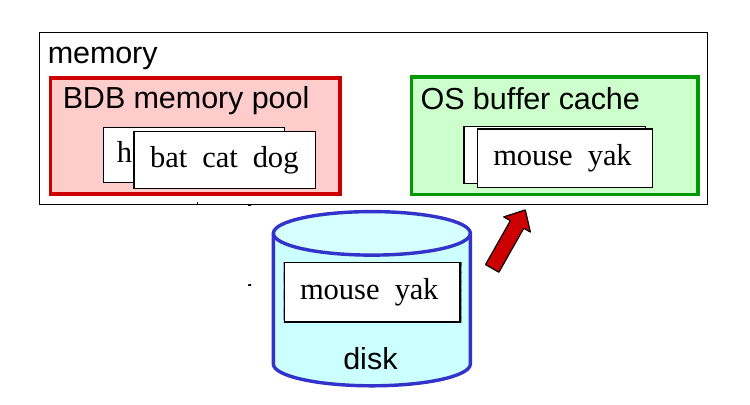
  • The user requests the item with the key “cat.”
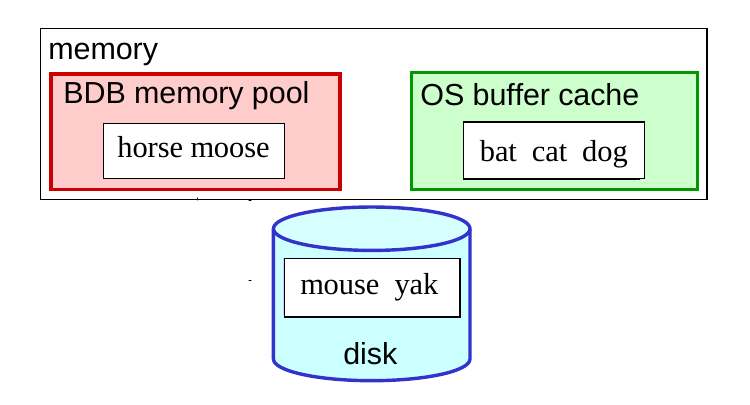
  • The page containing “cat” is in the OS buffer cache, so it just needs to be brought into the database’s cache. No disk I/O.
  • This produces double buffering – two copies of the same page in memory.
    • one reason that some DBMSs bypass the filesystem

Caching Example 3

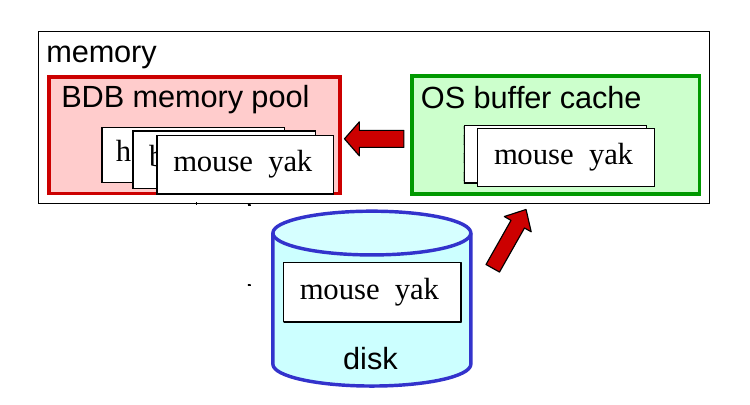
  • The user requests the item with the key “yak.”
  • The page with “yak” is in neither cache, so it is:
  • read from disk into the buffer cache
  • read into the database’s own cache

Caching and Disk Writes

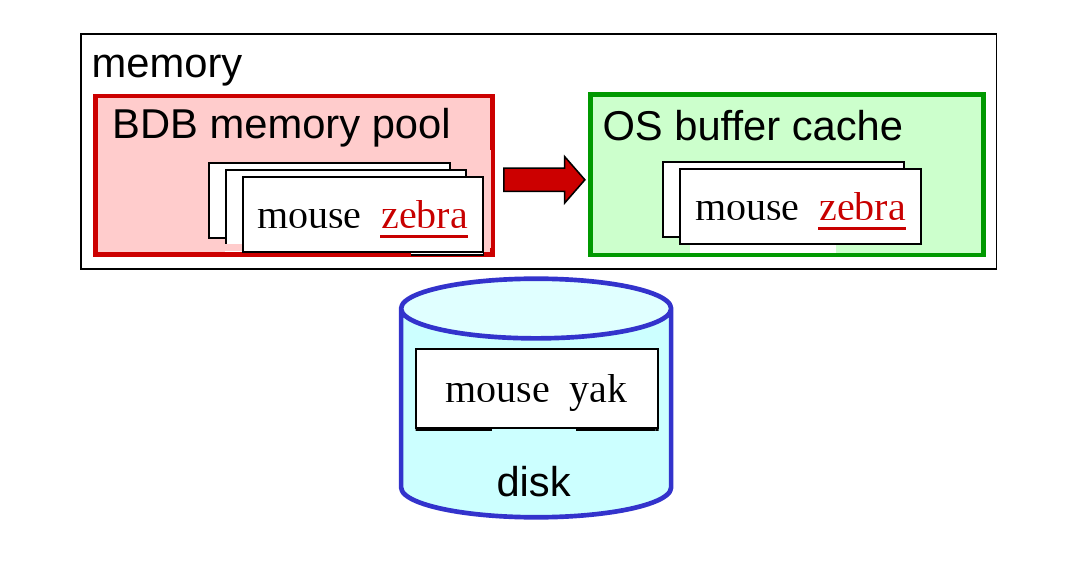
  • Updates to a page may not make it to disk until the page is evicted from all of the caches.
  • initially, only the page in the DBMS’s cache is updated
  • when evicted from the DBMS’s cache, it is written to the backing file, but it may not go to disk right away
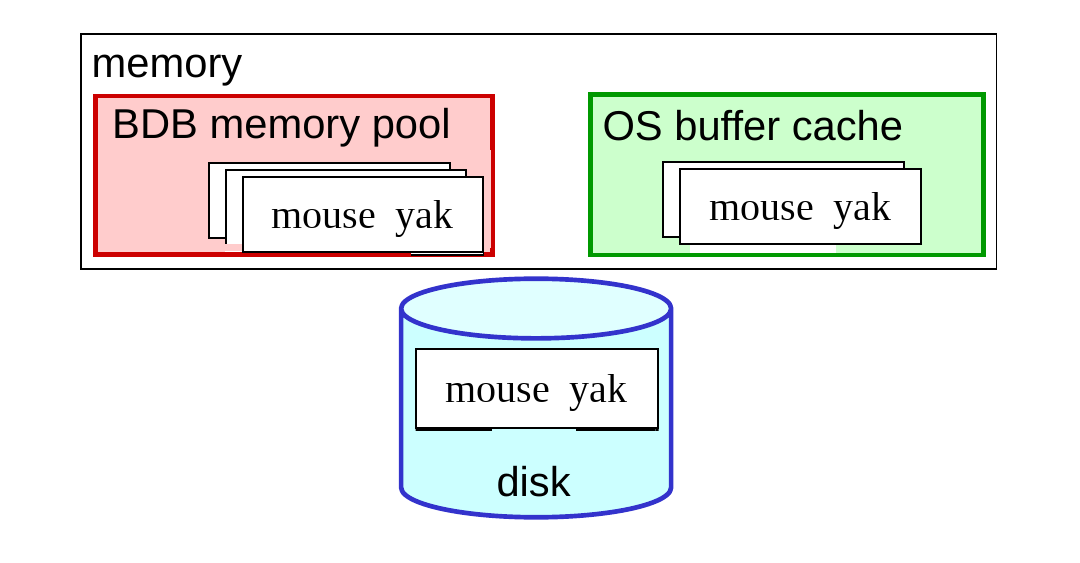
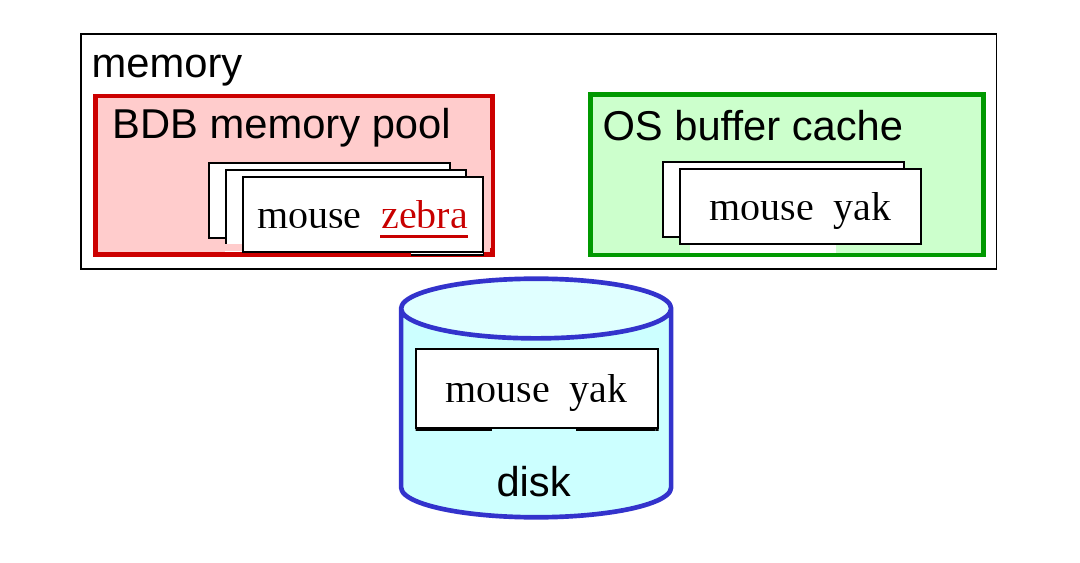
  • This complicates recovery, because changes may not be on disk.

What Is Recovery?

  • Recovery is performed after:
    • a crash of the DBMS
    • other non-catastrophic failures (e.g., a reboot)
    • (for catastrophic failures, need an archive or replication)
  • It makes everything right again.
    • allows the rest of the DBMS to be built as if failures don’t occur
  • “the scariest code you’ll ever write” (Margo Seltzer)
    • it has to work
    • it’s rarely executed
    • it can be difficult to test

What Is Recovery? (cont.)

  • During recovery, the DBMS takes the steps needed to:
    • redo changes made by any committed txn, if there’s a chance the changes didn’t make it to disk
  • ➔ durability: the txn’s changes are still there after the crash
  • ➔ atomicity: all of its changes take effect
  • undo changes made by any txn that didn’t commit, if there’s a chance the changes made it to disk
    • ➔ atomicity: none of its changes take effect
  • also used when a transaction is rolled back
  • In order for recovery to work, need to maintain enough state about txns to be able to redo or undo them.

Logging

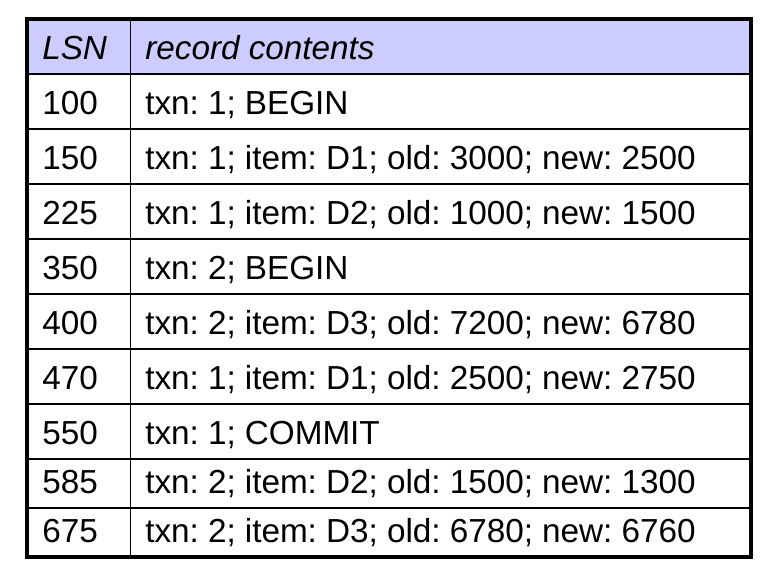
  • The log is a file that stores the info. needed for recovery.
  • It contains:
    • Log Sequence Number
    • update records, summarizing a write
  • records for transaction begin and commit
  • It does not record reads.
    • don’t affect the state of the database
    • aren’t relevant to recovery
  • The log is append-only: records are added at the end, and blocks of the log file are written to disk sequentially.
    • more efficient than non-sequential writes to the database files
Write-Ahead Logging (WAL)

  • Both updated database pages and log records are cached.
  • It’s important that they go to disk in a specific order.
  • Example of what can go wrong:
read balance1
write(balance1 - 500)
read balance2
write(balance2 + 500)
CRASH

Assume that:

  • write(balance1 - 500) made it to disk
  • write(balance2 + 500) didn’t make it to disk
  • neither of the corresponding log records made it to disk
  • the database is in an inconsistent state
  • without the log records, the recovery system can’t restore it

Write-Ahead Logging (WAL) (cont.)

  • The write-ahead logging (WAL) policy:

before a modified database page is written to disk,
all update log records describing changes on that page
must be forced to disk

  • the log records are “written ahead” of the database page
  • This ensures that the recovery system can restore the database to a consistent state.

Undo-Redo Logging

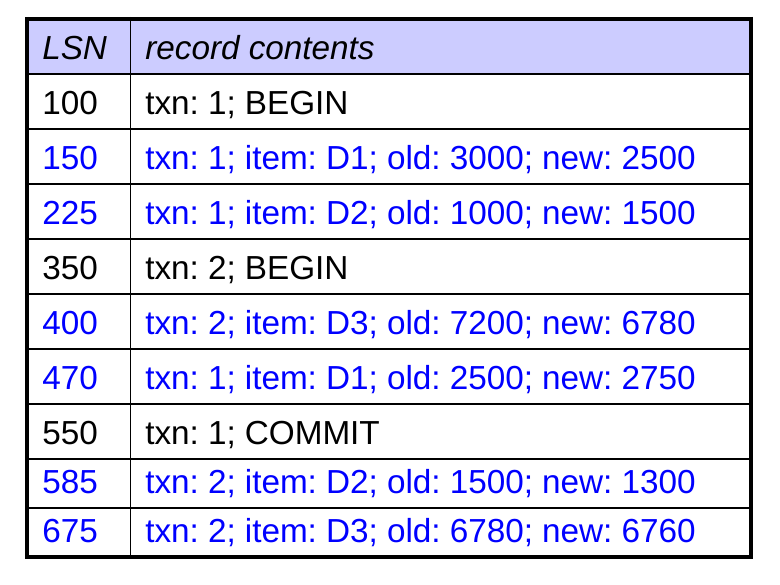
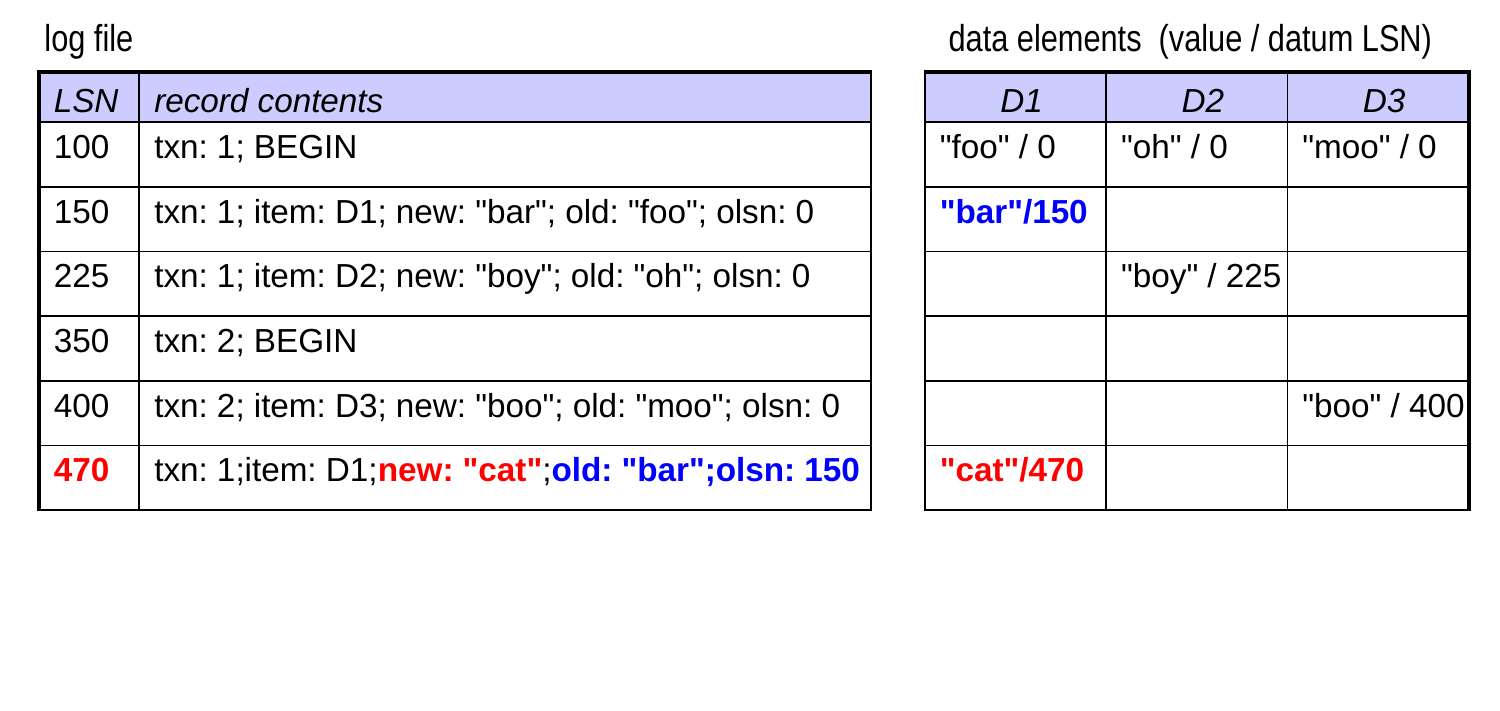
  • Update log records must include both the old and new values of the changed data element.
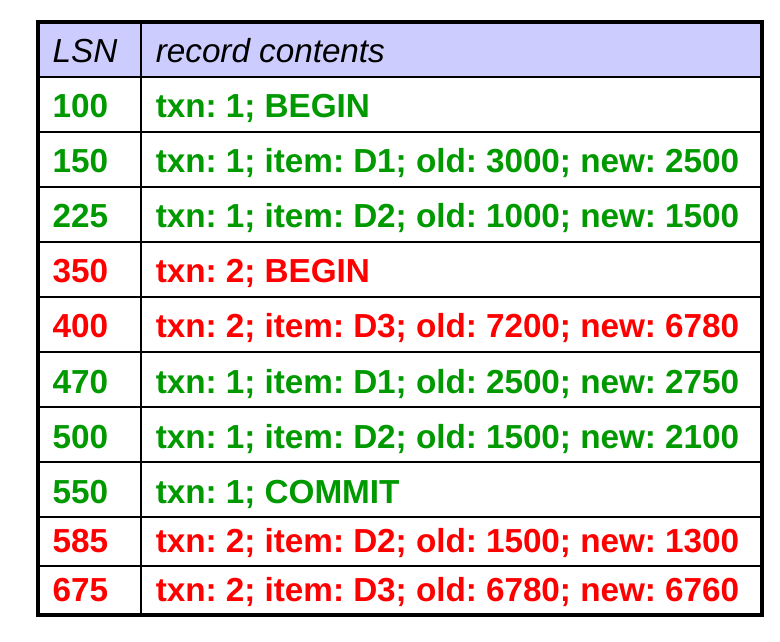
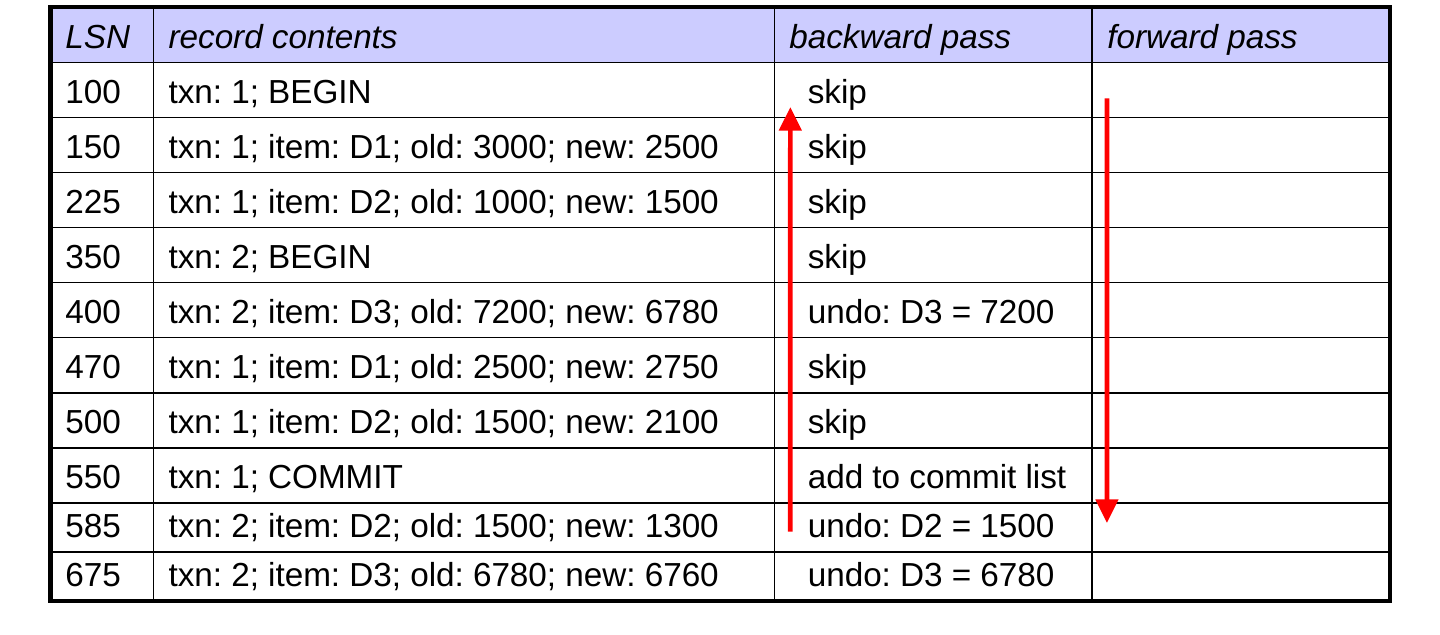
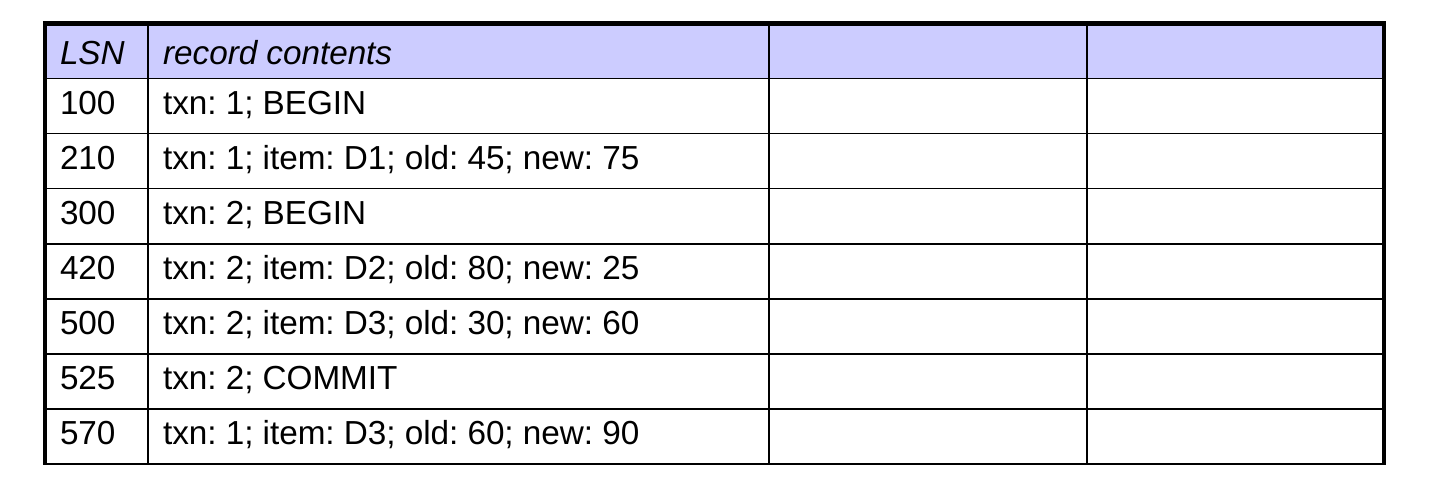
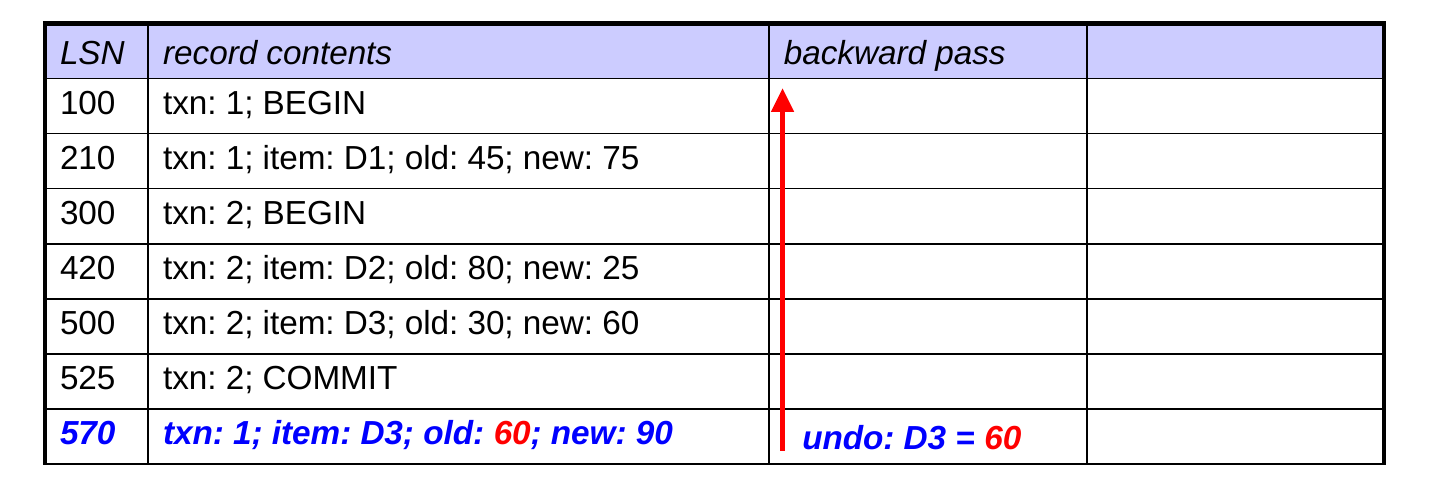
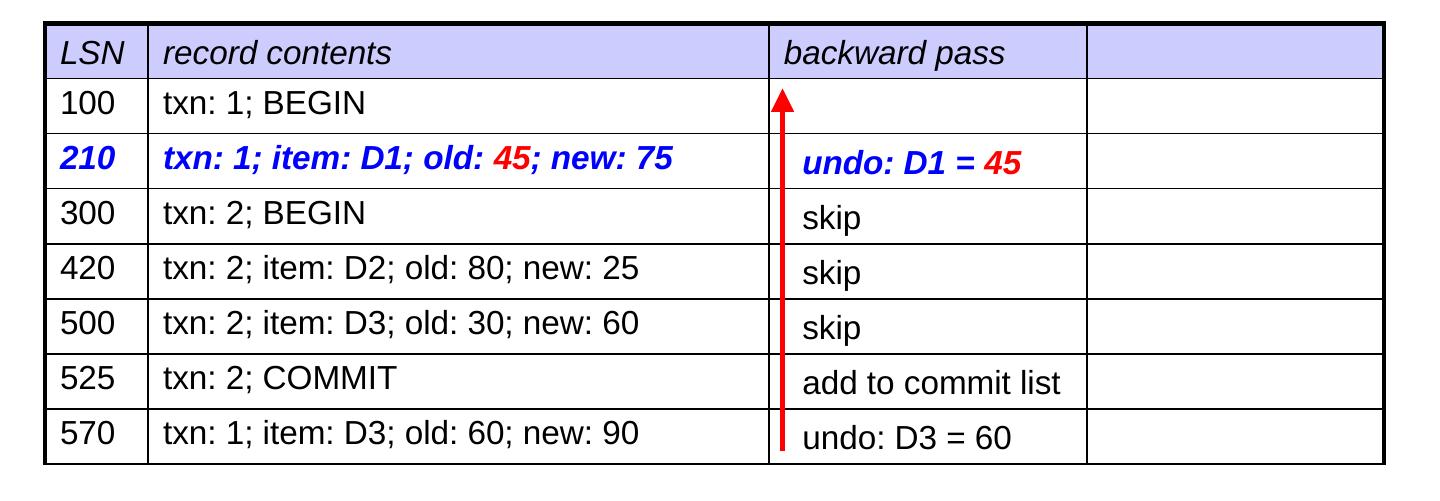
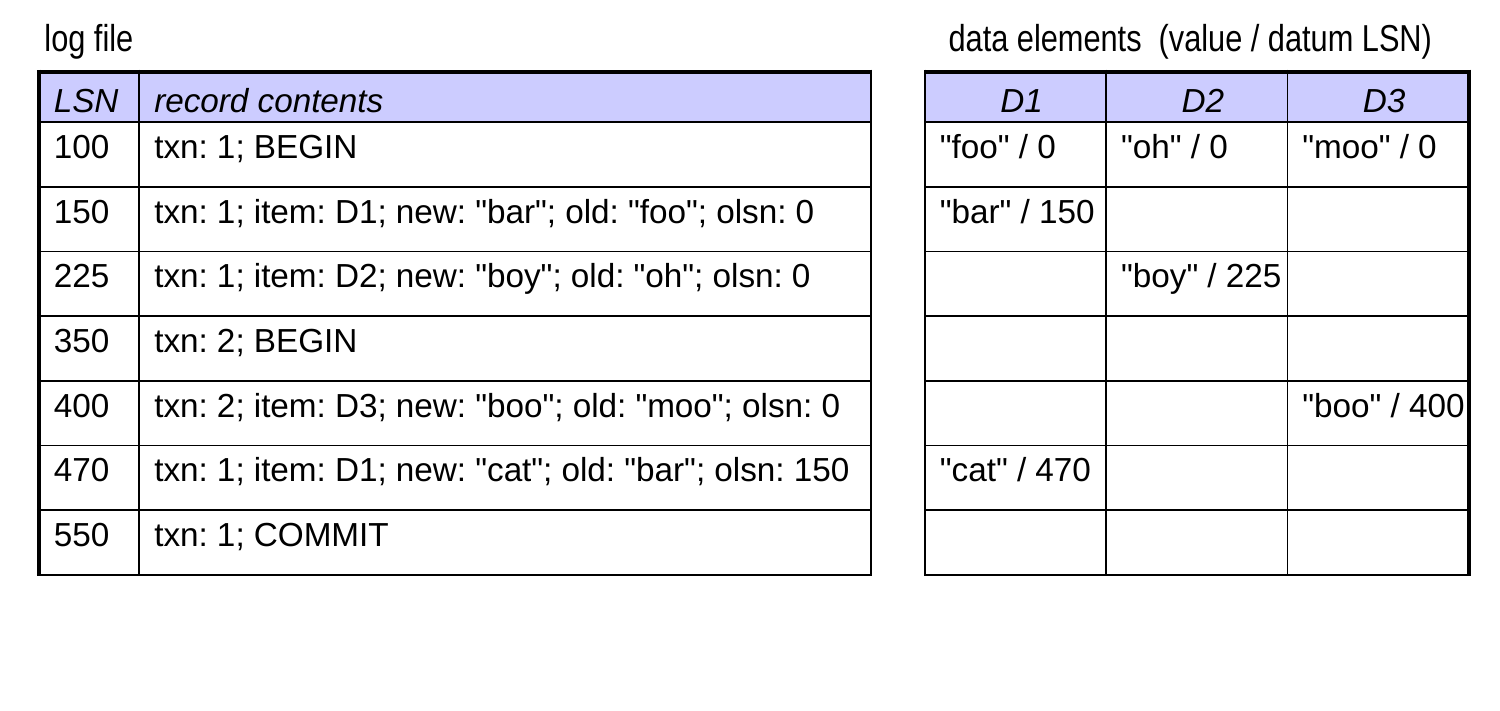
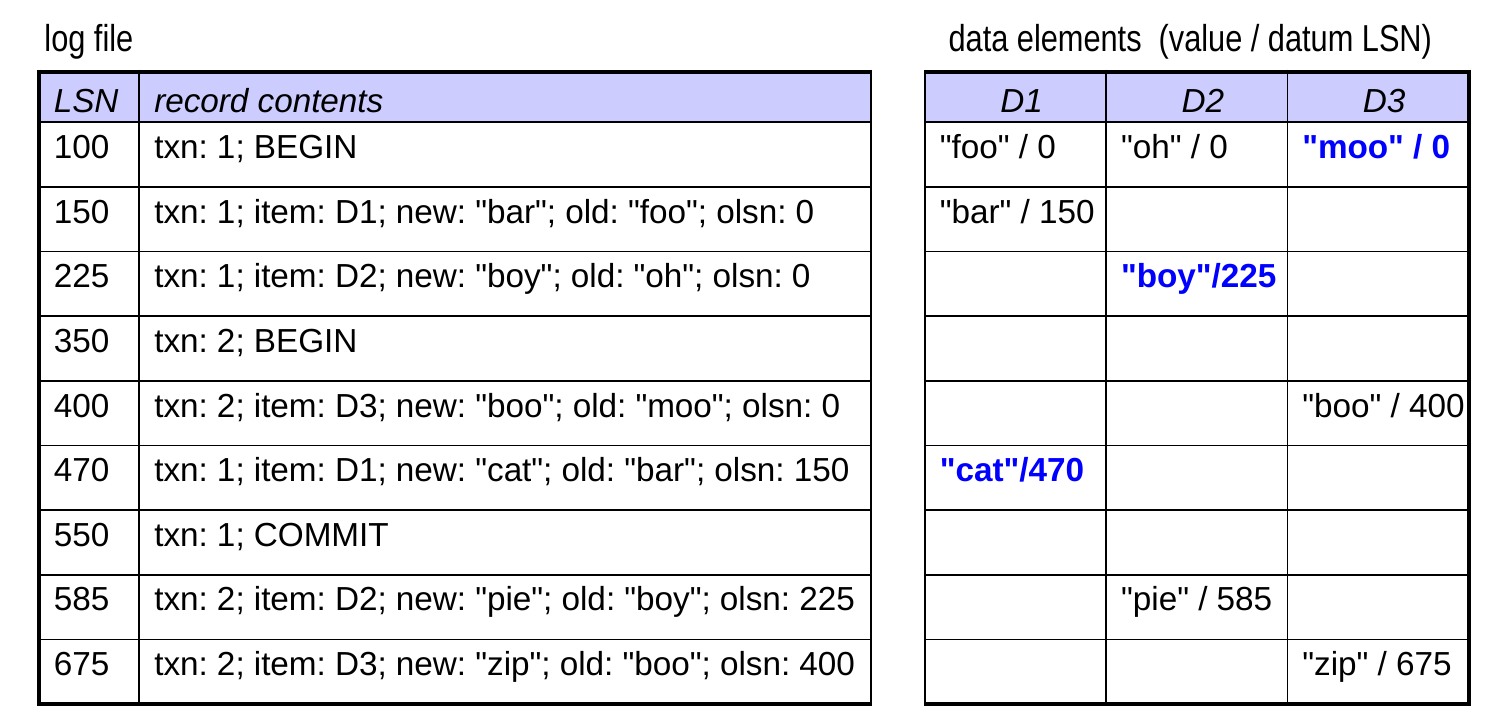
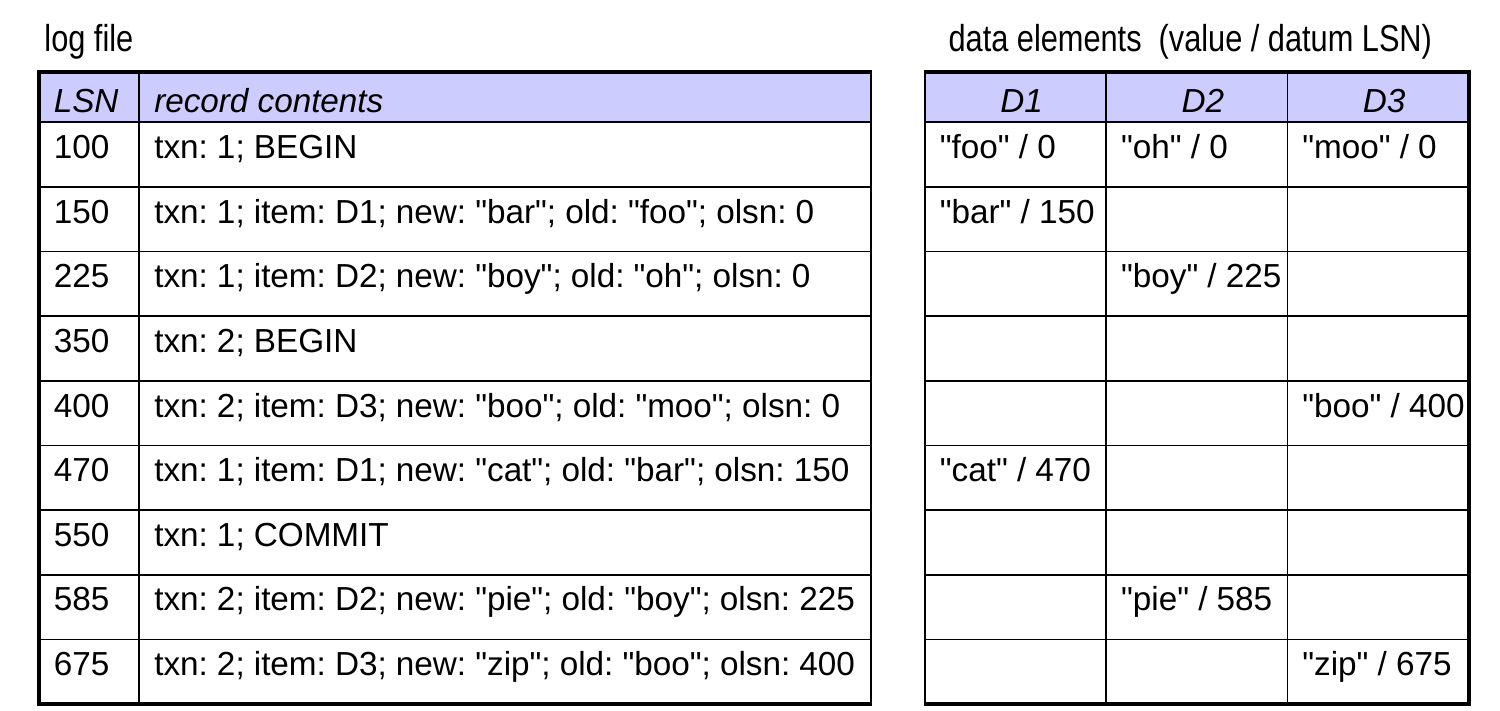
  • Example log after a crash:
  • the database could be in an inconsistent state
  • why?
  • some of T1’s changes may not have made it to disk.
  • need to redo
  • some of T2’s changes may have made it to disk.
  • need to undo

Undo-Redo Logging (cont.)

  • To ensure that it can undo/redo txns as needed, undo-redo logging follows the WAL policy.
  • In addition, it does the following when a transaction commits:
  1. writes the commit log record to the in-memory log buffer
  1. forces to disk all dirty log records (dirty = not yet written to disk)
  • It does not force the dirty database pages to disk.
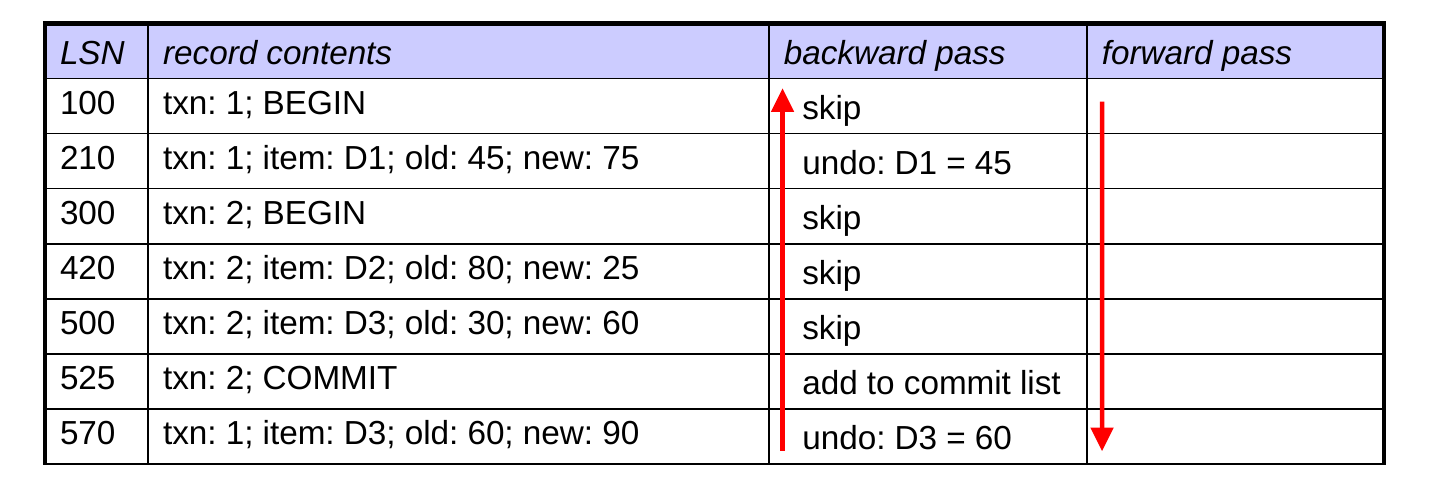
  • At recovery, it performs two passes:
  • first, a backward pass to undo uncommitted transactions
  • then, a forward pass to redo committed transactions

Recovery Using Undo-Redo Logging

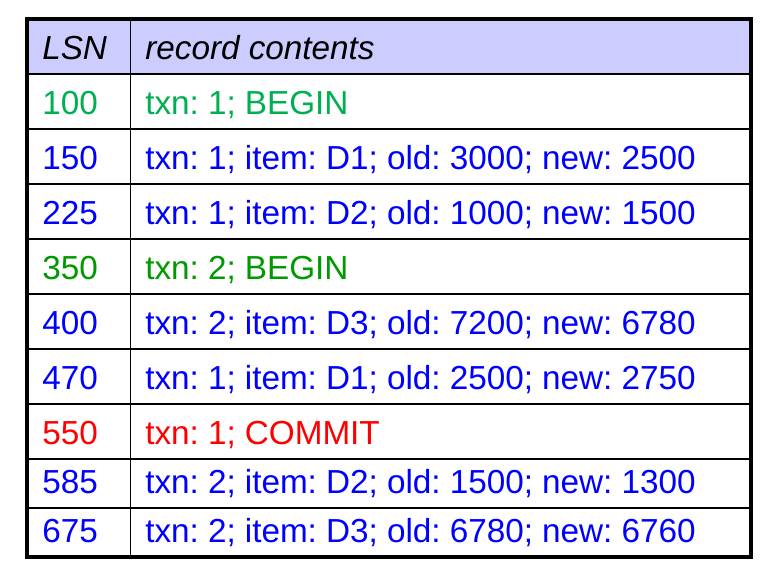
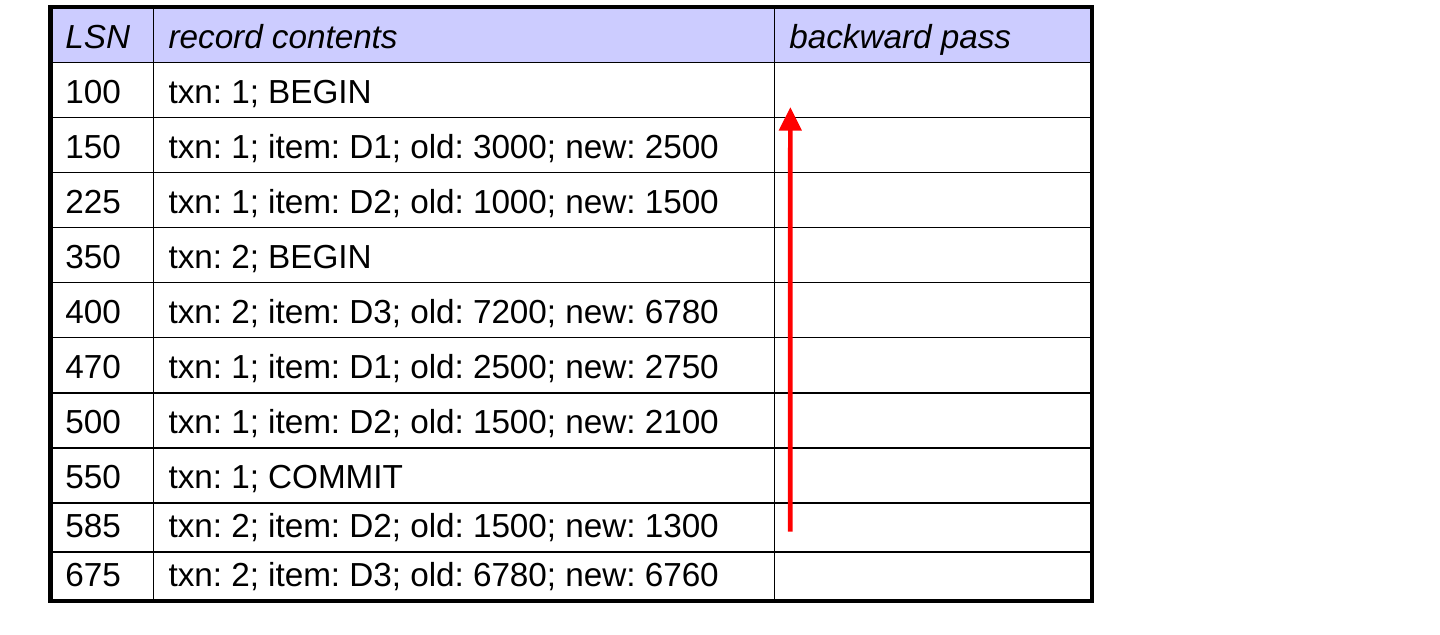
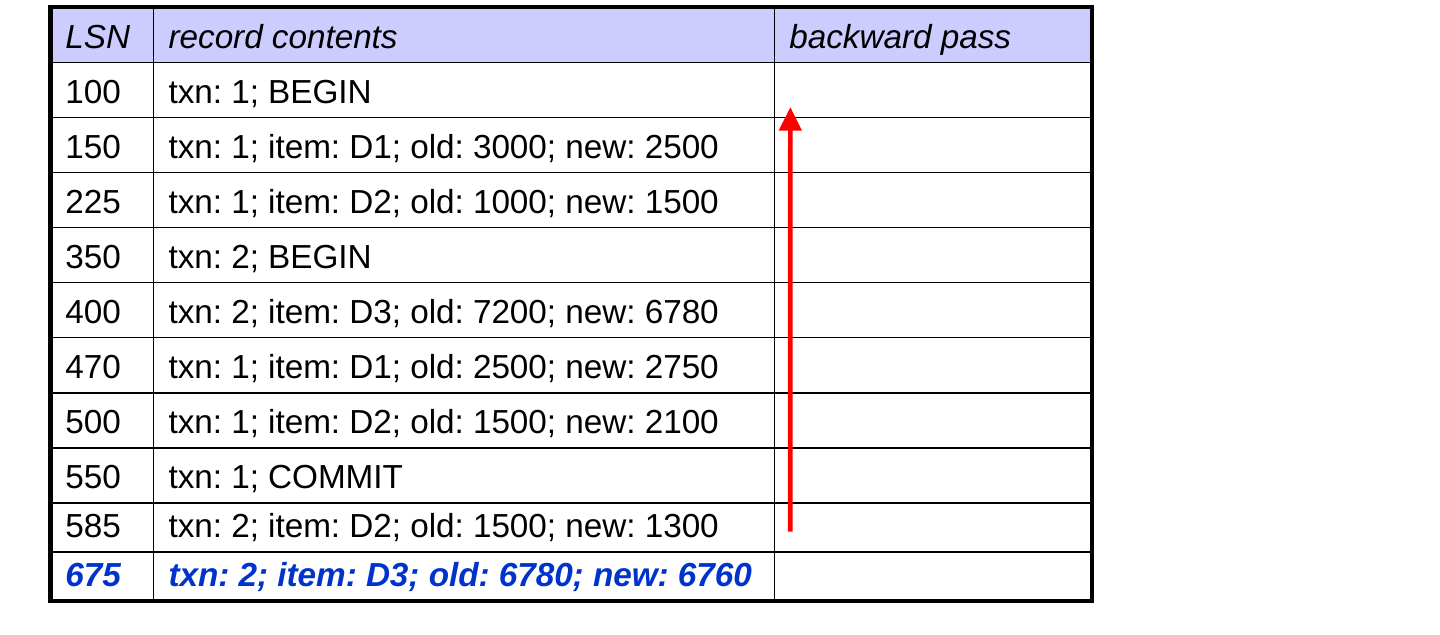
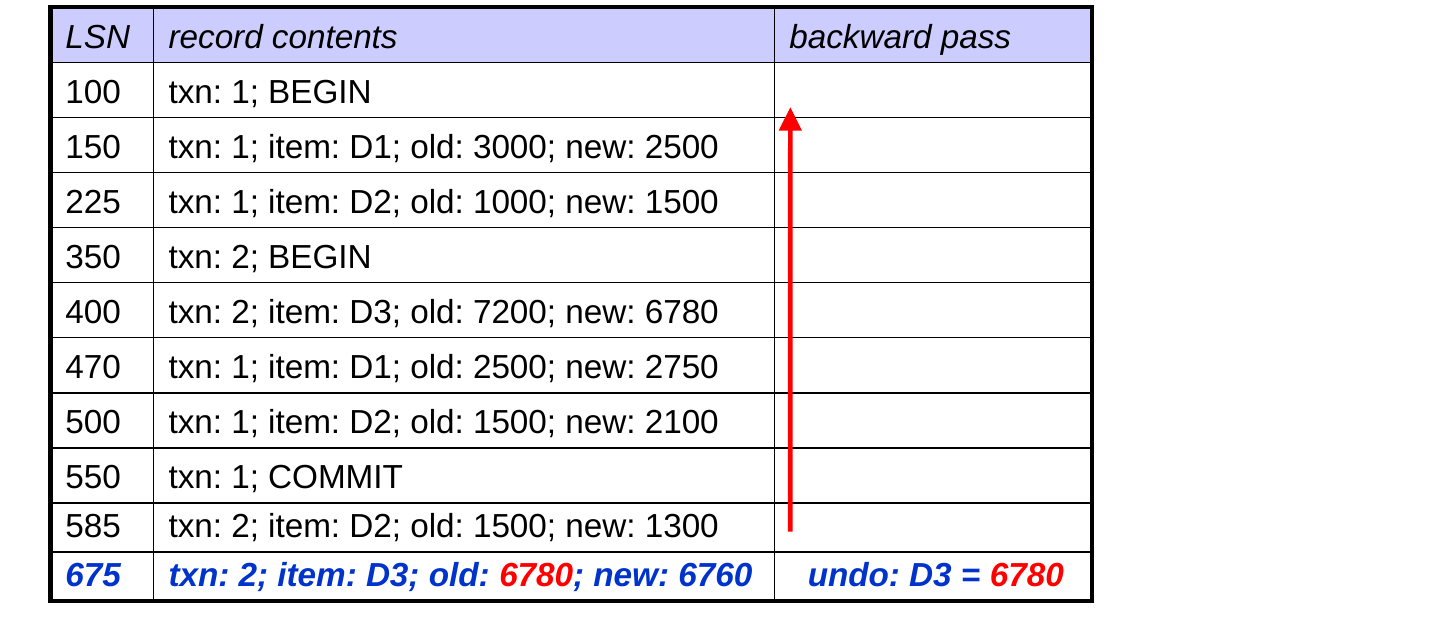
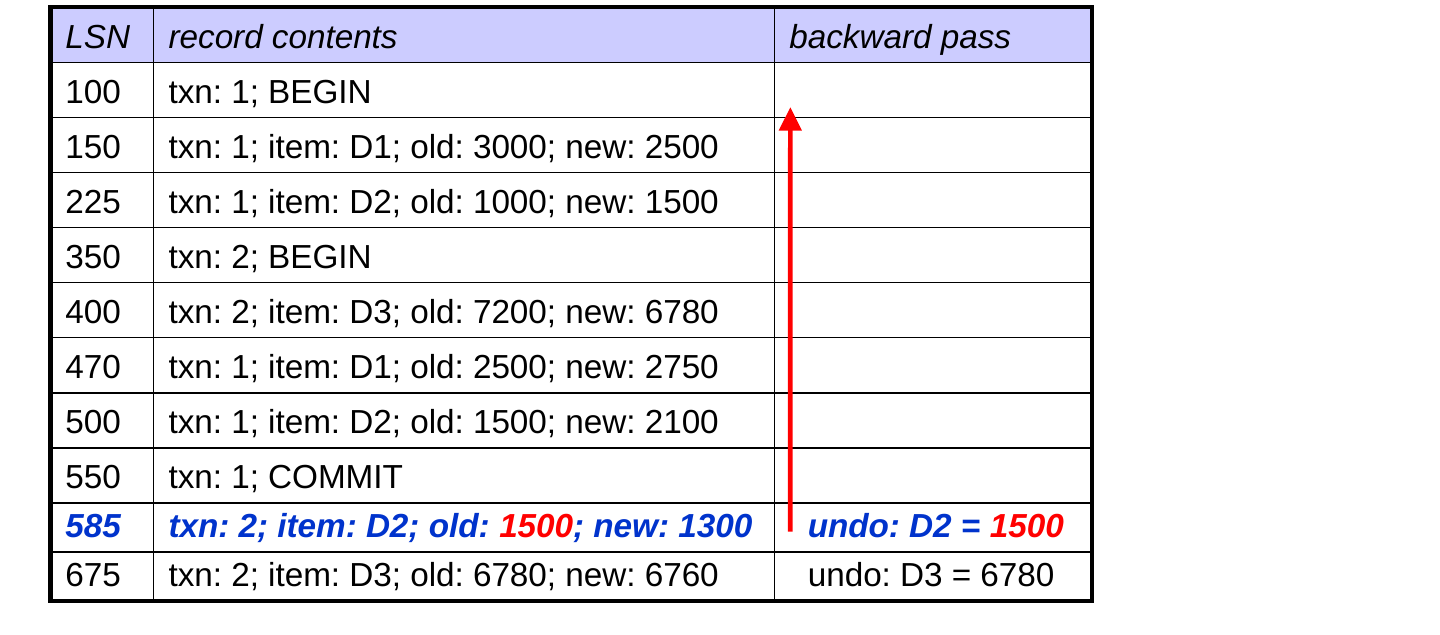
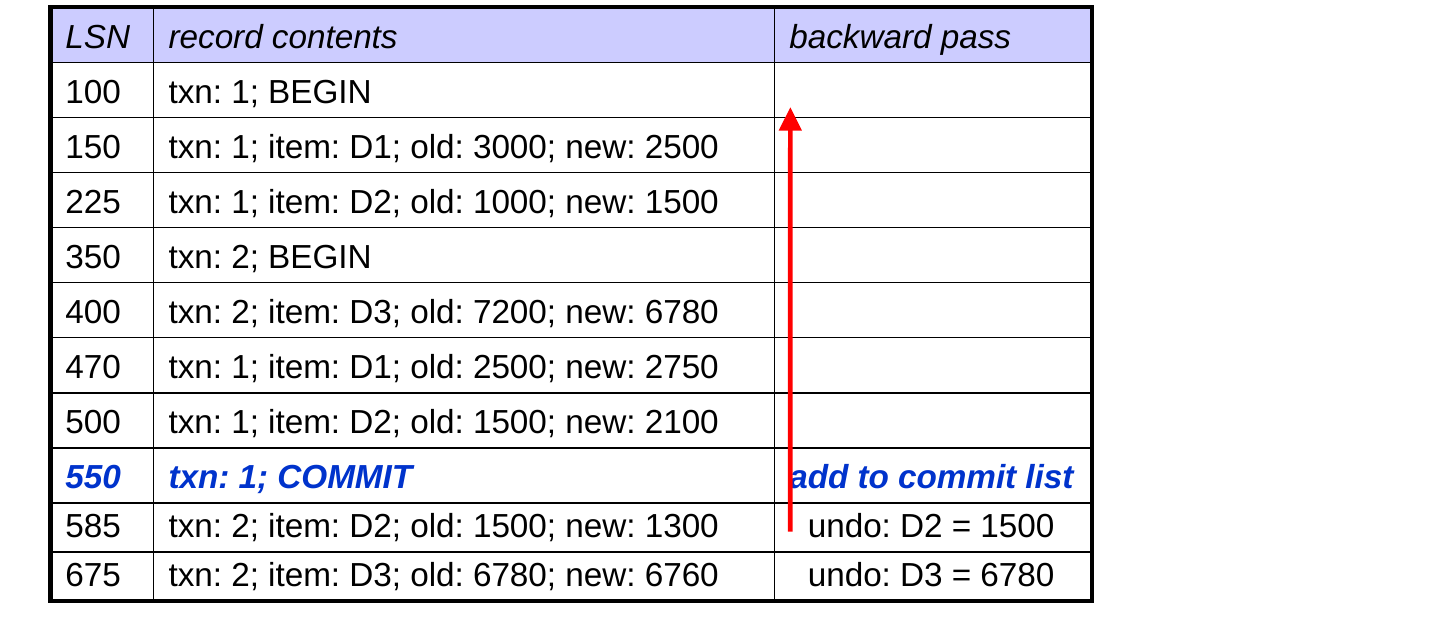
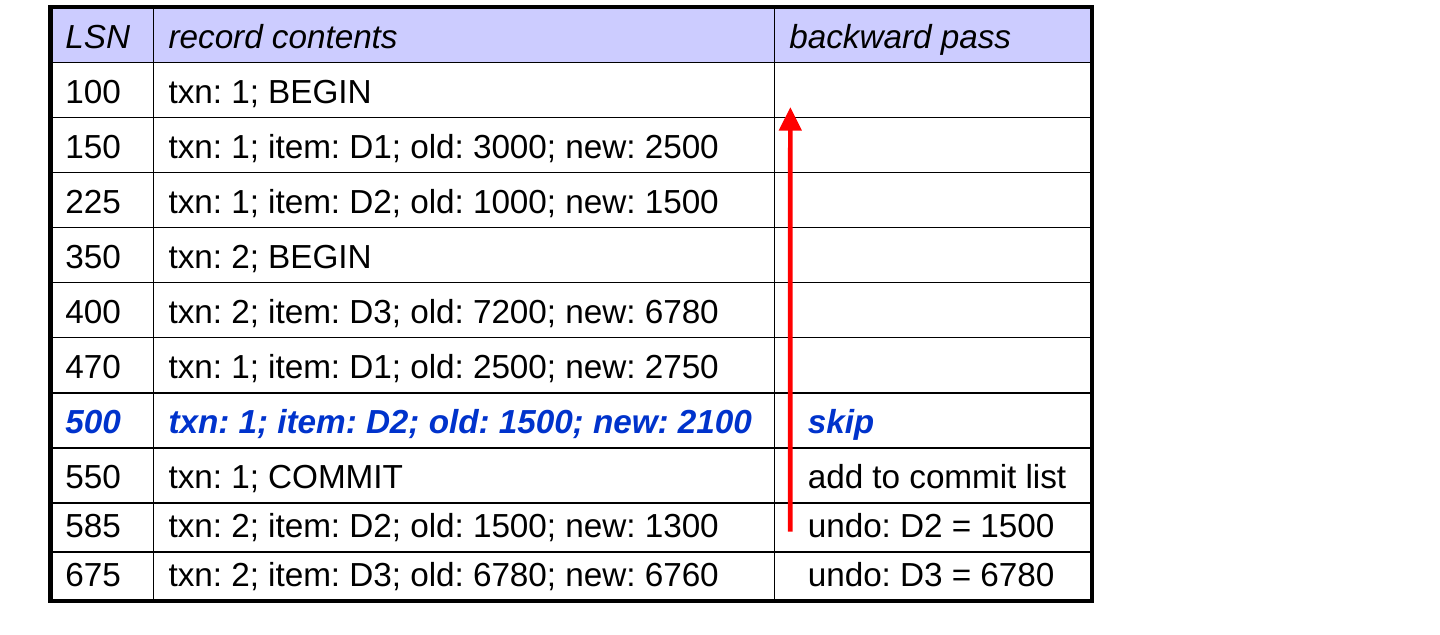
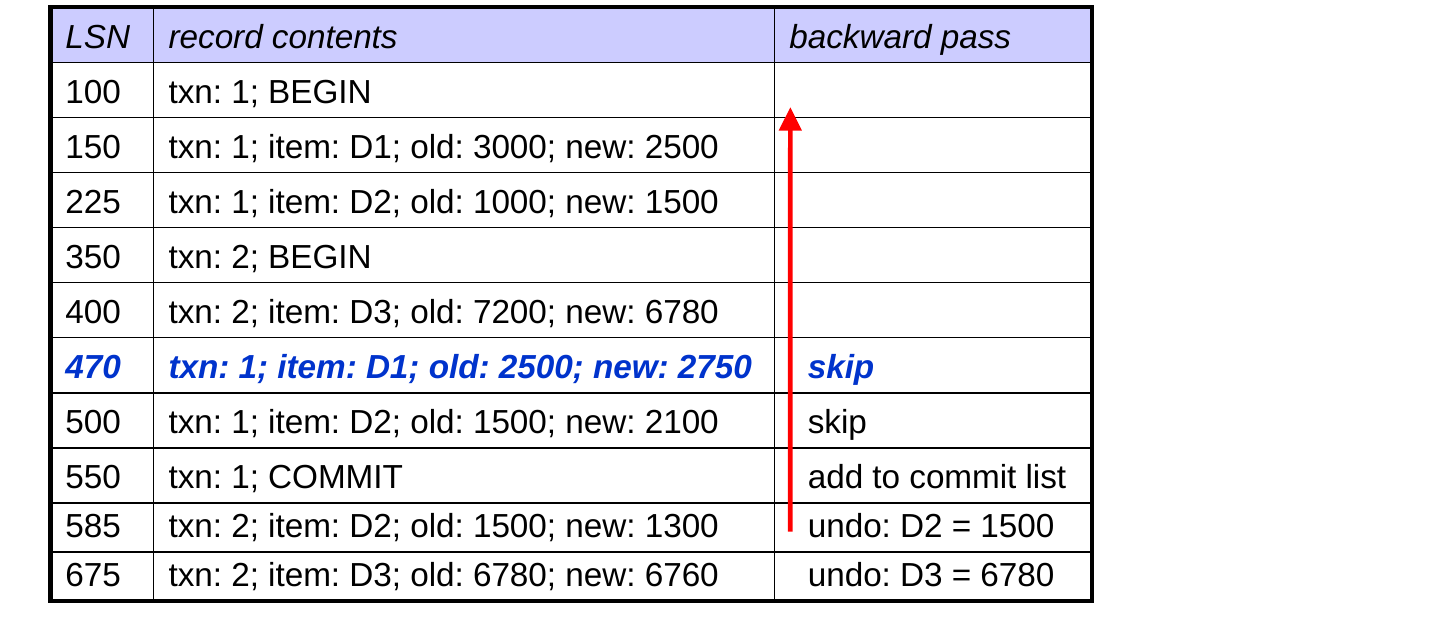
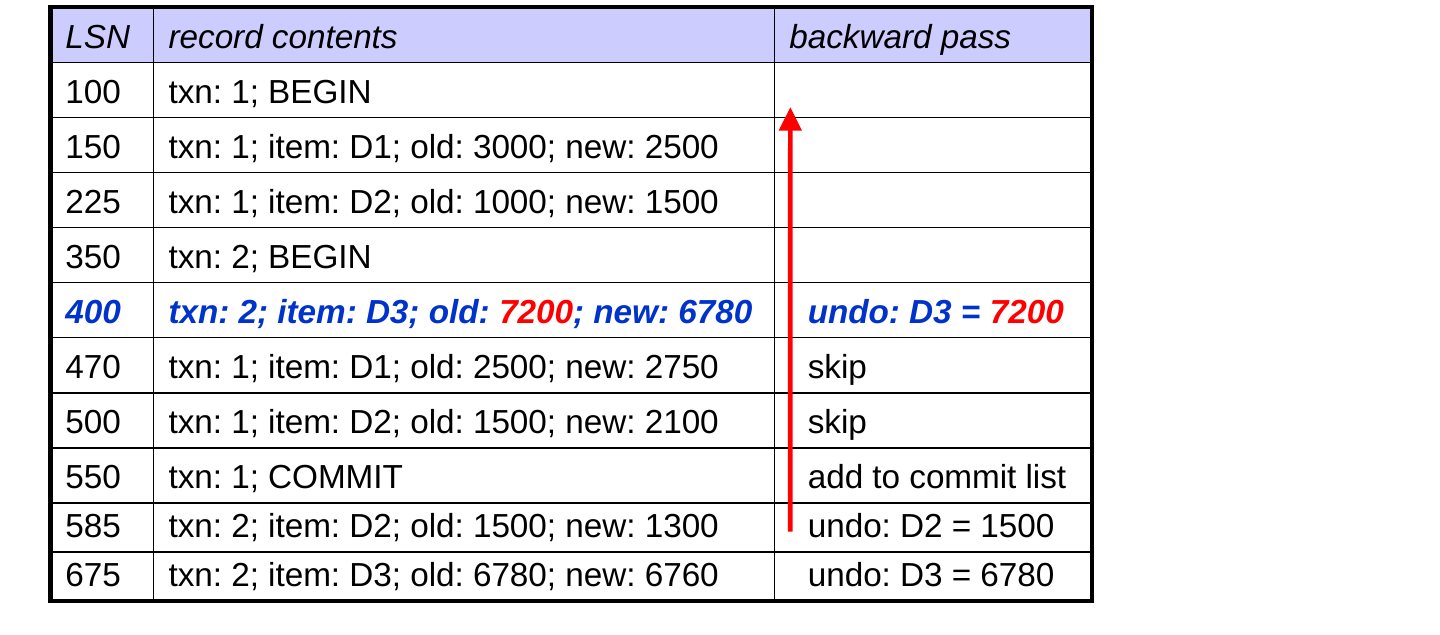
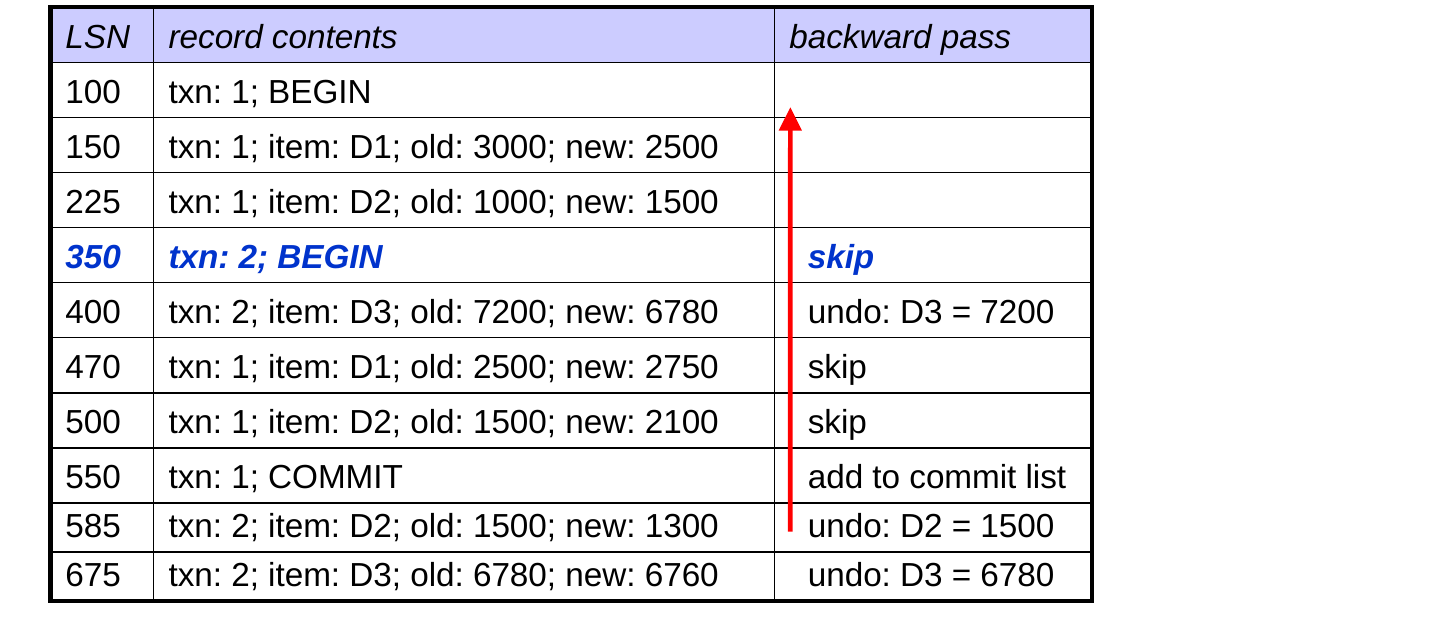
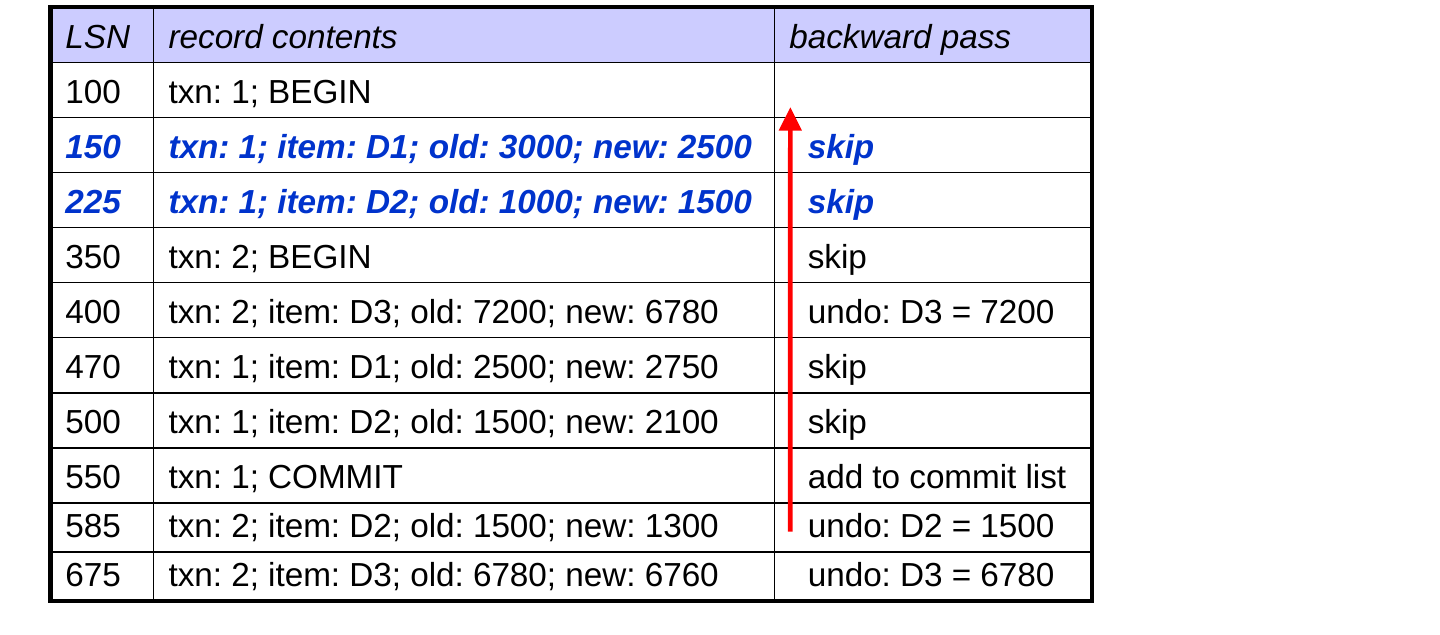
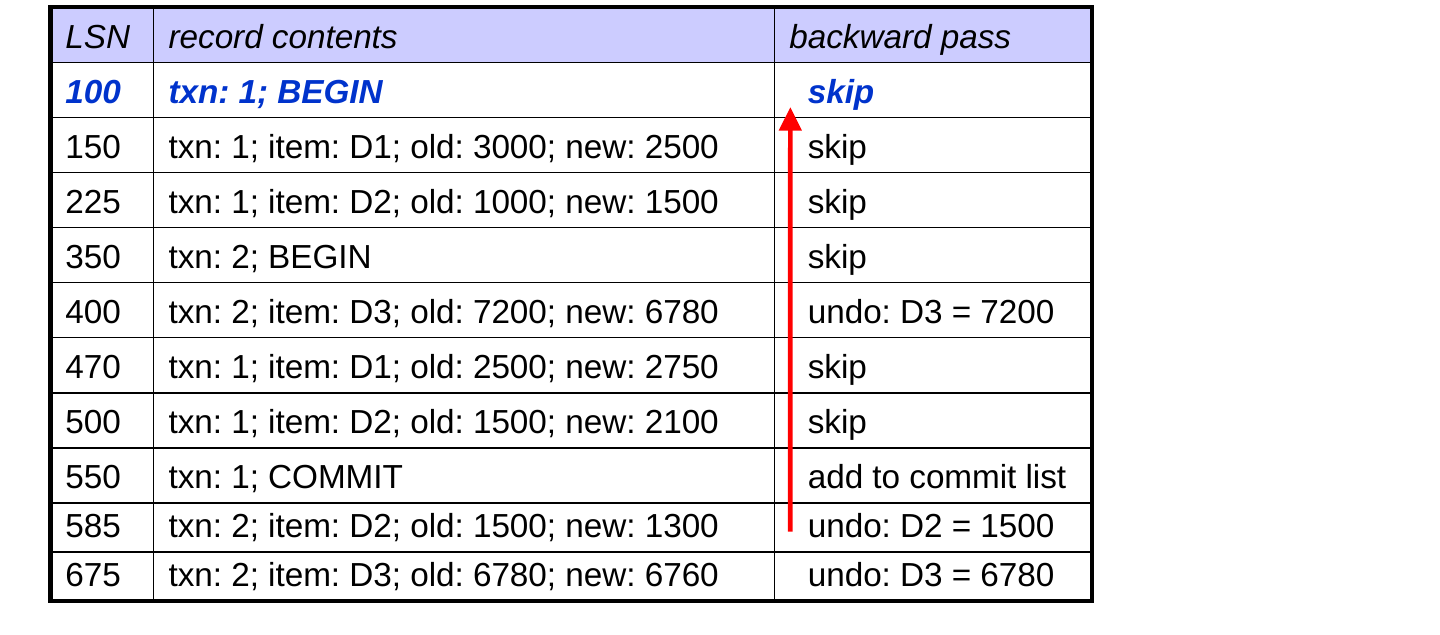
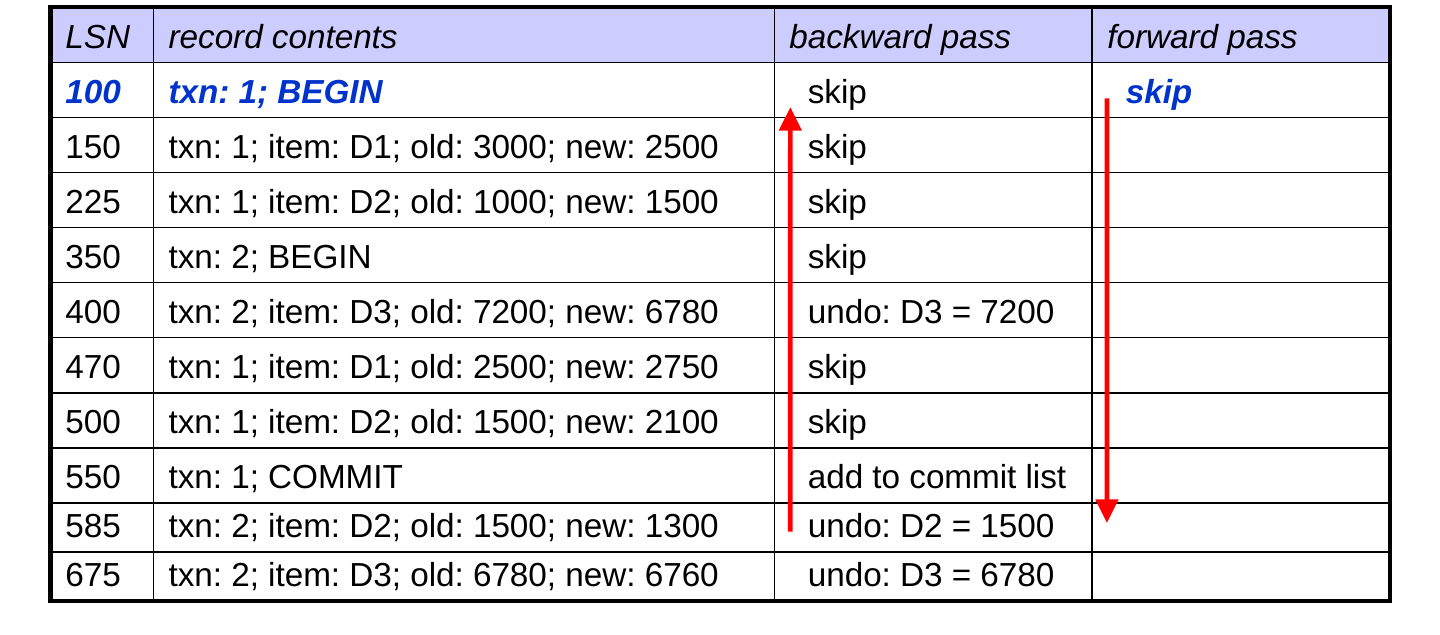
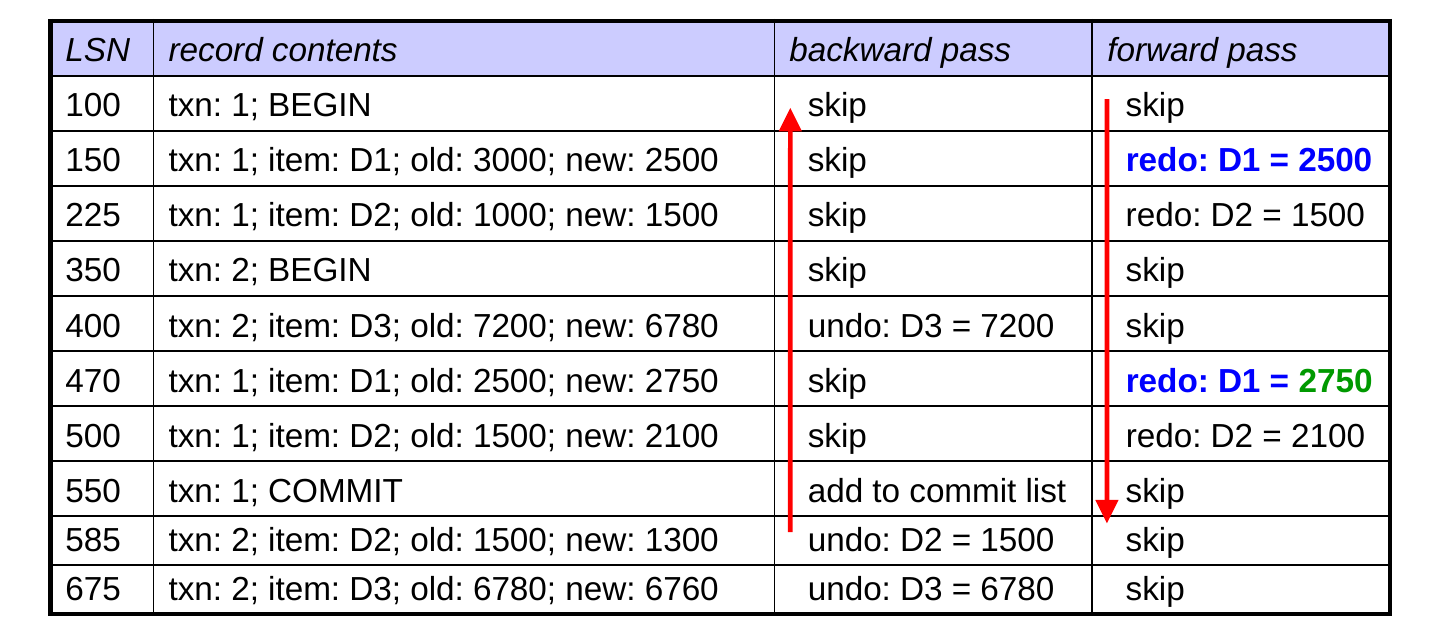
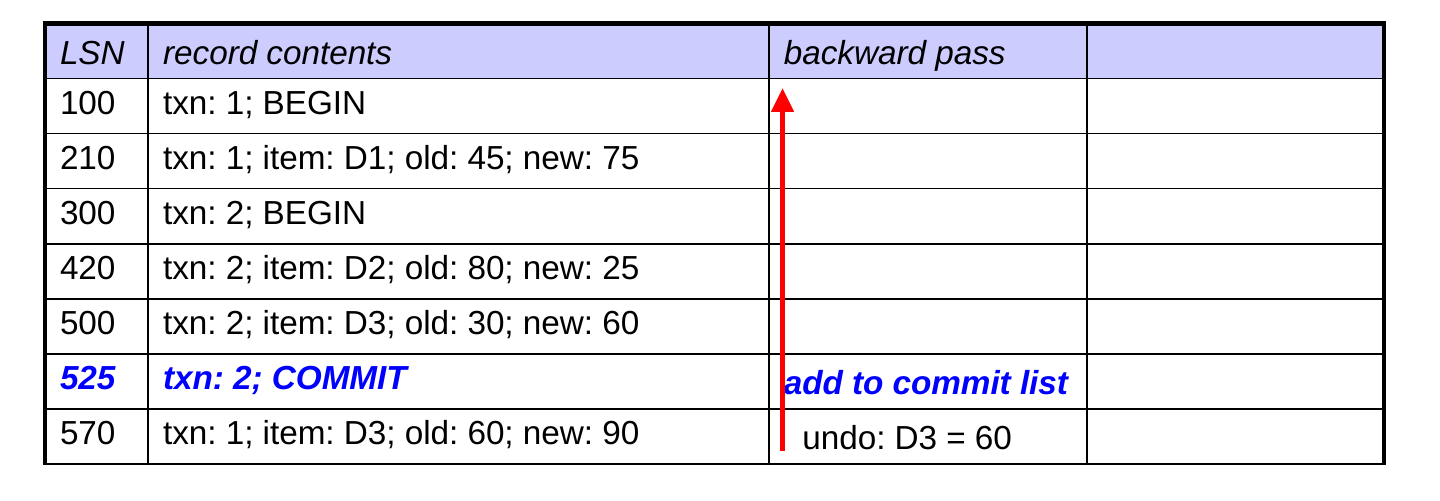
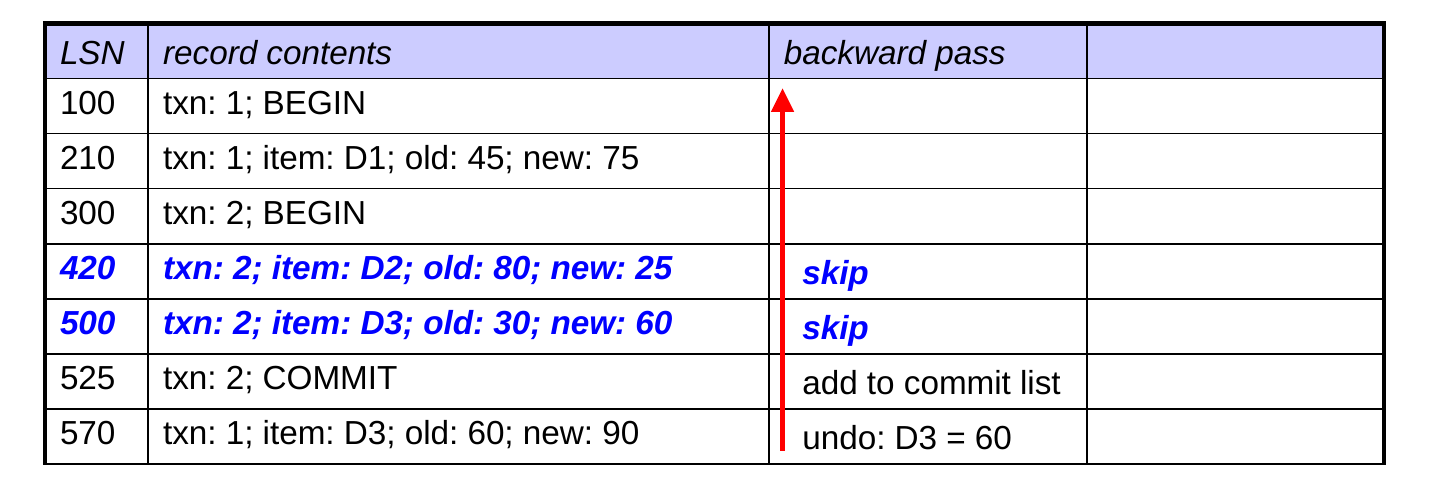
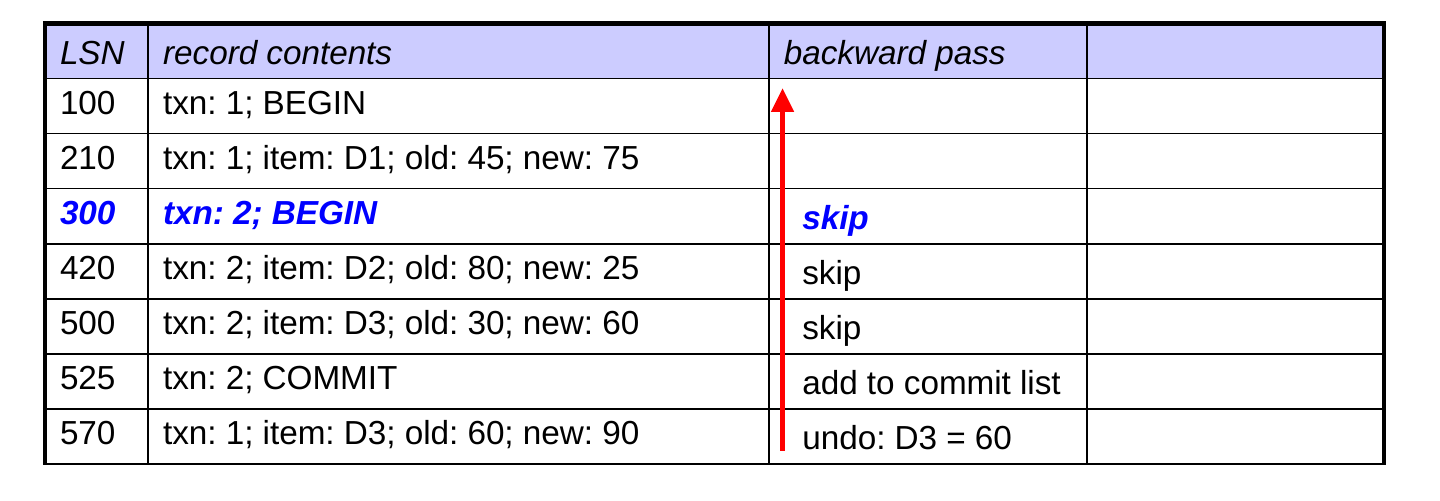
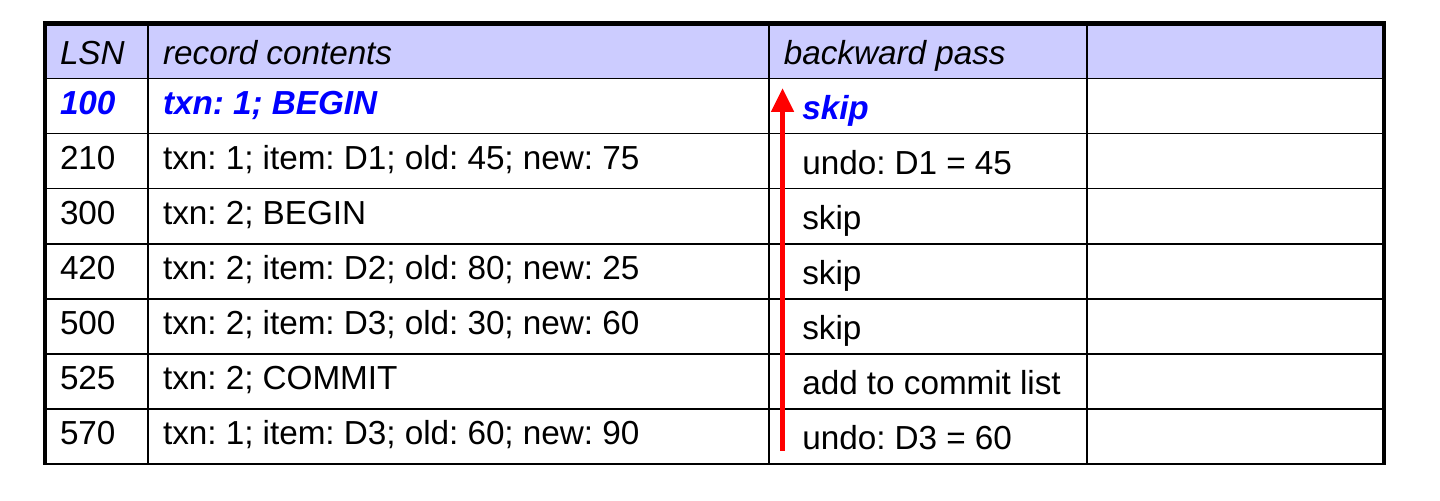
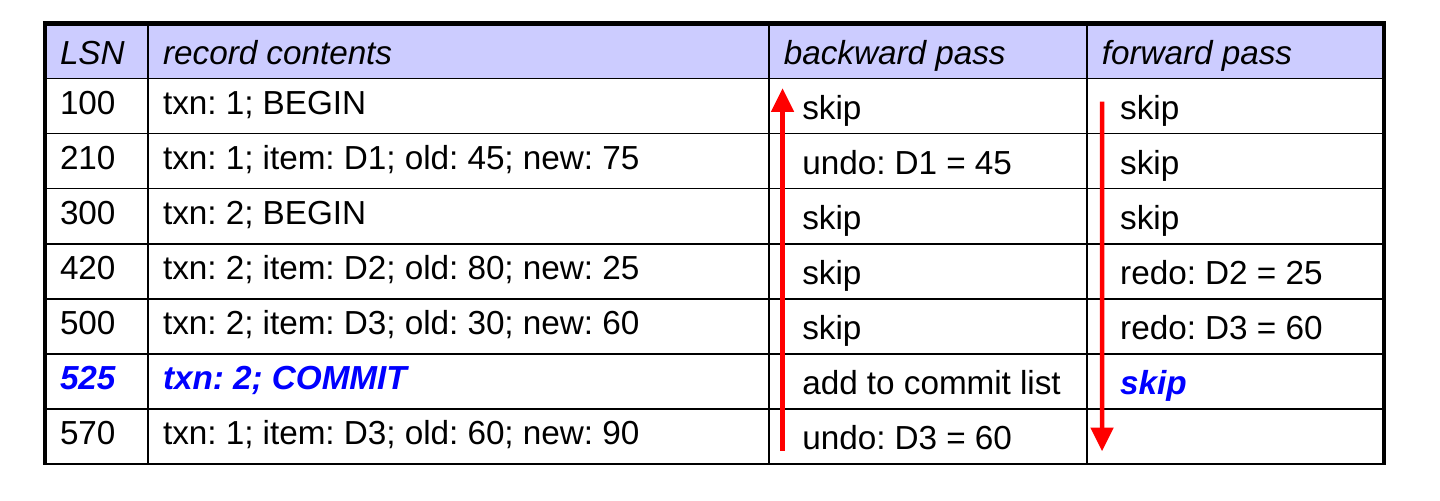
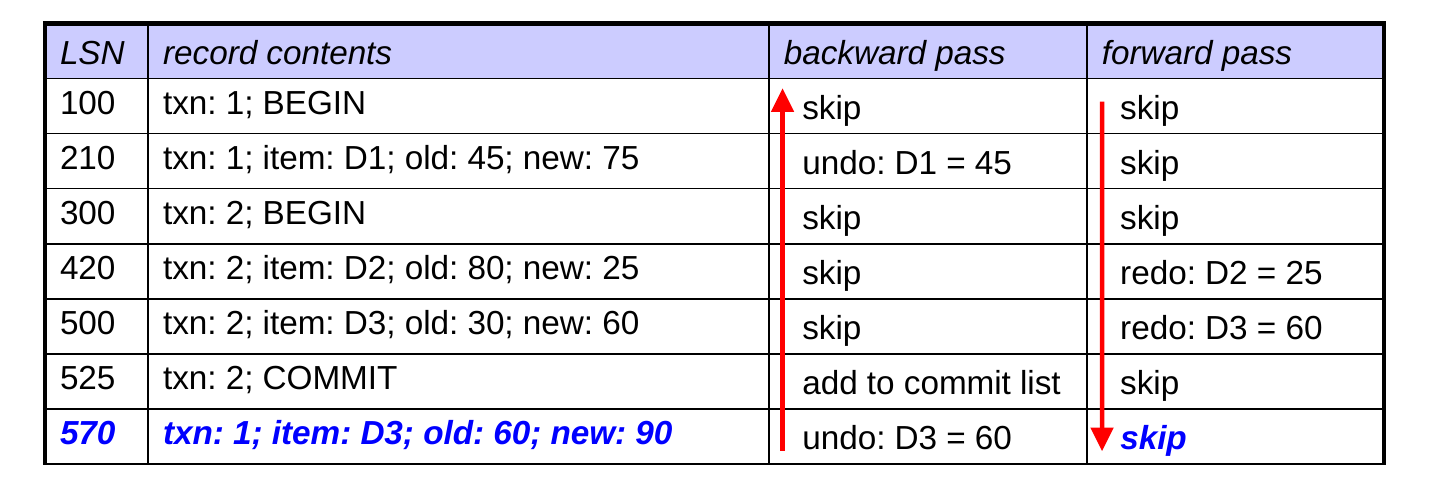
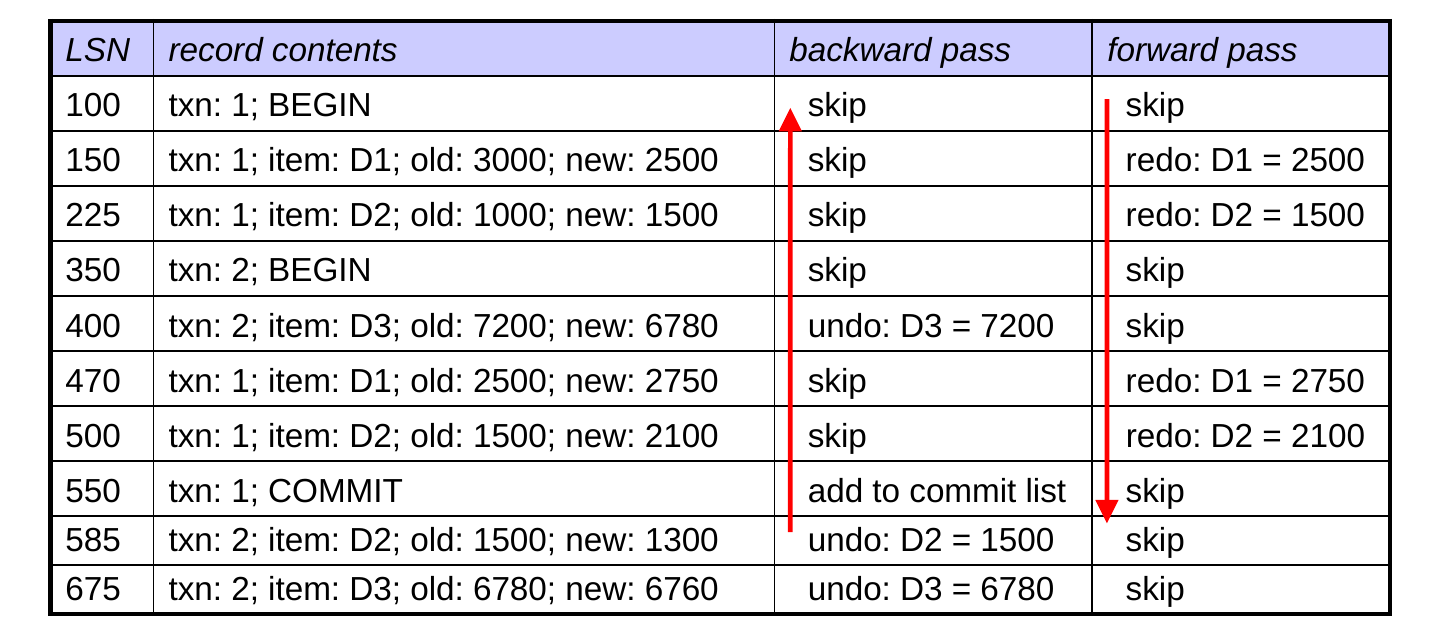
  • Backward pass: begin at the last log record and scan backward
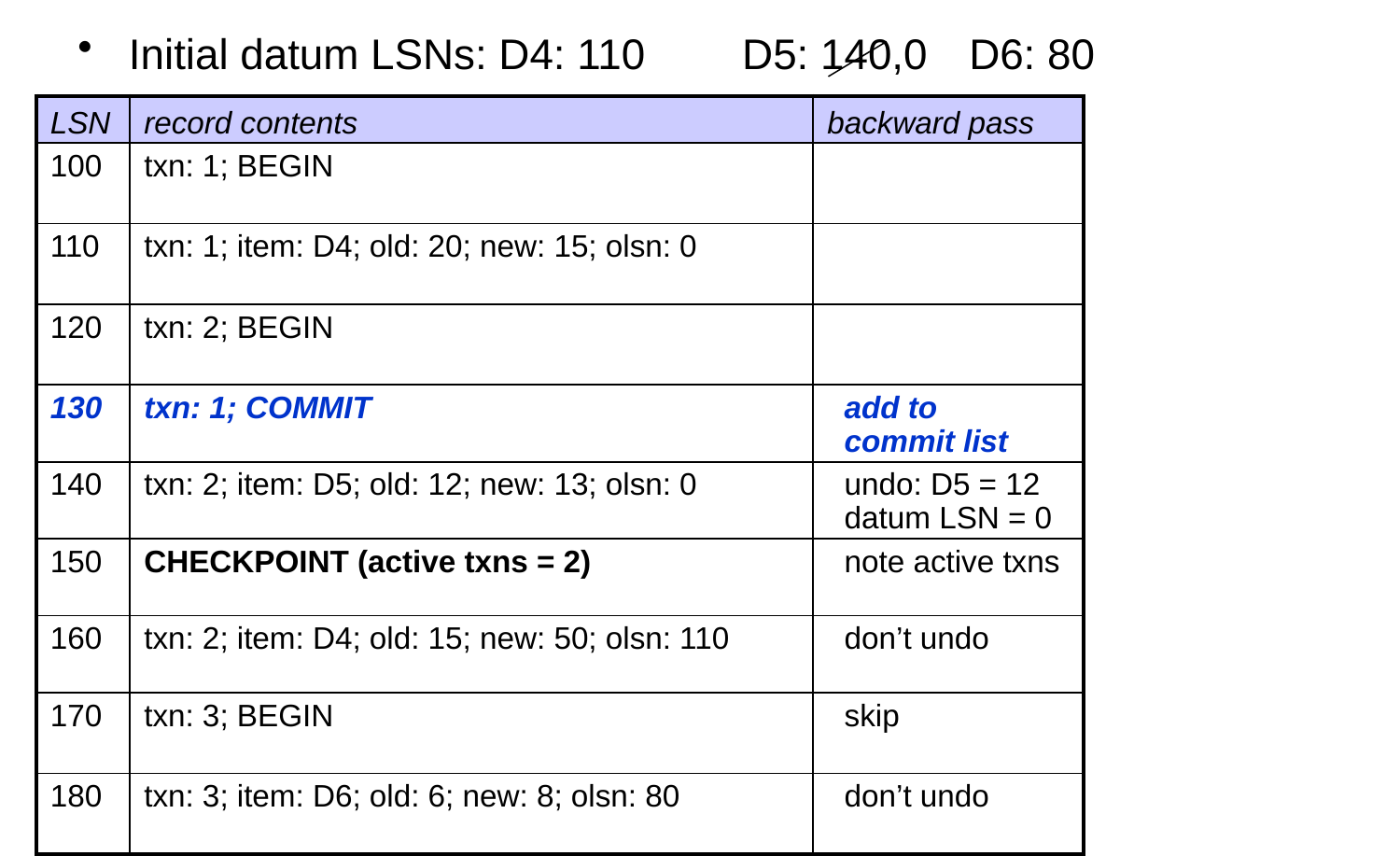
  • for each commit record, add the txn to a commit list
  • for each update by a txn not on the commit list, undo the update (restoring the old value)
  • for now, we skip:
    • updates by txns that are on the commit list
    • all begin records
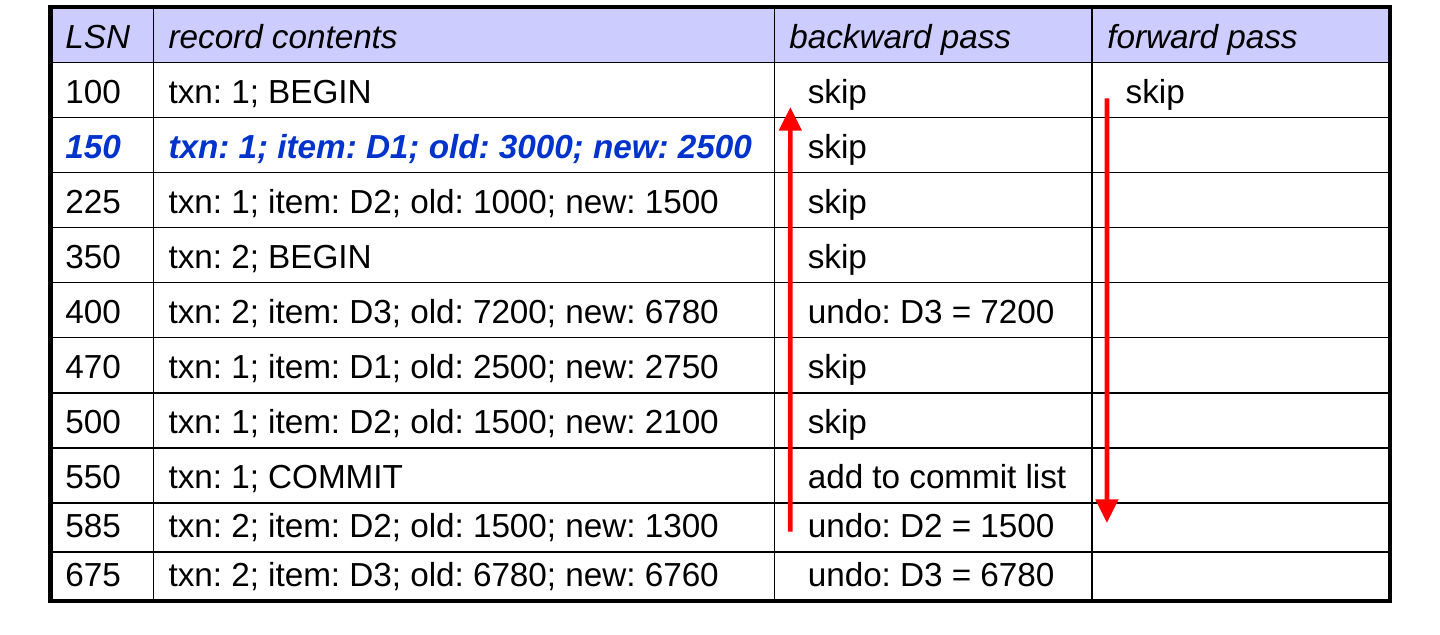
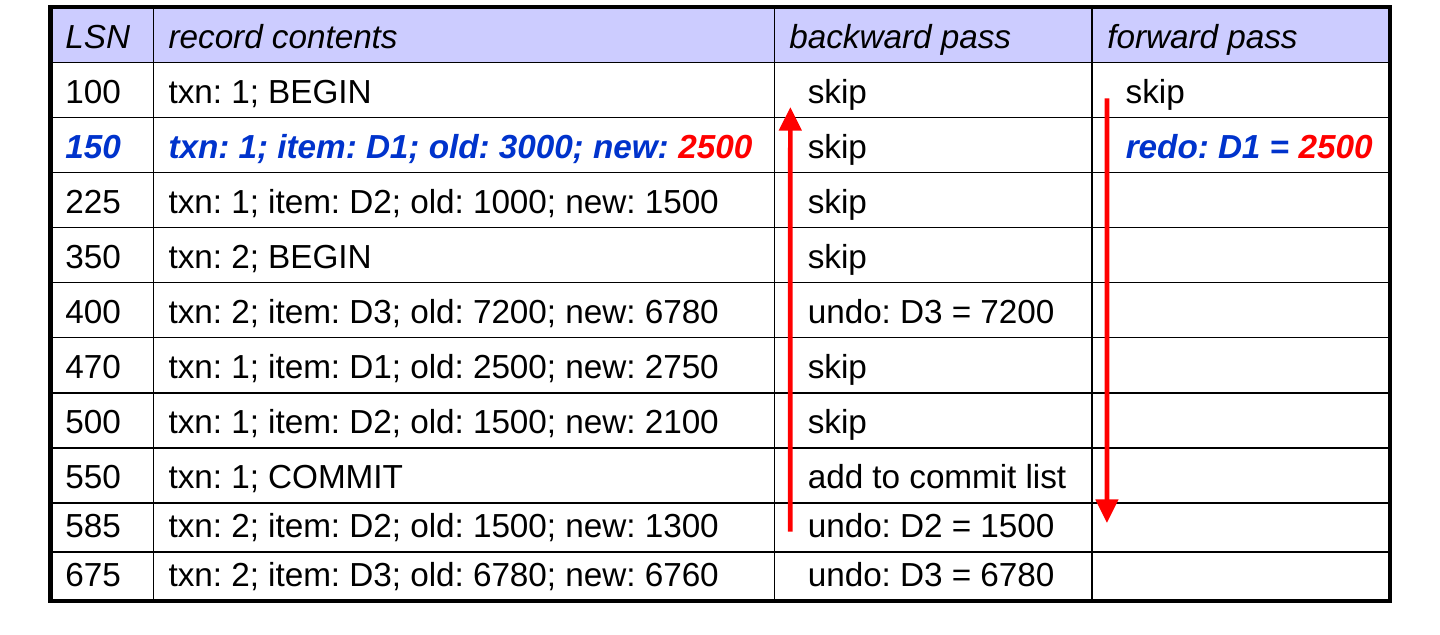
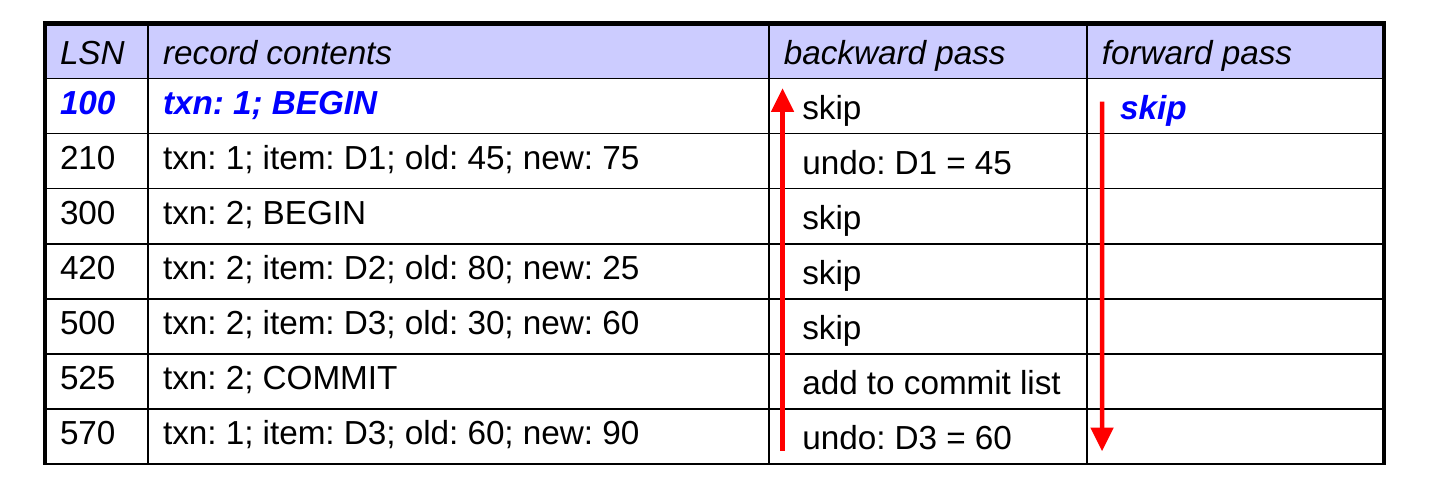
  • Forward pass:
  • for each update by a txn that is on the commit list, redo the update (writing the new value)
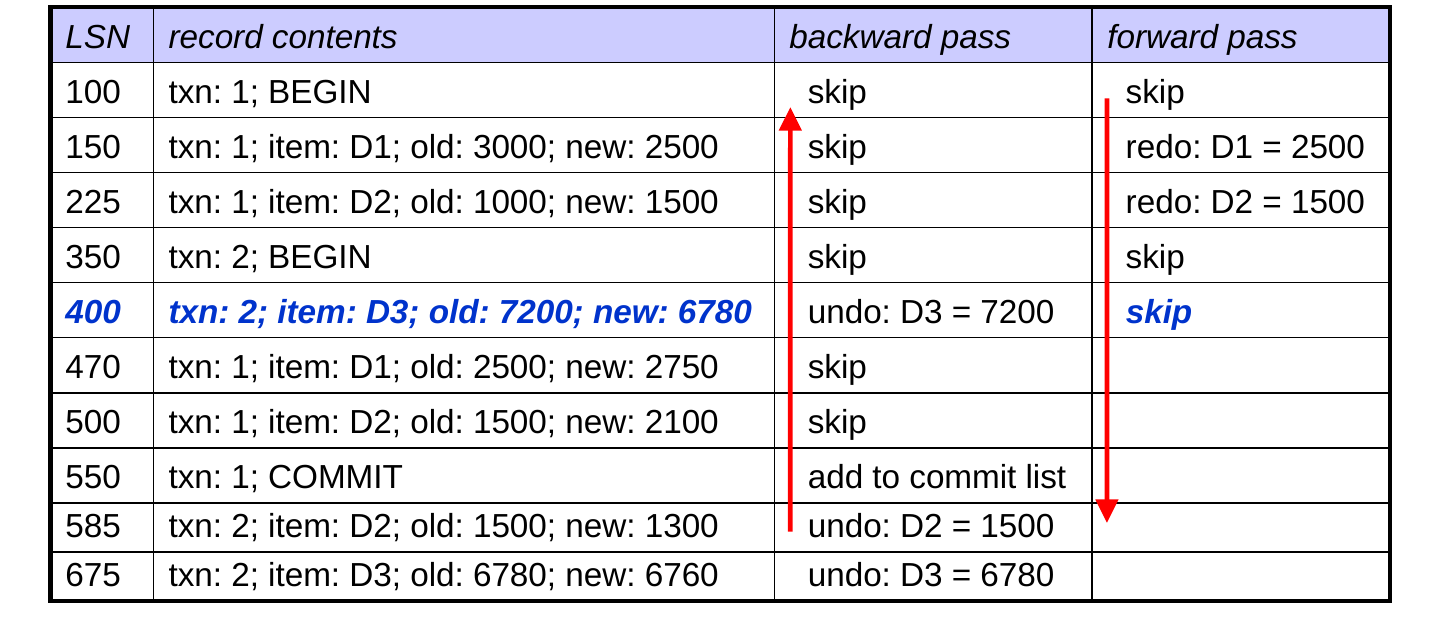
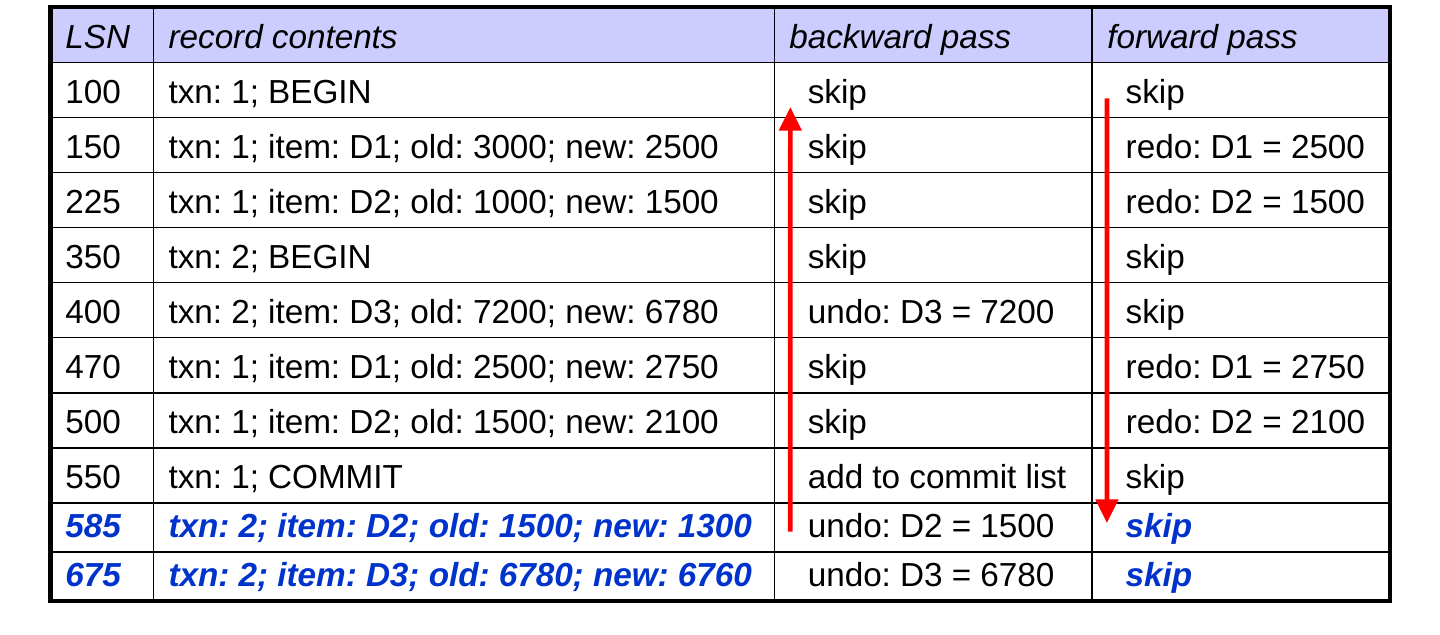
  • skip updates by txns that are not on the commit list, because they were handled on the backward pass
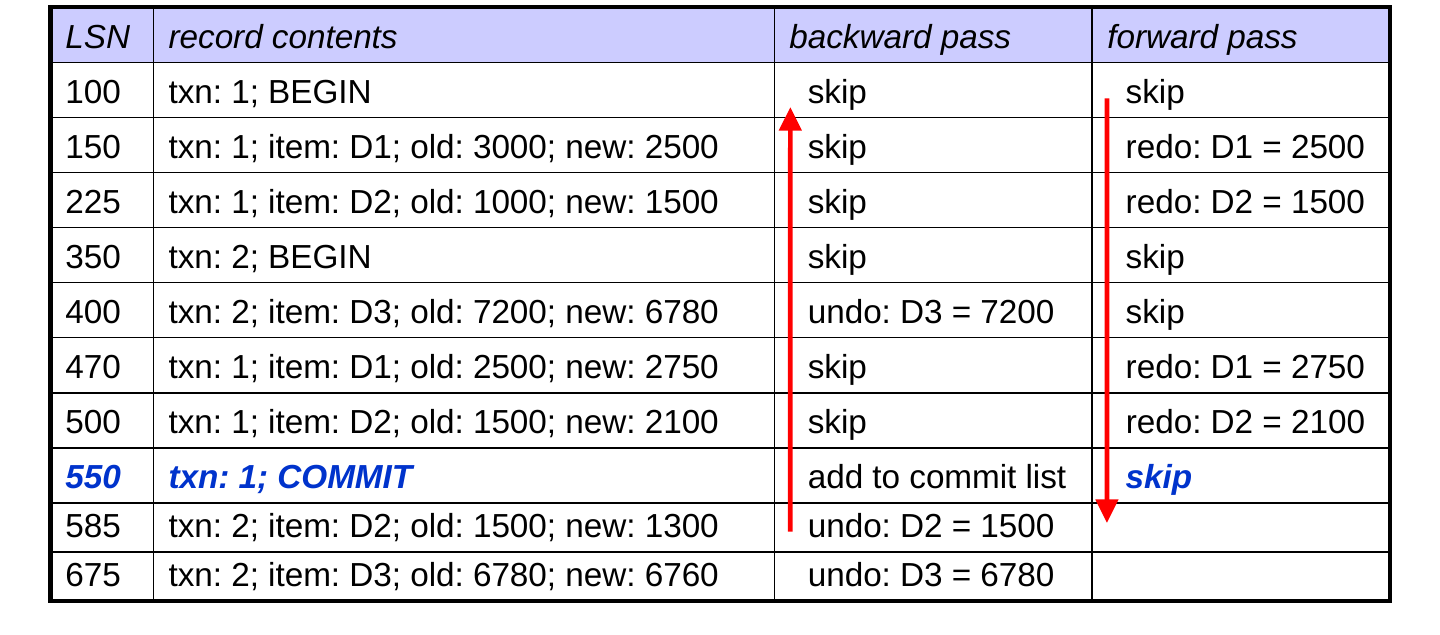
  • skip other records as well

Recovery Using Undo-Redo Logging (cont.)

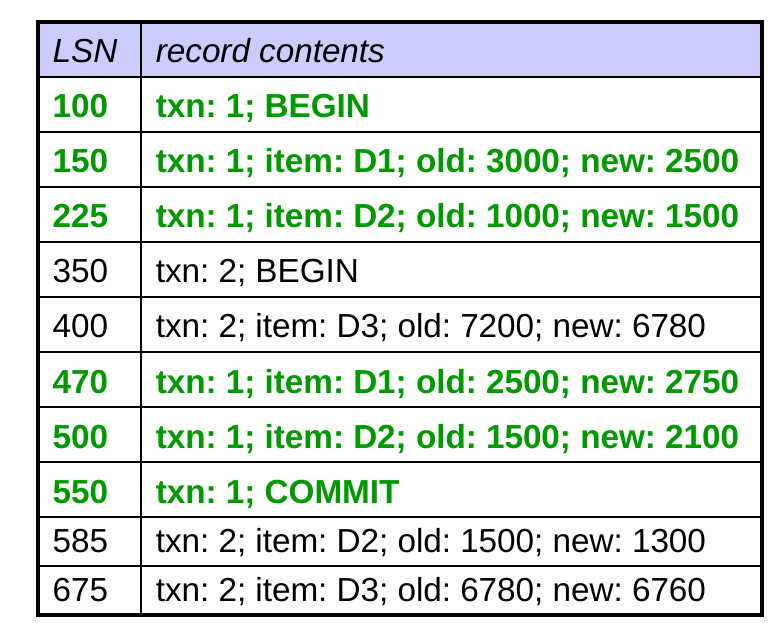
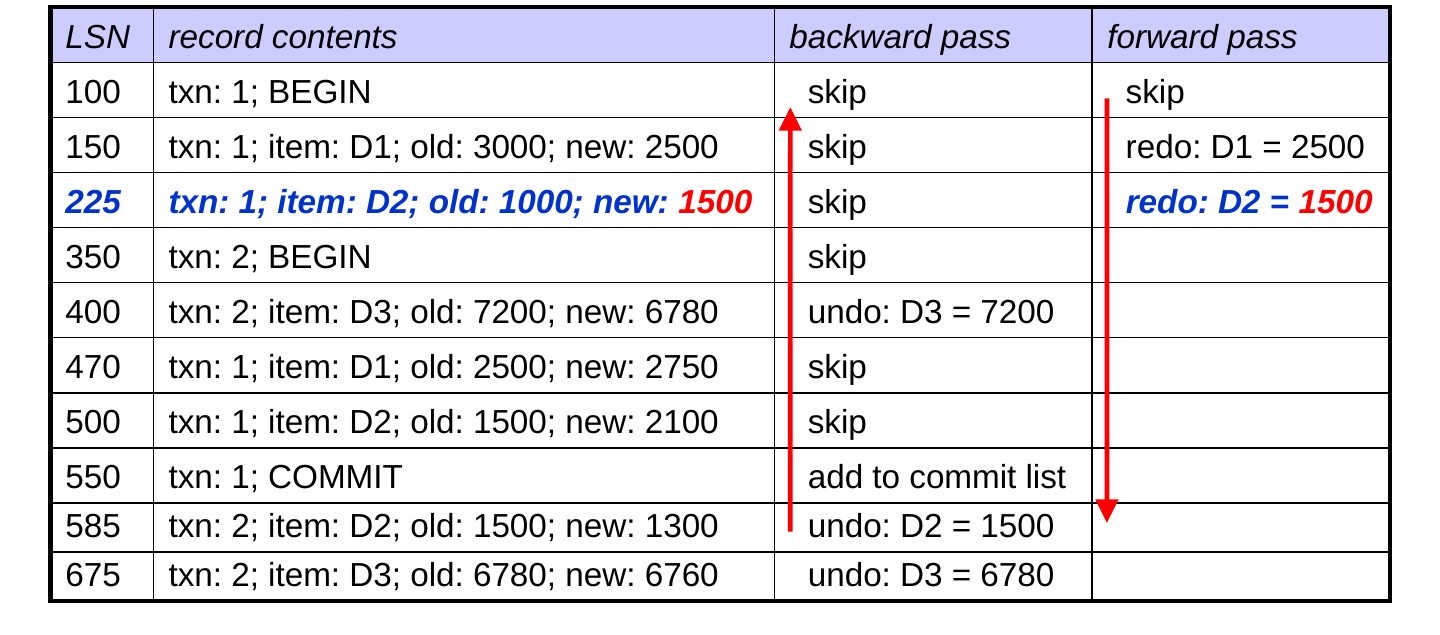
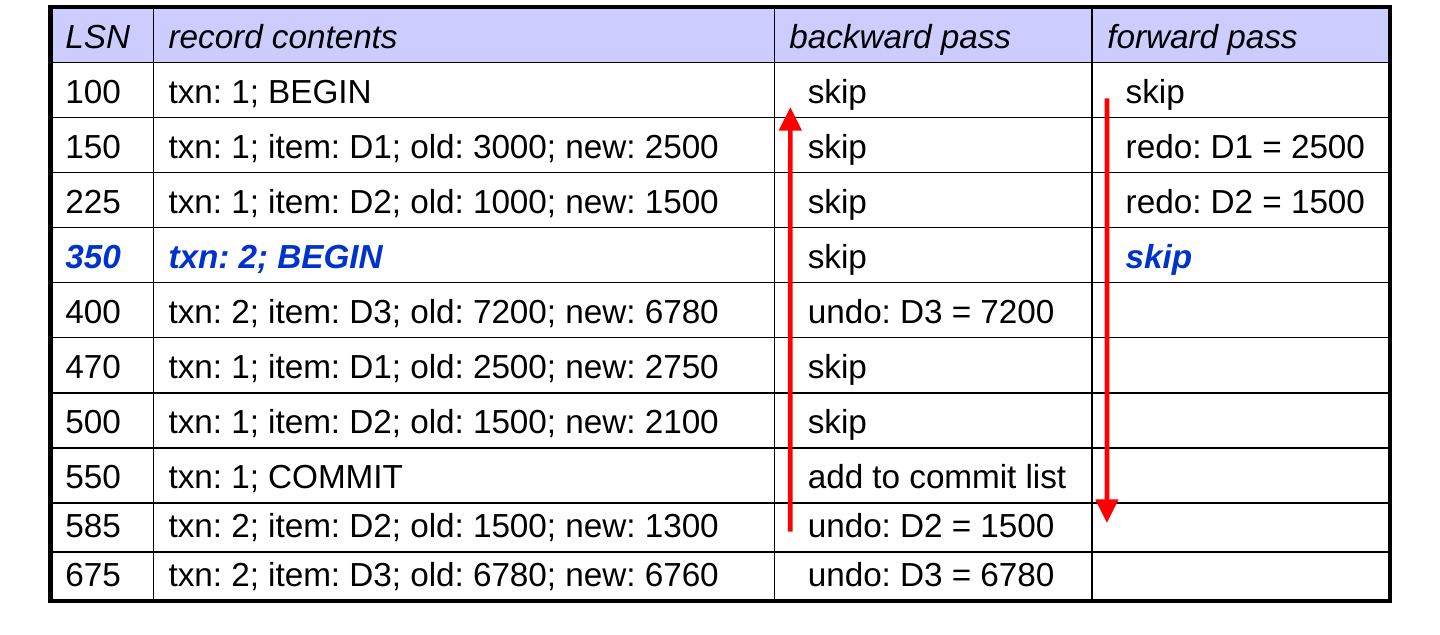
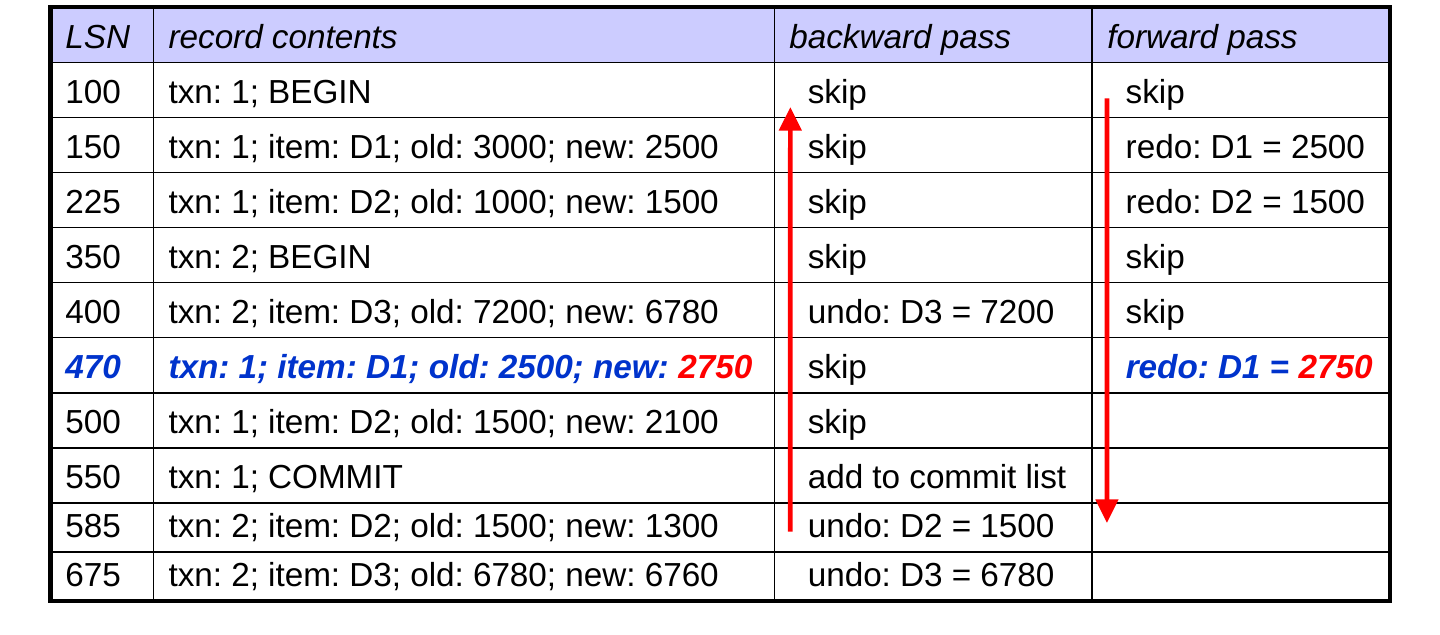
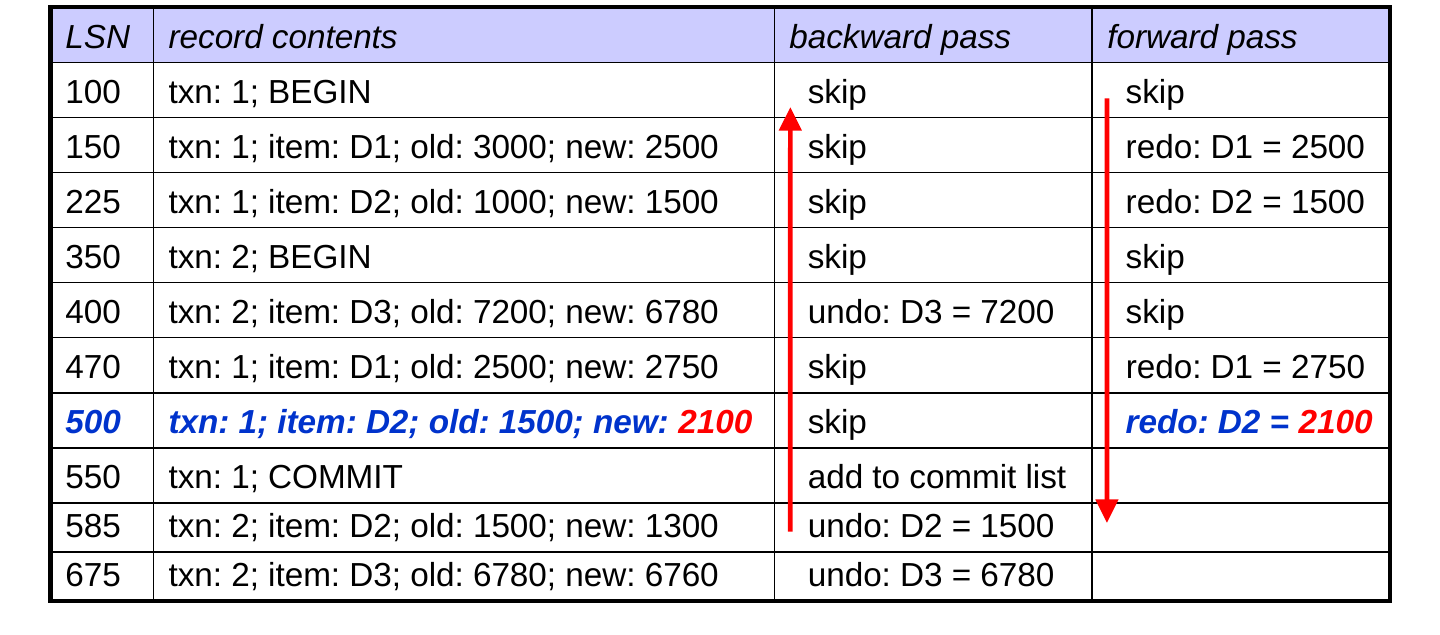
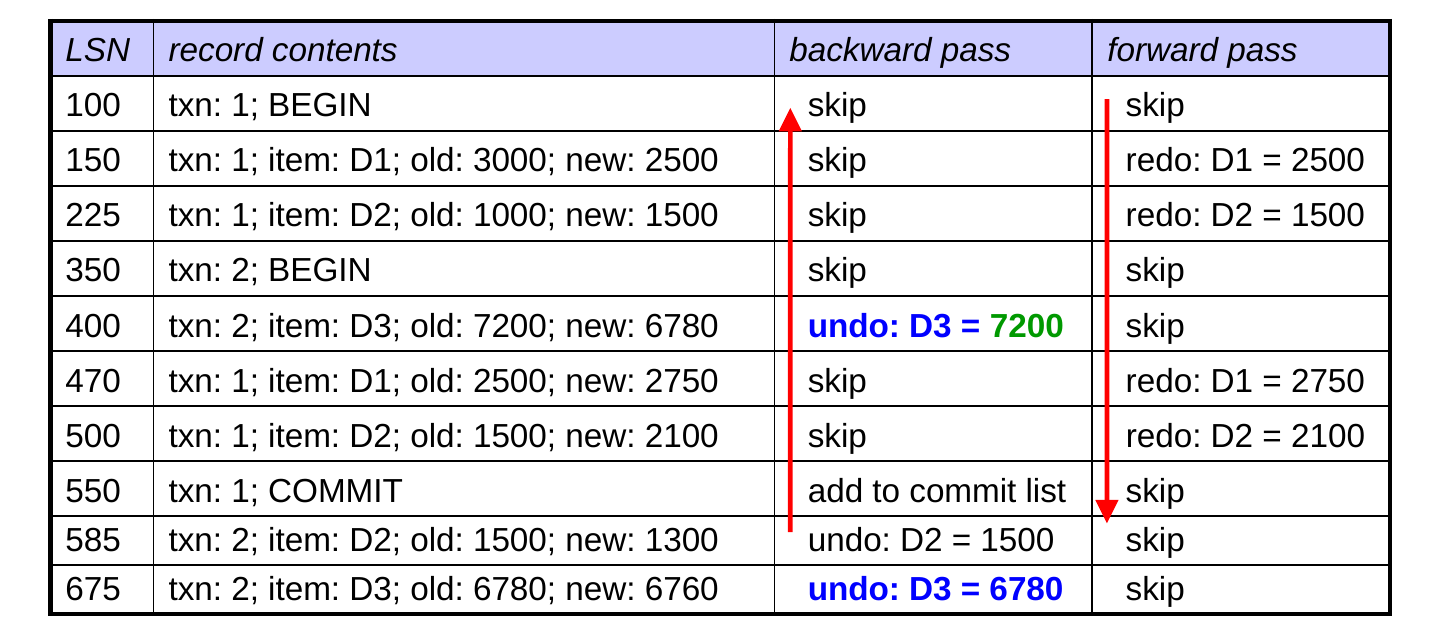
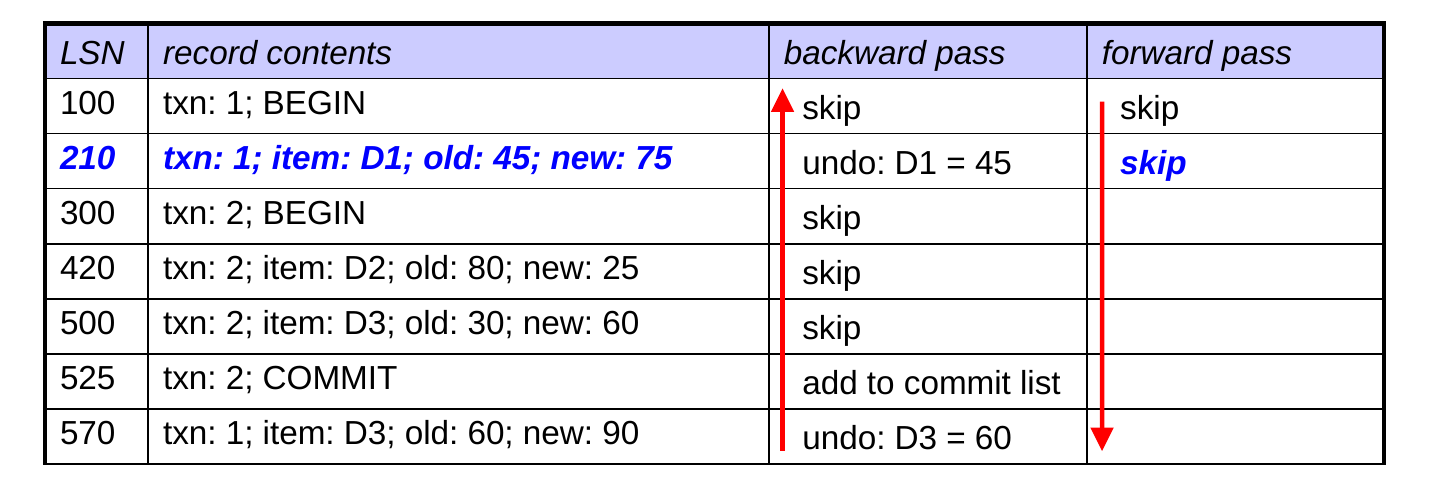
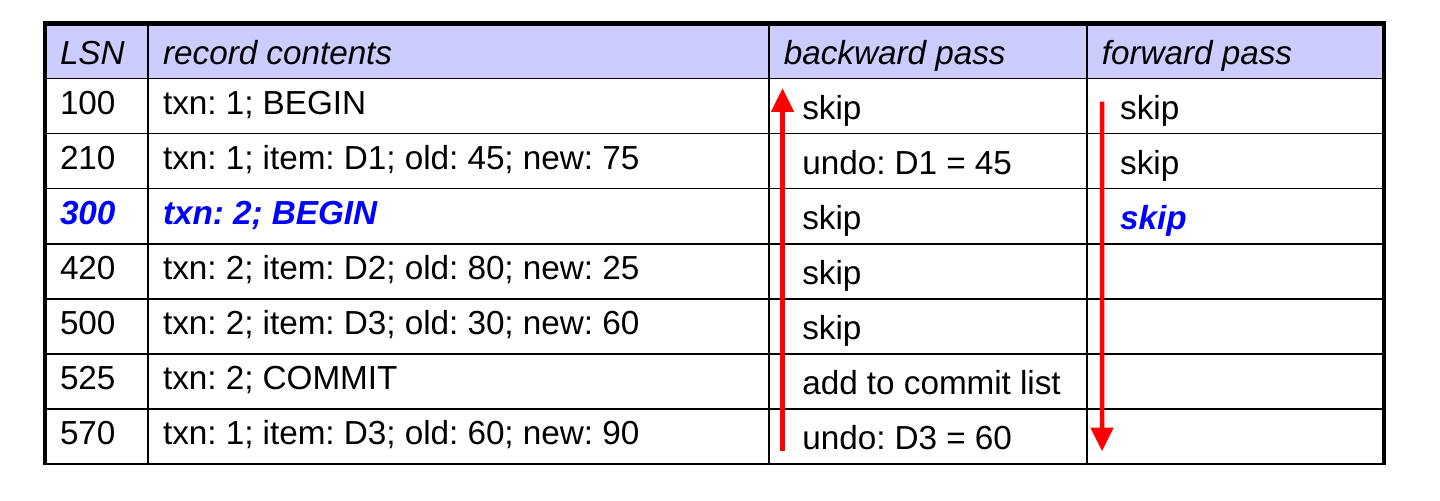
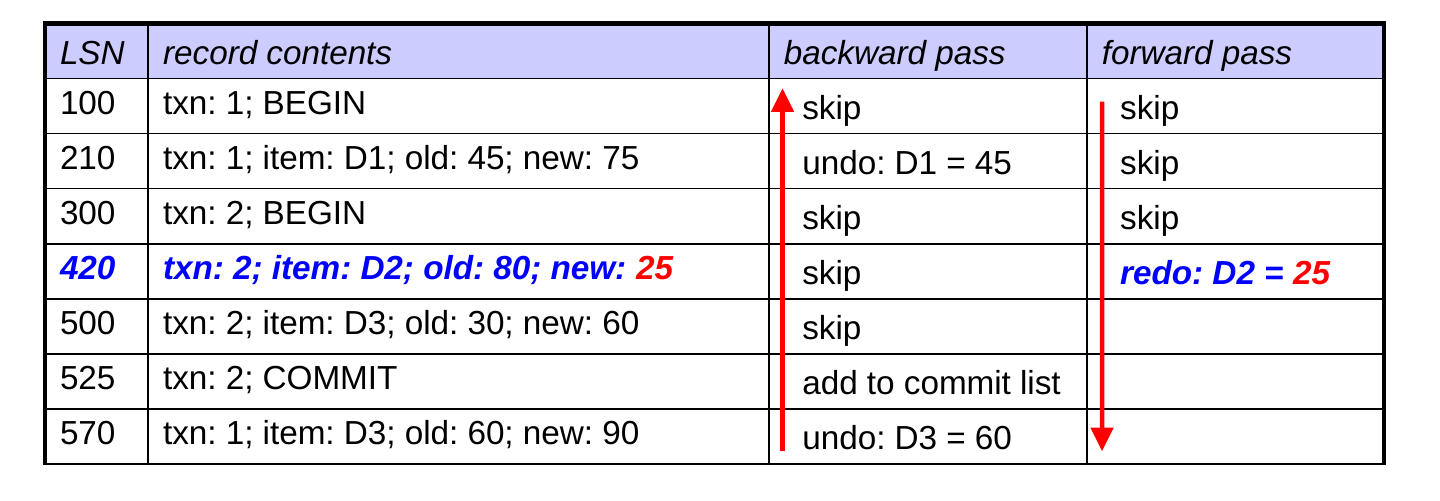
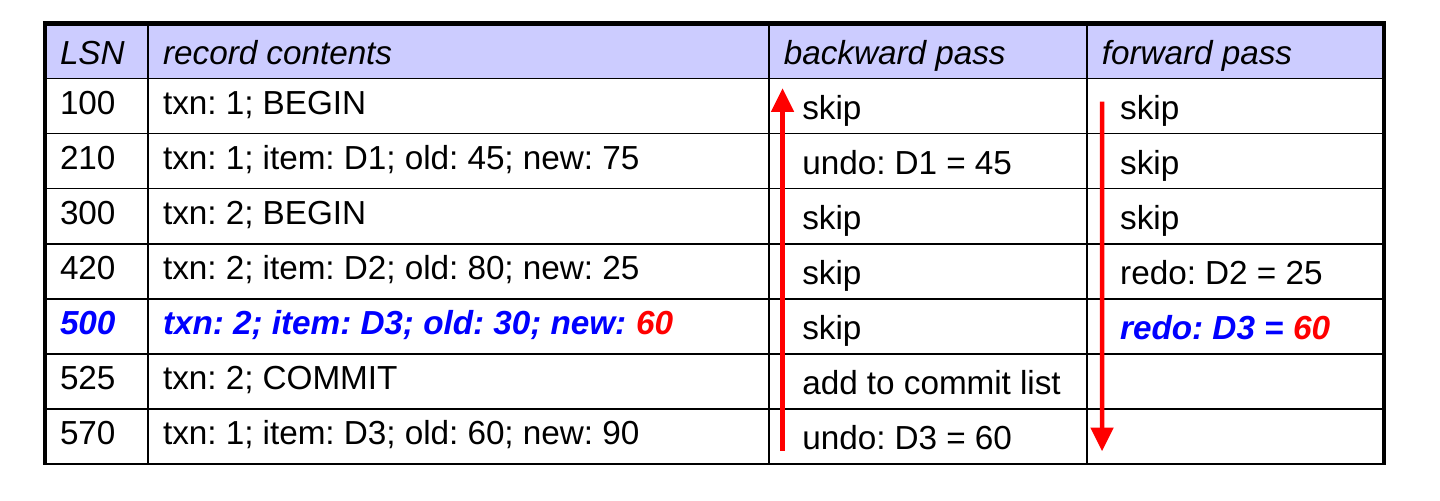
  • Here’s how it would work on our earlier example:
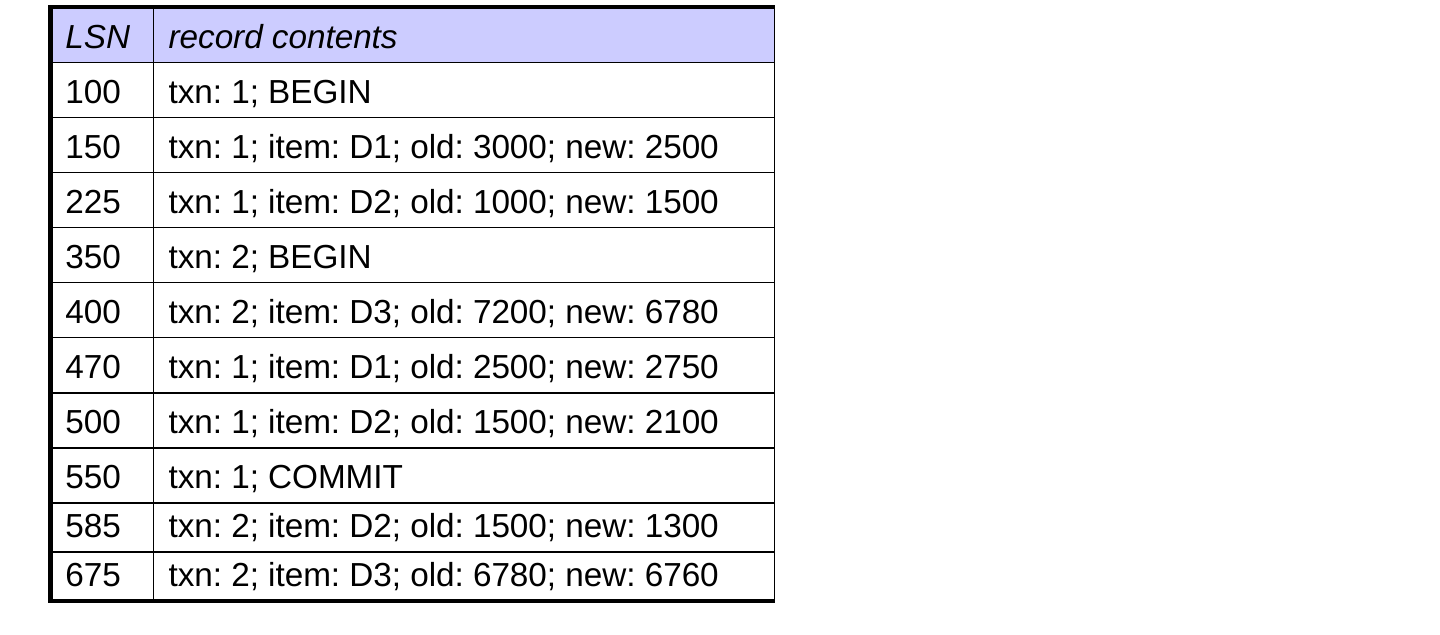
  • Recovery restores the database to a consistent state that reflects:
    • all of the updates by txn 1 (which committed before the crash)
    • none of the updates by txn 2 (which did not commit)

The Details Matter!
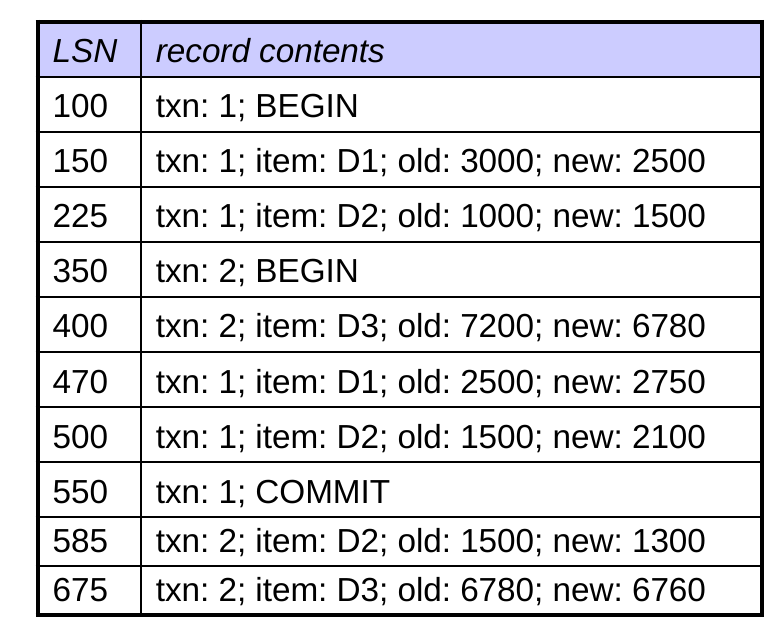
  1. Scanning backward at the start of recovery provides the info needed for undo / redo decisions.
  • when we see an update, we already know whether the txn has committed!

The Details Matter!
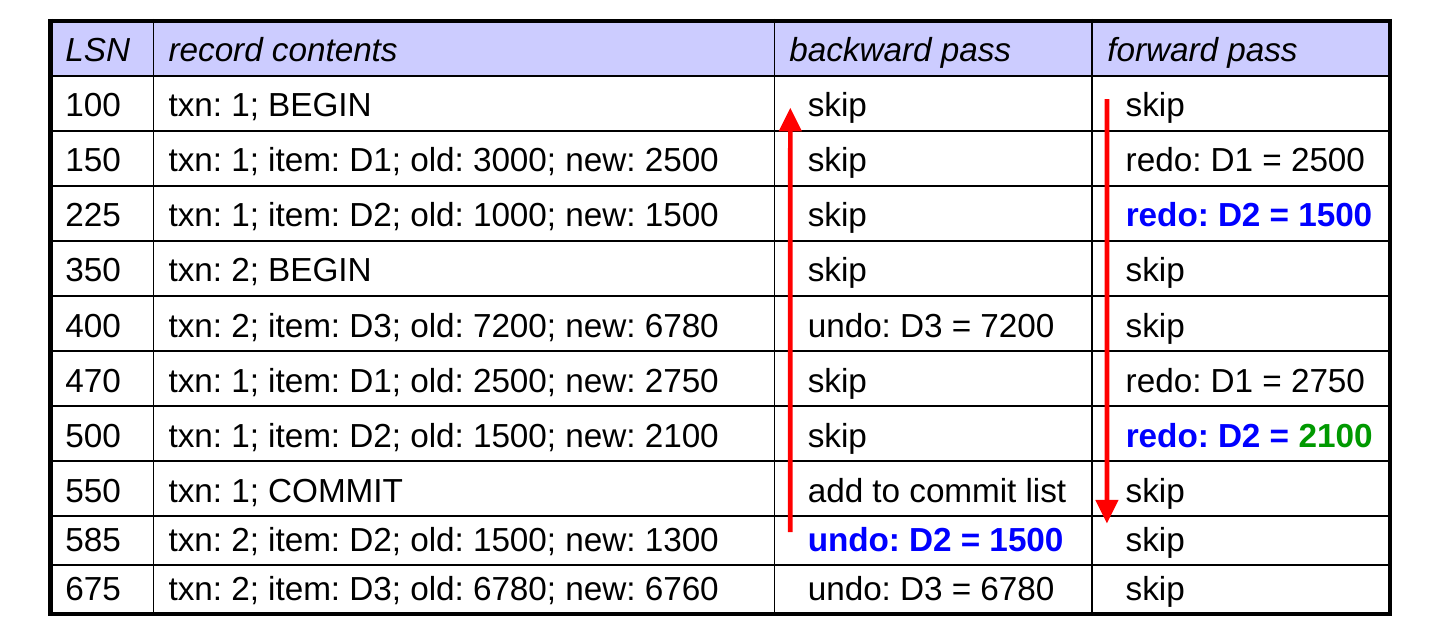
  1. To ensure the correct values are on disk after recovery, we:
  • put all redos after all undos (consider D2 above)
  • perform the undos in reverse order (consider D3 above)
  • perform the redos in the same order as the original updates (consider D1 above)

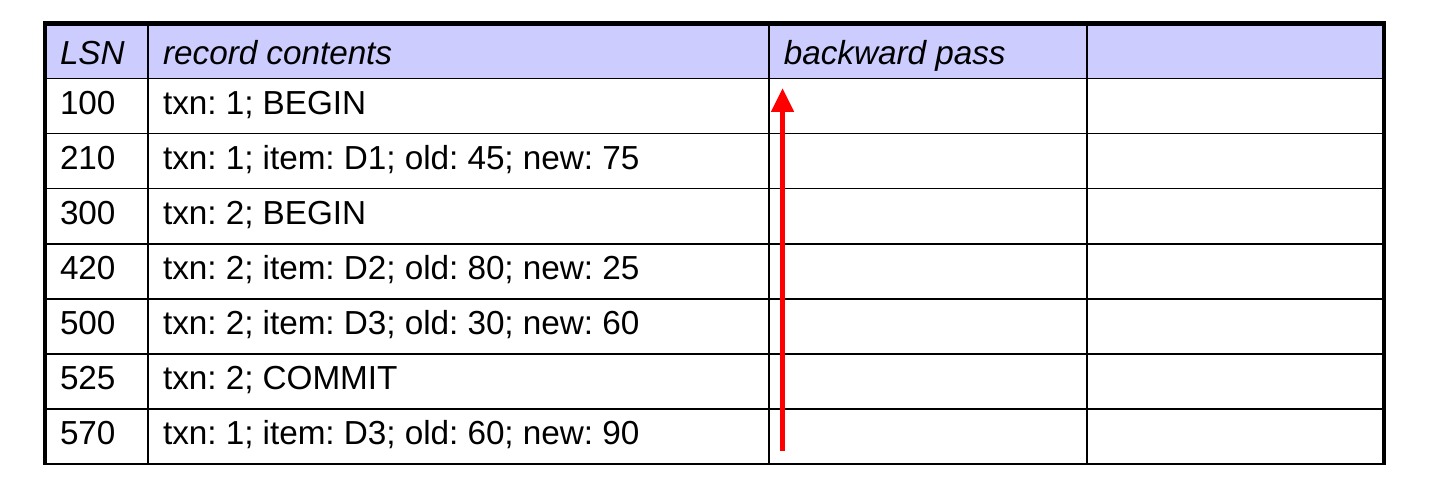
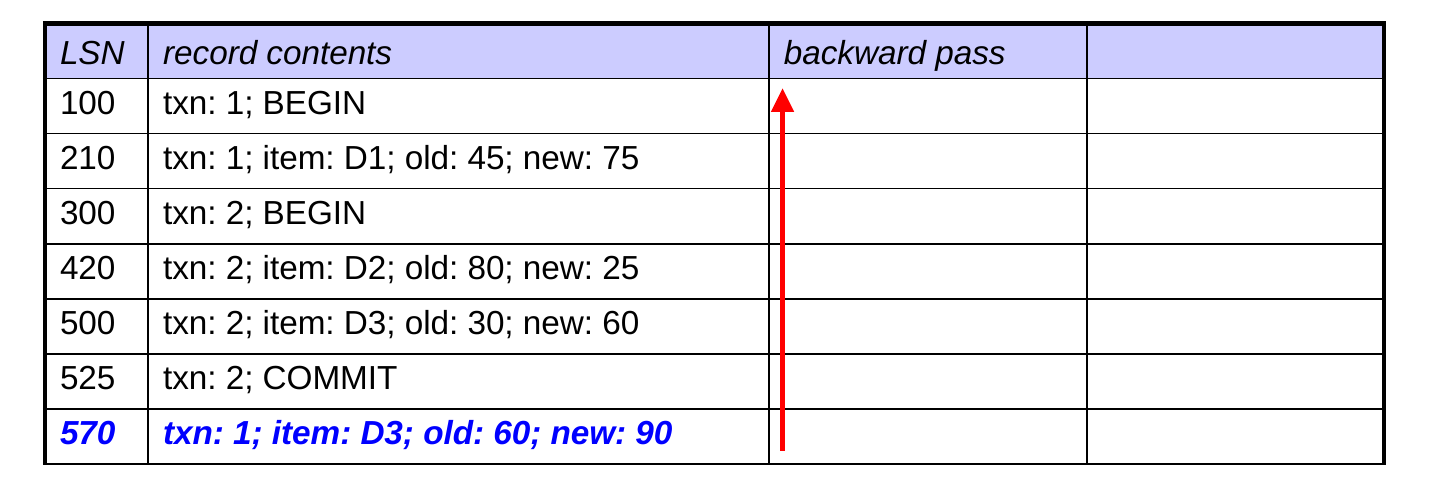
What are the LSNs of: (1) the first update undone, and (2) the first update redone?
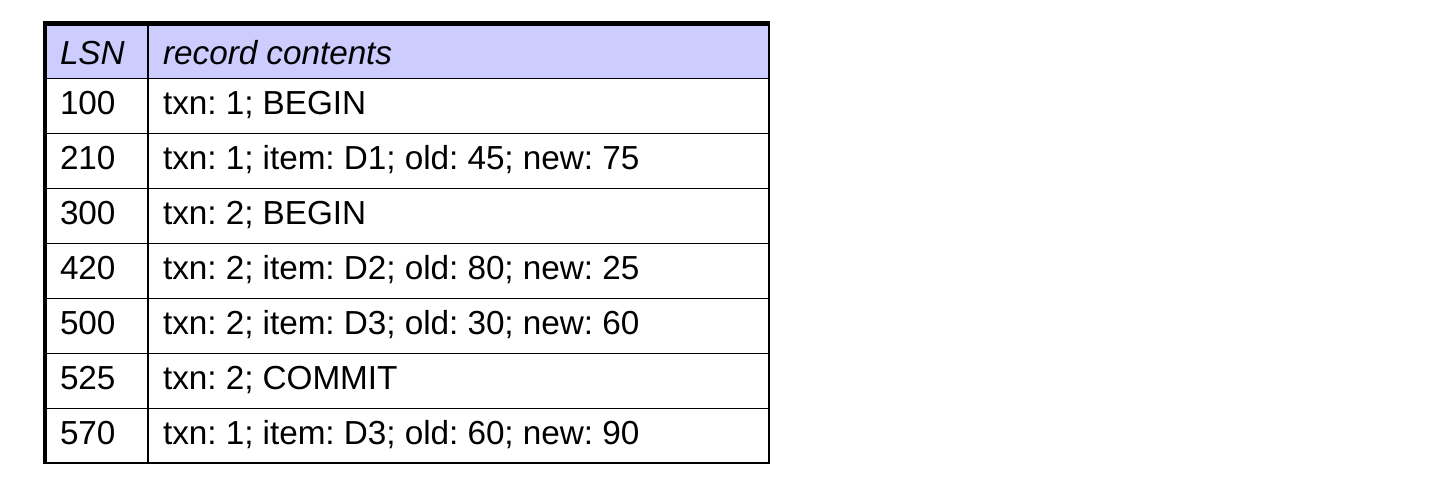
       undone      redone
A.  210           500
B.  210           420
C.  570           500
D.  570           210
E.  570           420

Logical Logging

  • We’ve assumed that update records store the old + new values of the changed data element.
  • It’s also possible to use logical logging, which stores a logical description of the update operation.
    • example: increment D1 by 1
  • Logical logging is especially useful when we use pages or blocks as data elements, rather than records.
  • storing the old and new contents of a page or block would take up a lot of space
  • instead, store a logical description
    • for example: “add record r somewhere on D1”

Logical Logging (cont.)

  • When we store old and new data values, the associated undo/redo operations are idempotent.
    • can be performed multiple times without changing the result
  • Problem: logical update operations may not be idempotent.
    • example: if “increment D1 by 1” has already been performed, we don’t want to redo it
  • example: if “increment D1 by 1” has not been performed, we don’t want to undo it
  • example: if “add record r to page D1” has already been performed, we don’t want to redo it
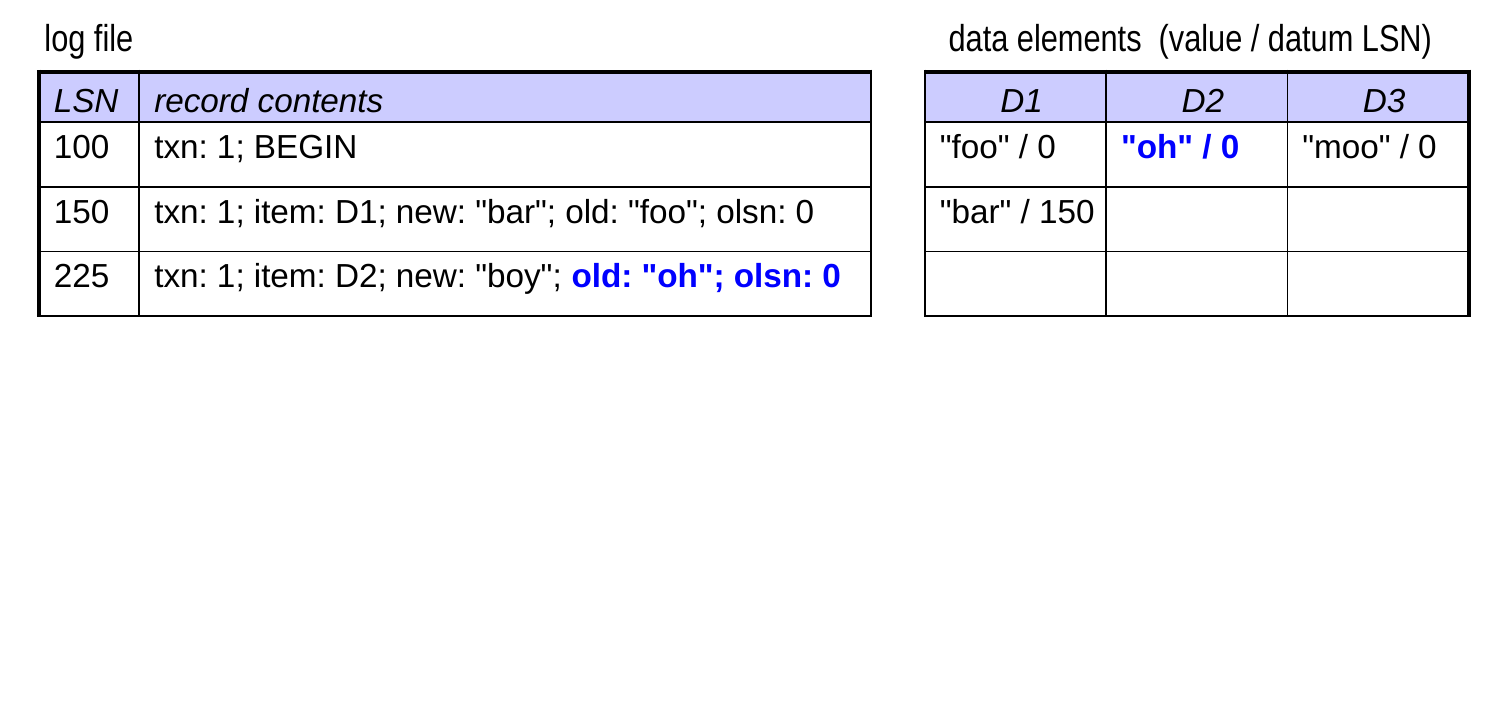
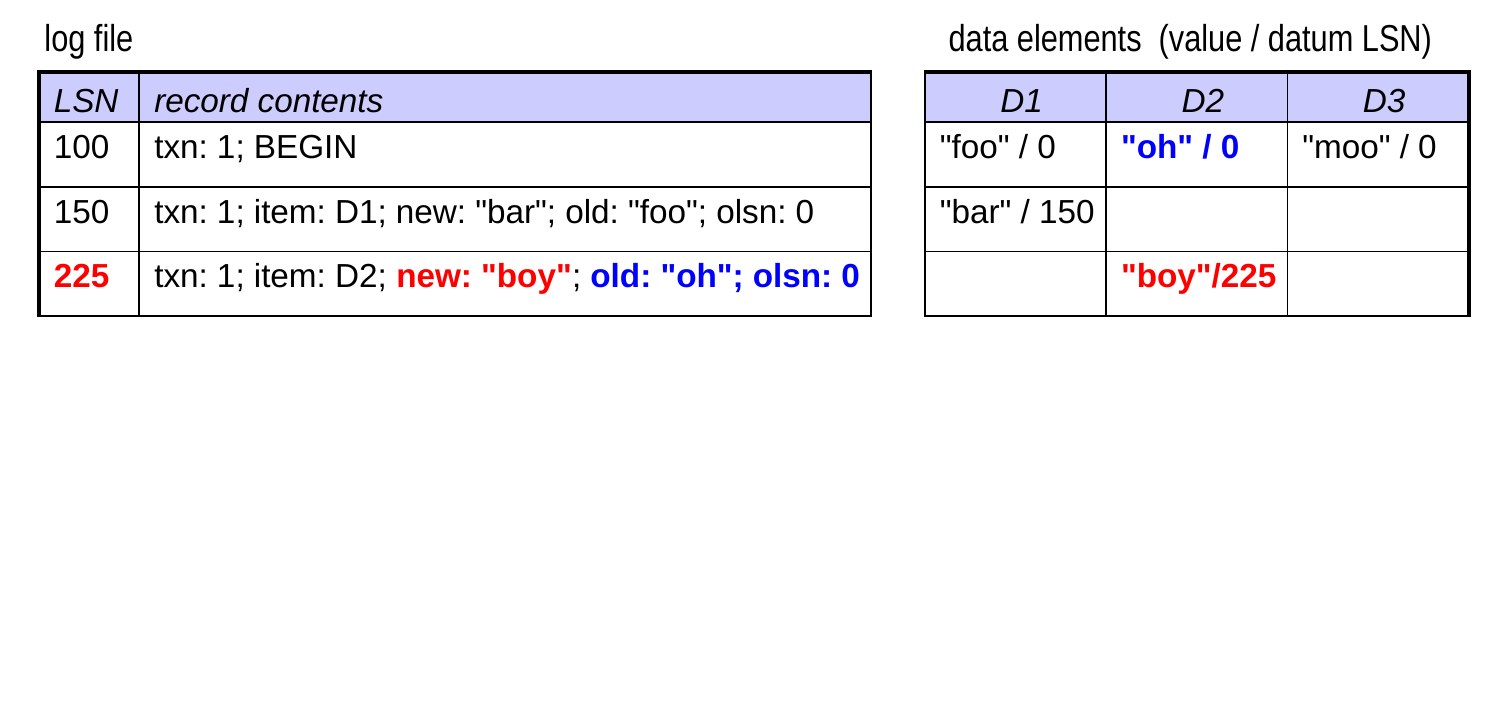
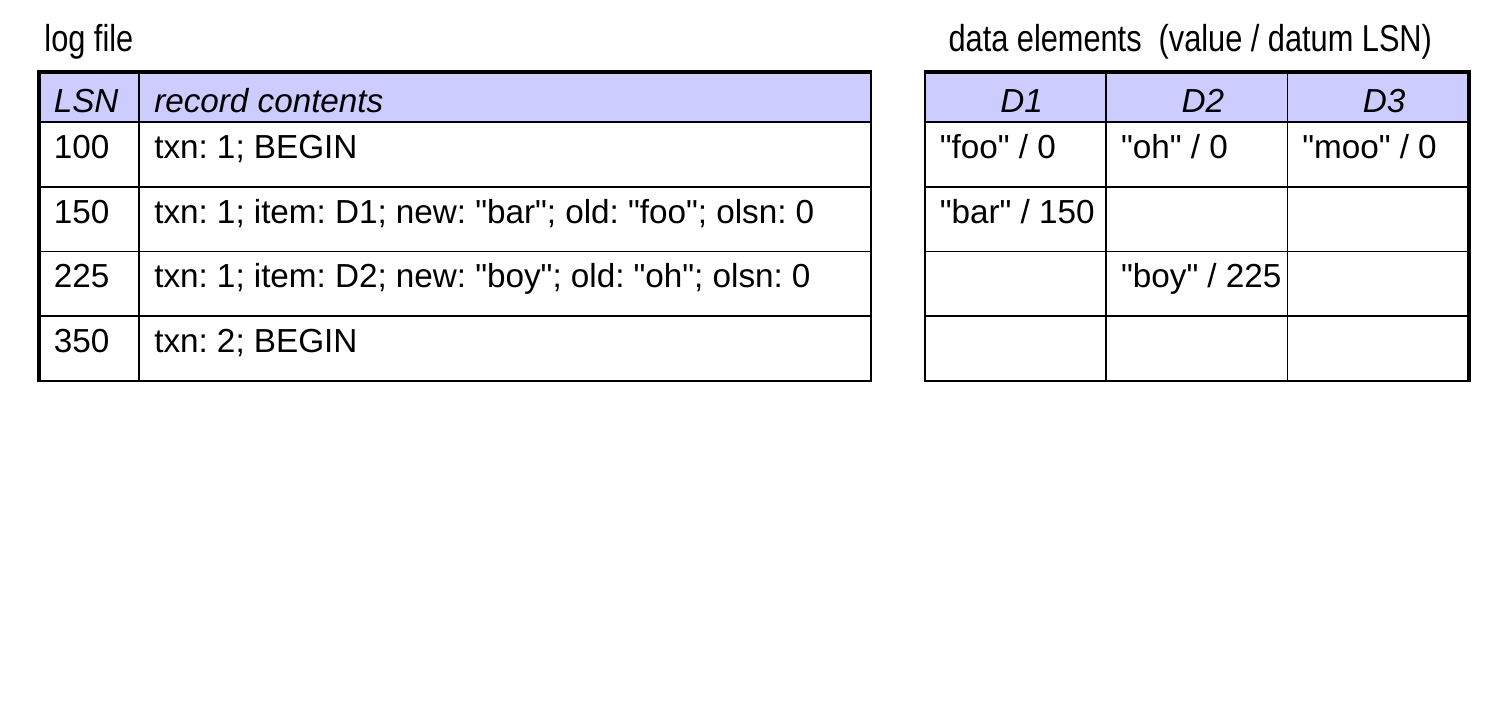
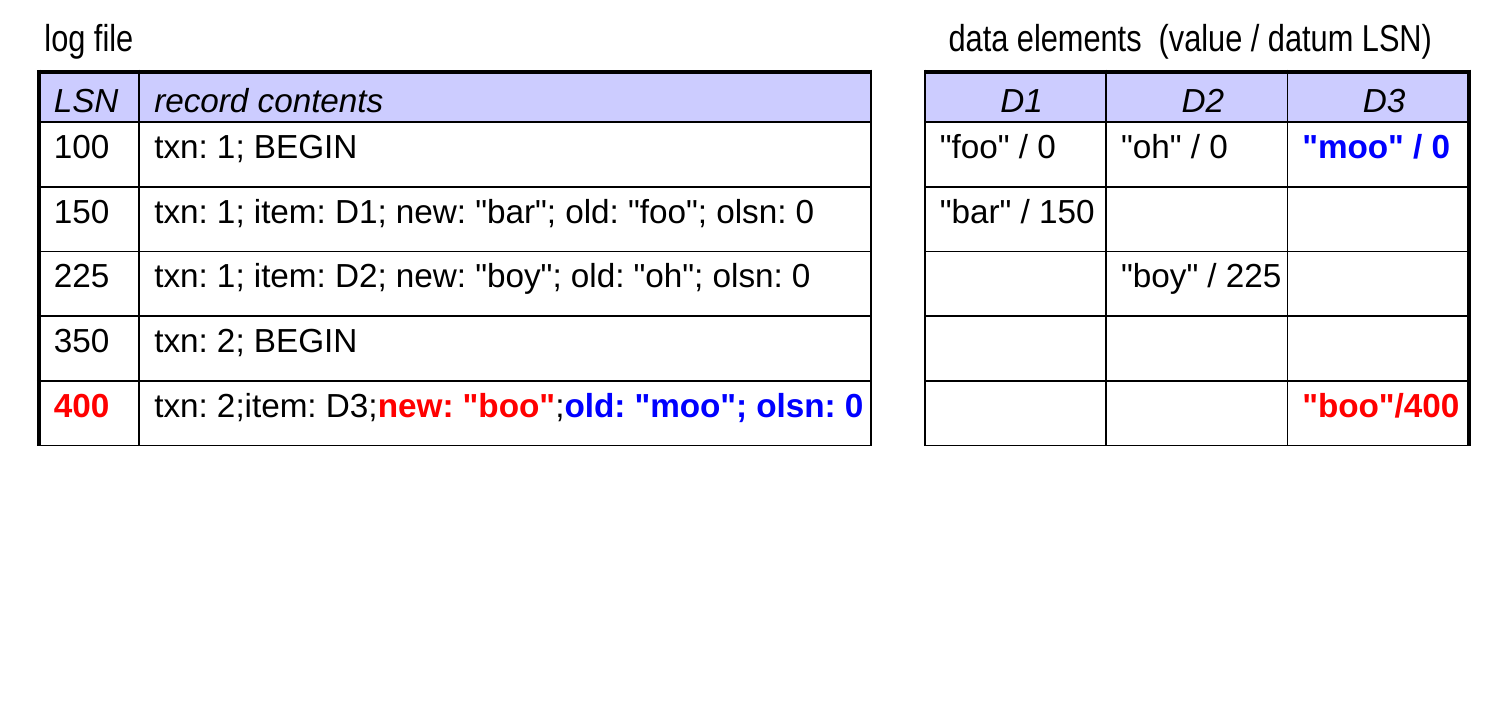
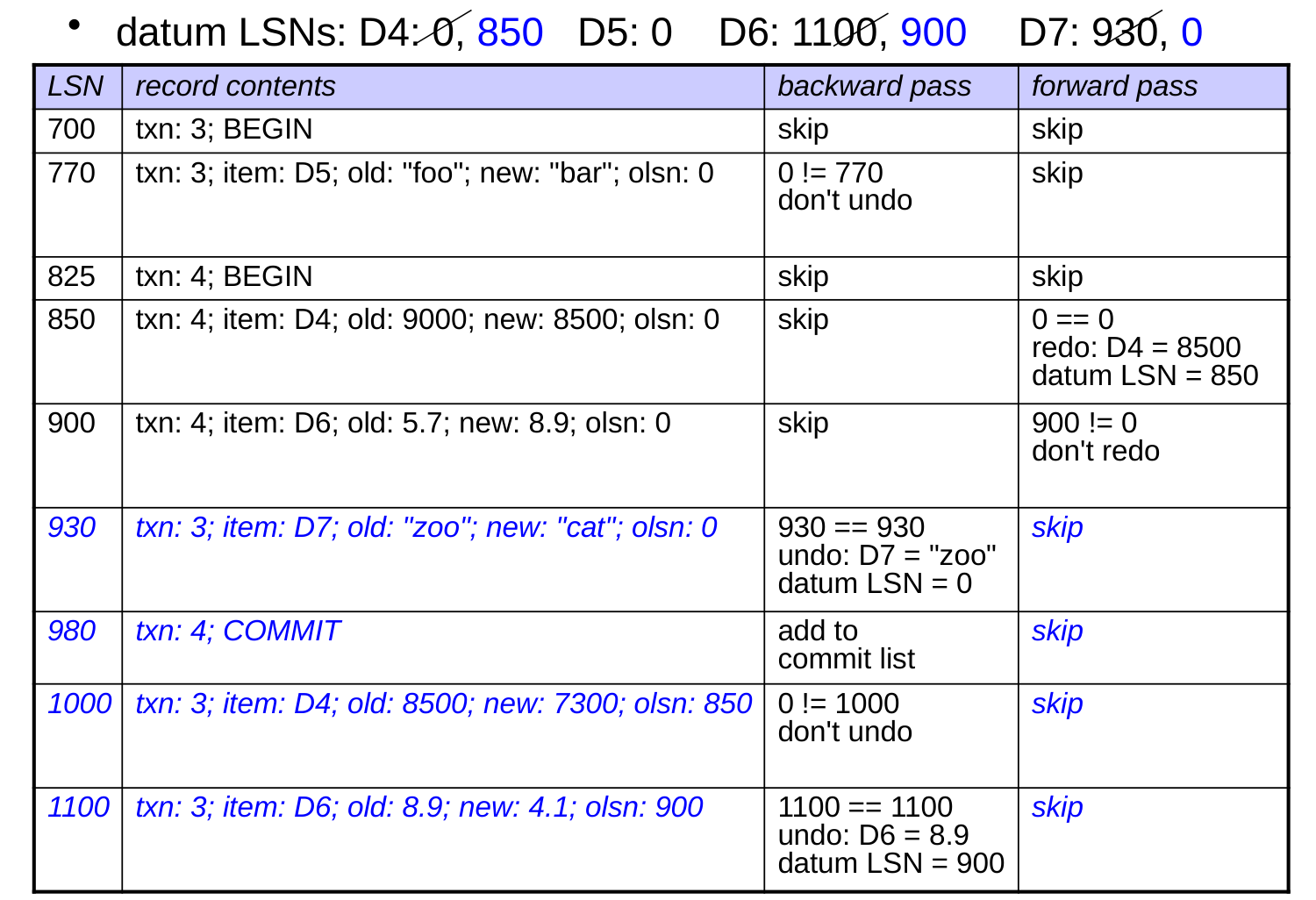
  • To ensure that only the necessary undo/redos are made, the DBMS makes use of the log sequence numbers (LSNs) associated with the update log records.

Storing LSNs with Data Elements

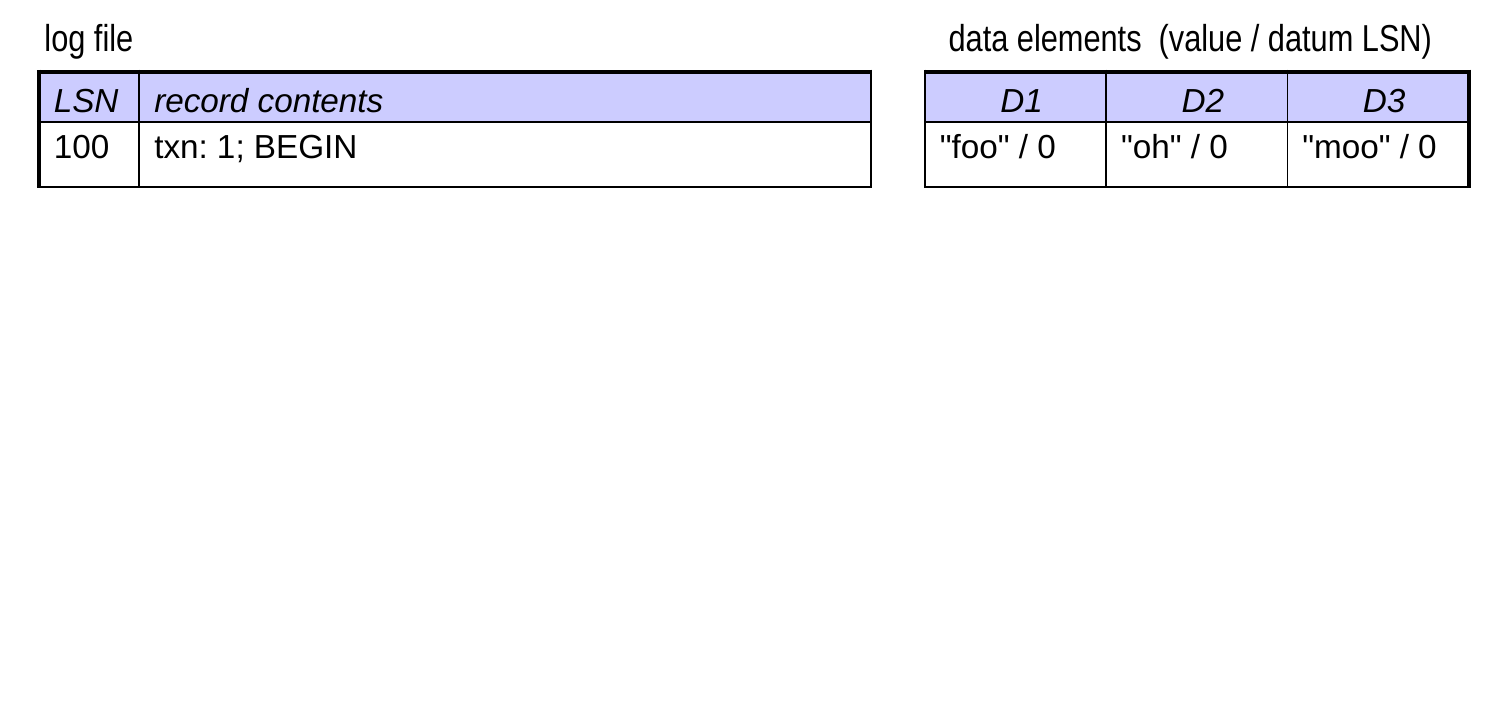
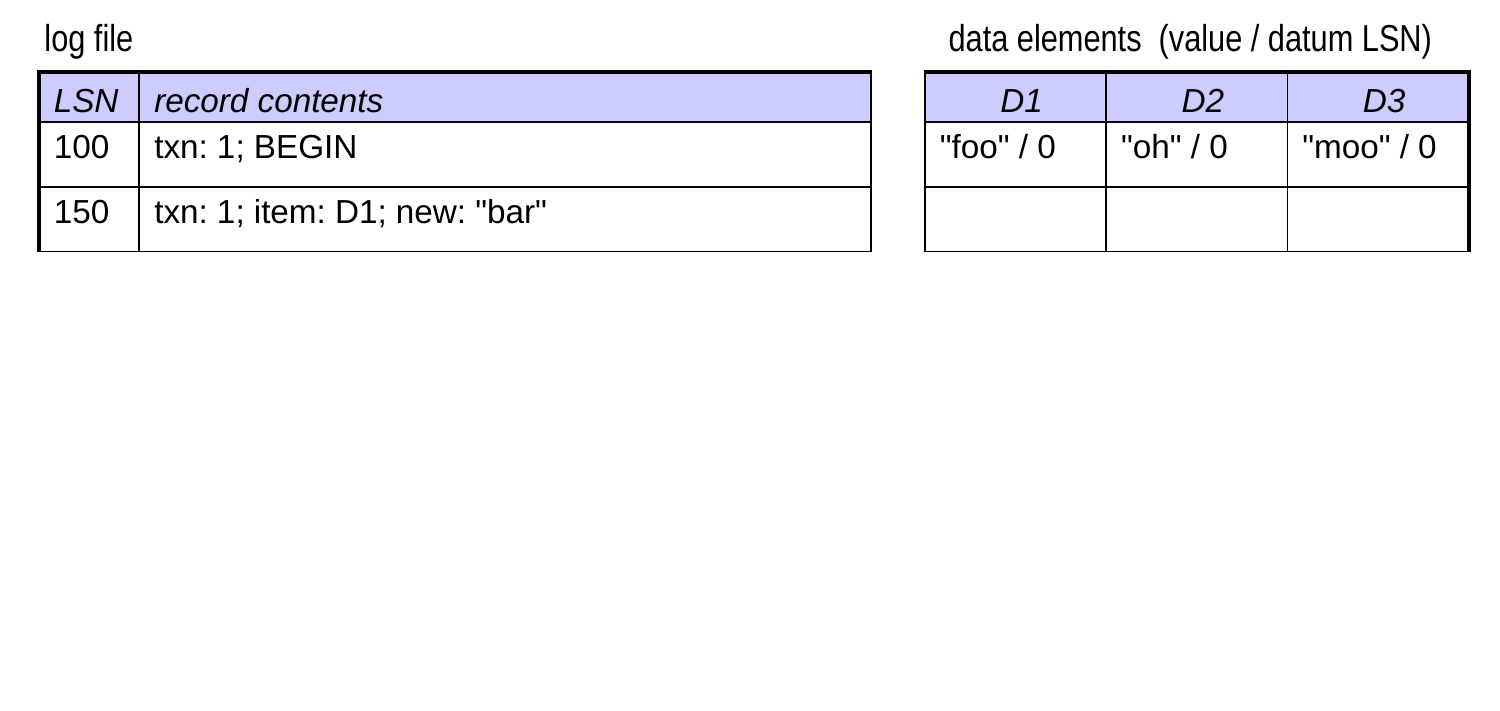
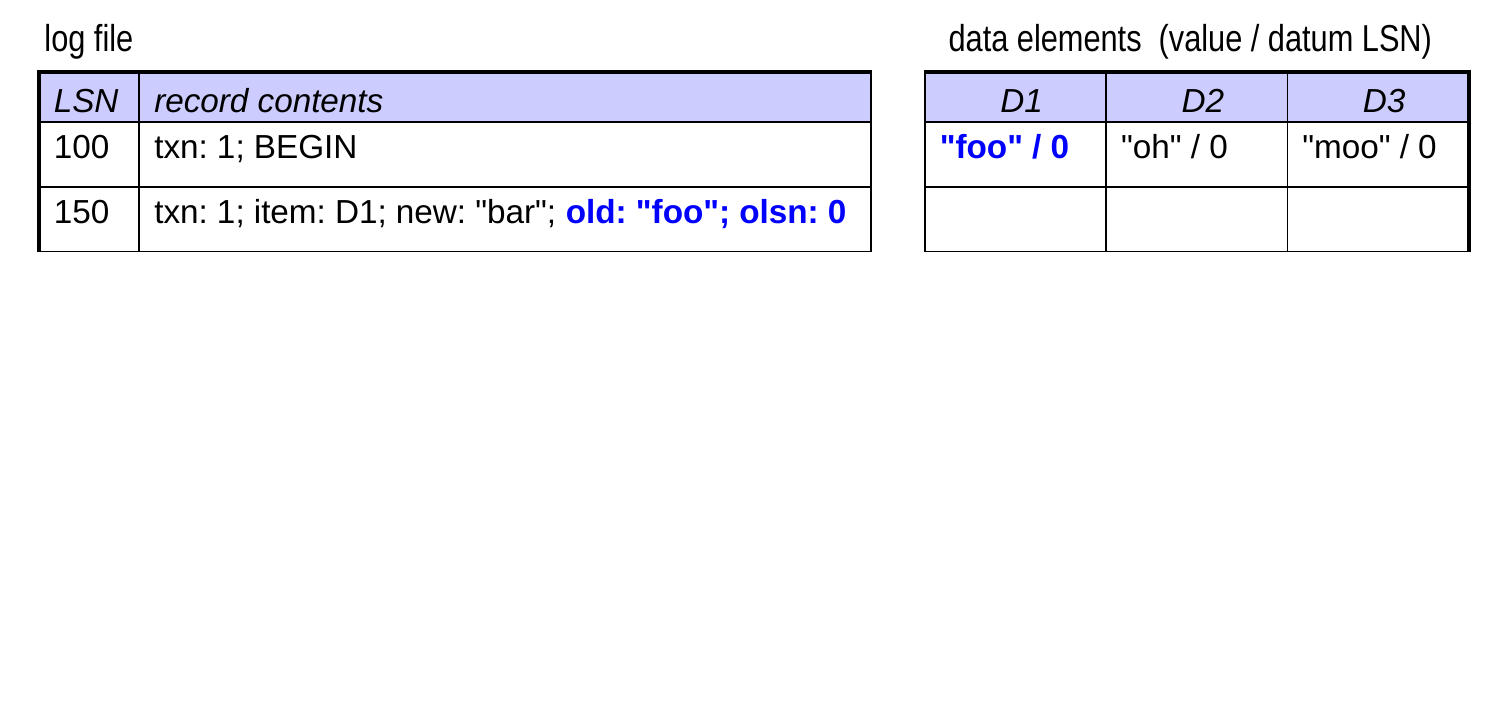
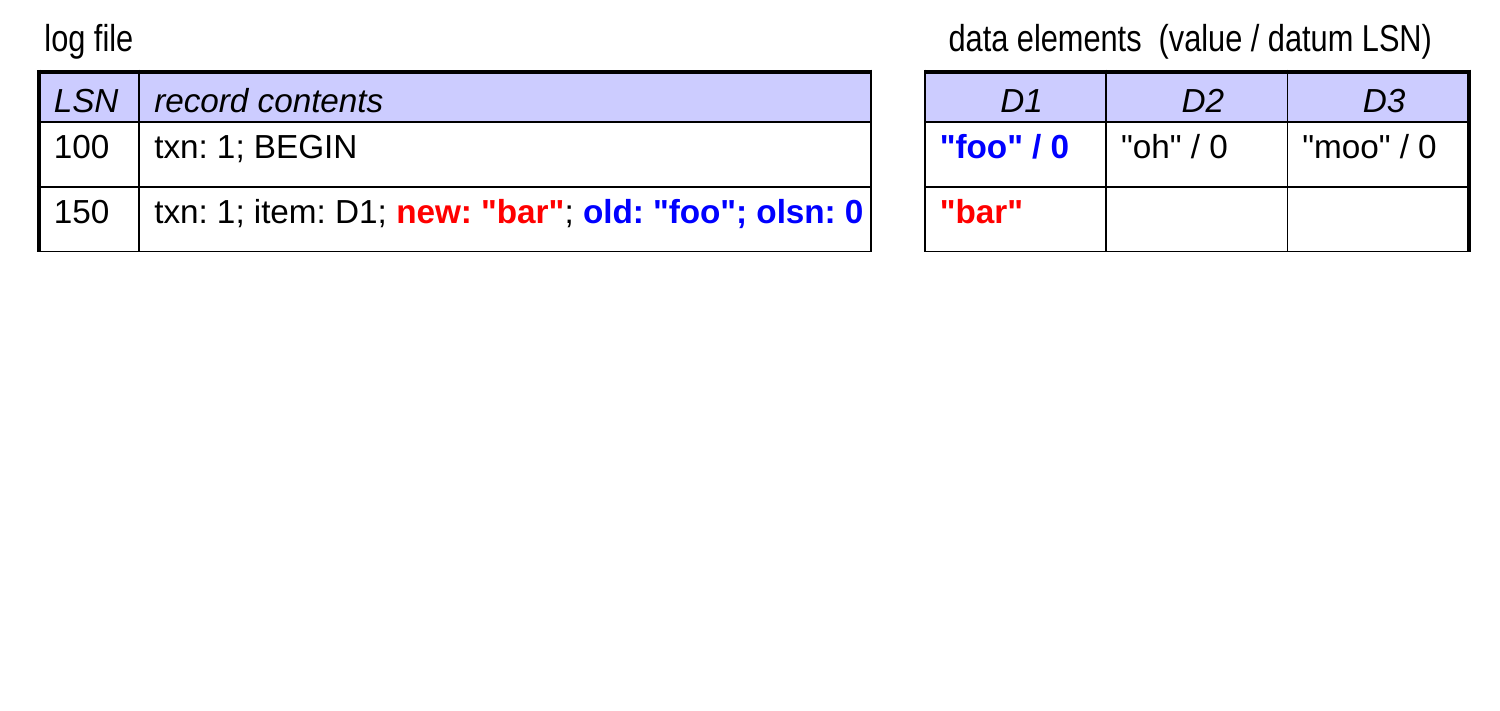
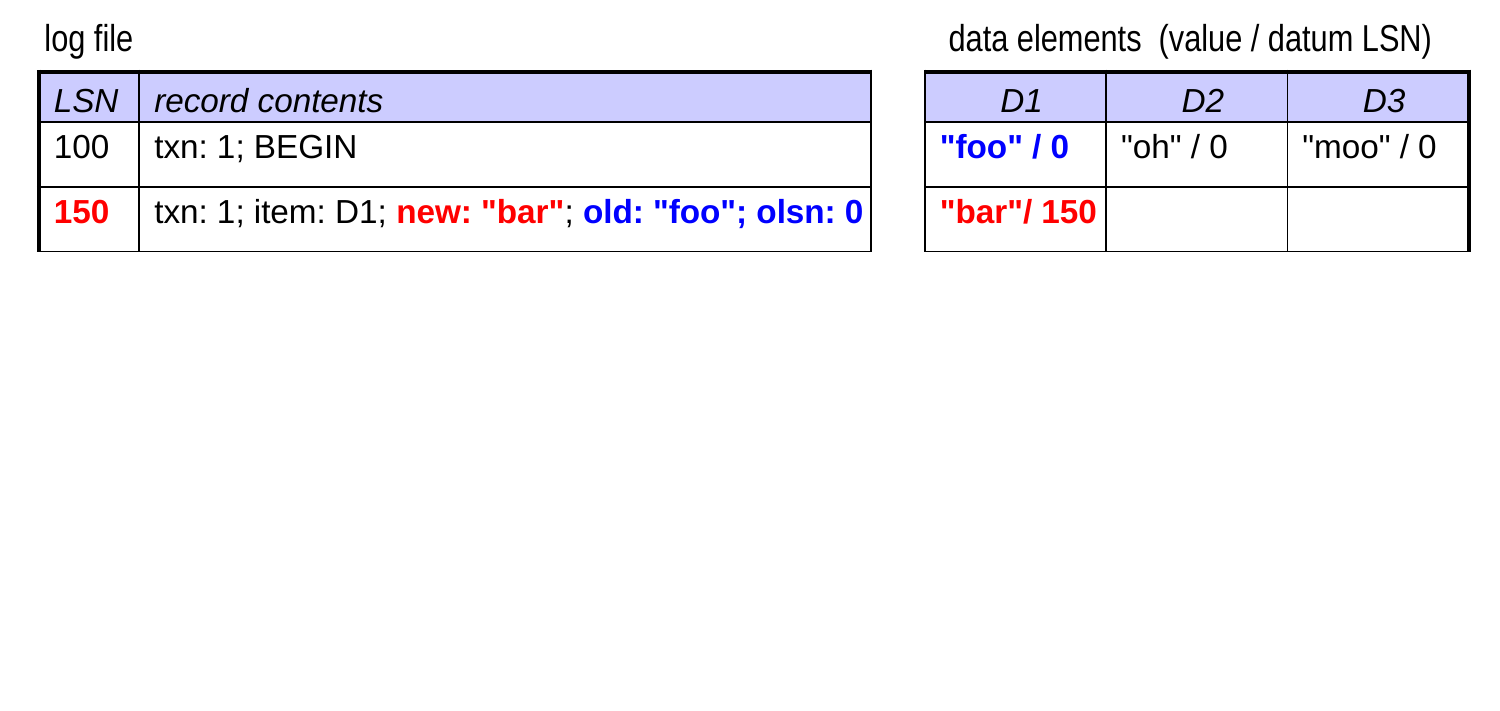
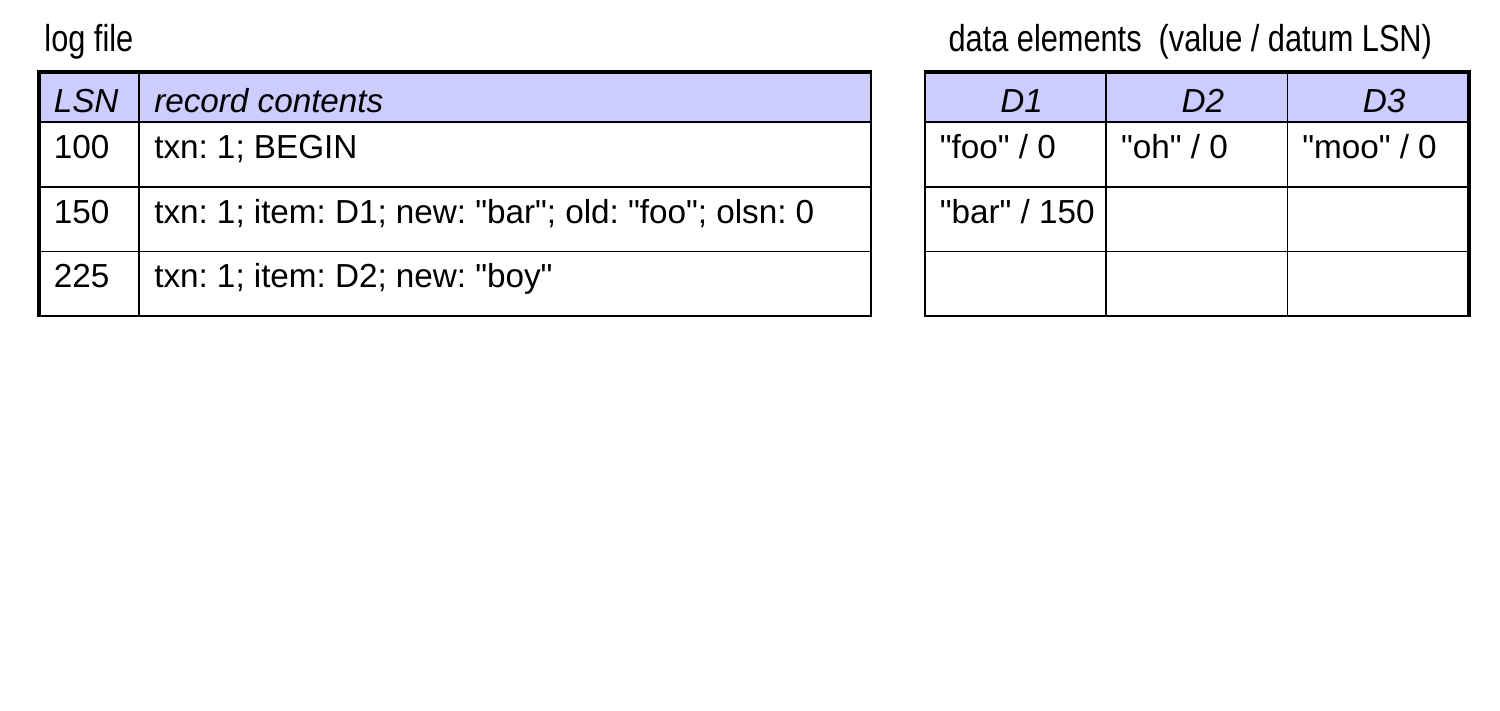
  • When a data element is updated, the DBMS:
    • stores the LSN of the update log record with the data element
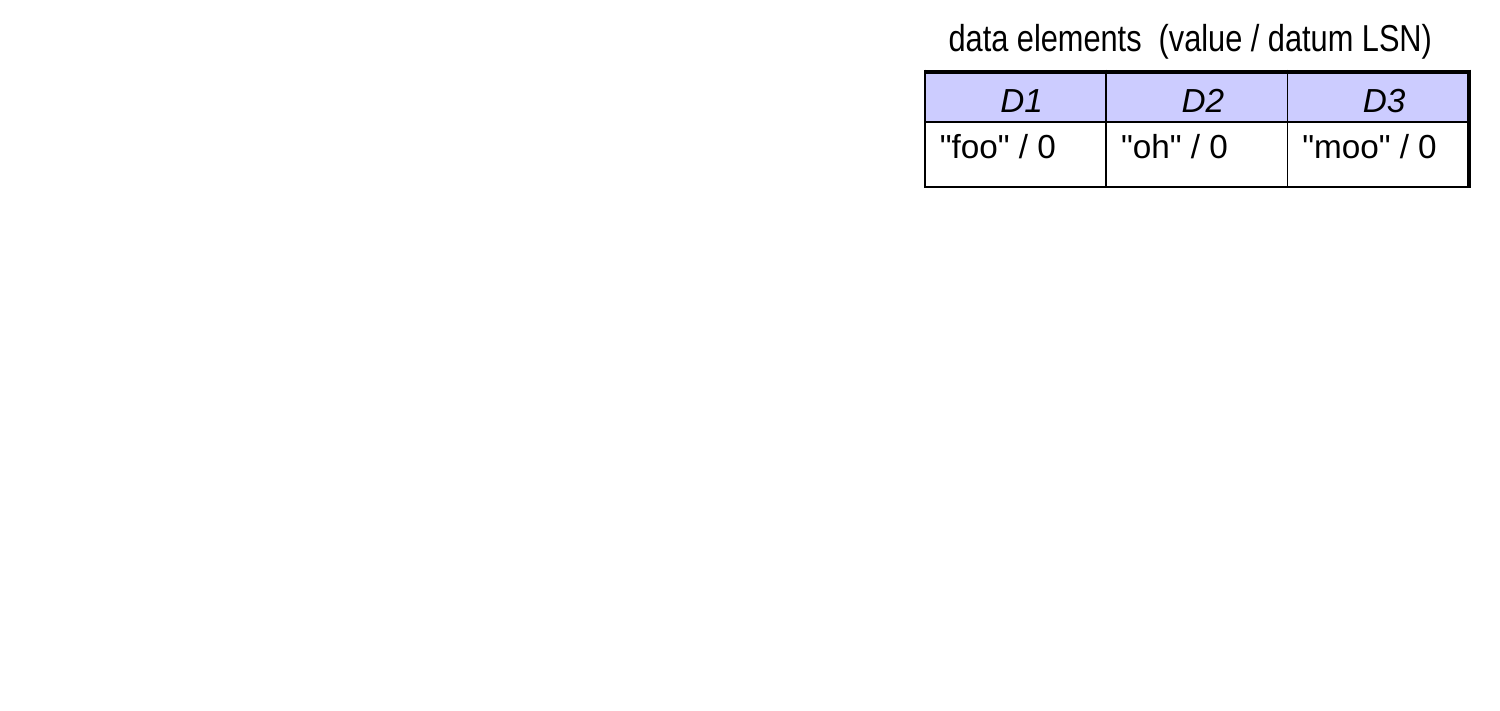
      • known as the datum LSN
    • stores the old LSN of the data element in the log record

Storing LSNs with Data Elements (cont.)

  • Recall: When a crash occurs, we’re not guaranteed that the most recent value of a given data element made it to disk.
    • similarly, the on-disk datum LSN may not be the most recent one
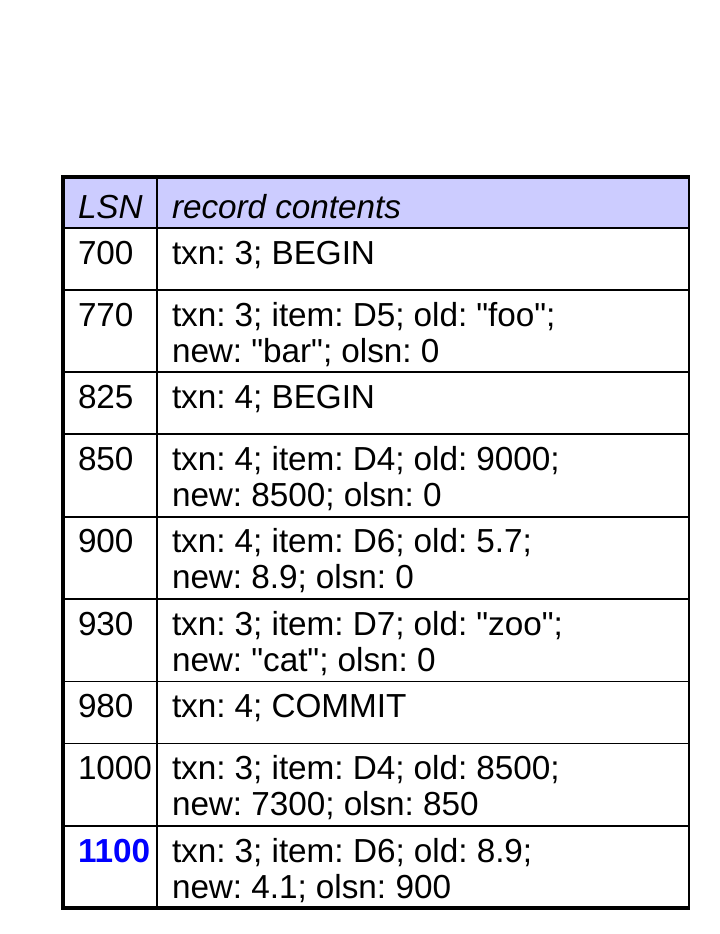
Recovery Using LSNs

  • During recovery, there are three LSNs to consider for each update record:
  1. the record LSN: the one for the update record itself
  1. the on-disk datum LSN for the data item
  • the one associated with it in the database file
  1. the olsn: the old datum LSN for the data item
  • the one associated with it when the update was originally requested
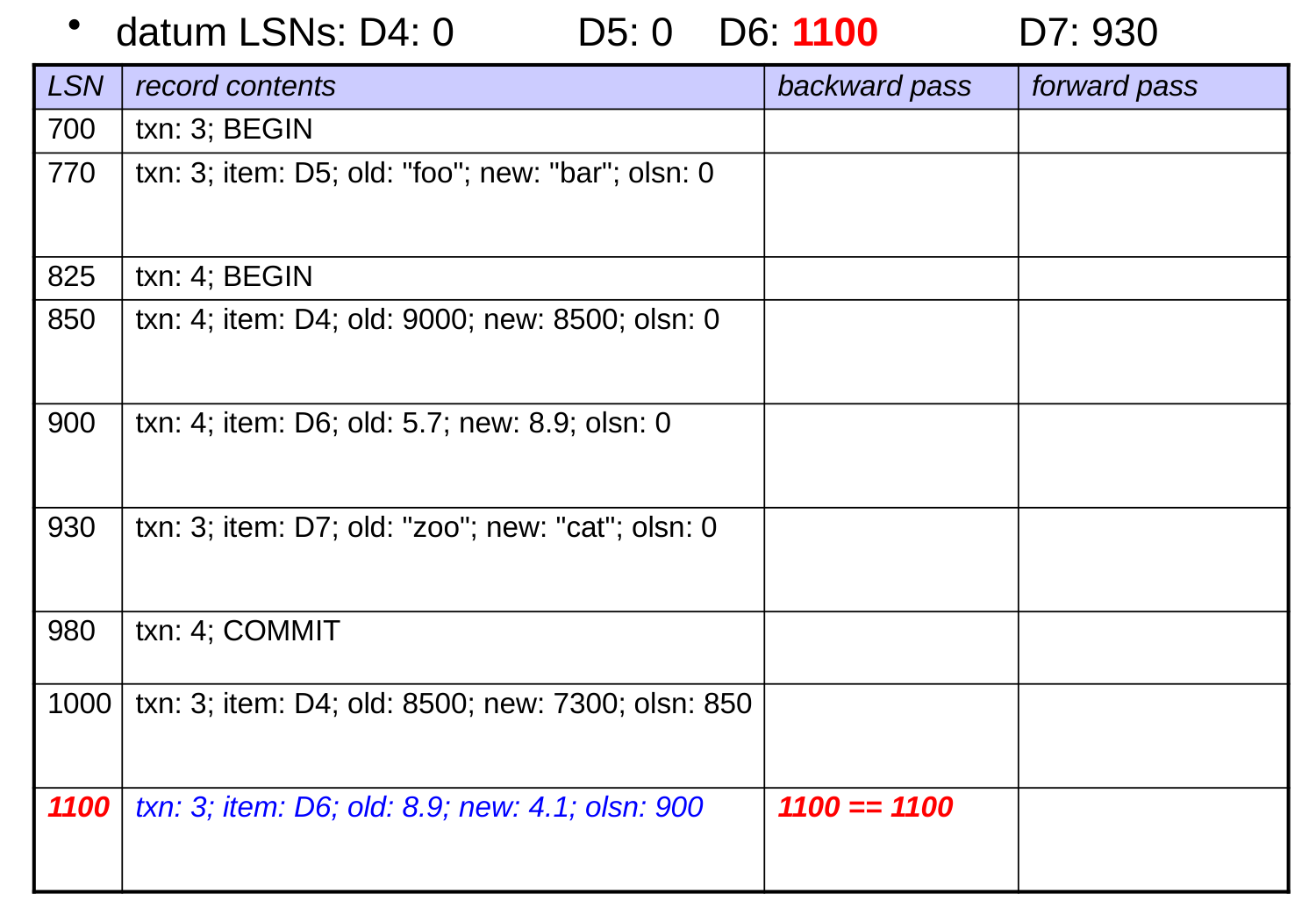
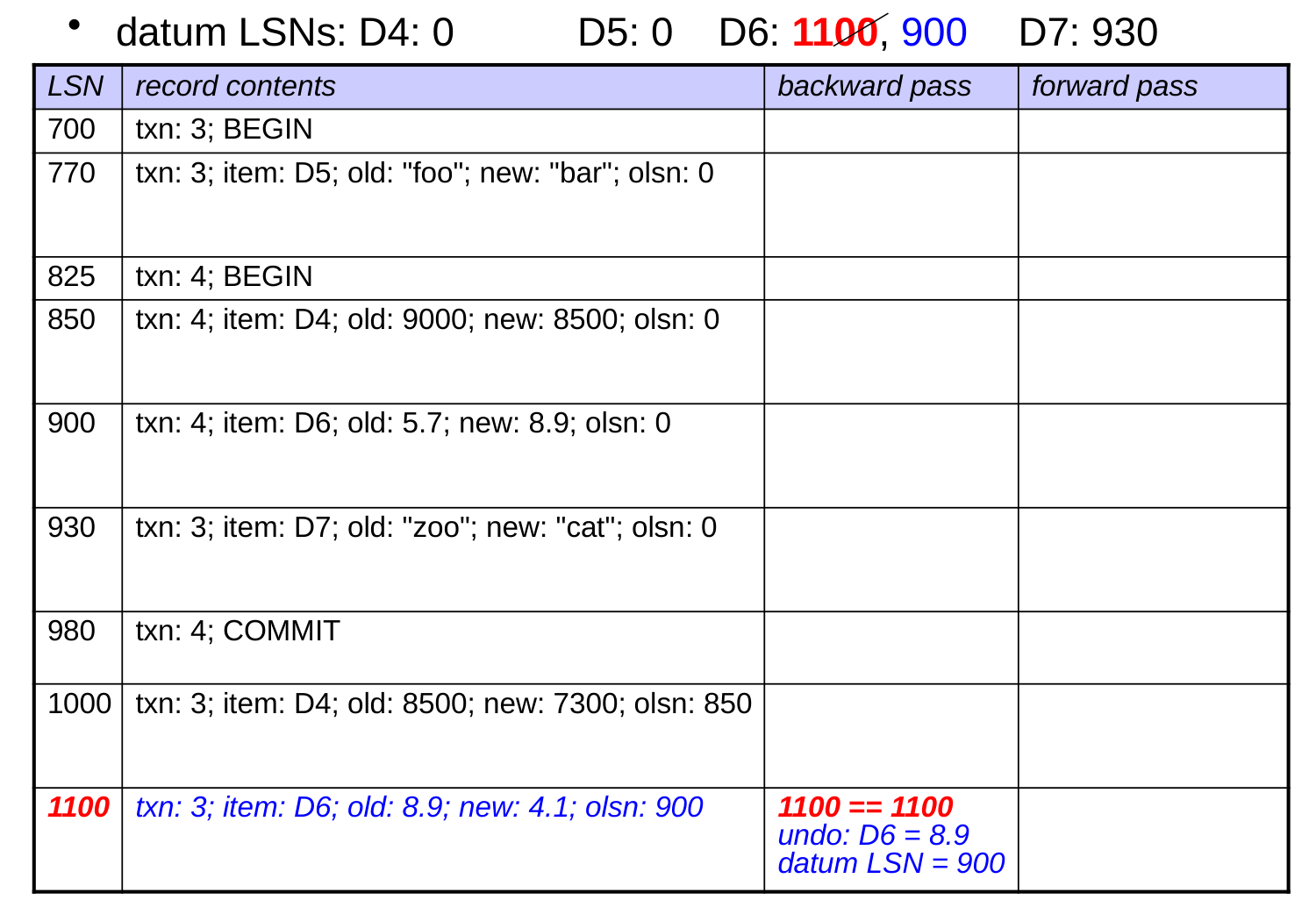
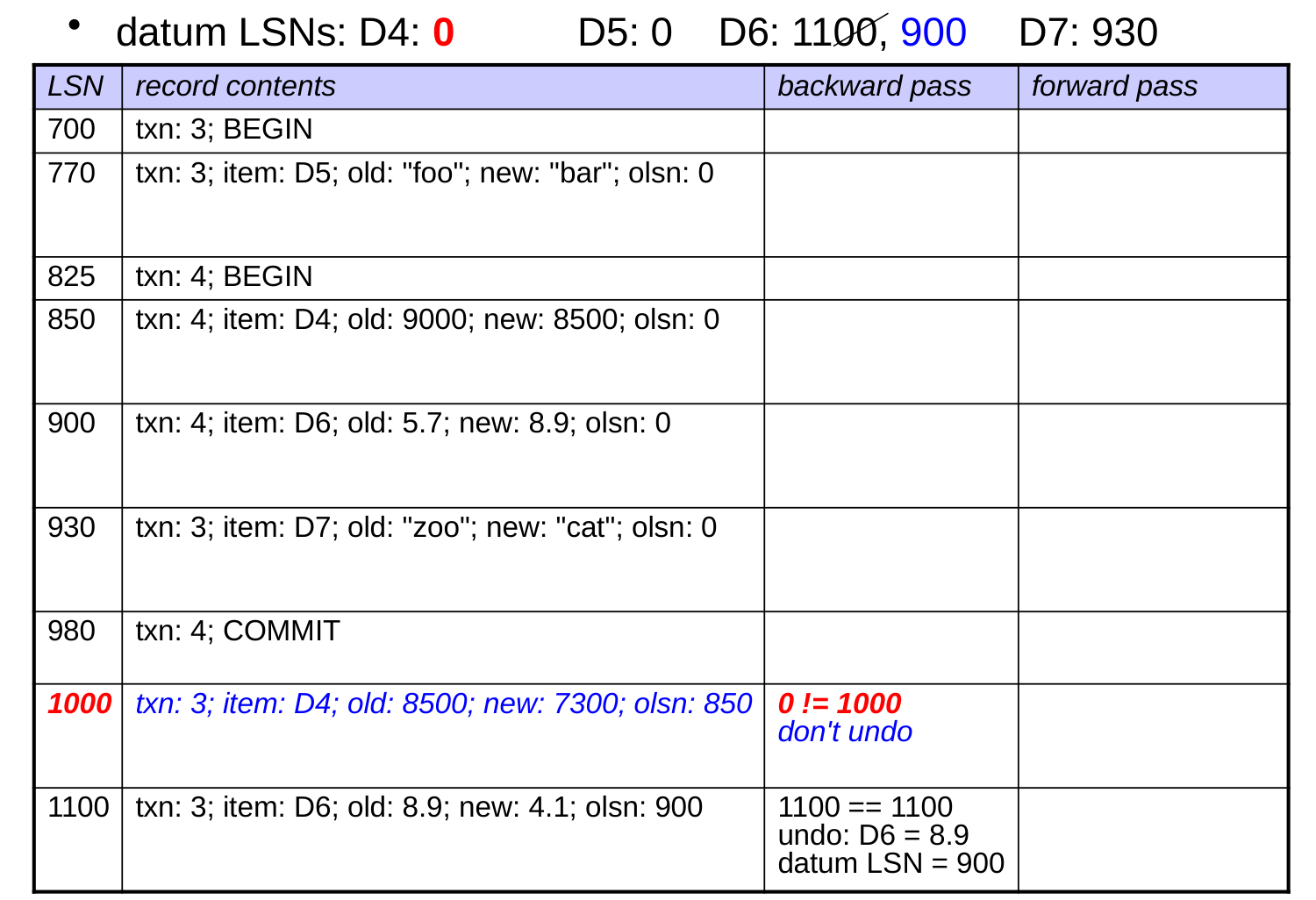
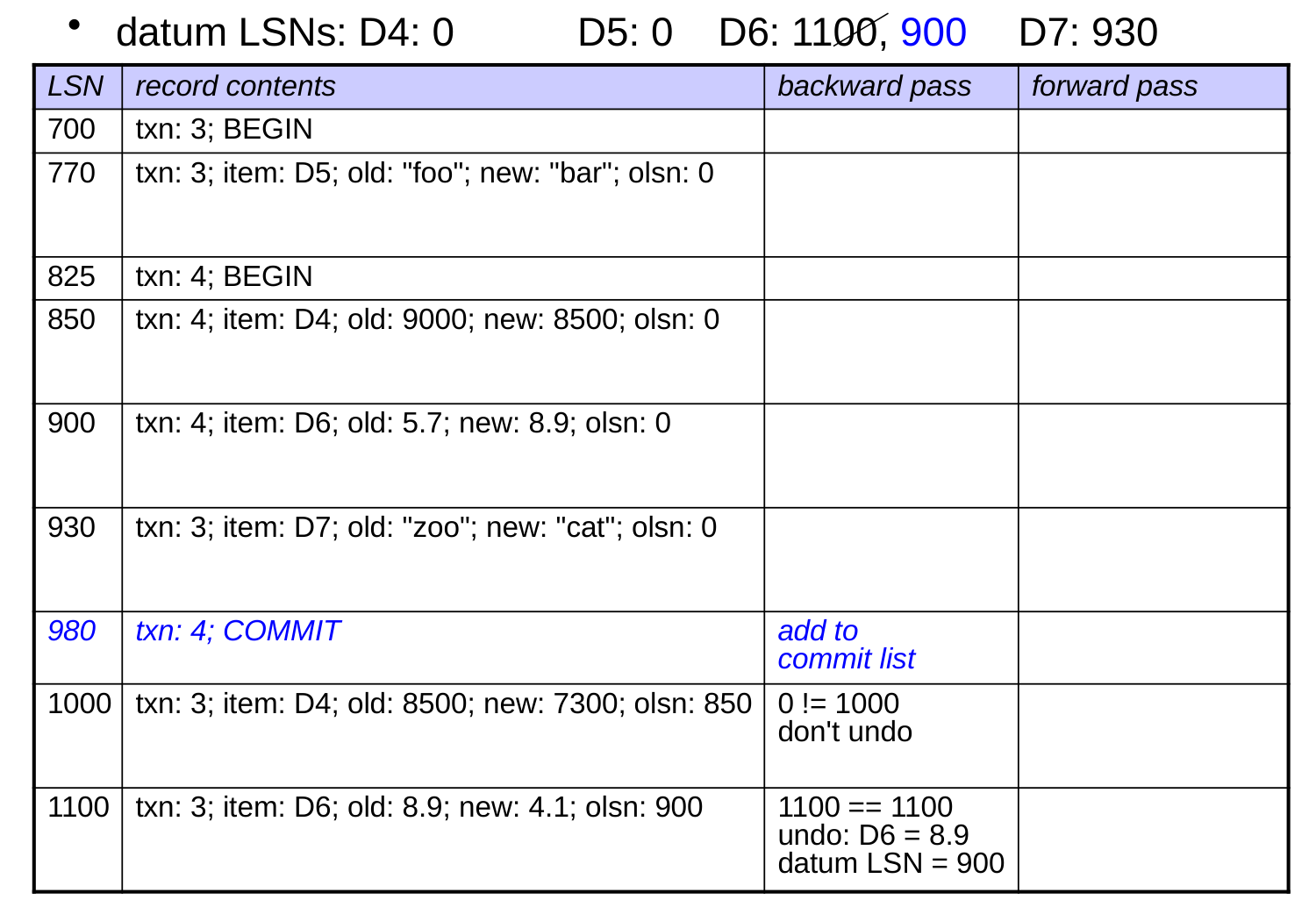
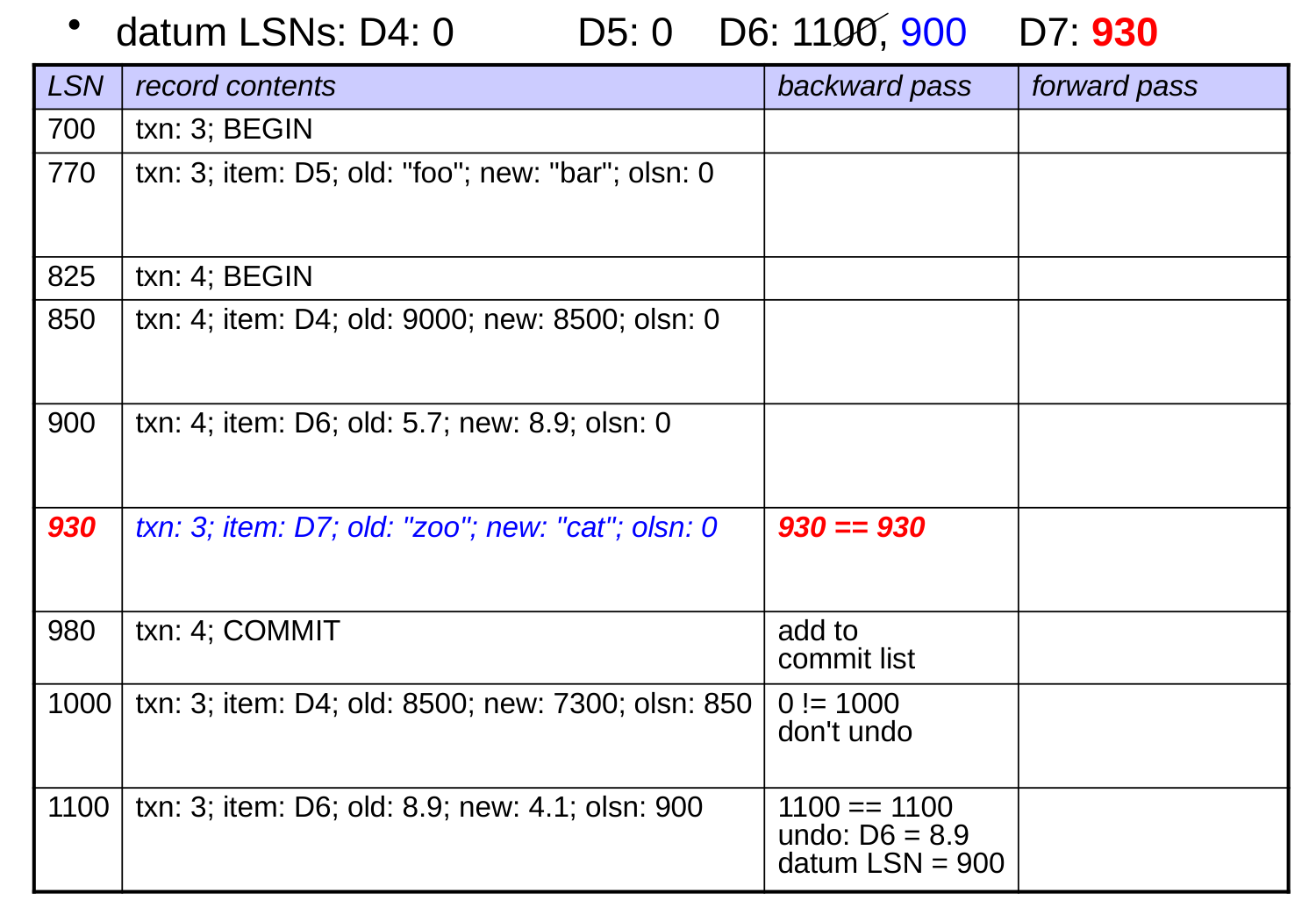
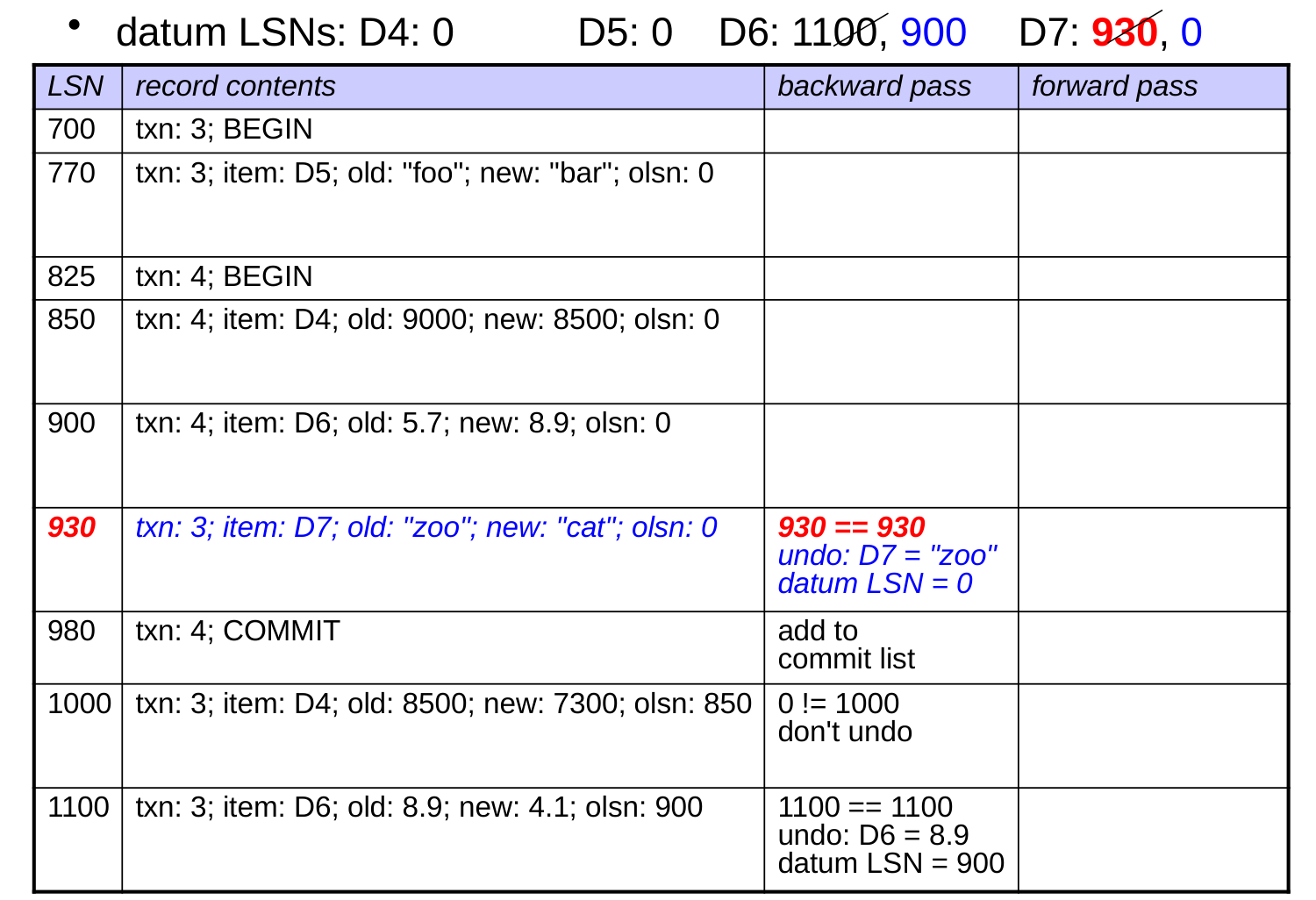
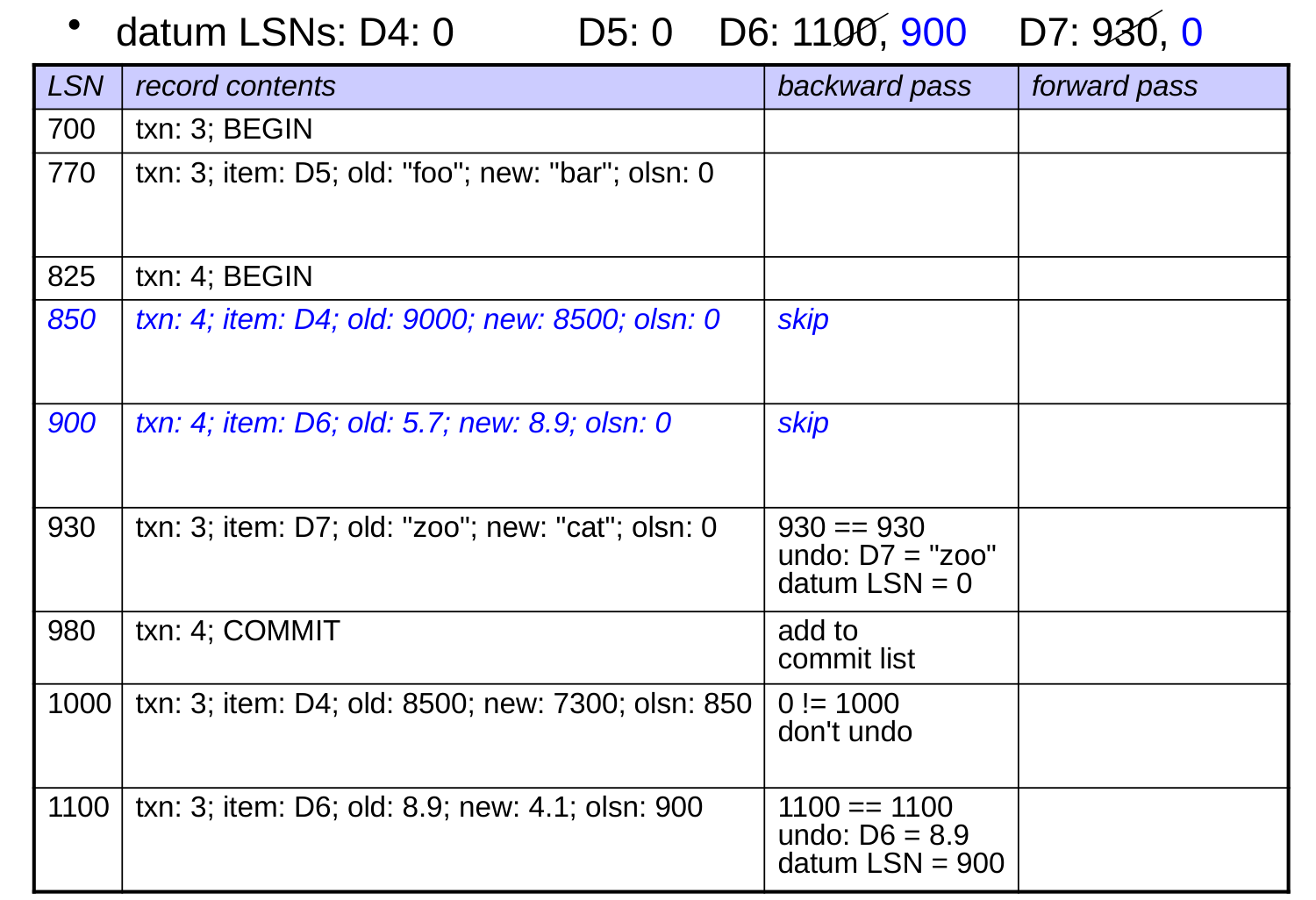
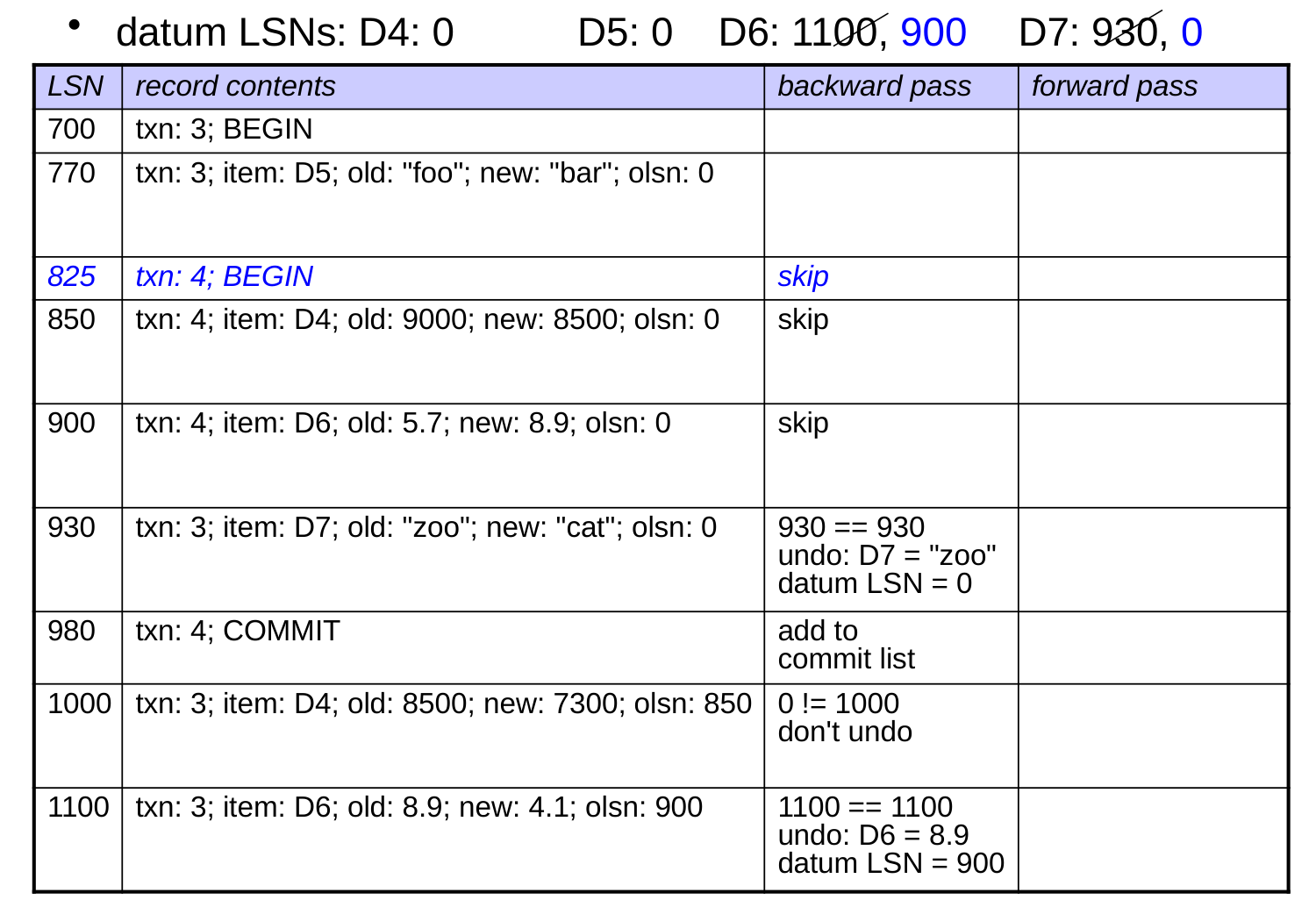
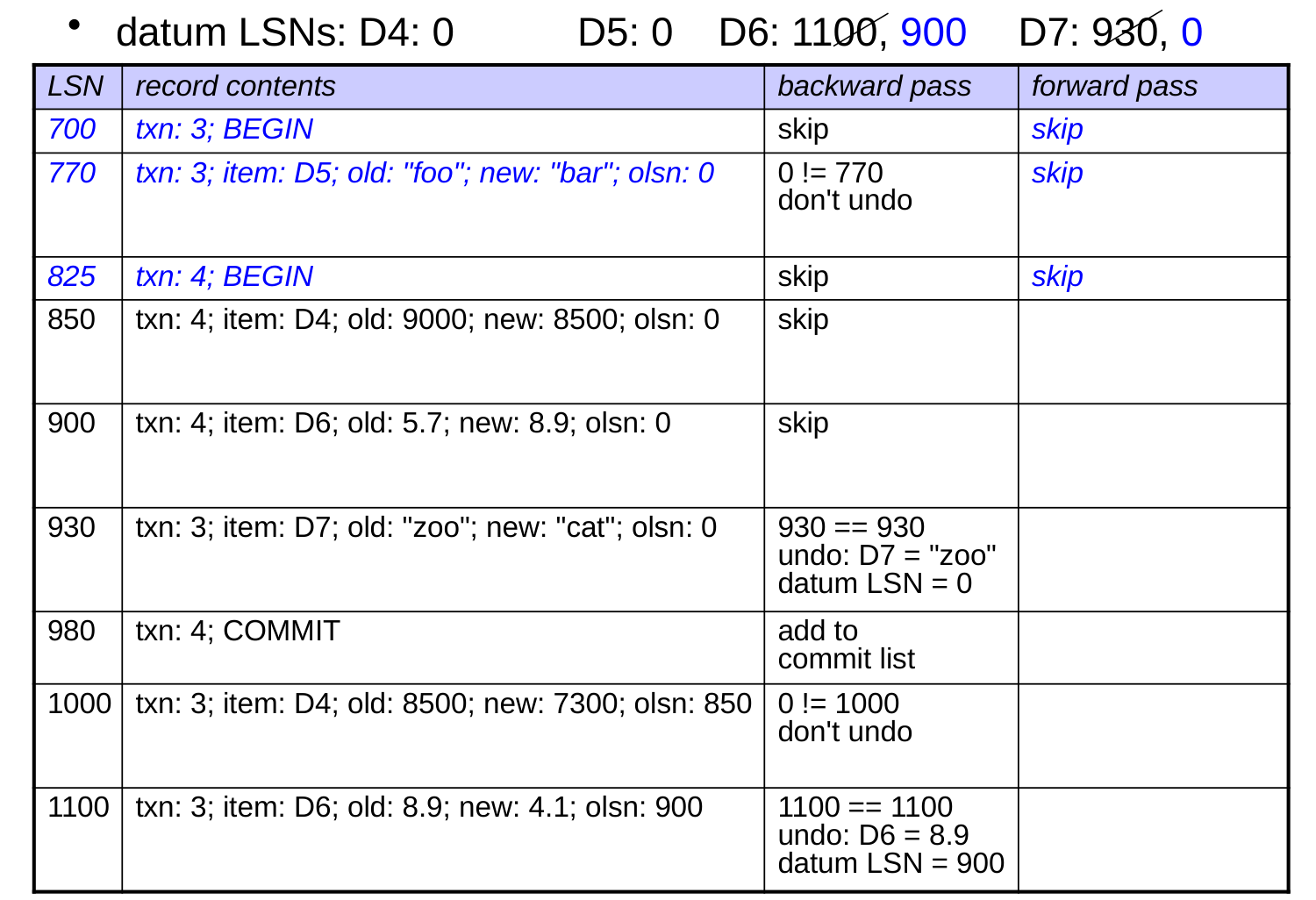
The Backward Pass Using LSNs

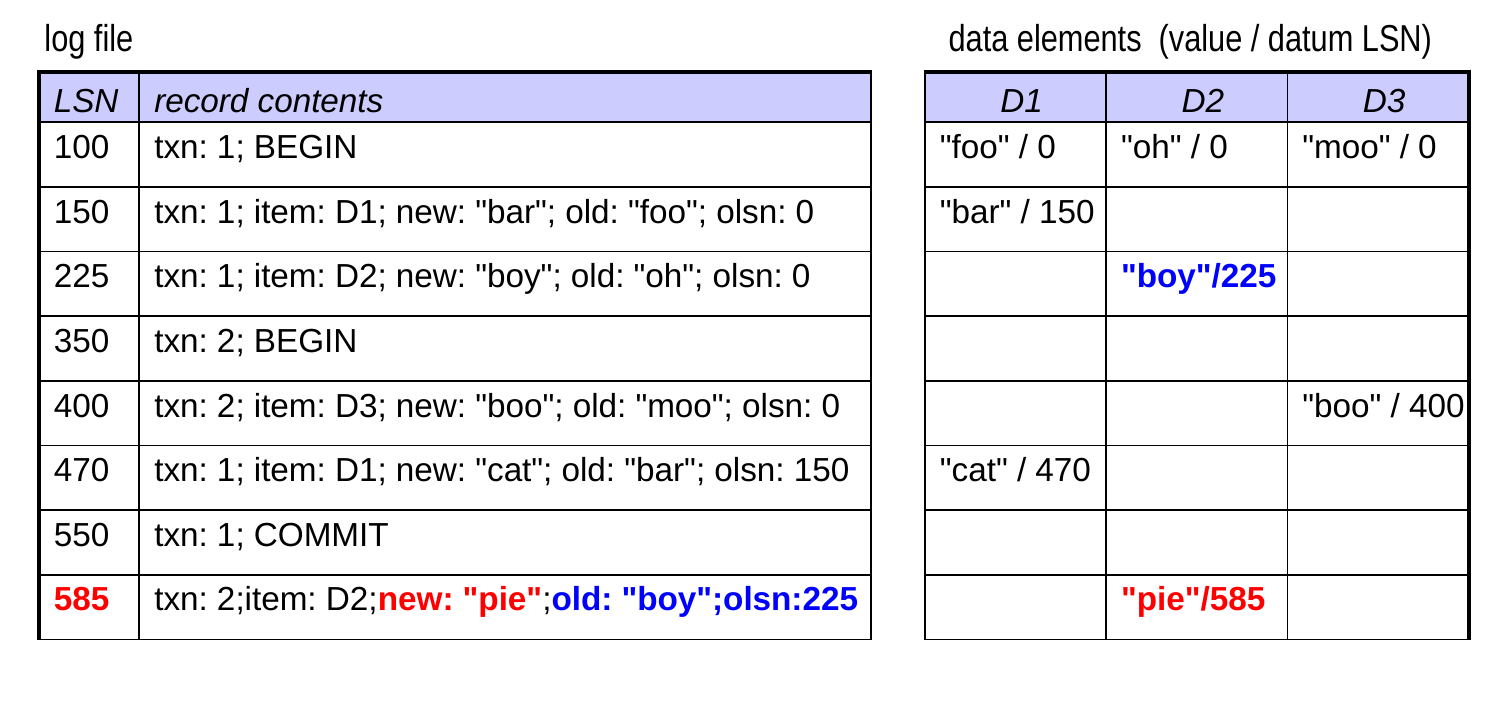
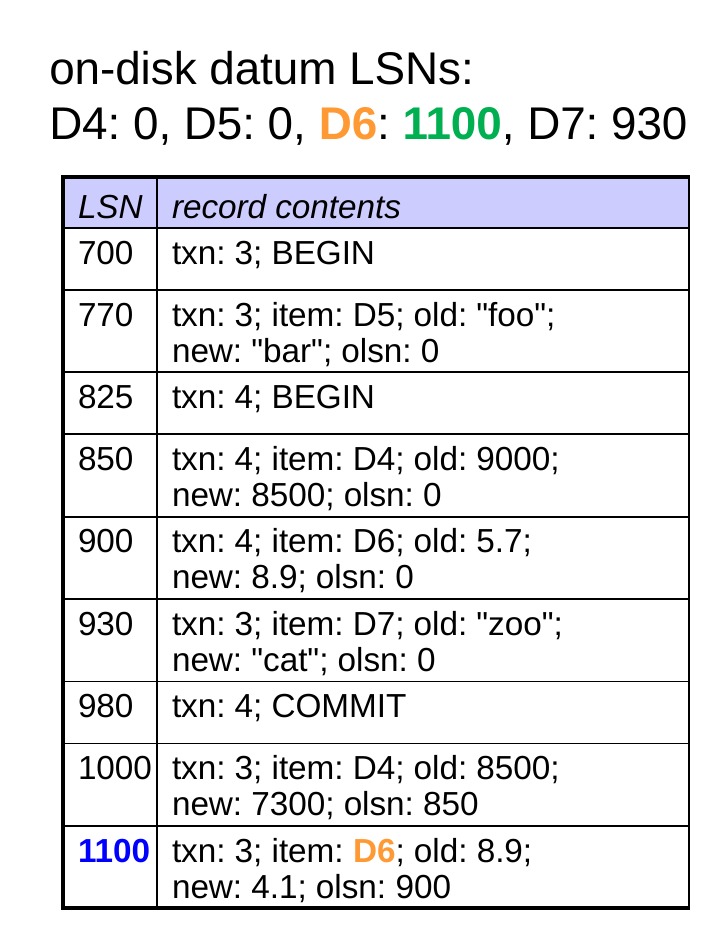
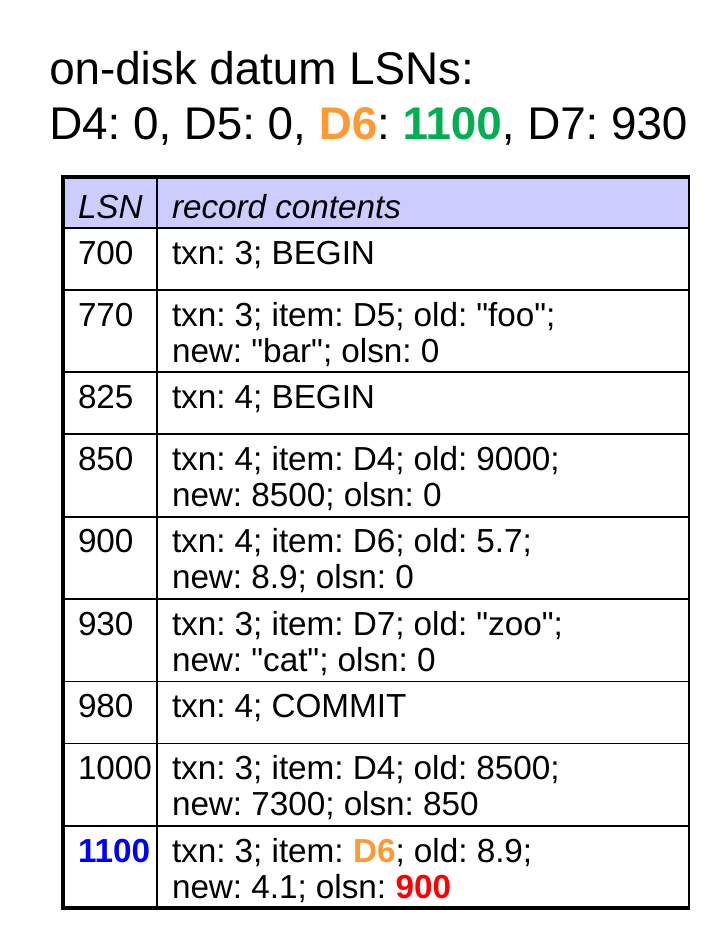
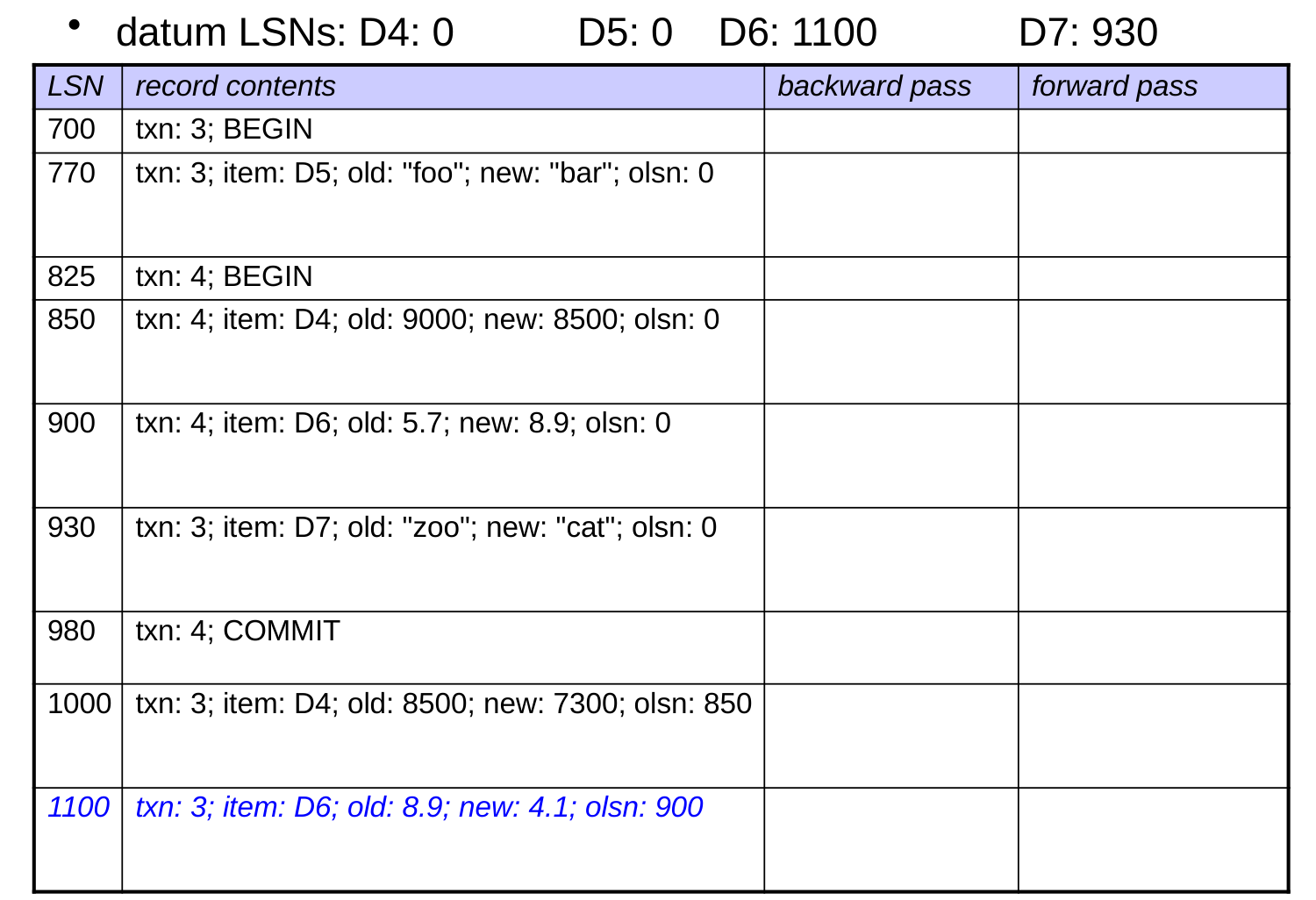
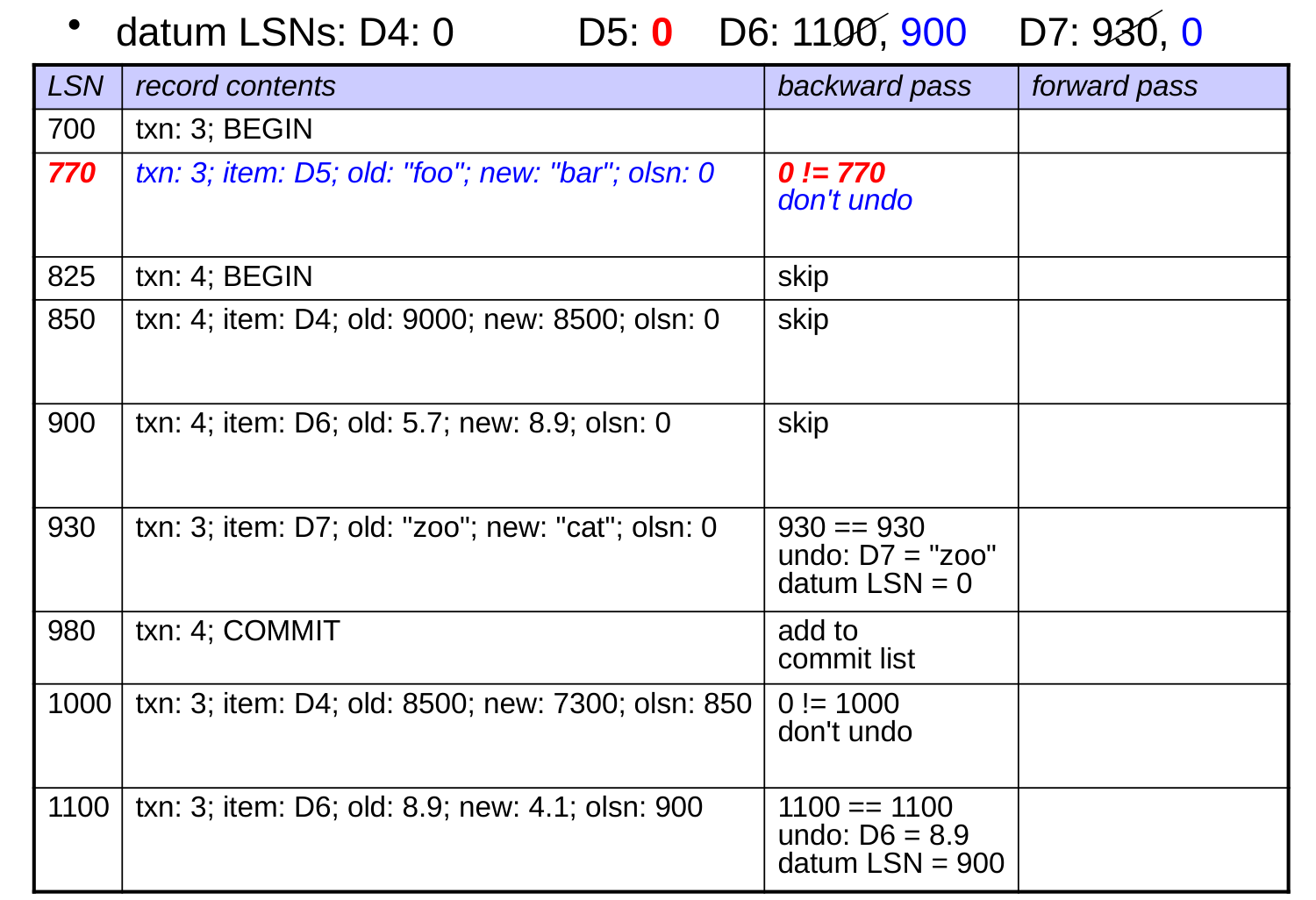
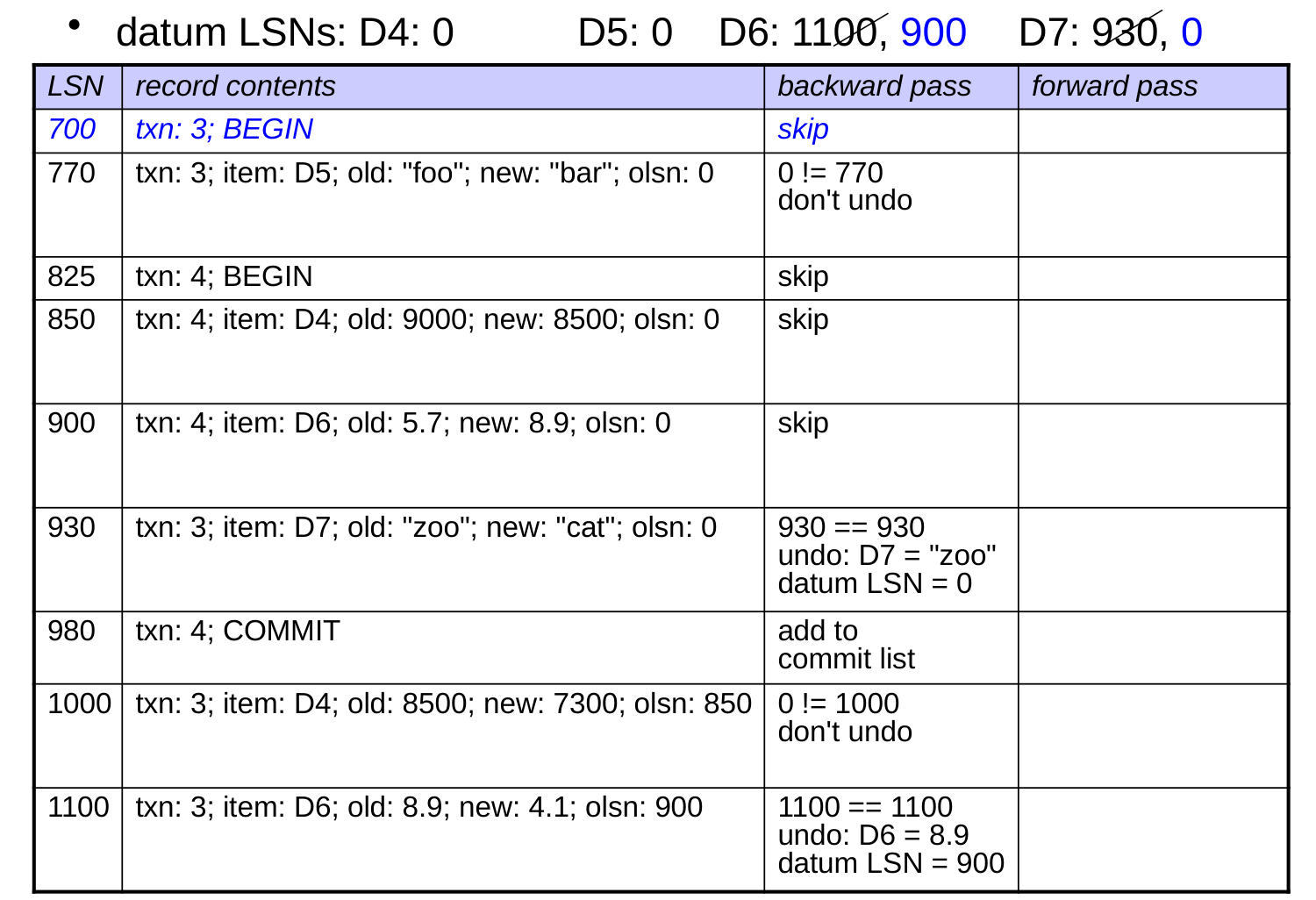
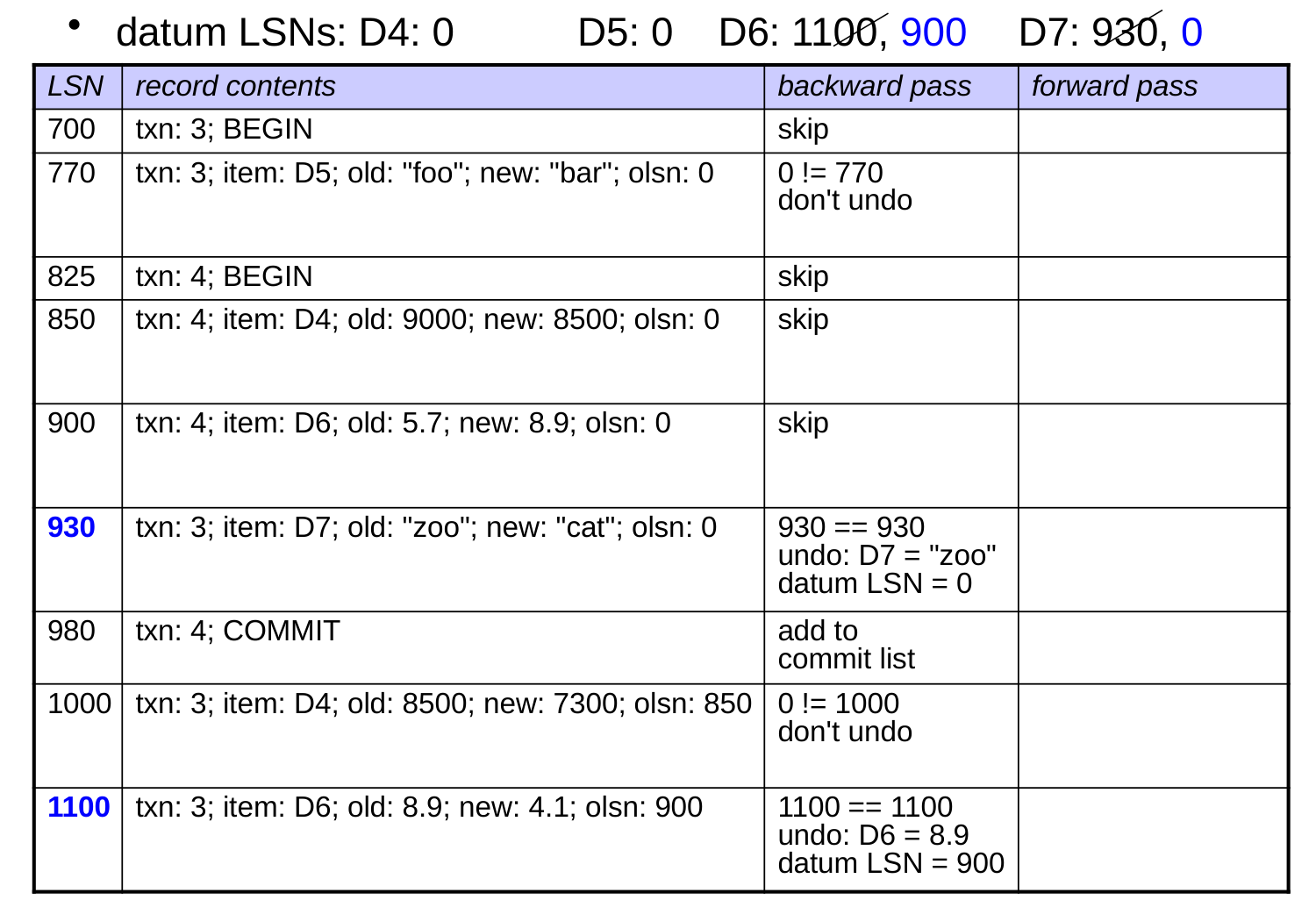
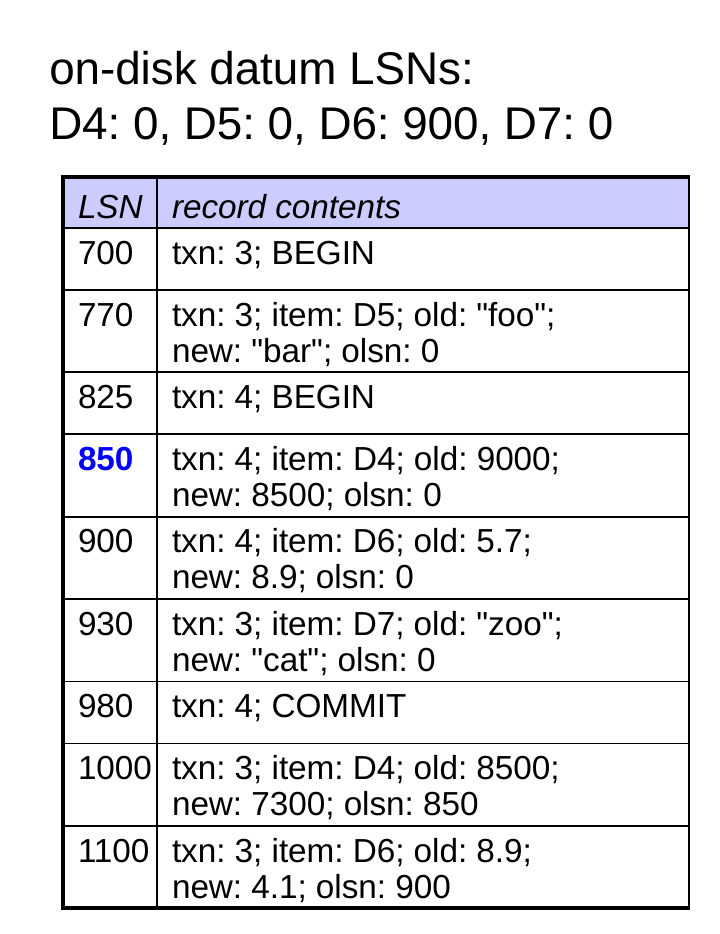
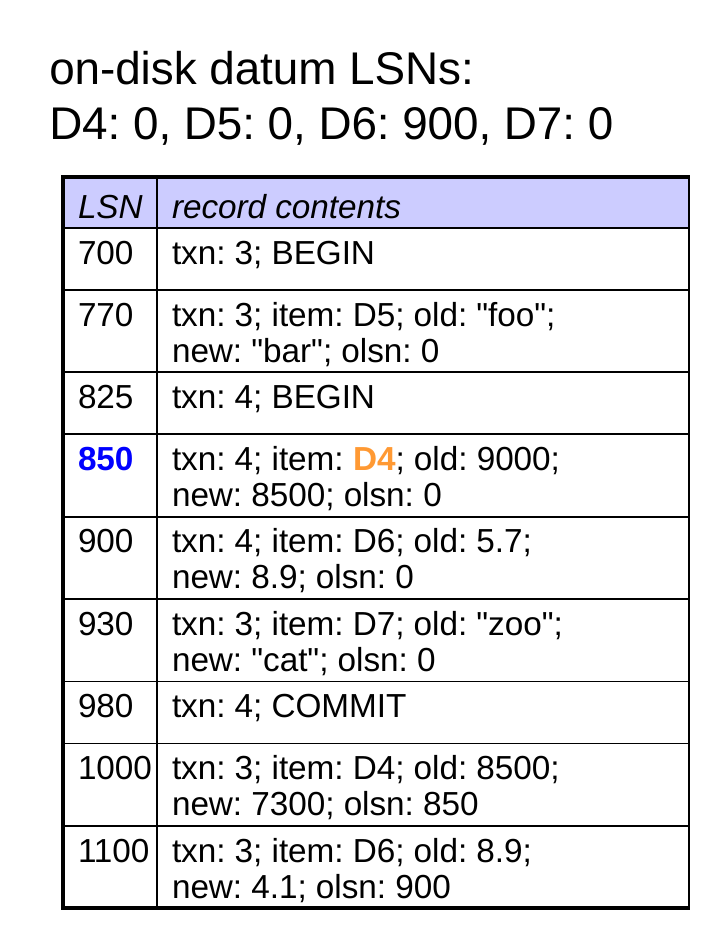
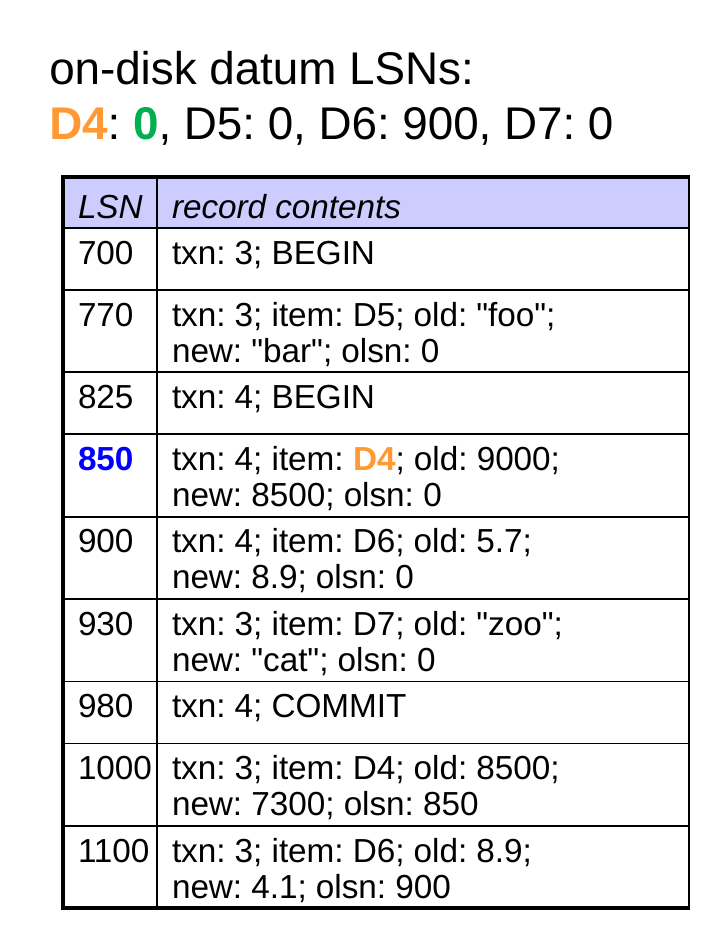
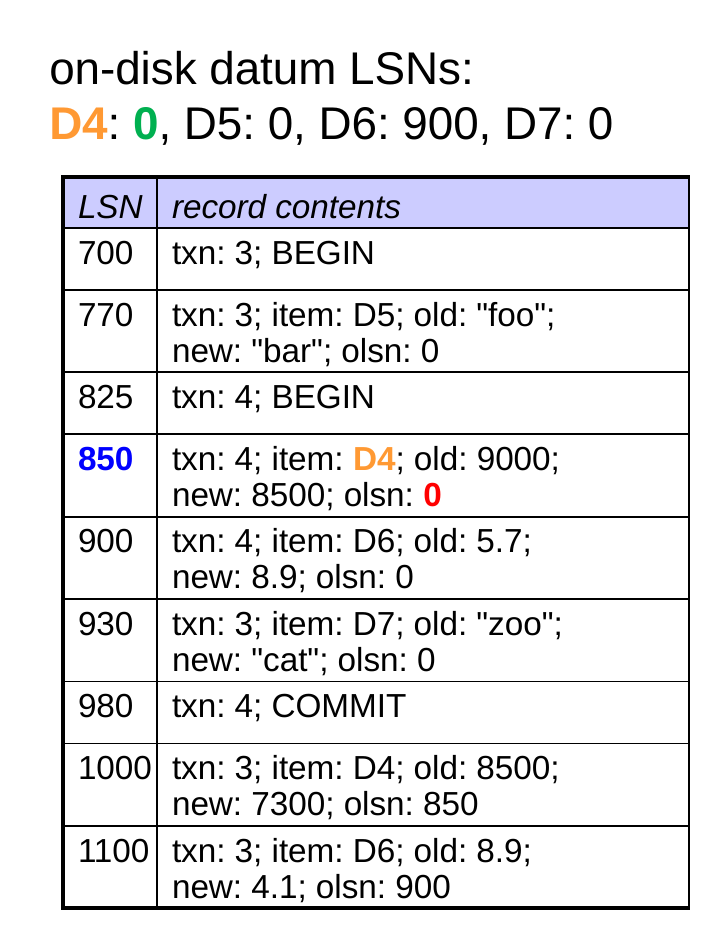
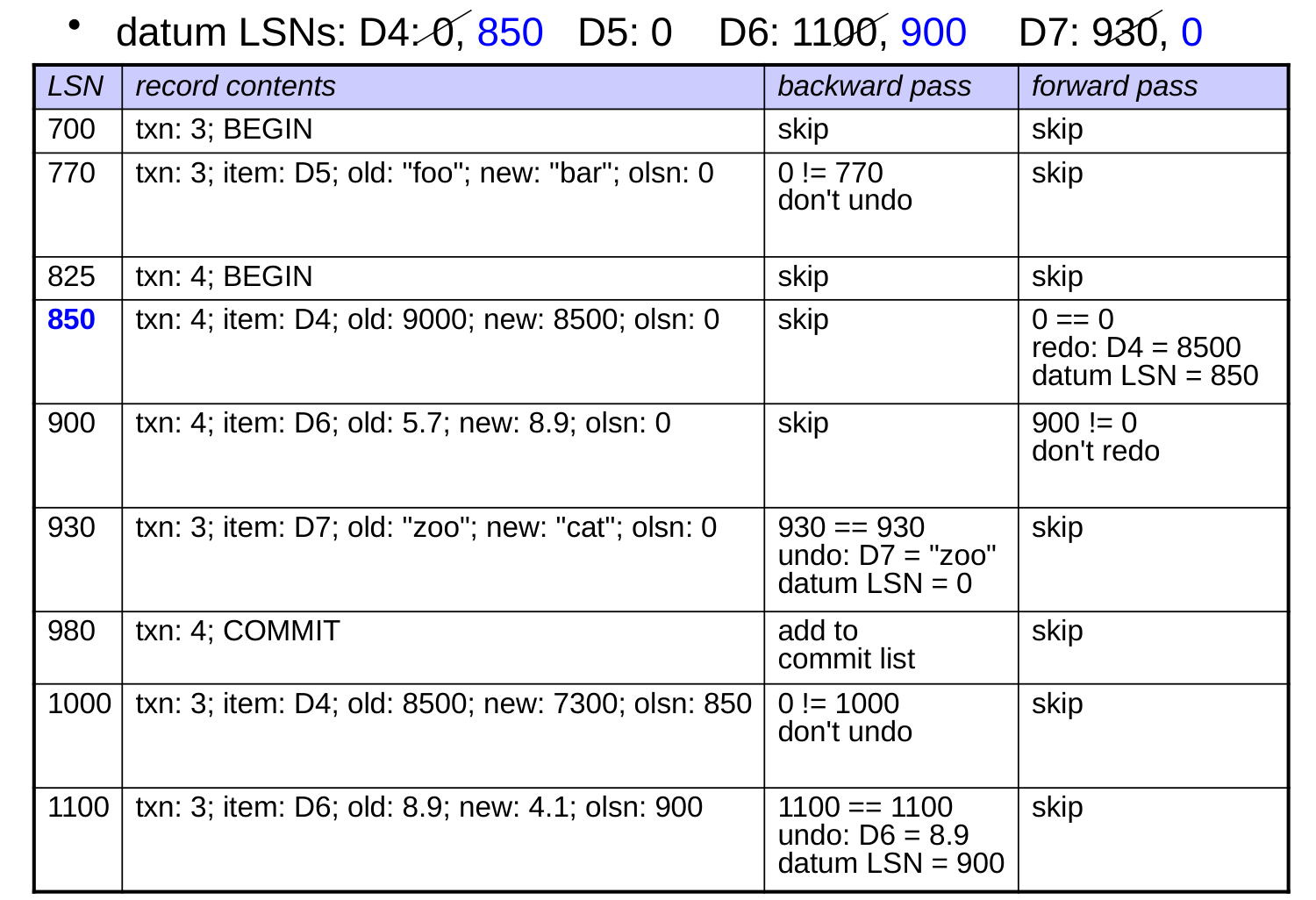
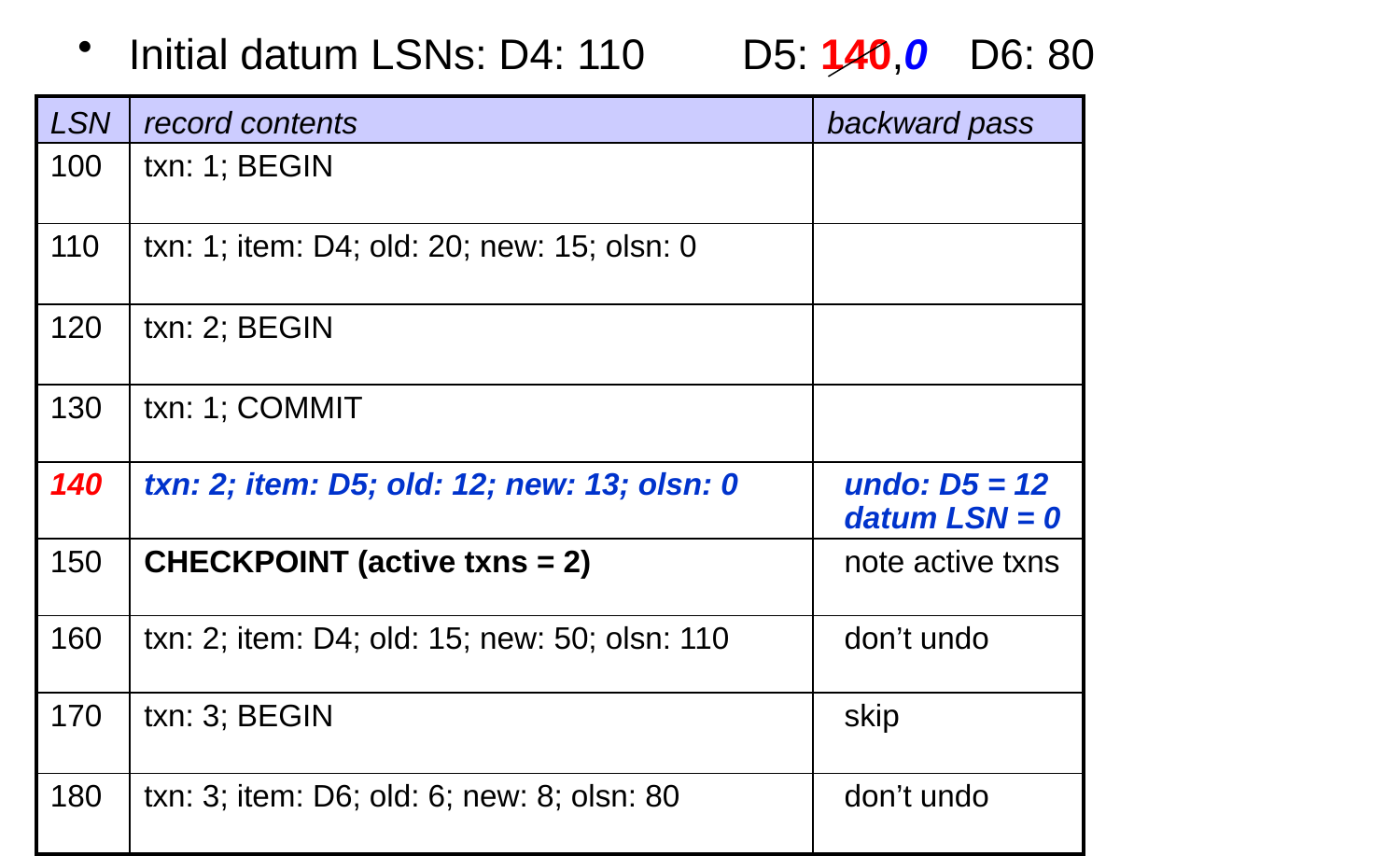
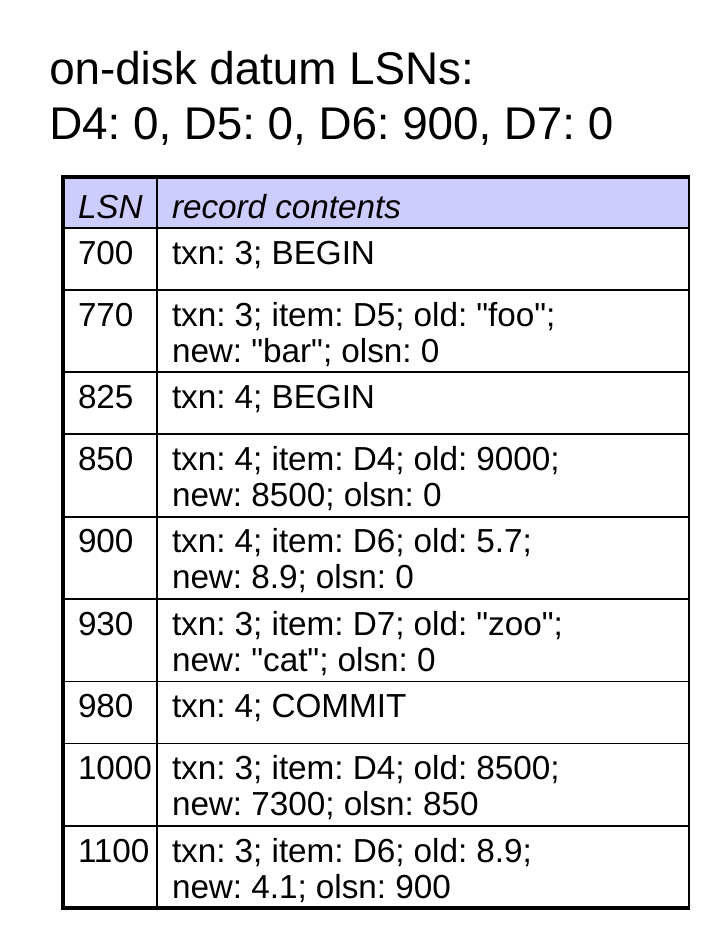
  • During the backward pass, we undo an update if:
    • the txn did not commit
  • datum LSN == record LSN
  • When we undo, we also set:
       datum LSN = olsn
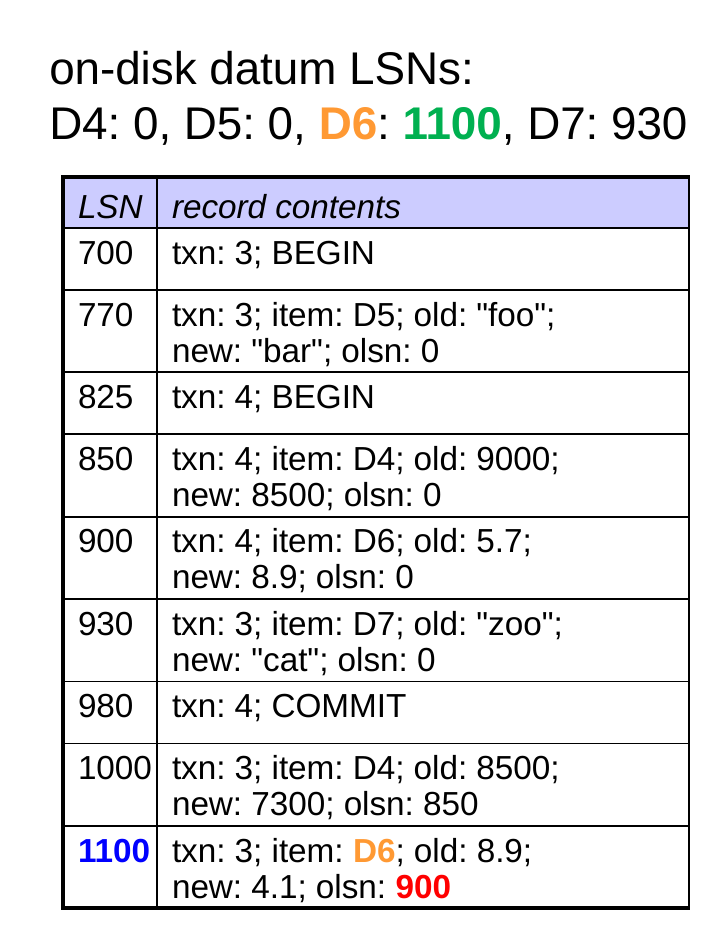
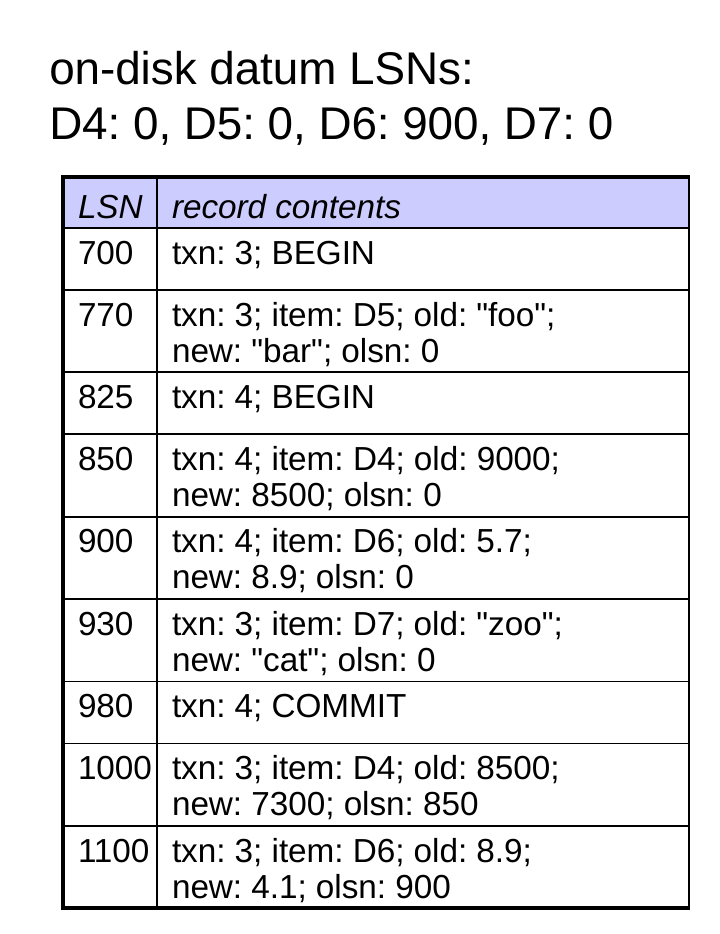
Which updates will be undone?
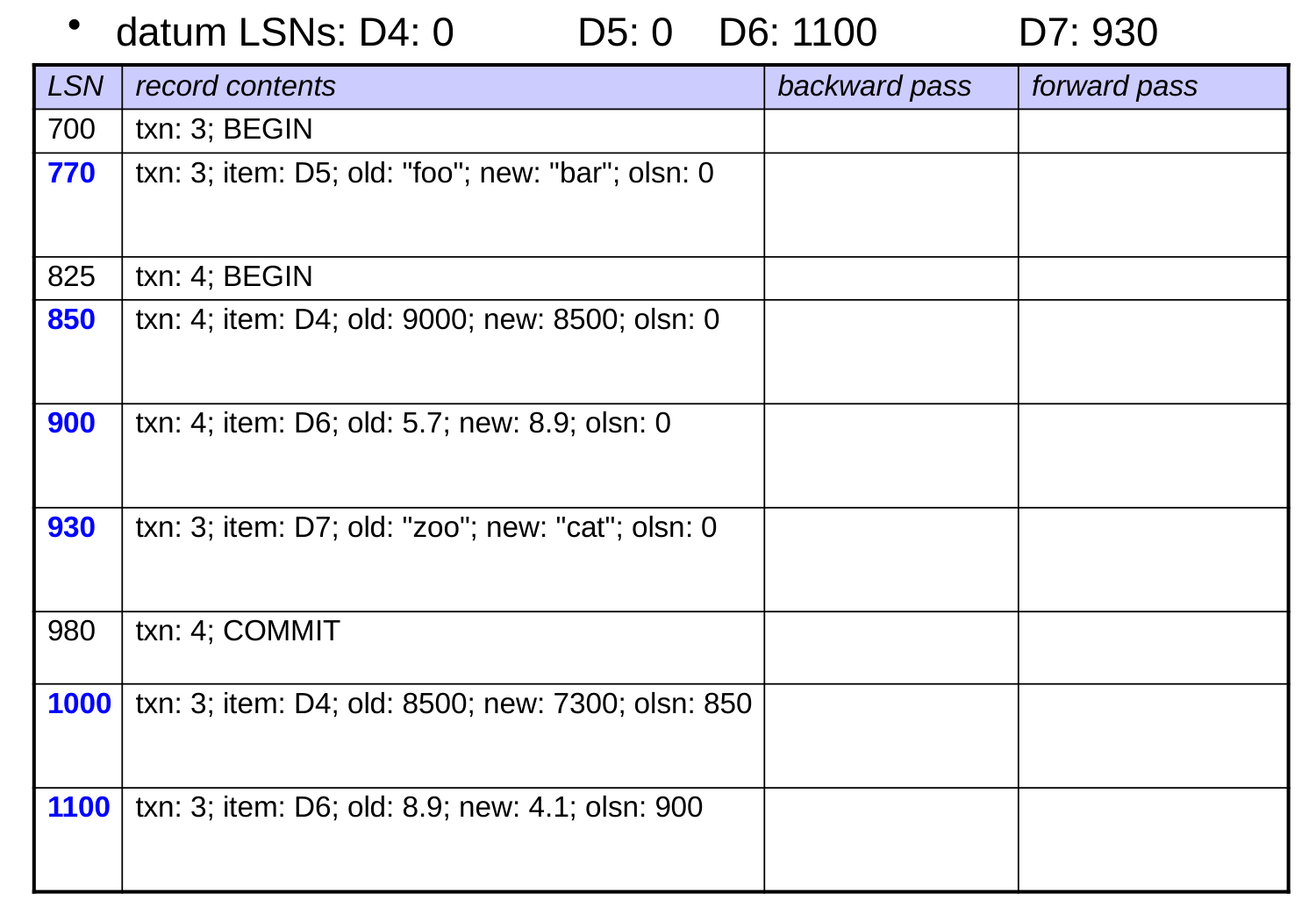
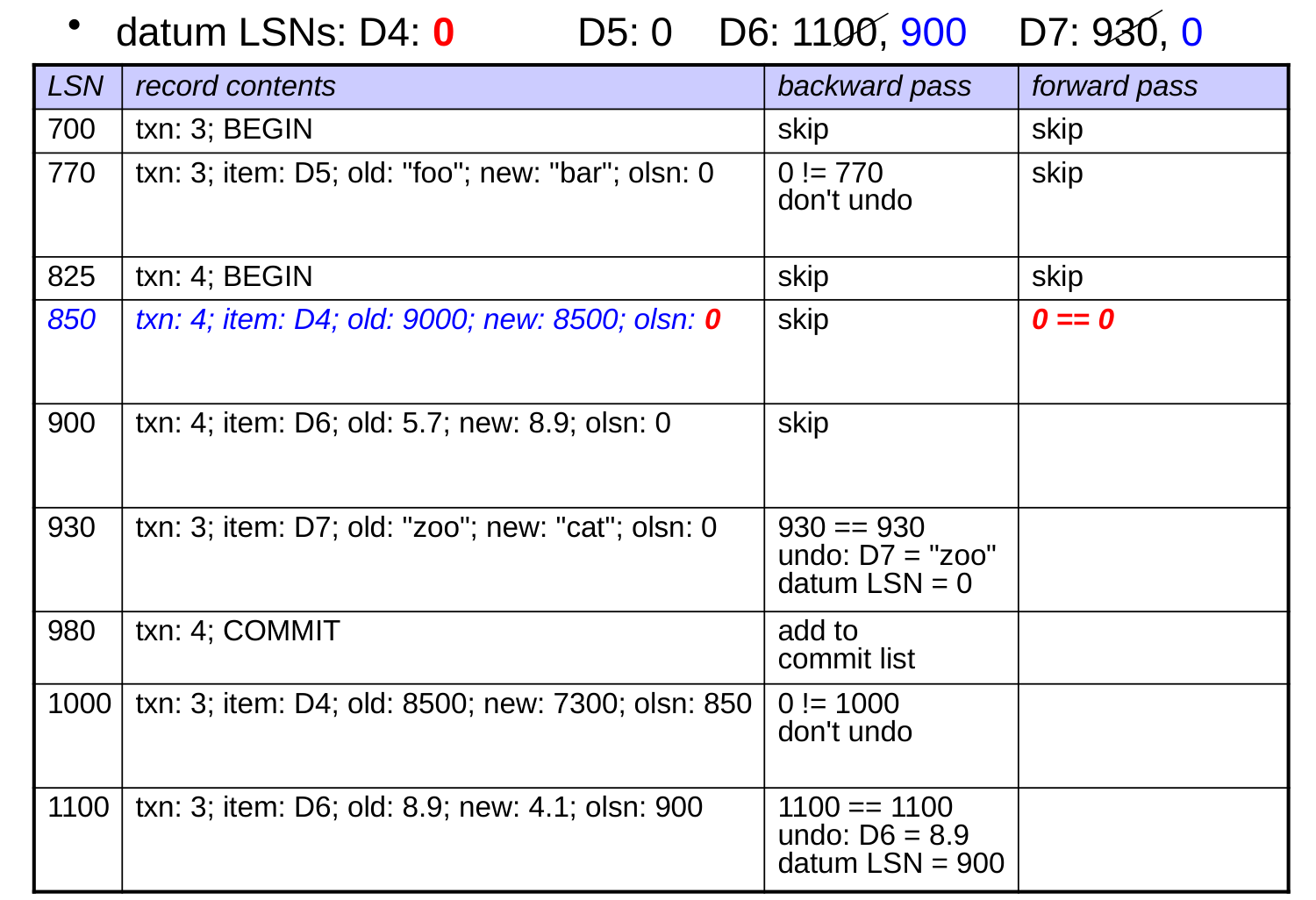
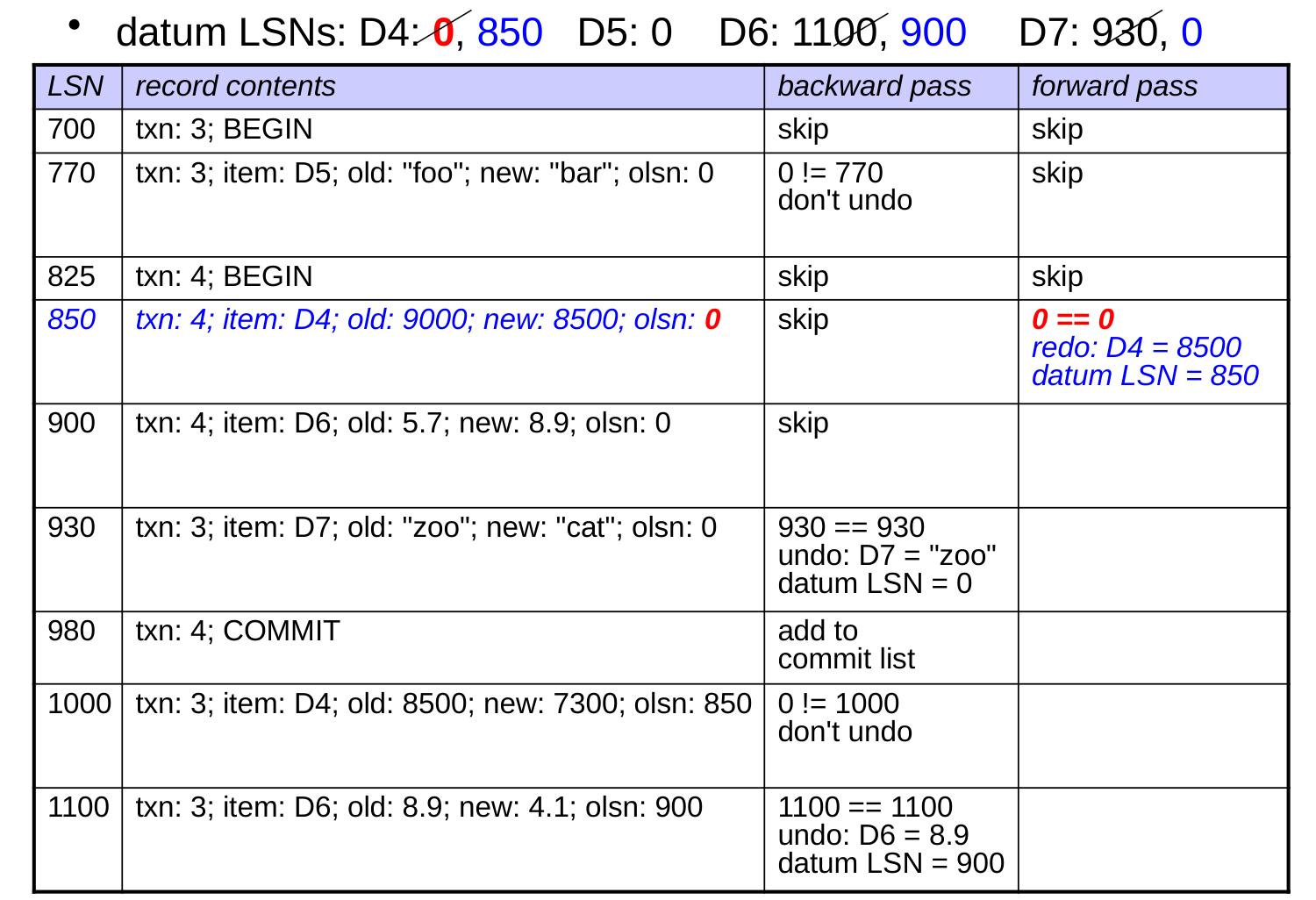
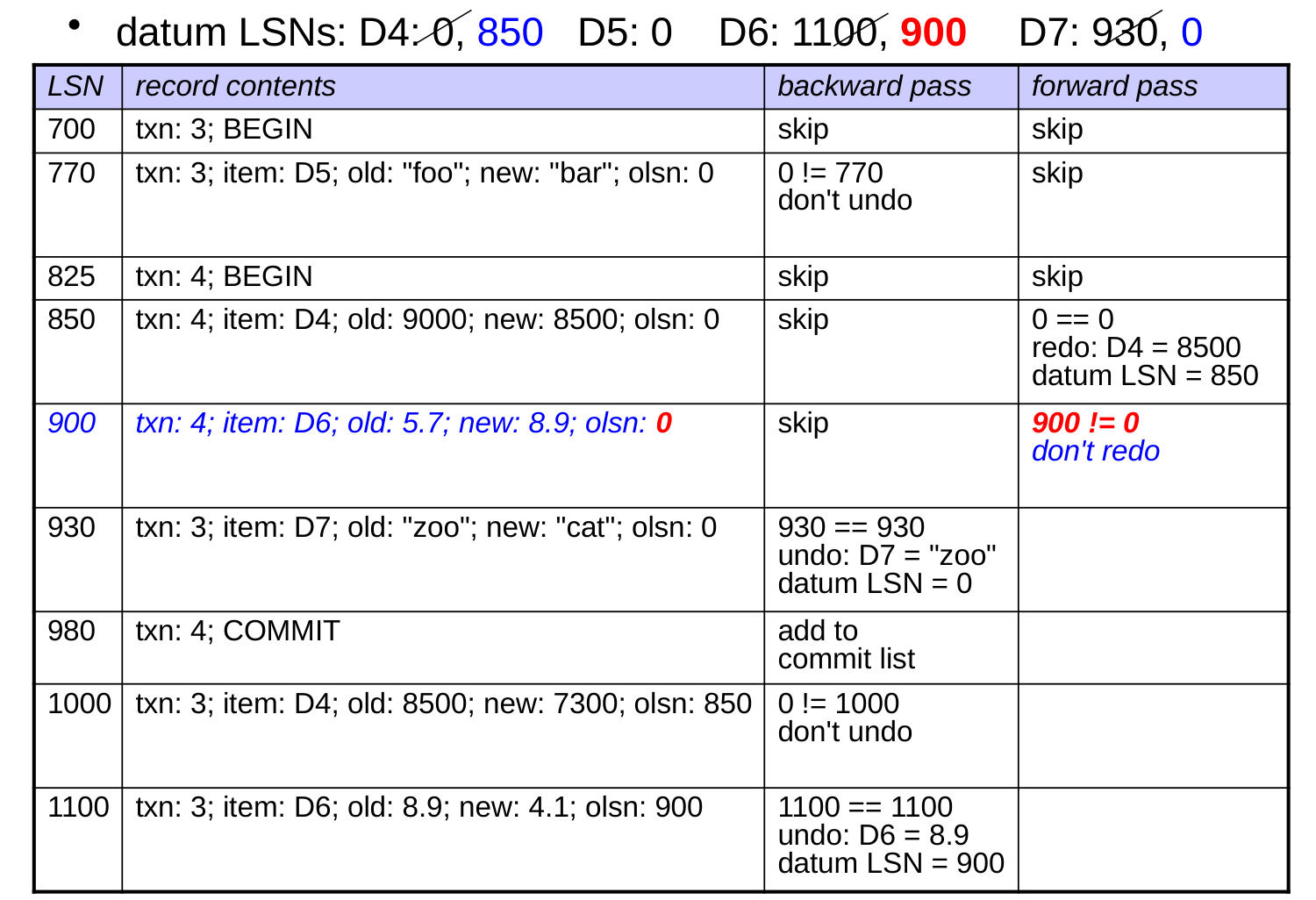
The Forward Pass Using LSNs

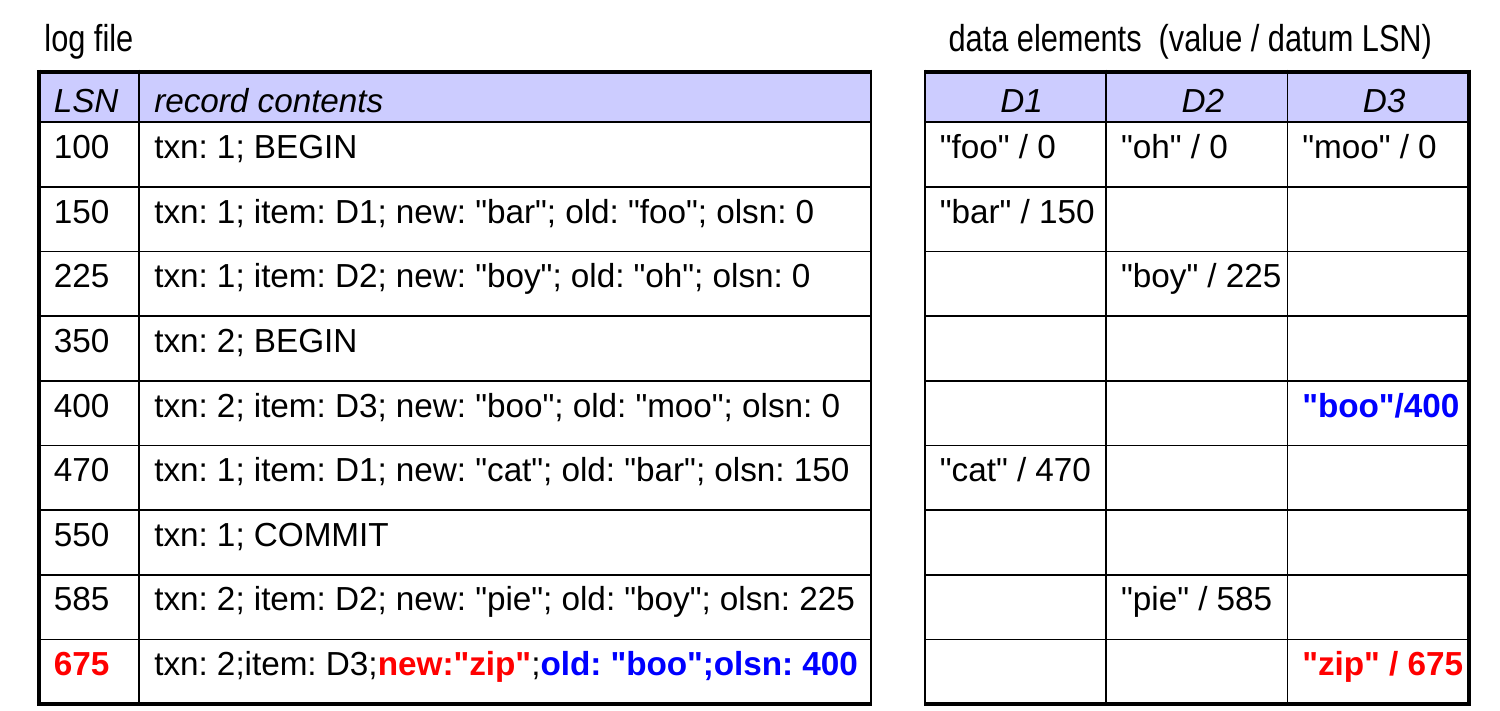
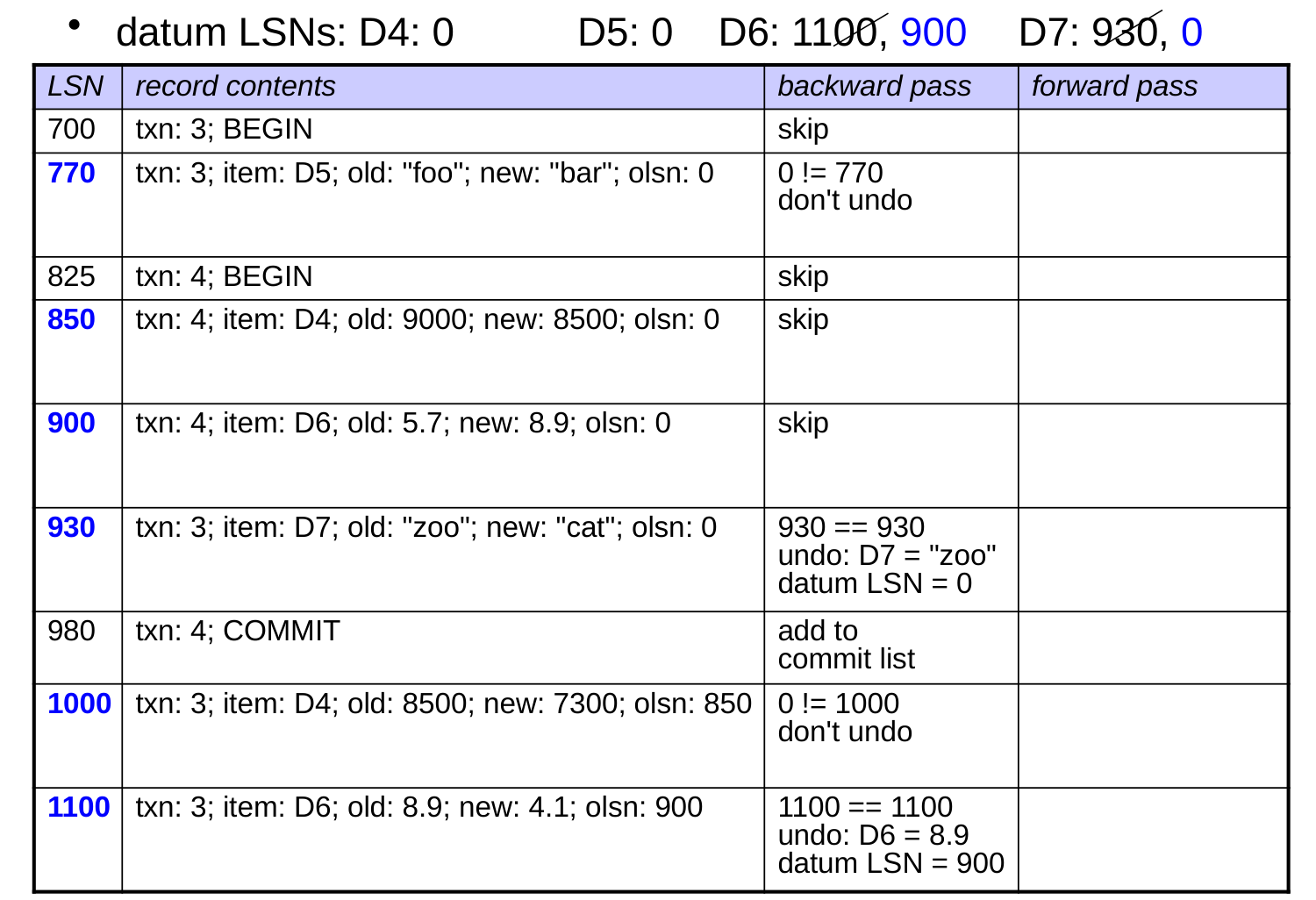
  • During the forward pass, we redo an update if:
    • the txn did commit
  • datum LSN == olsn
  • When we redo, we also set:
       datum LSN = record LSN
Which updates will be redone?
Undo-Only Logging

  • Only store the info. needed to undo txns.
    • update records include only the old value
  • Like undo-redo logging, undo-only logging follows WAL.
  • In addition, all database pages changed by a transaction must be forced to disk before allowing the transaction to commit. Why? so that no redo operations will be needed
  • At transaction commit:
  1. force all dirty log records to disk
  1. force database pages changed by the txn to disk
  1. write the commit log record
  1. force the commit log record to disk
  • During recovery, the system only performs the backward pass.

Redo-Only Logging

  • Only store the info. needed to redo txns.
    • update records include only the new value
  • Like the other two schemes, redo-only logging follows WAL.
  • In addition, all database pages changed by a txn are held in memory until it commits and its commit record is forced to disk.
  • At transaction commit:
  1. write the commit log record
  1. force all dirty log records to disk

(changed database pages are allowed to go to disk anytime after this)

  • If a transaction aborts, none of its changes can be on disk.
  • During recovery, perform the backward pass to build the commit list (no undos). Then perform the forward pass as in undo-redo.

Comparing the Three Logging Schemes

  • Factors to consider in the comparison:
    • complexity/efficiency of recovery
    • size of the log files
    • what needs to happen when a txn commits
    • other restrictions that a logging scheme imposes on the system
  • We’ll list advantages and disadvantages of each scheme.
  • Undo-only:
    • + smaller logs than undo-redo
    • + simple and quick recovery procedure (only one pass)
    • – forces log and data to disk at commit; have to wait for the I/Os

Comparing the Three Logging Schemes (cont.)

  • Redo-only:
    • + smaller logs than undo-redo
    • +/– recovery: more complex than undo-only, less than undo-redo
    • – must be able to cache all changes until the txn commits
      • limits the size of transactions
      • constrains the replacement policy of the cache
    • + forces only log records to disk at commit
  • Undo-redo:
    • – larger logs
    • – more complex recovery
    • + forces only log records to disk at commit
    • + don’t need to retain all data in the cache until commit

Checkpoints

  • As a DBMS runs, the log gets longer and longer.
    • thus, recovery could end up taking a very long time!
  • To avoid long recoveries, periodically perform a checkpoint.
    • force data and log records to disk to create a consistent on-disk database state
  • during recovery, don’t need to consider operations that preceded this consistent state

Static Checkpoints

  • Stop activity and wait for a consistent state.
  1. prohibit new transactions from starting and wait until all current transactions have aborted or committed.
  • Once there is a consistent state:
  1. force all dirty log records to disk (dirty = not yet written to disk)
  1. force all dirty database pages to disk
  1. write a checkpoint record to the log
  • these steps must be performed in the specified order!
  • When performing recovery, go back to the most recent checkpoint record.
  • Problem with this approach? stopping all activity can significantly reduce performance!

Dynamic Checkpoints

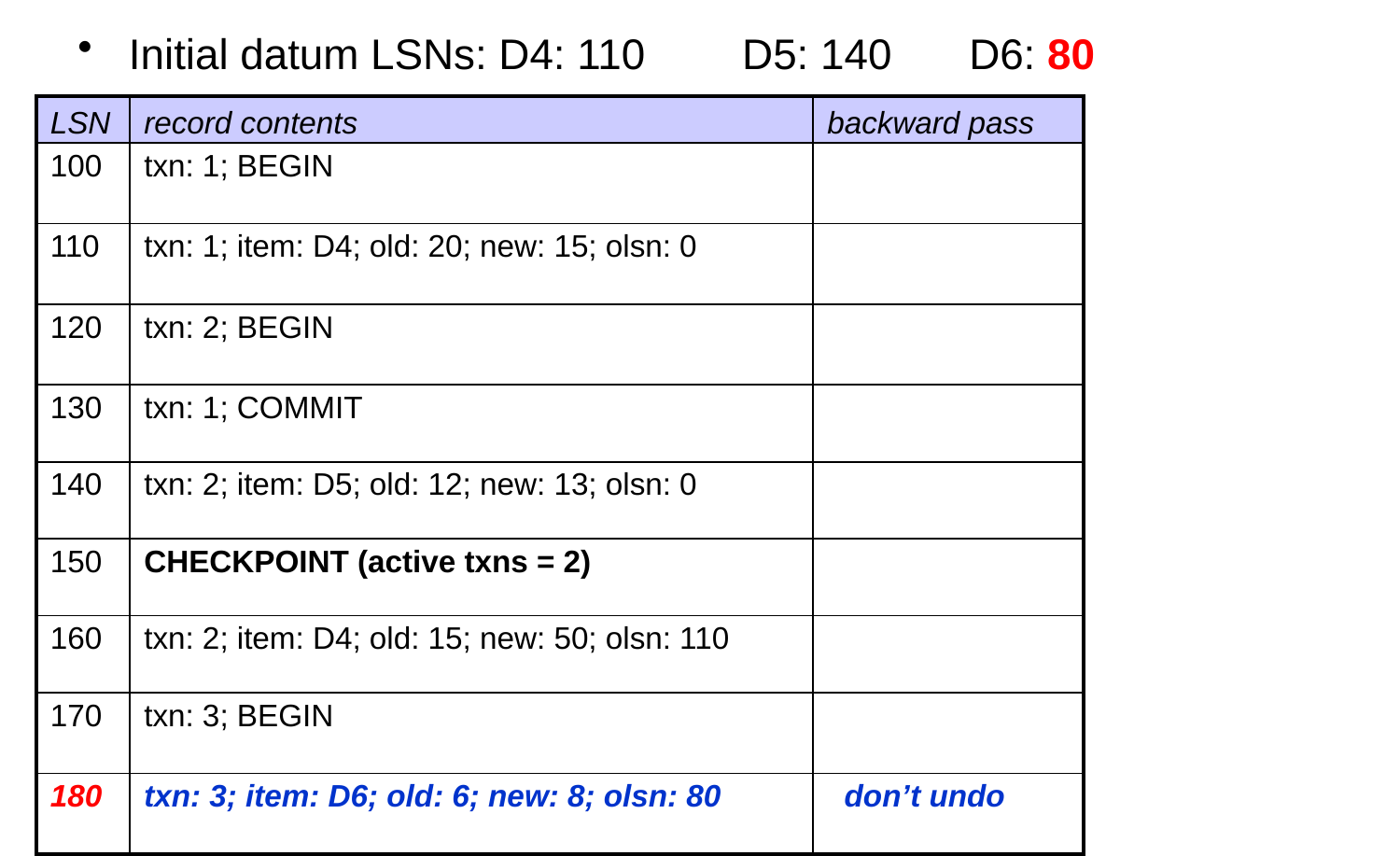
  • Don’t stop and wait for a consistent state. Steps:
  1. prevent all update operations
  1. force all dirty log records to disk
  1. force all dirty database pages to disk
  1. write a checkpoint record to the log
    • include a list of all active txns
  • When performing recovery:
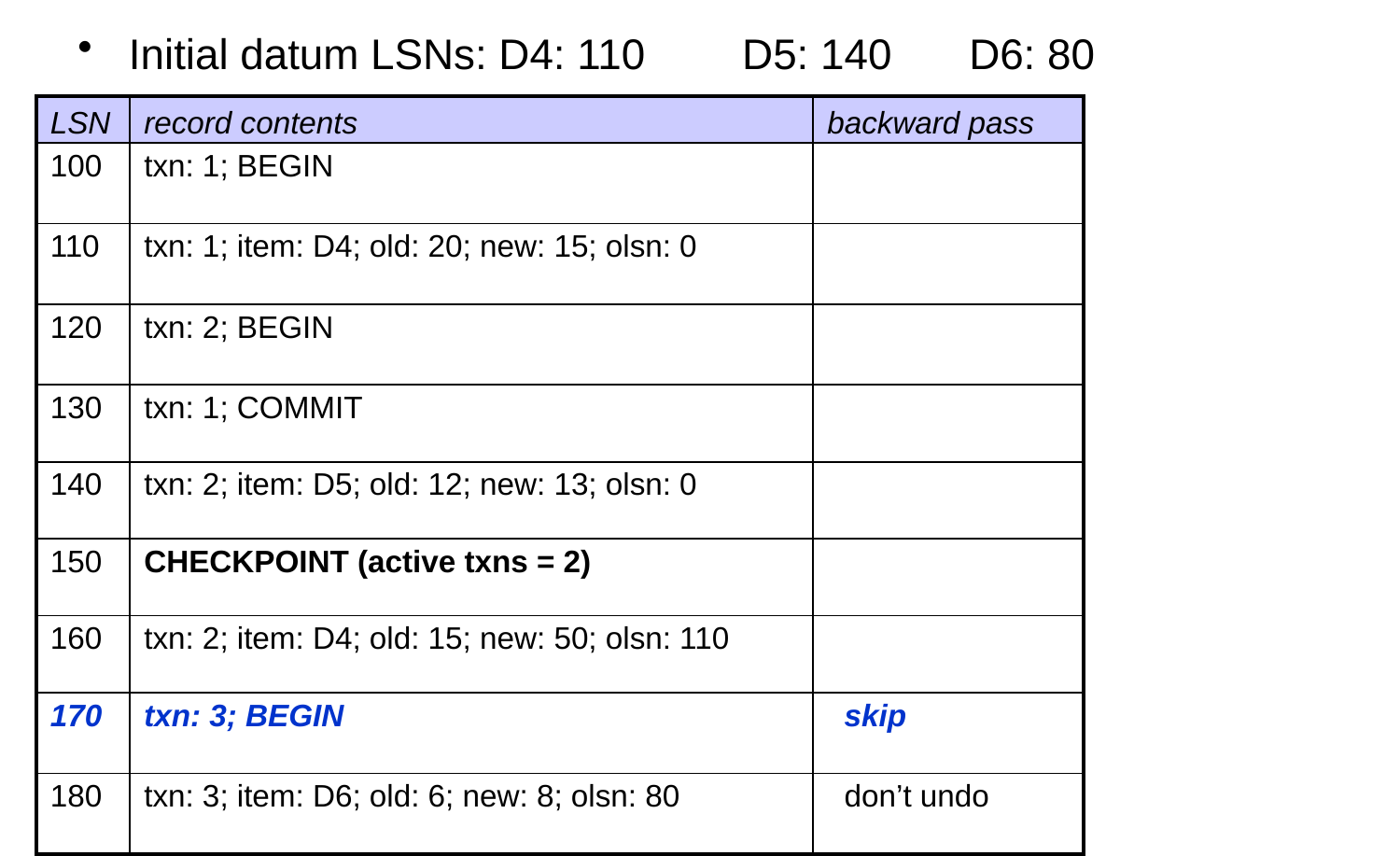
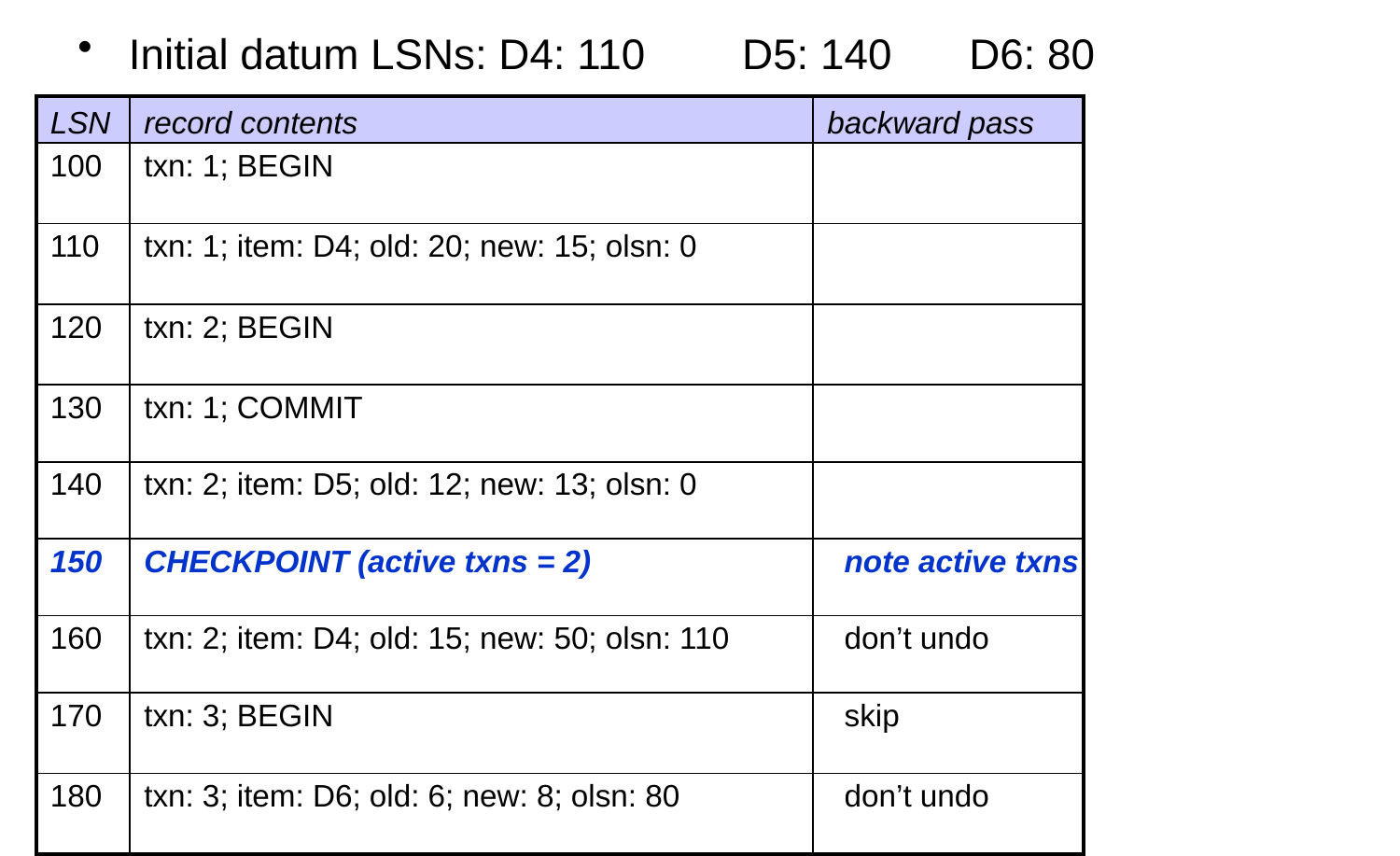
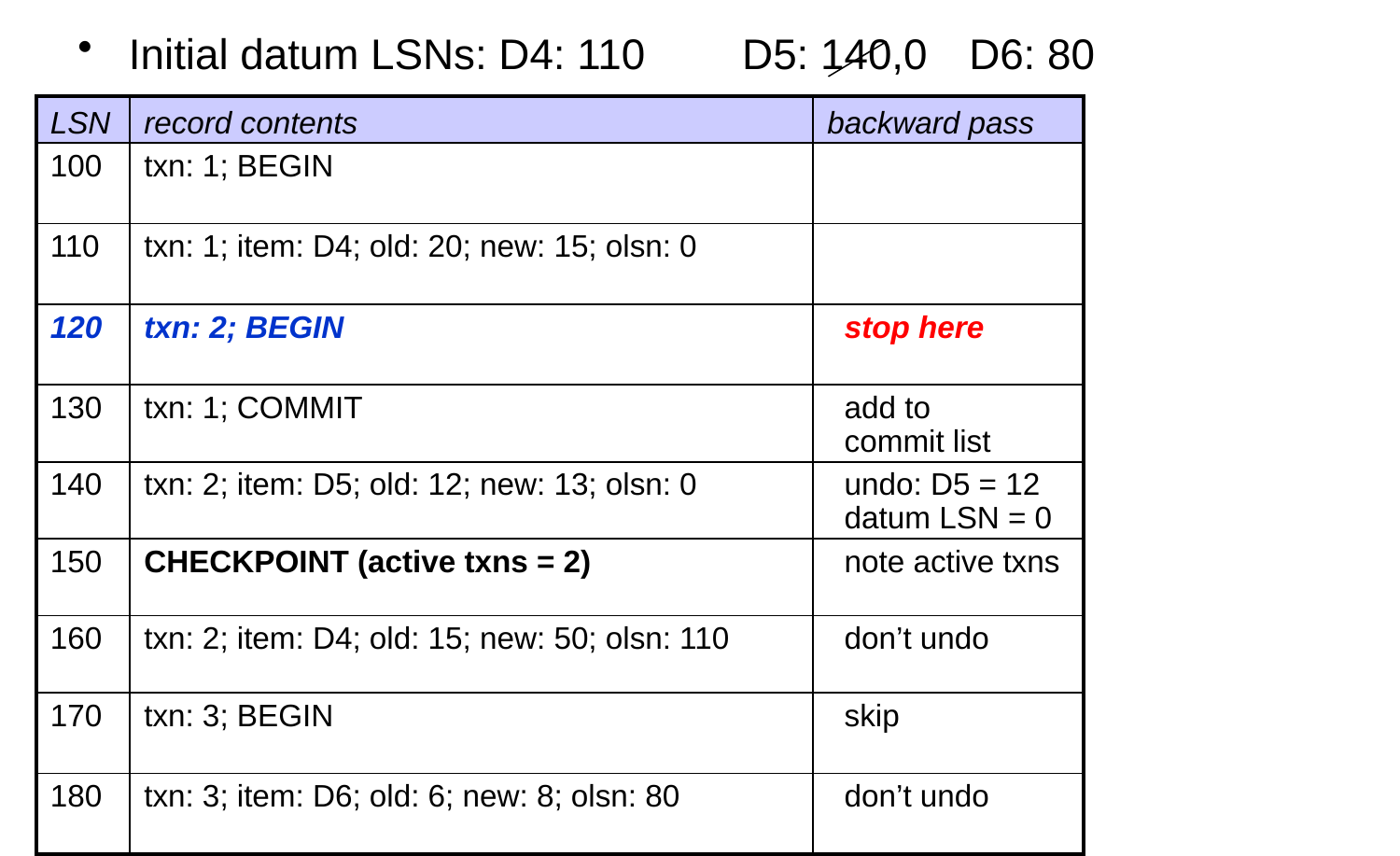
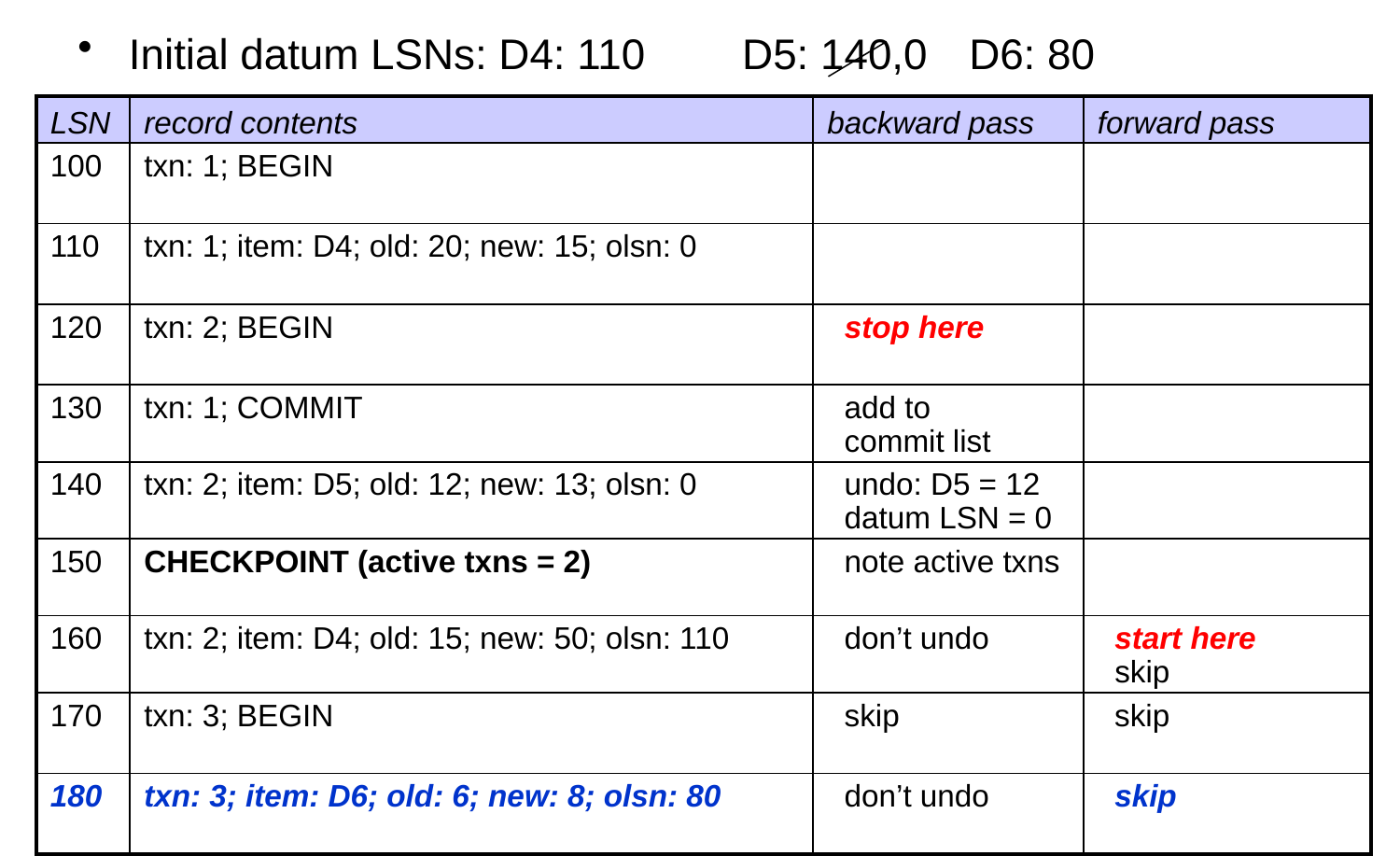
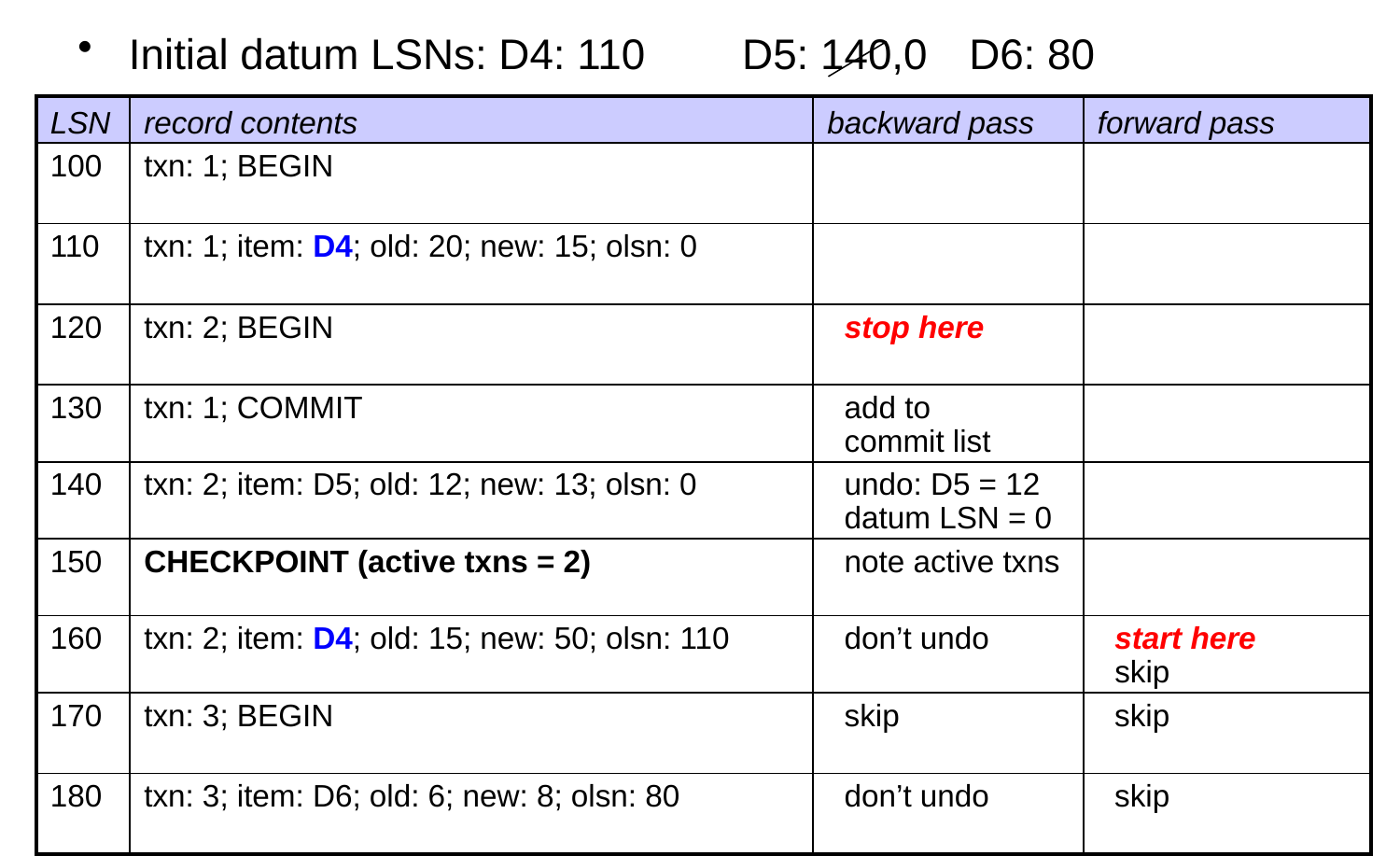
    • backward pass: go back until you’ve seen the start records of all uncommitted txns in the most recent checkpoint record
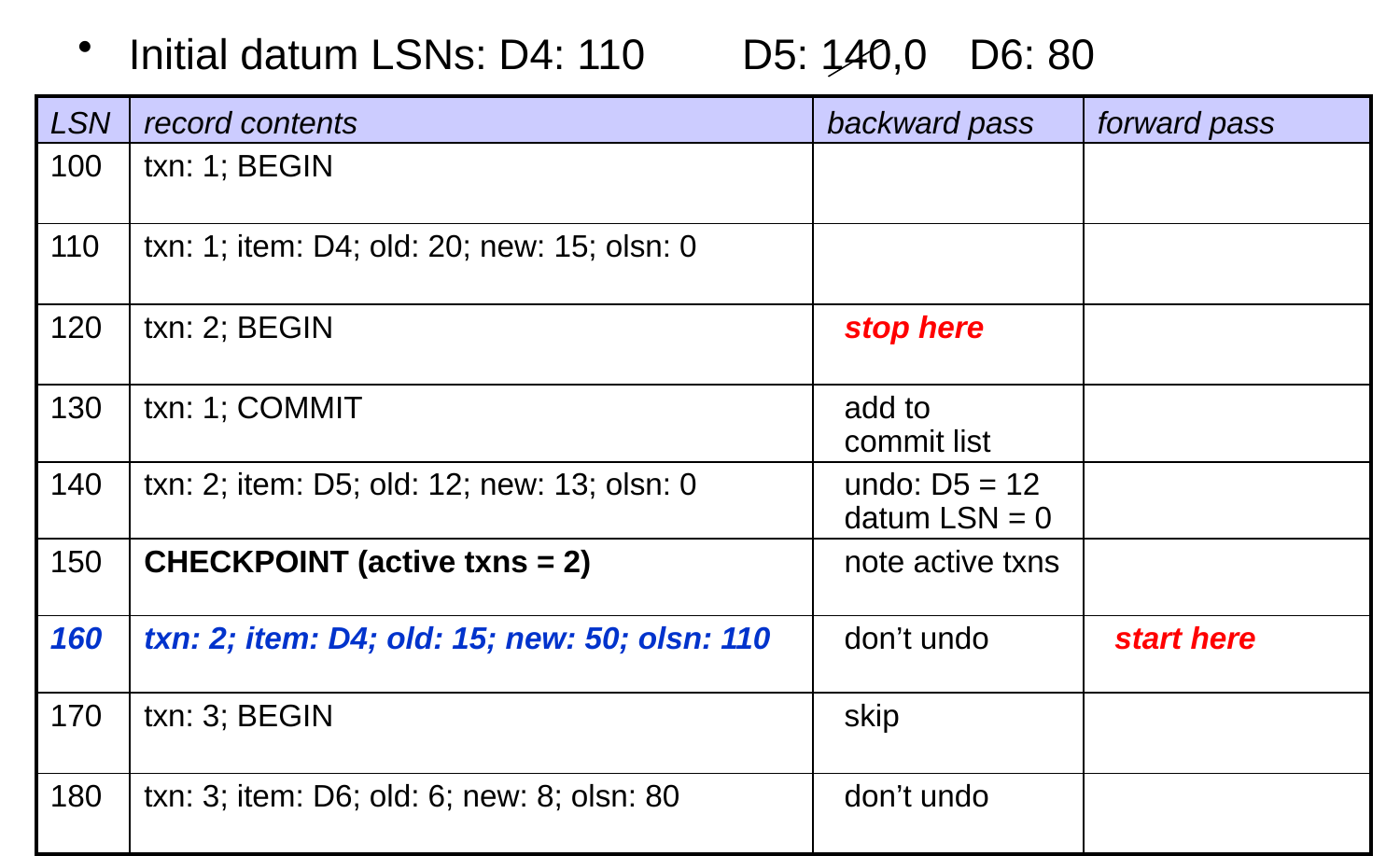
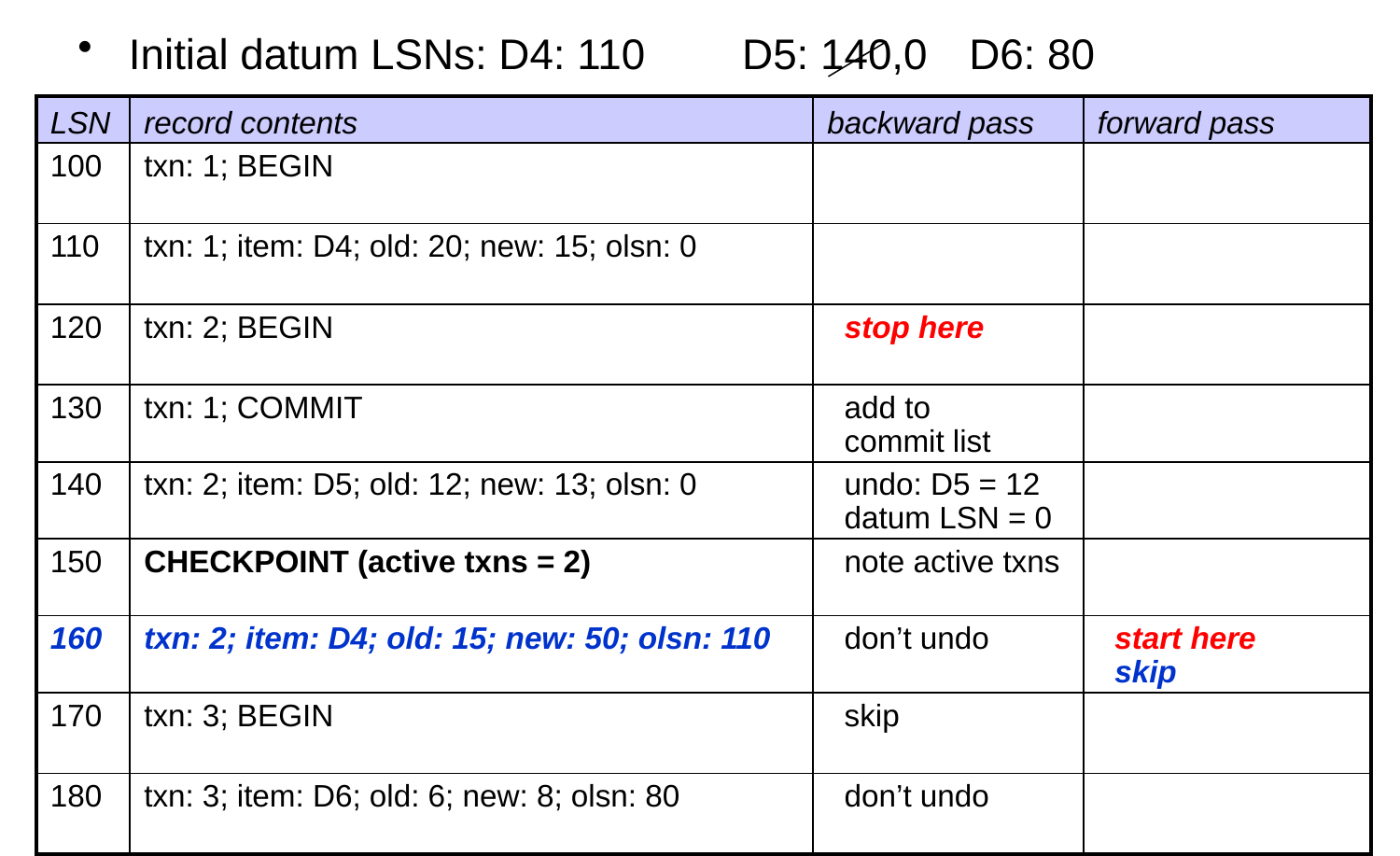
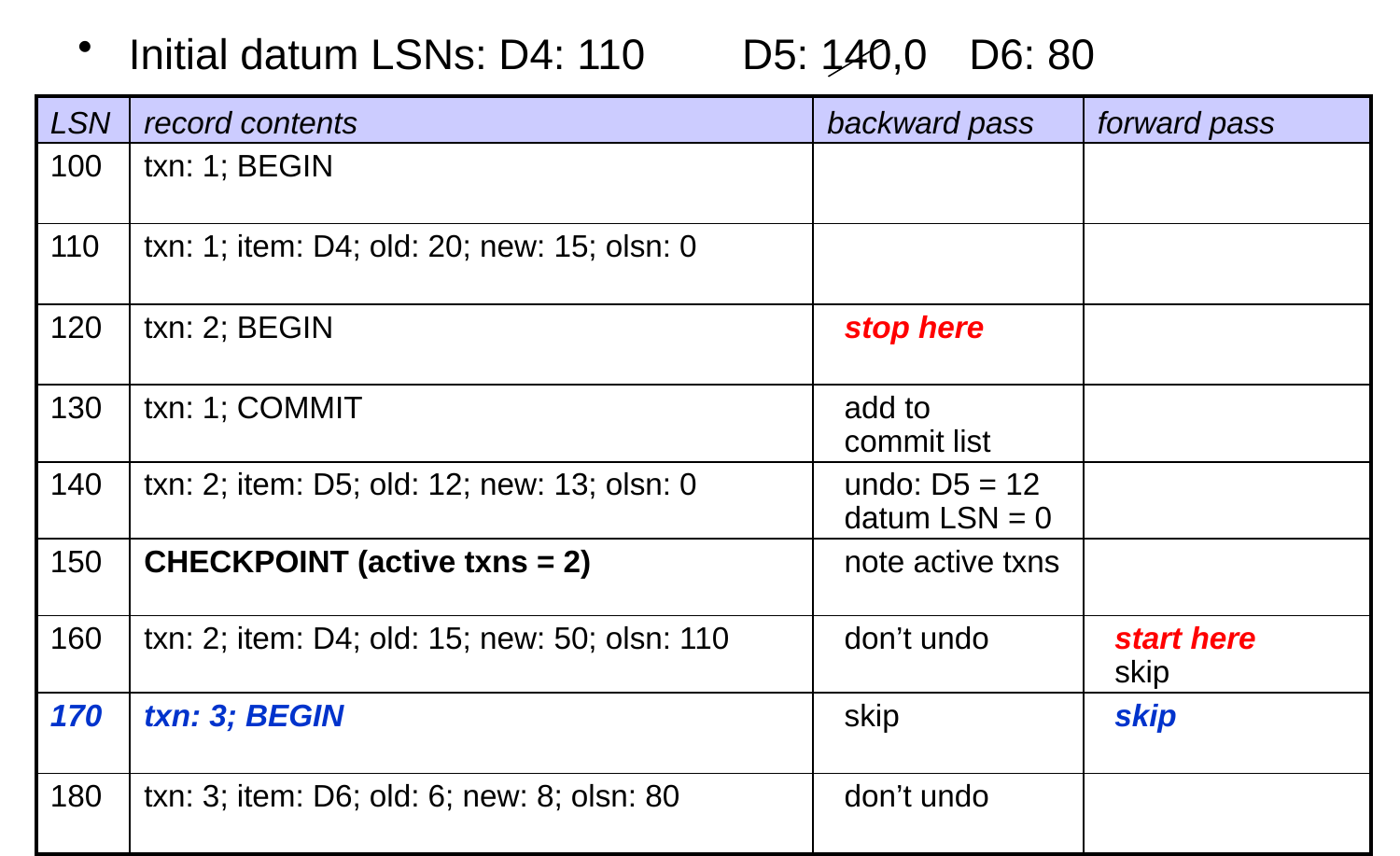
  • forward pass: begin from the log record that comes after the most recent checkpoint record. why?
  • all earlier changes were forced to disk by the checkpoint
  • note: if all txns in the checkpoint record are on the commit list, we stop the backward pass at the checkpoint record

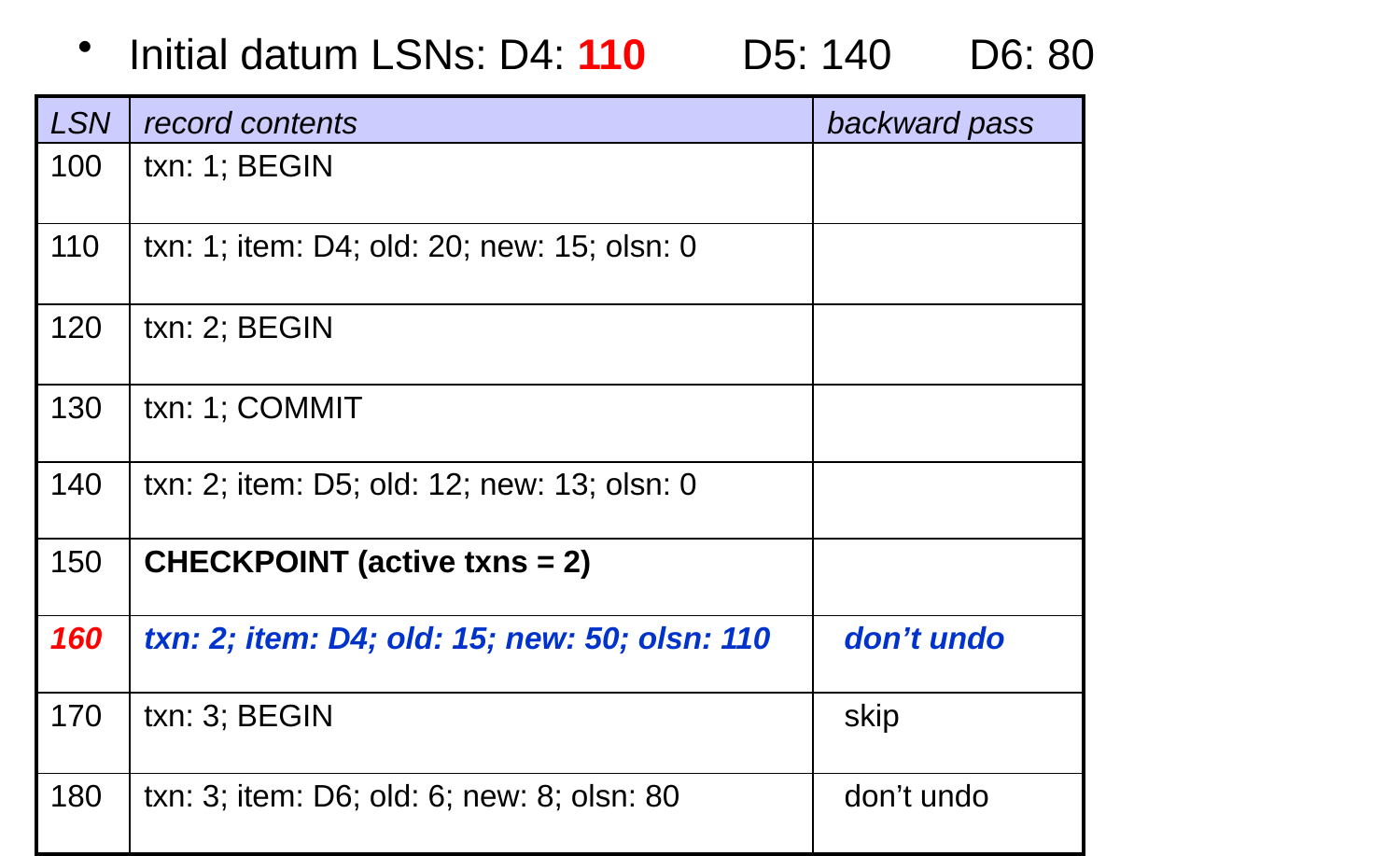
Example of Recovery with Dynamic Checkpoints
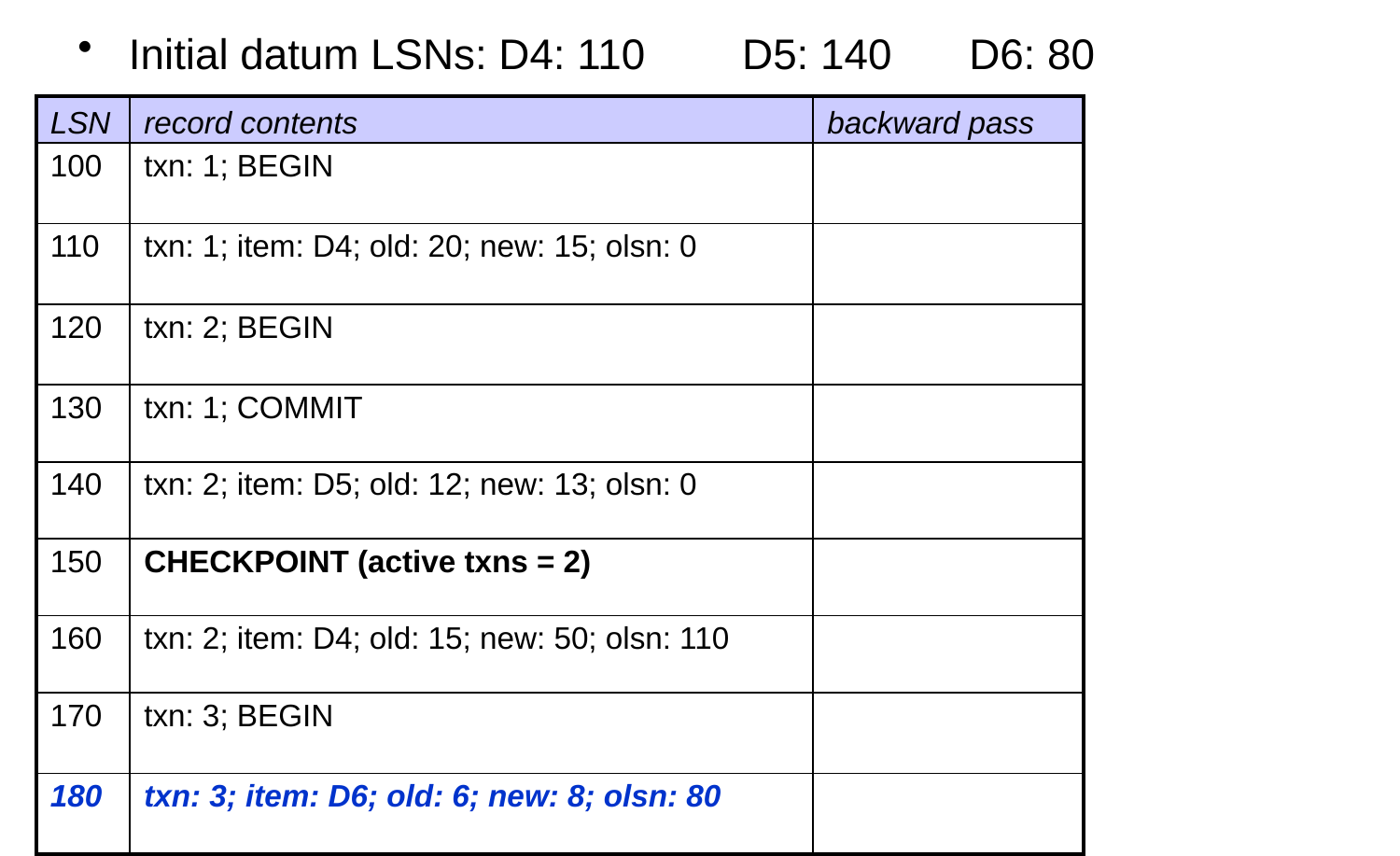
  • Could D4 have a datum LSN of less than 110? no. the checkpoint forces T1’s change (LSN 110) to disk.

Reviewing the Log Record Types

  • Why is each type needed?
    • assume undo-redo logging
  • update records: hold the info. needed to undo/redo changes
  • commit records: allow us to determine which changes should be undone and which should be redone
  • begin records: allow us to determine the extent of the backward pass in the presence of dynamic checkpoints
  • checkpoint records: limit the amount of the log that is processed during recovery