NoSQL II: Mongo DB Queries
Data Science 310
Boston University
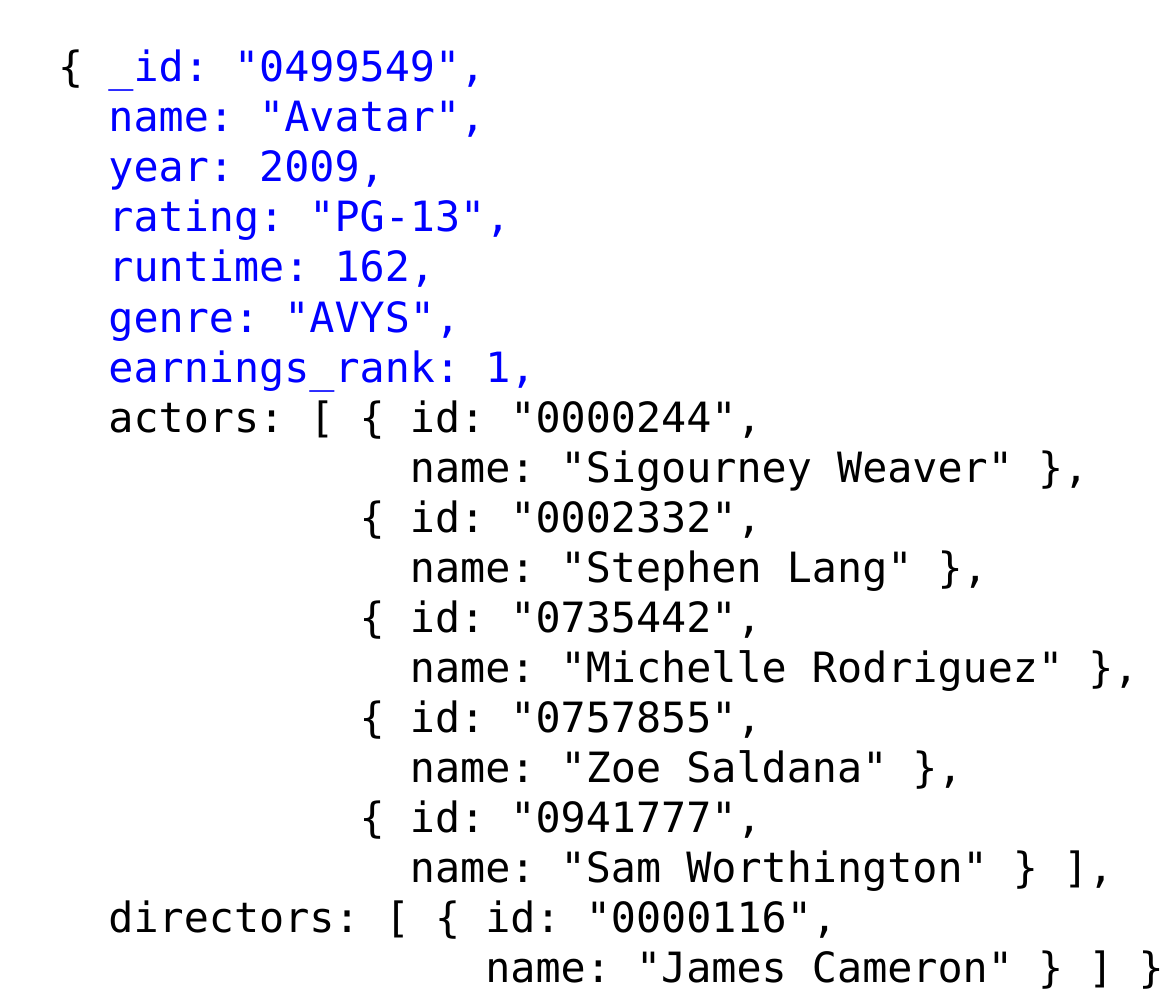
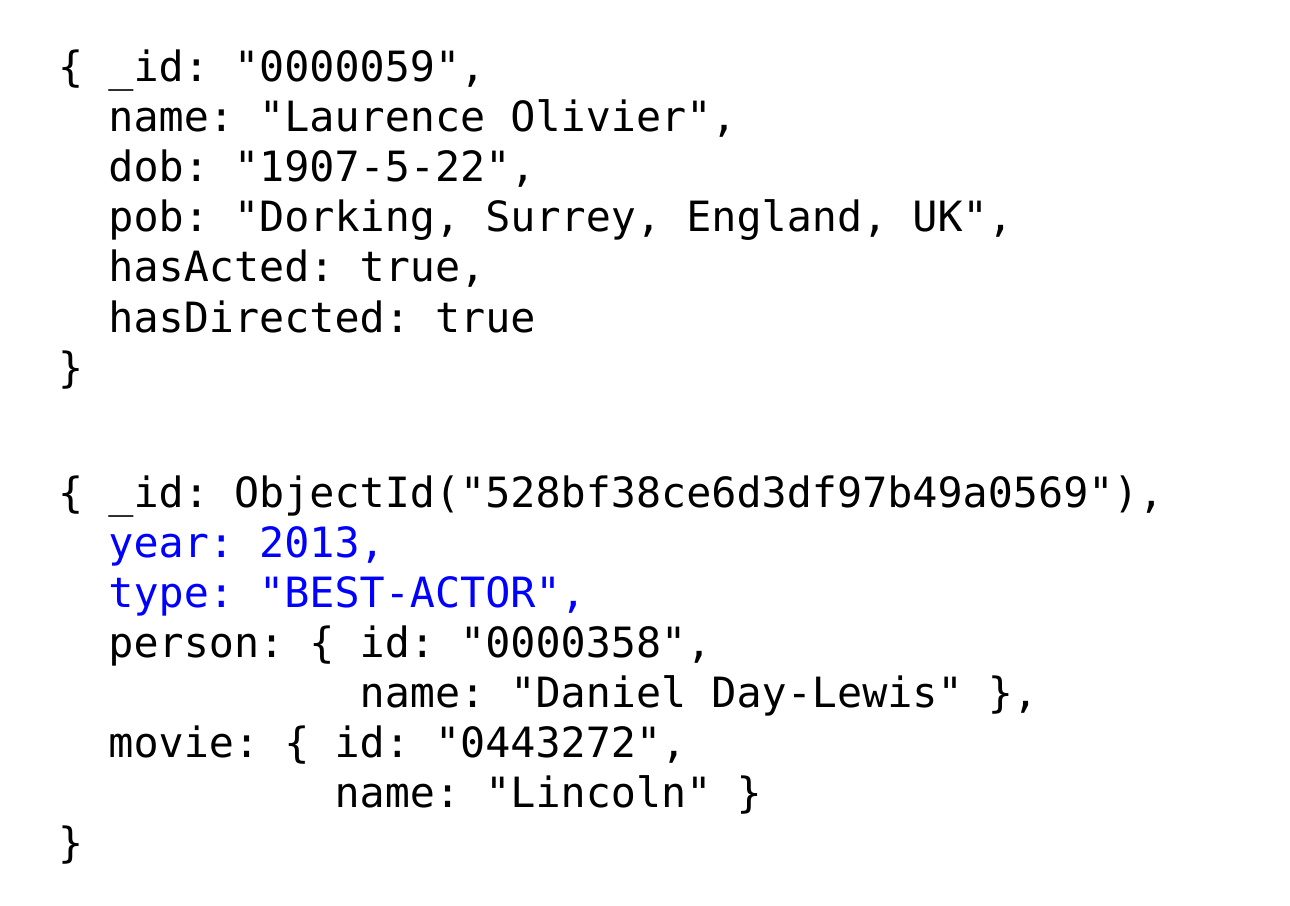
Sample Movie Document
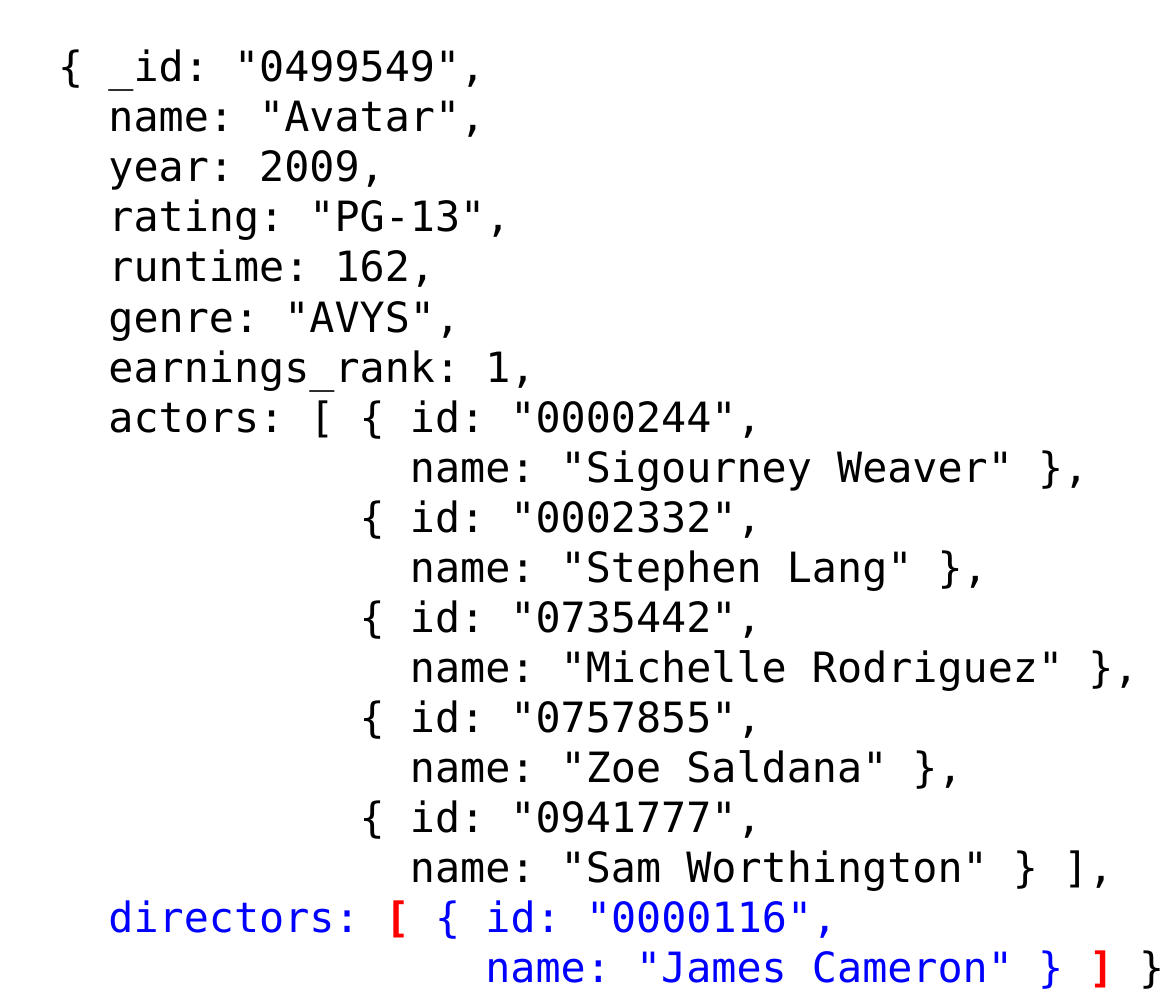
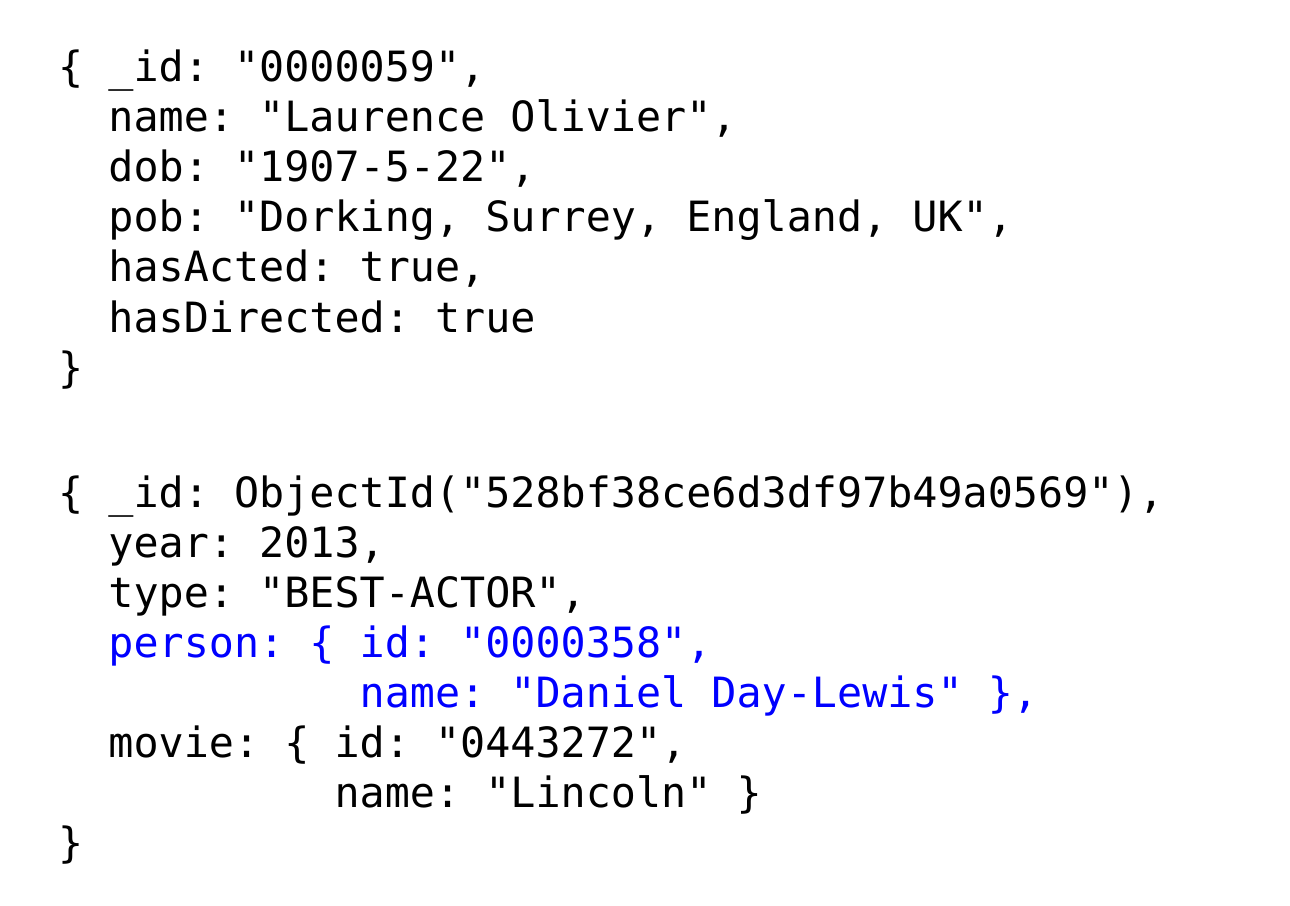
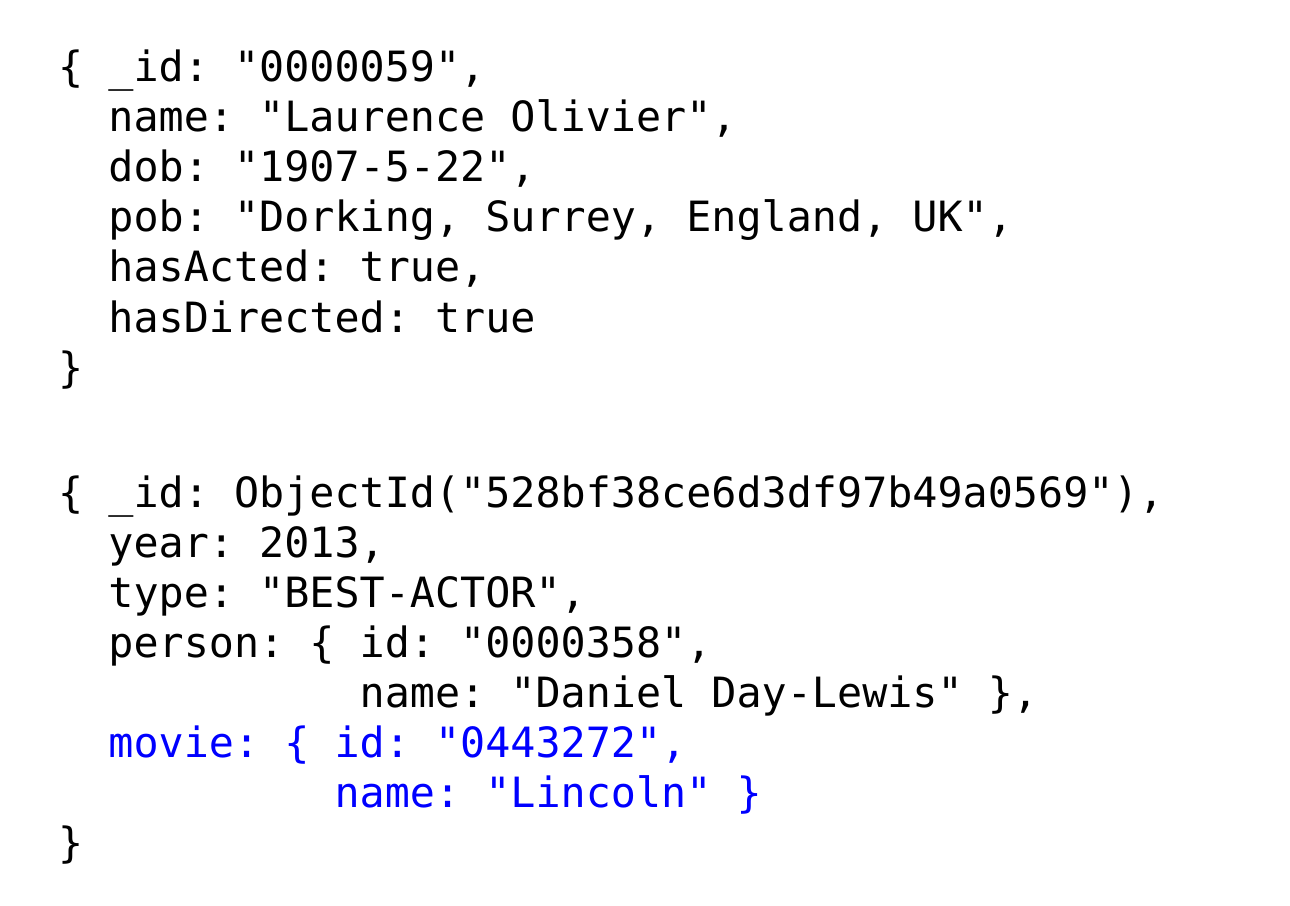
Sample Person and Oscar Documents
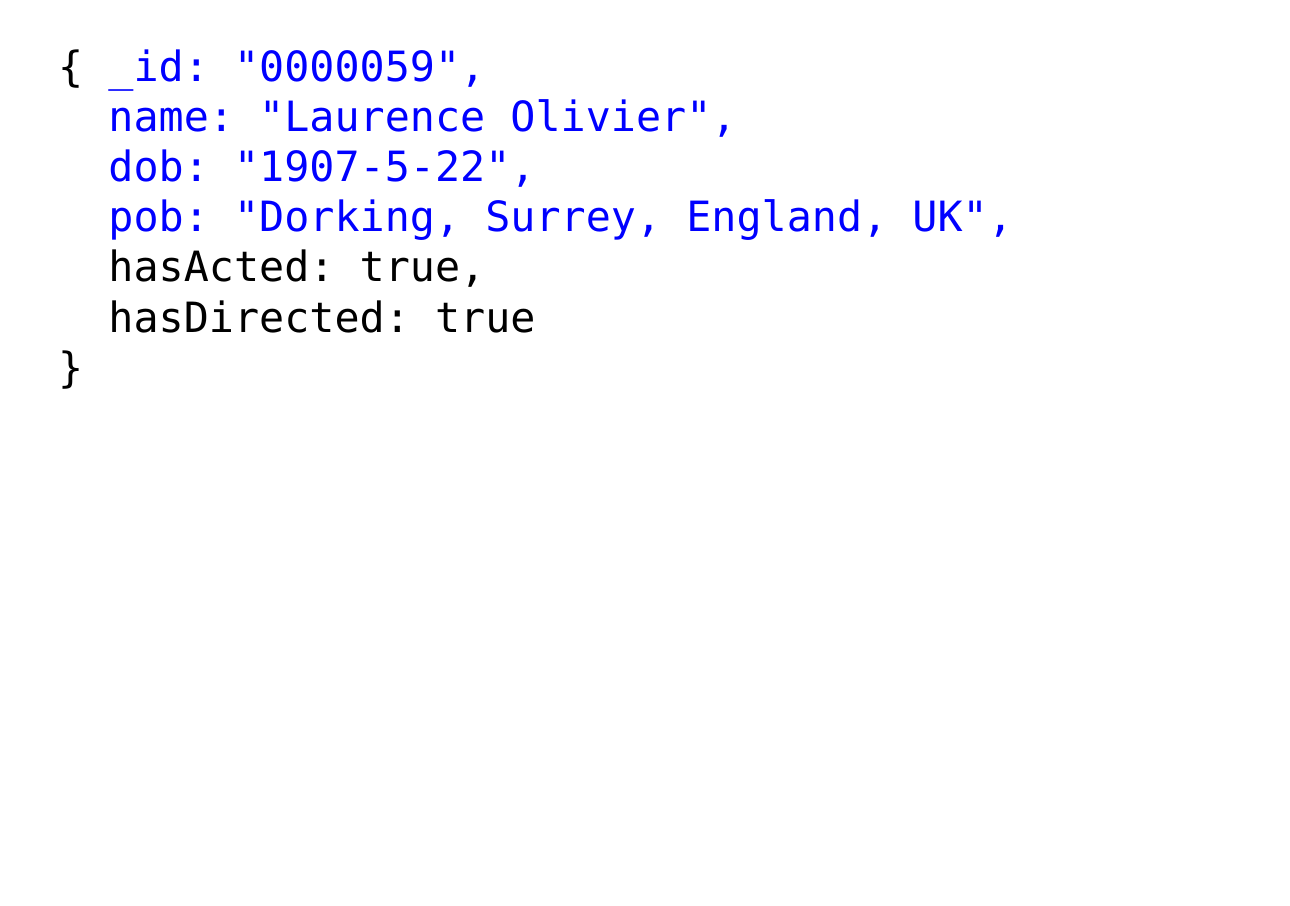
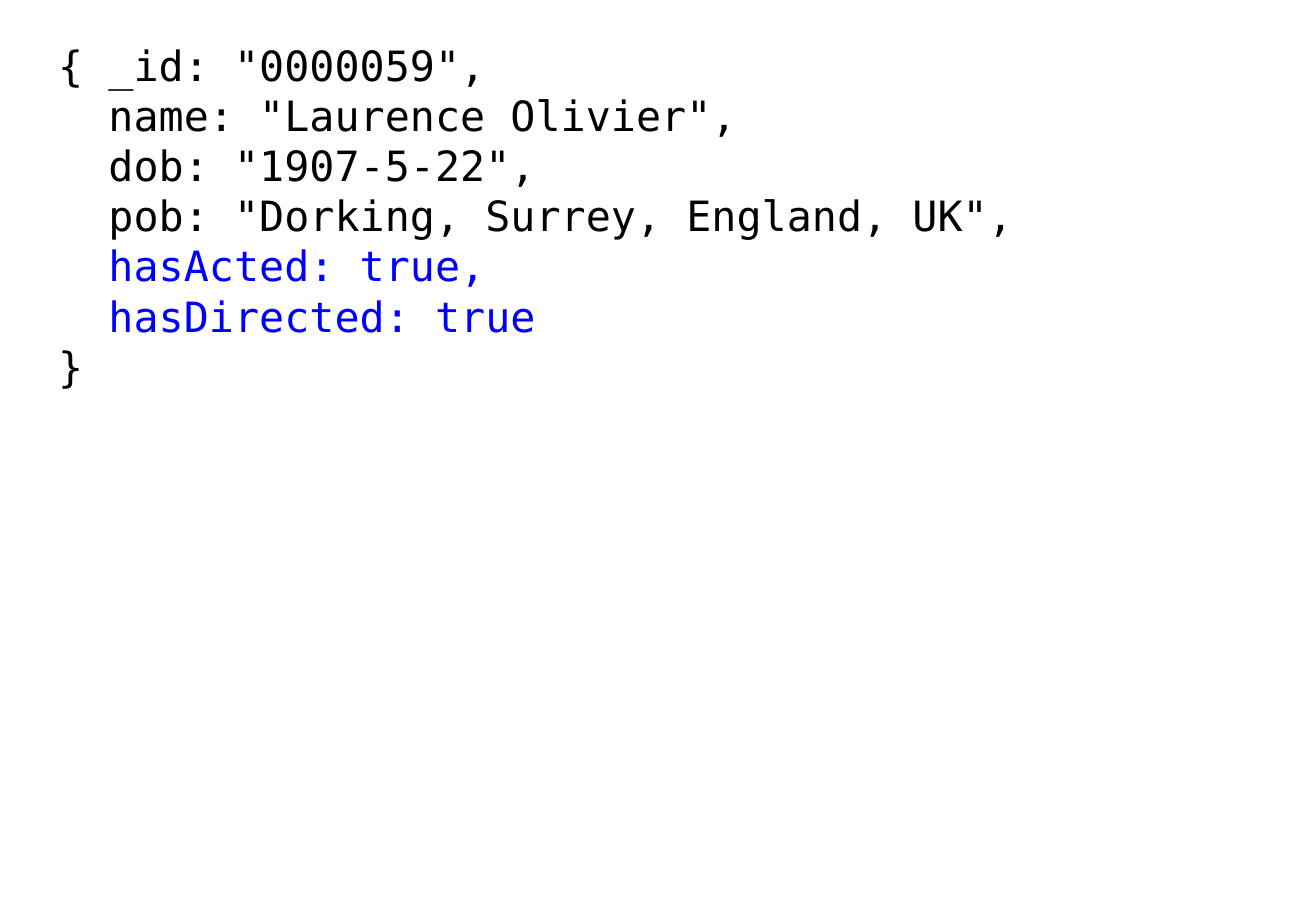
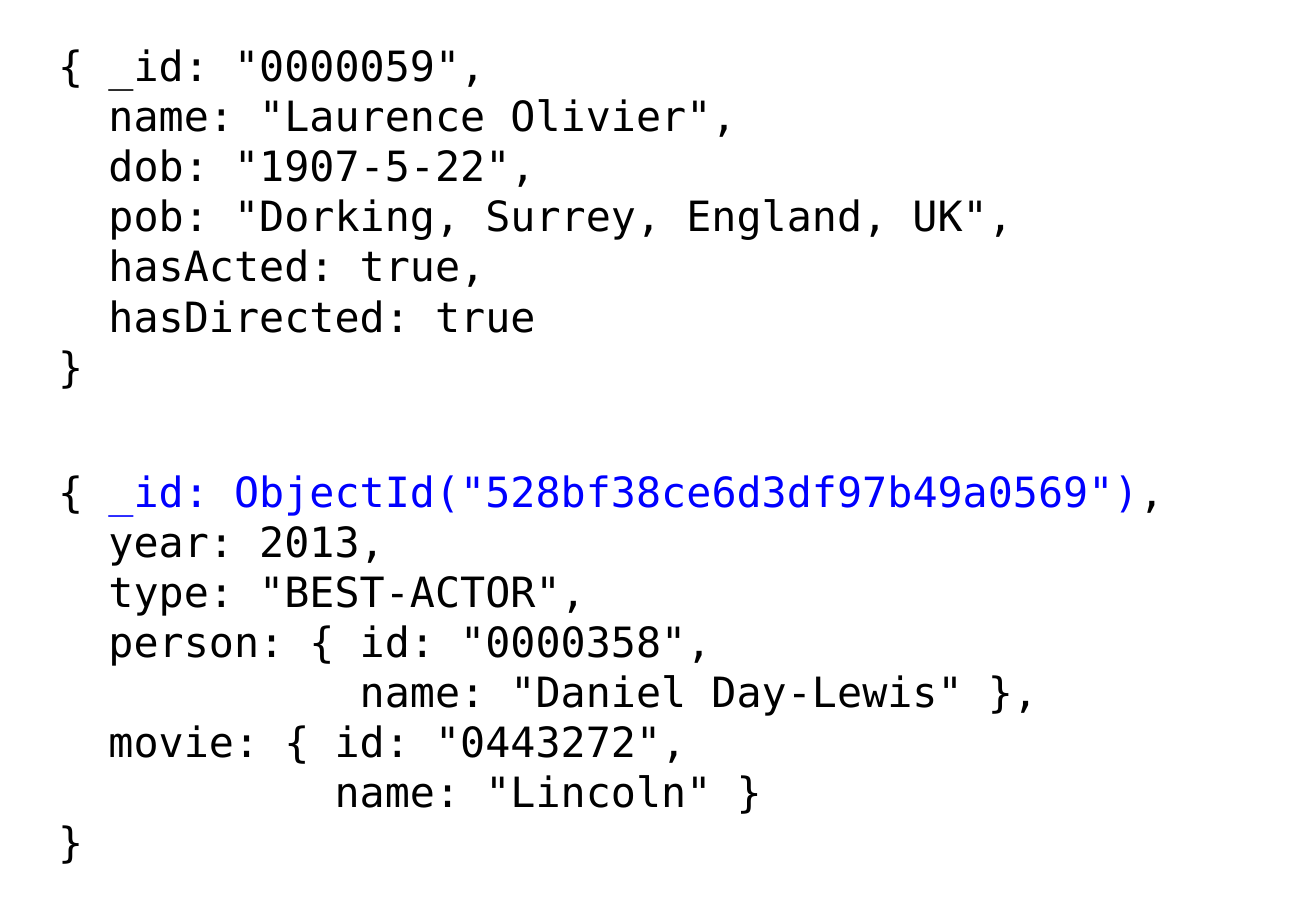
Queries in MongoDB
- Each query can only access a single collection of documents.
- Use a method called db.collection.find()
- collection is the name of the collection
<selection>is an optional document that specifies one or more selection criteria
- omitting it (i.e., using an empty document {}) selects all documents in the collection
<projection>is an optional document that specifies which fields should be returned
- omitting it gets all fields in the document
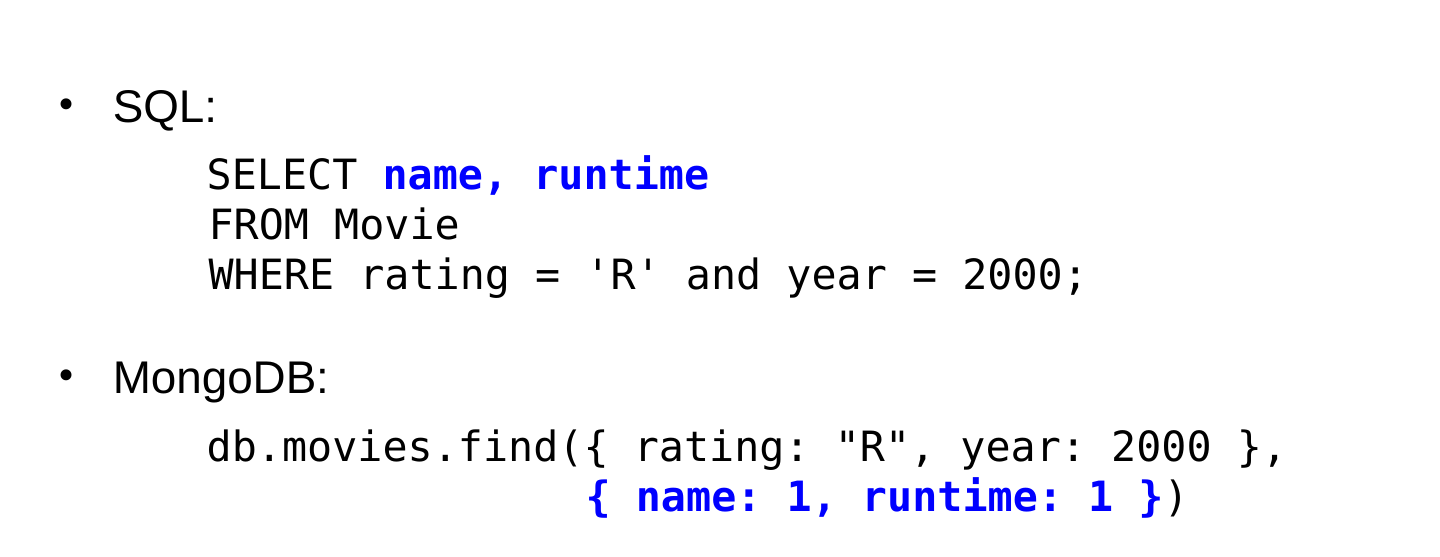
Comparison with SQL
- Example: find the names and runtimes of all R-rated movies that were released in 2000.
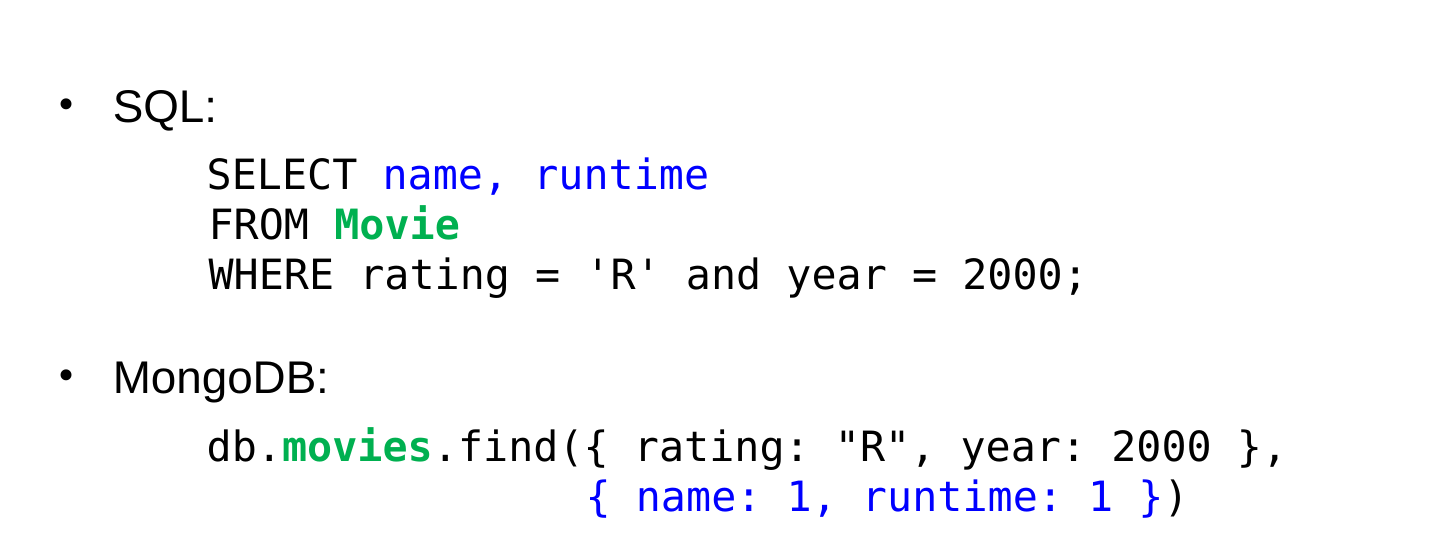
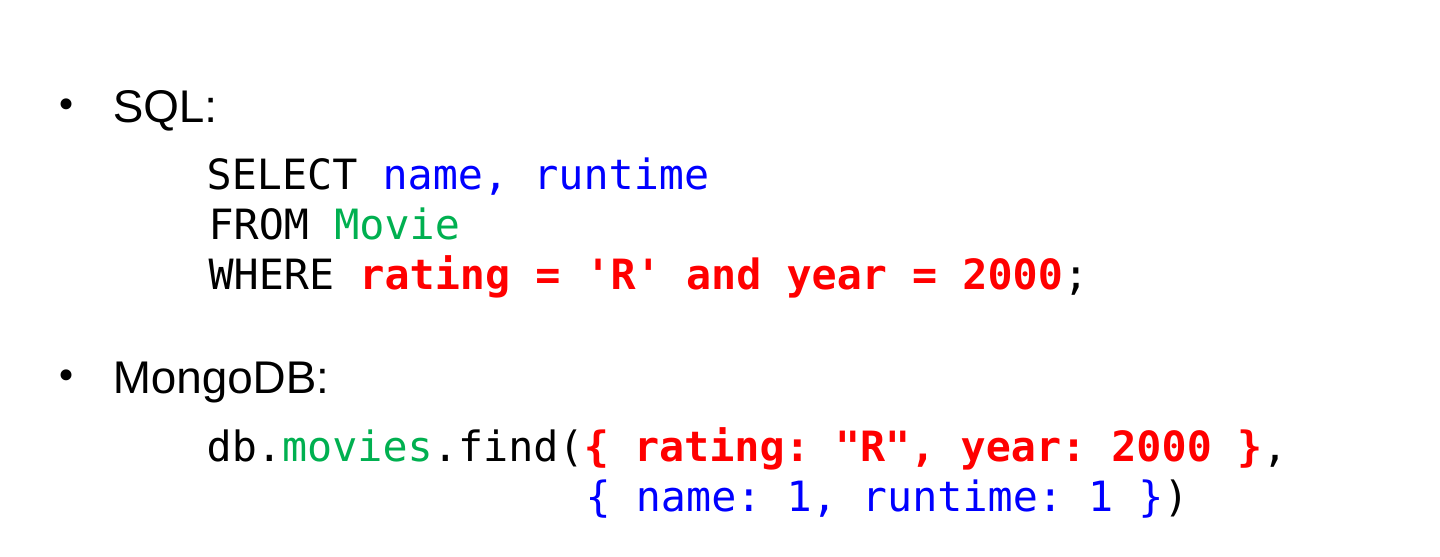
Query Selection Criteria
- To find documents that match a set of field values, use a selection document consisting of those name/value pairs (see previous example).
Query Selection Criteria (cont.)
- Logical operators:
$and,$or,$not,$nor- take an array of selection subdocuments
- example: find all movies rated R or PG-13:
Query Selection Criteria (cont.)
- To test for set-membership or lack thereof:
$in,$nin- example: find all movies rated R or PG-13:
- example: find all movies except those rated R or PG-13:
- note:
$in/$ninis generally more efficient than$or/$nor
- To test for the presence/absence of a field:
$exists- example: find all movies with an earnings rank:
Logical AND
- You get an implicit logical AND by simply specifying a list of fields.
- recall our previous example:
- example: find all R-rated movies shorter than 90 minutes:
Logical AND (cont.)
$andis needed if the subconditions involve the same field- can’t have duplicate field names in a given document
- Example: find all Oscars given in the 1990s.
- the following would not work:
- one option that would work:
- another option: use an implicit AND on the operator subdocs:
Pattern Matching
- Use a pattern surrounded with //
- example: find all people born in Boston
- Can use a
*wildcard character to indicate 0 or more characters.- equivalent to % in SQL
- You get a
*wildcard by default on either end of the pattern.- example:
/Boston,/is the same as/*Boston,*/ - use:
^to match the beginning of the value,$to match the end of the value/Boston,/would match “South Boston, Mass”/^Boston,/would not, because the^indicates “Boston” must be at the start of the value
- example:
Queries on Arrays/Subdocuments
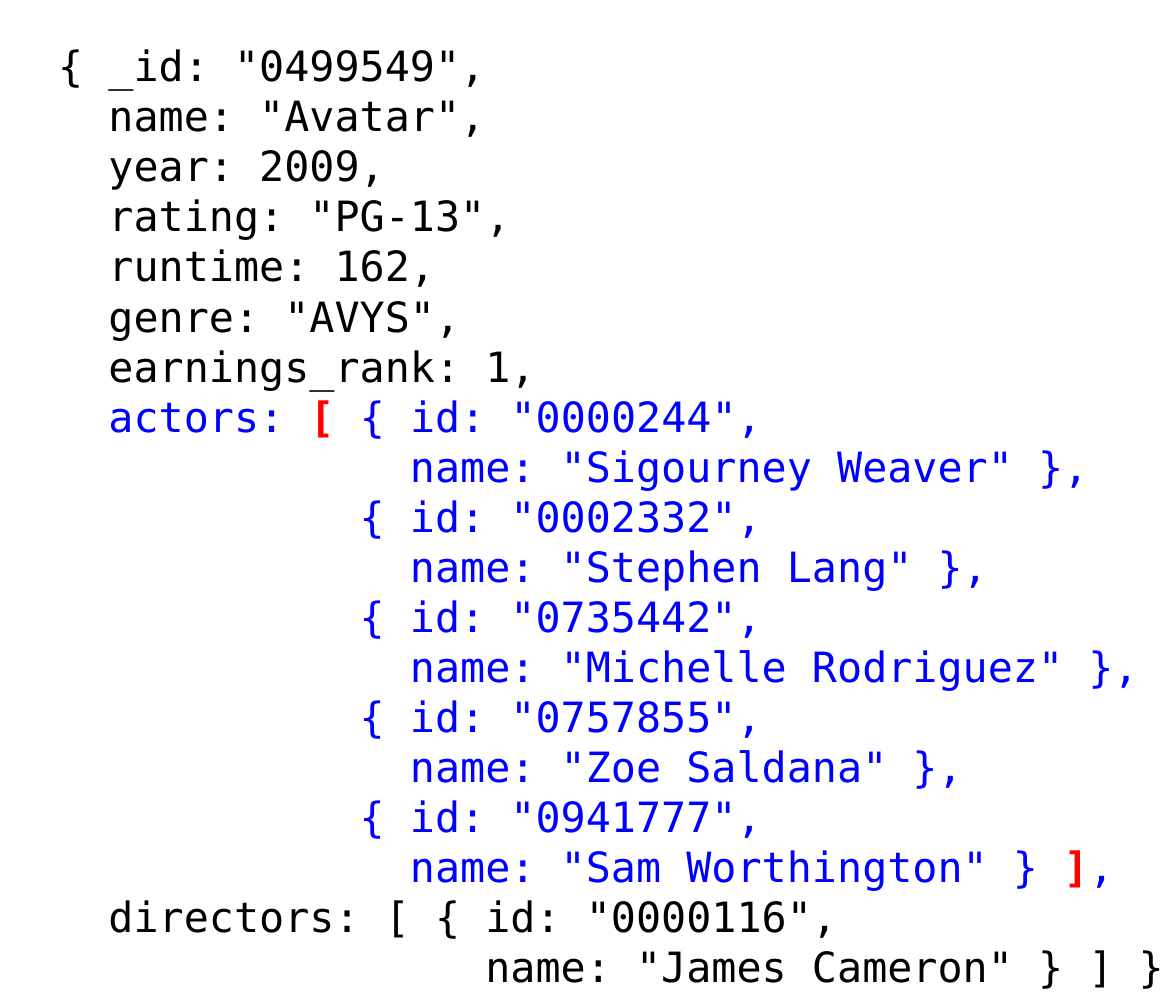
- If a field has an array type
finds all documents in which val is at least one of the elements in the array associated with arrayField
- Example: suppose that we stored a movie’s genres as an array:
- to find all animated movies – ones with a genre of “N”:
- Given that we actually store the genres as a single string (e.g., “NCF”), how would we find animated movies?
Queries on Arrays/Subdocuments (cont.)
- Use dot notation to access fields within a subdocument, or within an array of subdocuments:
- example: find all Oscars won by the movie Gladiator:
- Note: When using dot notation, the field name must be surrounded by quotes.
Queries on Arrays/Subdocuments (cont.)
- example: find all movies in which Tom Hanks has acted:
> db.movies.find( { "actors.name": "Tom Hanks"} )
{ _id: "0107818", name: "Philadelphia", year: 1993,
  rating: "PG-13", runtime: 125, genre: "D"
  actors: [ { id: "0000158",
              name: "Tom Hanks" },
            { id: "0000243",
              name: "Denzel Washington" },
            ...
          ],
  directors: [ { id: "0001129",
                 name: "Jonathan Demme" } ]
}
{ _id: "0109830", name: "Forrest Gump", year: 1994,
  rating: "PG-13", runtime: 142, genre: "CD"
  actors: [ { id: "0000158",
              name: "Tom Hanks" },
            ...
Projections
- The projection document is a list of
fieldname:valuepairs:- a value of 1 indicates the field should be included
- a value of 0 indicates the field should be excluded
- Recall our previous example:
- Example: find all info. about R-rated movies except their genres:
Projections (cont.)
- The
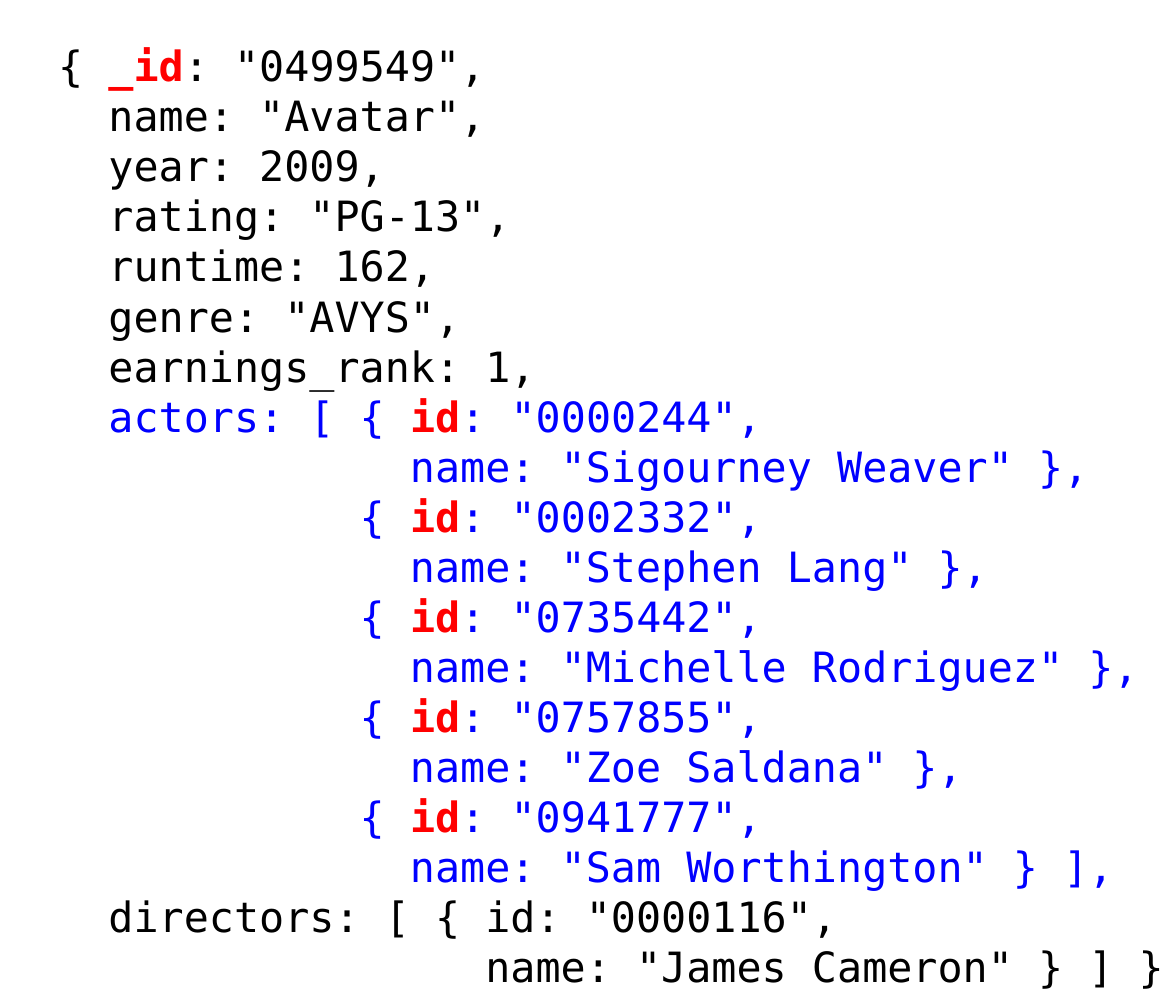
_idfield is returned unless you explicitly exclude it.
> db.movies.find({ rating: "R", year: 2011 },
                 { name: 1 })
{ "_id" : "1411697", "name" : "The Hangover Part II" }
{ "_id" : "1478338", "name" : "Bridesmaids" }
{ "_id" : "1532503", "name" : "Beginners" }

> db.movies.find({ rating: "R", year: 2011 },
                 { name: 1, _id: 0 })
{ "name" : "The Hangover Part II" }
{ "name" : "Bridesmaids" }
{ "name" : "Beginners" }- A given projection should either have:
- all values of 1: specifying the fields to include
- all values of 0: specifying the fields to exclude
- one exception: specify fields to include, and exclude
_id
Iterating Over the Results of a Query
- db.collection.find() returns a cursor that can be used to iterate over the results of a query
- In the MongoDB shell, if you don’t assign the cursor to a variable, it will automatically be used to print up to 20 results.
- if more than 20, use the command
itto continue the iteration
- if more than 20, use the command
- Another way to view all of the result documents:
- assign the cursor to a variable:
- use the following method call to print each result document in JSON:
Aggregation
- Recall the aggregate operators in SQL: AVG(), SUM(), etc.
- More generally, aggregation involves computing a result from a collection of data.
- MongoDB supports several approaches to aggregation:
- single-purpose aggregation methods
- an aggregation pipeline
- map-reduce
Single-Purpose Aggregation Methods
- db.collection.count(
<selection>)- returns the number of documents in the collection that satisfy the specified selection document
- ex: how many R-rated movies are shorter than 90 minutes?
- db.collection.distinct(
<field>,<selection>)- returns an array with the distinct values of the specified field in documents that satisfy the specified selection document
- if omit the selection, get all distinct values of that field
- ex: which actors have been in one or more of the top 10 grossing movies?
Aggregation Pipeline
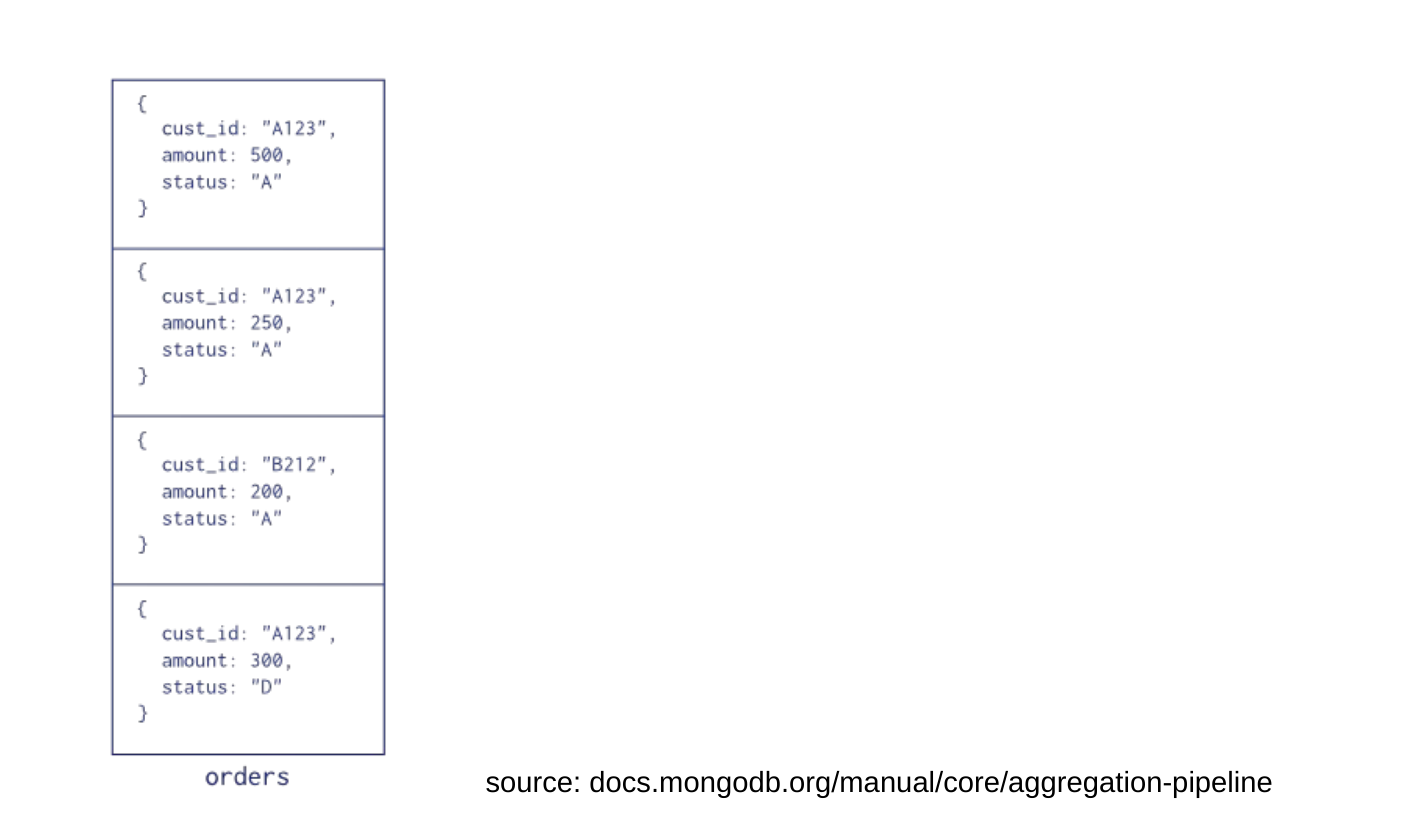
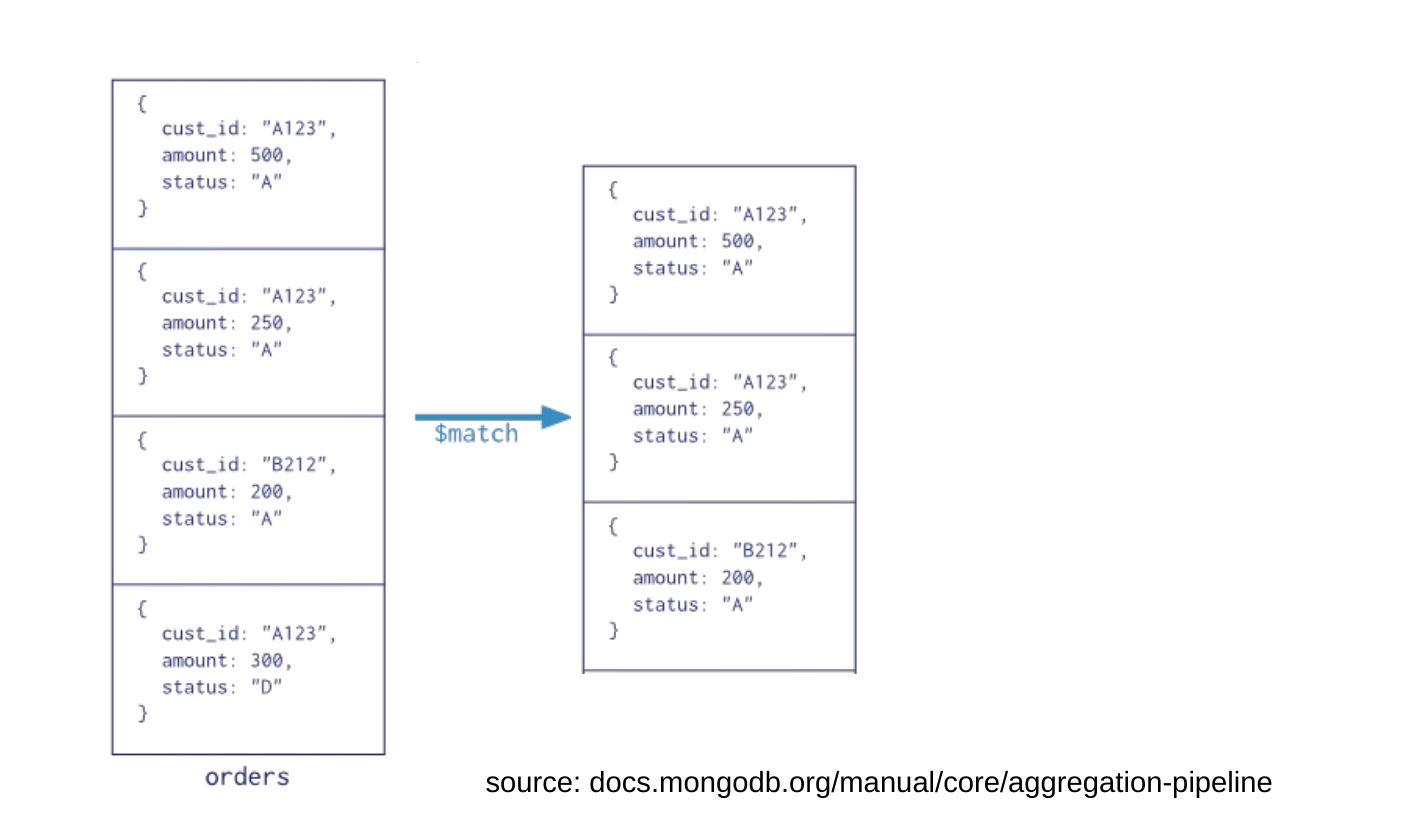
- A more general-purpose and flexible approach to aggregation is to use a pipeline of aggregation operations.
- Each stage of the pipeline:
- takes a set of documents as input
- applies a pipeline operator to those documents, which transforms / filters / aggregates them in some way
- produces a new set of documents as output





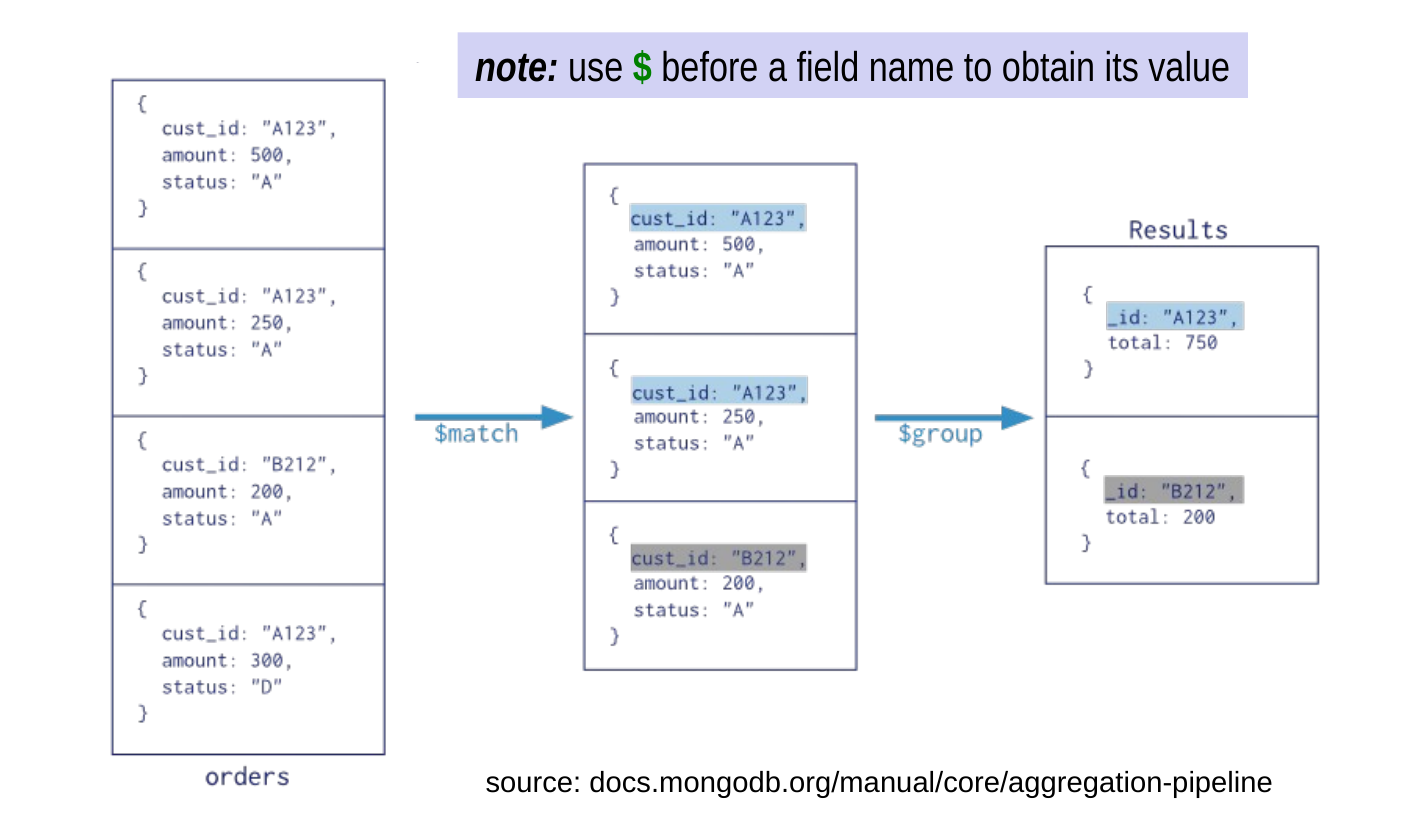
Aggregation Pipeline Example
Pipeline Operators
$project– include, exclude, rename, or create fields- Example of a single-stage pipeline using $project:
- for each document in the people collection, extracts:
name(1 = include, as in earlier projection documents)
pob, which is renamedwhereBorn
- a new field called
yearBorn, which is derived from the existing dob values (yyyy-m-d → yyyy)
- the
_idfield, because we didn’t exclude it
- note: use $ before a field name to obtain its value
Pipeline Operators (cont.)
$group– like GROUP BY in SQL
- example: compute the number of movies with each rating
{ $sum: 1 }is equivalent to COUNT(*) in SQL- for each document in a given subgroup, adds 1 to that subgroup’s value of the computed field
- can also sum values of a specific field (see earlier slide)
$sumis one example of an accumulator- others include:
$min,$max,$avg,$addToSet
Pipeline Operators (cont.)
$match– selects documents according to some criteria
- where
<selection>has identical syntax to the selection documents used by db.collection.find()
Example of a Three-Stage Pipeline
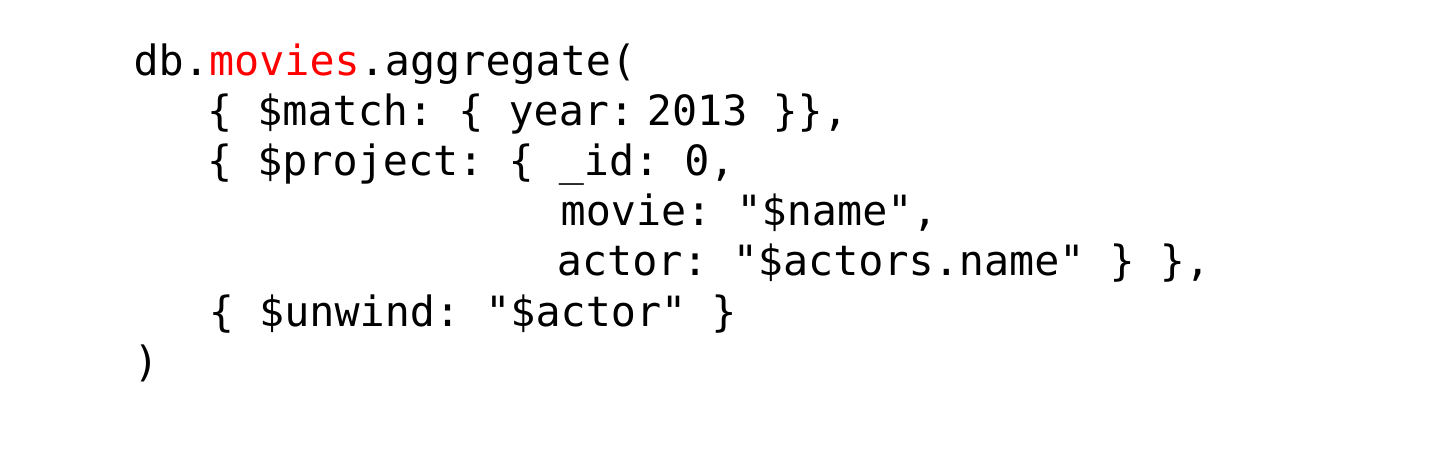
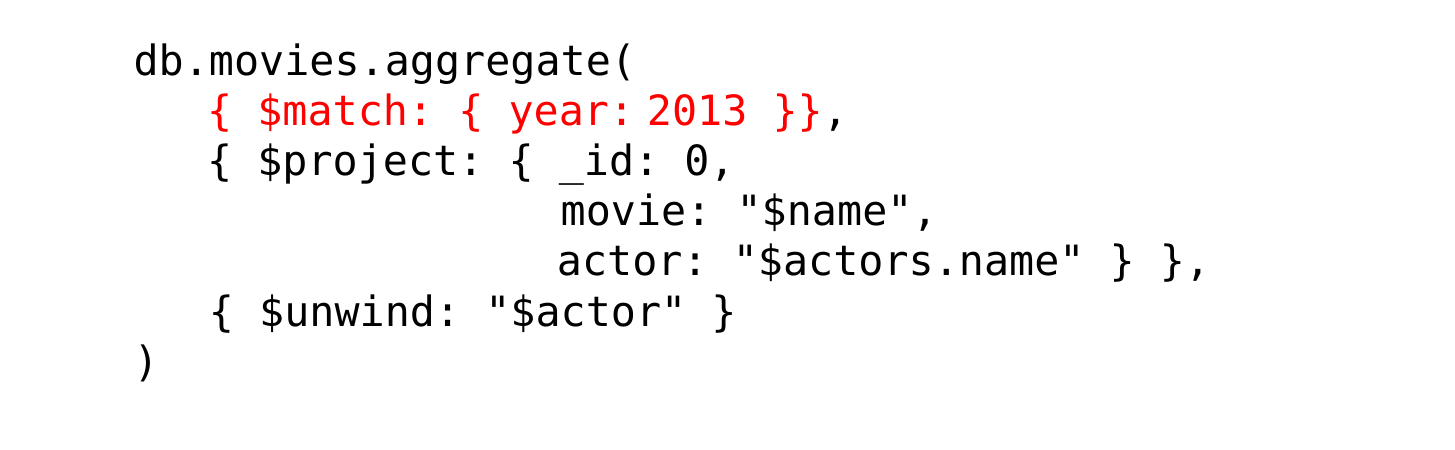
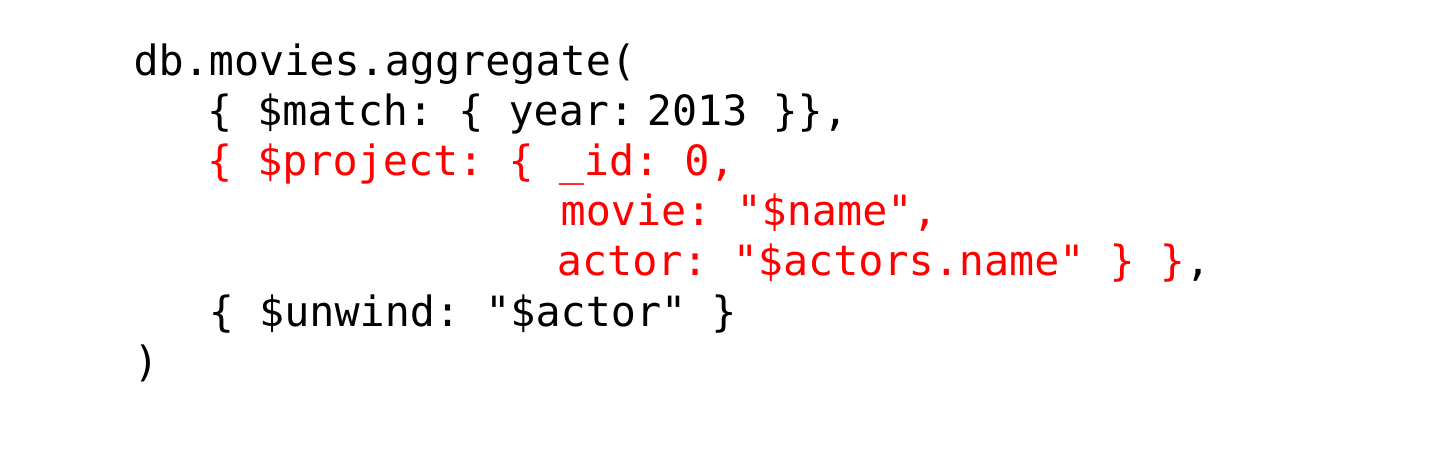
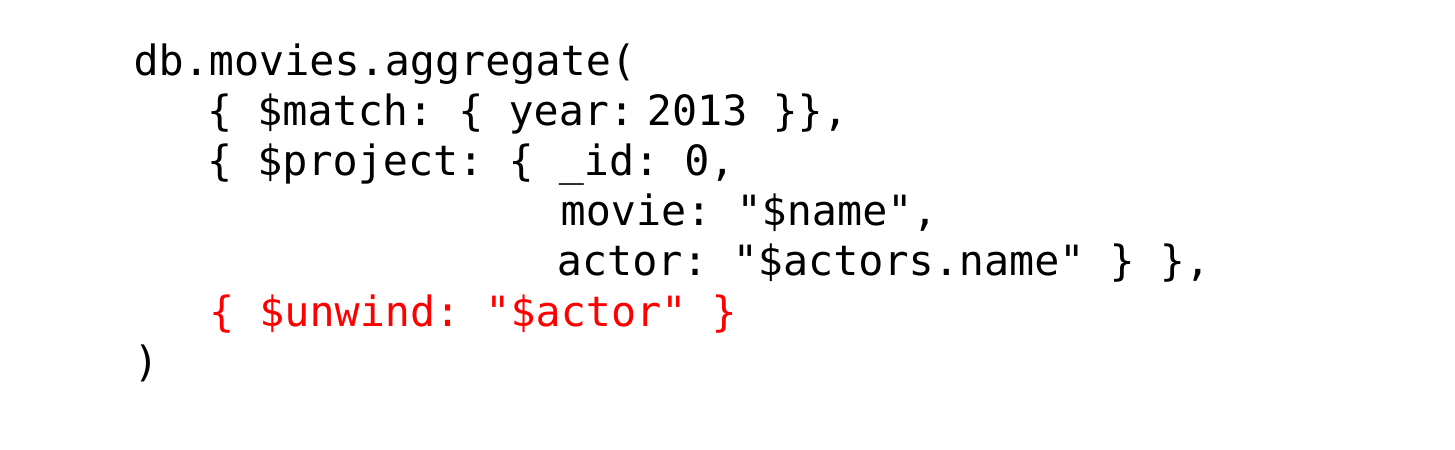
- What does each stage do?
$match: select movies released in 2013
$project: for each such movie, create a document with:- no
_idfield - the name field of the movie, but renamed movie
- the names of the actors (an array), as a field named actor
- no
$unwind: turn each movie’s document into a set of documents, one for each actor in the array of actors
Map-Reduce
- MongoDB includes support for map-reduce.
- also defines a pipeline, but it’s more flexible
- example: allows for user-defined pipeline functions
- in MongoDB, this can be less efficient than the pipeline operators for many types of aggregation
- deprecated in the latest version
- instead, have added pipeline operators that allow for more flexibility
- also defines a pipeline, but it’s more flexible
Recall: Types of Replication
- Synchronous replication: transactions are guaranteed to see the most up-to-date value of an item.
- read-any, write-all
- voting
- can be too slow in some situations
- Asynchronous replication: transactions may not see the most up-to-date value.
- primary-site
- peer-to-peer
Replication in MongoDB
- MongoDB uses primary-site replication.
- one replica is designated the primary or master replica
- all writes go to it
- the other replicas (the secondaries) can only be read
- changes to the primary are propagated asynchronously to the secondaries
- A replica set is a group of MongoDB server processes that host the same set of documents.
Replication and Reads
- By default, reads in MongoDB also go to the primary.
- guarantees that clients see the most recent version
- eliminates the performance gains that replication can give
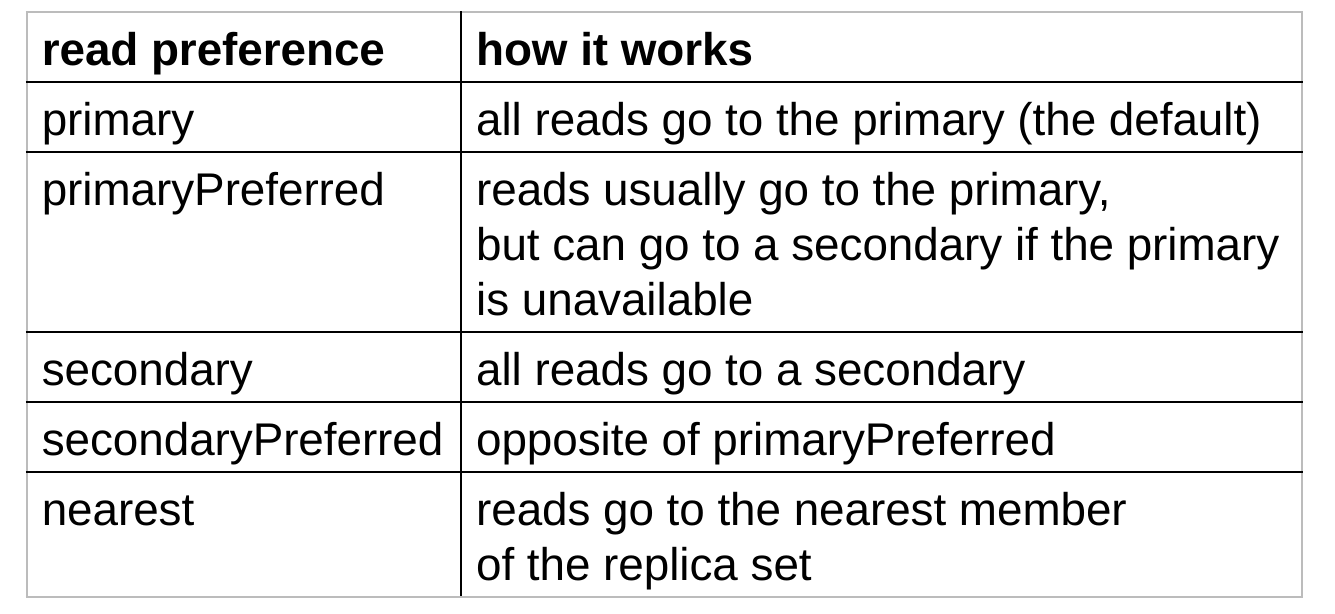
- For performance reasons, clients can specify a different read preference.
Reads and Consistency
- Earlier in the semester, we used the term consistency in the context of transactions (the C in ACID).
- In the context of a distributed database, consistency has a somewhat different meaning.
- used to specify whether reads reflect prior writes
- Strict consistency:
- reads always reflect prior writes
- get the most up-to-date value
- Eventual consistency:
- reads may not immediately reflect prior writes
- may get stale data
- given enough time, reads will eventually reflect prior writes
- reads may not immediately reflect prior writes
Reads and Consistency (cont.)
- By default, MongoDB provides strict consistency.
- reading from the primary gives you the latest value
- Reads with non-primary read preferences provide eventual consistency (unless you take special steps).
- a secondary may not yet have the latest value, but it will eventually get it
- in the meantime, a given read may get stale data
More Detail About Writes
- All writes go to the primary.
- After applying a write, the primary also logs it.
- Copies of the log are periodically sent to the secondaries, which apply the writes to their replicas.
- To provide increased consistency for clients reading from secondaries, specify a special write concern value.
- allows you to specify the number of replica-set members that must acknowledge the write before the write operation returns to the client
High Availability
- Because writes (and, by default, reads) go to the primary, MongoDB needs to handle cases in which the primary becomes inaccessible.
- In such cases, the system performs automatic failover.
- the secondaries hold an election to select a new primary
- can give secondaries priorities that affect their likelihood of becoming the new primary
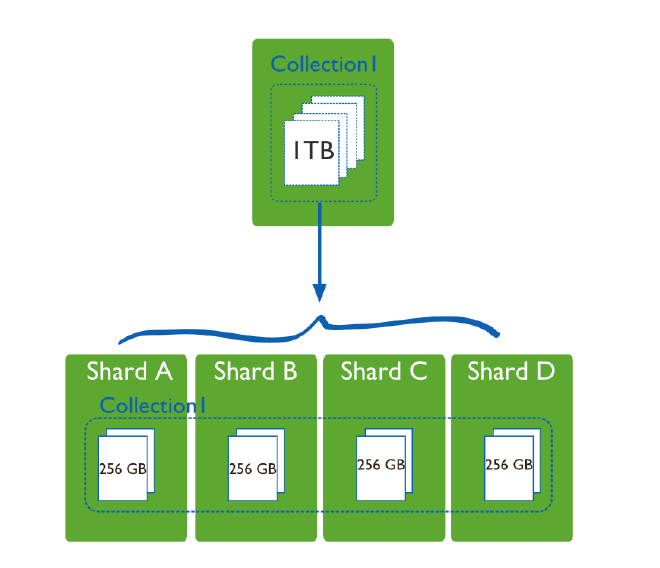
Sharding in MongoDB
- Sharding == horizontal fragmentation
- divides a collection of documents among multiple servers
- each subset of the documents is referred to as a shard
- if the database is also replicated, each shard corresponds to a replica set.